ABLE Course 10: Evaluating Reference Sources PDF Free Download
1 / 16/16
100%

ABLE Course 10: Evaluating Reference Sources 1 | P a g e
Idaho Commission for Libraries 07/31/2017
Funded by a grant from the Institute of Museum and Library Services, Library Services Technology Act
Slide 1 ~ ABLE Course 10: Evaluating Reference Sources
By Jane Houston and Stephanie Kukay, Idaho State Library, 2003
Updated by Steve Poppino, August 2009 and July 2015
Our thanks to the Ohio Library Council for granting permission to use portions of the Ohio
Reference Excellence Web-Based Training (ORE on the WEB).
This course was produced and updated through a grant from the Institute of Museum and
Library Services, the Library Services Technology Act.
Slide 2
This course is designed for members of the library community who have no formal library
training.
In this course you will explore the steps in evaluating reference sources.
Other courses in this series are on the reference interview, basic reference sources, and ethical
issues in Public services.
Depending upon your learning style this course will take approximately 1 ½ hours to complete.
If you have stopped working on the course, simply re-enter by clicking on the appropriate
section in the menu.
After the final survey, you will have an opportunity to print a Certificate of Completion for your
continuing education records.
Slide 3 ~ Course Objectives
In this course, you will learn:
• The importance of evaluating reference resources.
• Criteria for evaluating all types of reference resources.
• Specific criteria for evaluating print resources.
• Specific criteria for evaluating electronic resources.
Click on Section 1. Evaluating Reference Resources to begin the course.
ABLE Course 10: Evaluating Reference Sources 2 | P a g e
Idaho Commission for Libraries 07/31/2017
Funded by a grant from the Institute of Museum and Library Services, Library Services Technology Act
Slide 4 ~ Section 1. Evaluating Reference Resources
The importance of evaluation. William Katz (2002) states, “How does the librarian know
whether a reference source is good, bad or indifferent? . . . [A] good reference source is one
that answers questions, and a poor reference source is one that fails to answer questions.
Constant use in practice will help in identifying any source, (whether a book or a database) with
one of these two categories.”
Of course, an answer is not always THE right answer. You and your patrons will want to check
out the authority of the person(s) or organization responsible for a reference source; an
authoritative source is the best route to accurate information.
Another reason to evaluate your resources carefully is to get the best value for your money. No
library can afford to spend its budget on materials that aren’t useful. Careful evaluation of the
resources you purchase will give you the best of the best – a high quality collection, even
though small, that meets the needs of your patrons.
If you’ve done your homework on evaluating the materials in your collection, you are in a much
better position to locate the information your patrons need, simply because you know what you
can find in each source.
You will want to learn how to evaluate two classes of materials: those you already have in your
collection (so you know how and when to best use them), and those you are considering for
purchase (so you know if material will meet your collection development needs). Next we will
look at ways to evaluate the materials you may want to buy.
Slide 5 ~ Evaluating for Purchase
It is difficult to evaluate any print or online resource, if you can’t actually see it. You will want to
know something about its accuracy, currency, authority, and how easy it is to use. Here are
some options for getting that information:
Flyers and catalogs: Chances are good you already receive untold stacks of promotional
material from various publishers. These are good sources of information for discovering what is
being published and what the content is. Sometimes a sample page or table of contents is
included. However, remember these are sales brochures first of all, and the intent is to get you
to buy their products. Therefore, while you can learn a lot about the material from these
brochures, don’t purchase materials based solely on the recommendation of the publisher.
ABLE Course 10: Evaluating Reference Sources 3 | P a g e
Idaho Commission for Libraries 07/31/2017
Funded by a grant from the Institute of Museum and Library Services, Library Services Technology Act
Bookstores and larger libraries: If you live near a large community, or if you get a chance to
visit one occasionally, be sure to take advantage of the opportunity to examine the reference
sections at bookstores and libraries. You can examine items that may have piqued your interest
because you have seen the flyers. You can also compare similar sources such as dictionaries,
thesauri, atlases, or resources on any subject that is lacking in your library. And remember, you
can always consult your colleagues – ask them what resources they use and find helpful.
Exhibits: The best opportunity to see exhibits is to attend professional library conferences.
Vendors, including publishers and distributors, display a variety of resources, both print and
electronic. You can examine the books, try out the electronic products, and ask questions of the
representatives. Developing good relationships with vendors of reliable publishers can be an
effective way to build your collection. An honest vendor wants to earn your trust and will try to
help you purchase materials appropriate to your collection. Beware of the salesperson – in
person or by phone – who tries to sell to you before listening to your needs.
Reviews: Book (and other product) reviews are essential when making purchase decisions.
Some of the best review sources are the journals Booklist, Library Journal, School Library
Journal, Kirkus Reviews, Horn Book (for children’s books), and Choice (for more scholarly
works). All these journals except for Kirkus Reviews and Choice appear in full text in one of the
LiLI databases. (Some of these journals will be discussed in subsequent sections.) The
descriptions of materials you find in Publishers Weekly are not critical reviews because they
come from the publishers themselves. Some library journals contain few or no reviews; a good
example is American Libraries, an American Library Association publication with news and
feature articles.
Online trial periods: The best way to assess an online resource such as a subscription database
is to try it out. Most vendors make it easy to set up a trial period, usually 30 days. You can
make it available to just library staff or to your patrons if you want to collect more input.
Slide 6
If you are evaluating print and electronic reference materials for purchase, be cautious. Look
for errors. Ask yourself: What will this resource add to our collection? Is it written at a level
appropriate for our needs? What information does it contain not found in other sources?
In the following sections you will cover the criteria for evaluating reference sources, both print
and electronic.
ABLE Course 10: Evaluating Reference Sources 4 | P a g e
Idaho Commission for Libraries 07/31/2017
Funded by a grant from the Institute of Museum and Library Services, Library Services Technology Act
Slide 7 ~ Section 2. General Evaluation Criteria ~ Evaluating Reference Sources
There are several things to consider when reviewing reference tools. Regardless of the format,
the main criteria to look for are authority, currency, audience, accuracy, and accessibility. Let's
explore these areas:
Authority. What is the reputation of the publisher? What are the qualifications or credentials
of the author, editor or contributors? H.W. Wilson, National Geographic, and World Book –
these names are synonymous in the publishing world with reliability in their field. For example,
H.W. Wilson provides high-quality indexing and abstracting services; National Geographic is a
leading producer of map products and social science information; and World Book publishes the
encyclopedia of choice for most schools. All three publishers are careful about choosing
competent contributors and are conscientious in listing the qualifications of each one. If you're
unsure about authorities, note the names of publishers and editors whose works you like and
use; you will soon know the ones you want to rely on.
Currency. Check the copyright date (for books and electronic versions of reference books) or
the most recent update (for web sites). For example, does an encyclopedia mention items in
the news during the past year or two? Are the newest words contained in a dictionary? Does
an atlas use current names for countries? The equivalent of a recent copyright date for a web
site is the indication that the site is updated on a regular basis. Has it been revised within the
past three to six months? If it carries no date at all, be very cautious. Are links still current?
Remember, currency can refer to two different issues: the publication/ copyright date or last
update; and the currency of the content. Publication date or update is a good general guide,
but the real test is, of course, in the content of the source.
A reminder: Not all subjects require equal currency. Scientific and medical information changes
rapidly, and the more current the publication date, the better. For example, a year-old
Physicians' Desk Reference (PDR), while perhaps not completely up-to-date, may still be relied
upon. However, a three- or four-year-old edition of the PDR will not include changes in medical
knowledge since it was issued. The publication date for works of literary criticism, history and
philosophy is much less crucial – Richard Morris' Encyclopedia of American History (6th ed.,
1982) is useful for all subjects covered up to the date written.
Audience. Who is the target audience? Is the book or web site aimed at students – and if so,
what grade level? For example, three well-known encyclopedias are the Britannica, Americana,
and World Book. Researching these three will show that Britannica is appropriate for senior
high to adult readers, Americana for junior/senior high students to adults; while, World Book is
aimed at younger readers but can be enjoyed by all ages.

ABLE Course 10: Evaluating Reference Sources 5 | P a g e
Idaho Commission for Libraries 07/31/2017
Funded by a grant from the Institute of Museum and Library Services, Library Services Technology Act
Is it for the general reader, or for a more academic or technical researcher? The New York
Public Library Science Desk Reference is written for the general reader with science questions,
while the intended audience of the CRC Handbook of Chemistry and Physics is for professional
researchers. Sources like the McGraw-Hill Encyclopedia of Science & Technology may be used
profitably by a wide range of readers. In particular, it can be useful for high school students who
are preparing school reports. Even if it is written at an appropriate level for one or another
group of your patrons, consider whether it covers the subject in sufficient detail to be useful to
them.
Accuracy. Are the entries consistent? They should reinforce one another, not offer
contradictory information. For example, if you are seeking U.S. population figures, are you
consistently finding 2010 census figures, or are some of them from 2000? One way to check for
accuracy is to look up a topic you're familiar with to see if the information provided is correct.
For example, in examining encyclopedias in particular, you might want to check the entry for
Idaho or the city you live in. One way of checking for accuracy in web sites is by checking the
links. Do they link to other reliable sites, such as a government site or reputable professional
organization? Are the links up to date, or do they point to dead ends?
Accessibility. Is the tool easy to use? Check the book's table of contents and index; given your
particular need, one or the other may be the most useful in leading you to the information you
want. For example, each volume of American Decades has a detailed index, along with a well-
organized table of contents, either of which can help you quickly locate information.
The accessibility of a web site can be evaluated by answering the question: Do the web site
menu and other design features lead directly to the type of information you need? As an
illustration, compare the home pages of Google and Yahoo. Note the simplicity of the Google
site, especially contrasted with the Yahoo site, which contains a lot of unwanted advertising
material. Next you will explore the parts of a book.
Slide 8 ~ Section 3. Evaluating Print Resources
An understanding of the parts of a book and the purpose of each part is important background
for a discussion of the specific criteria for evaluating reference books. This section will present
the parts of a book and the next section will cover the criteria for evaluating reference books.
Author
This is the person responsible for the contents of the book and whose name appears on the
“title page.” Sometimes there is an editor or compiler instead of an author, and sometimes the
“author” is an agency or other group. In evaluating a reference book, you can ask yourself if
you are familiar with the author's name and if that person is an authority in the field. For
example, a book on astronomy by Carl Sagan would appear to be written by an expert in that
subject.
ABLE Course 10: Evaluating Reference Sources 6 | P a g e
Idaho Commission for Libraries 07/31/2017
Funded by a grant from the Institute of Museum and Library Services, Library Services Technology Act
Title
Titles can be very descriptive, telling you quite a bit about the book. Subtitles are especially
helpful in this regard. The title, Music in American Life: An Encyclopedia of the Songs, Styles,
Stars, and Stories That Shaped Our Culture, leaves little doubt about the content of the book.
Not all titles are so helpful, but many can be good clues. Sometimes the title on the spine of
the book (back edge) is not the same as the one on the title page -- the page near the front of
the book with both the title and author, and often the publisher and place of publication.
Volume
In a set of several books, each will have its own volume number or letter.
Edition
All copies of a book printed from a set of plates makes up an edition. If additional copies are
printed from the same plates, the book has been reprinted. But if any changes are made in the
book, either bringing it up-to-date or adding new material, it is called a new, revised or second
(or later) edition. As a general rule, using the latest available edition provides updated material,
so it's wise to check the edition you are using.
Series
A series is a number of separate works -- which are related to each other and issued in
succession -- normally by the publisher and often in uniform style with a collective title. Be
careful not to confuse the series title and the book title. Boise State University publishes the
Western Writers Series, and each title refers to an individual author (such as, Vardis Fisher,
Mary Hallock Foote).
Slide 9
Place of Publication
The place of publication usually appears on the title page, but sometimes can be found on the
“verso” or back of the title page. This can be significant if, for example, you have a book on
gardening and it was published in England. You might be alert to advise that the content does
not apply to the climate of Idaho.
Publisher's Name
This is usually found on the title page. Like authors, publishers gain good or bad reputations.
For example, Merriam-Webster's name as a dictionary publisher generally assures a high quality
product.
Date of Publication
The copyright date can appear on the title page or on the verso of the title page. This is one of
the most important things to note about a reference book. Is the material still current?
ABLE Course 10: Evaluating Reference Sources 7 | P a g e
Idaho Commission for Libraries 07/31/2017
Funded by a grant from the Institute of Museum and Library Services, Library Services Technology Act
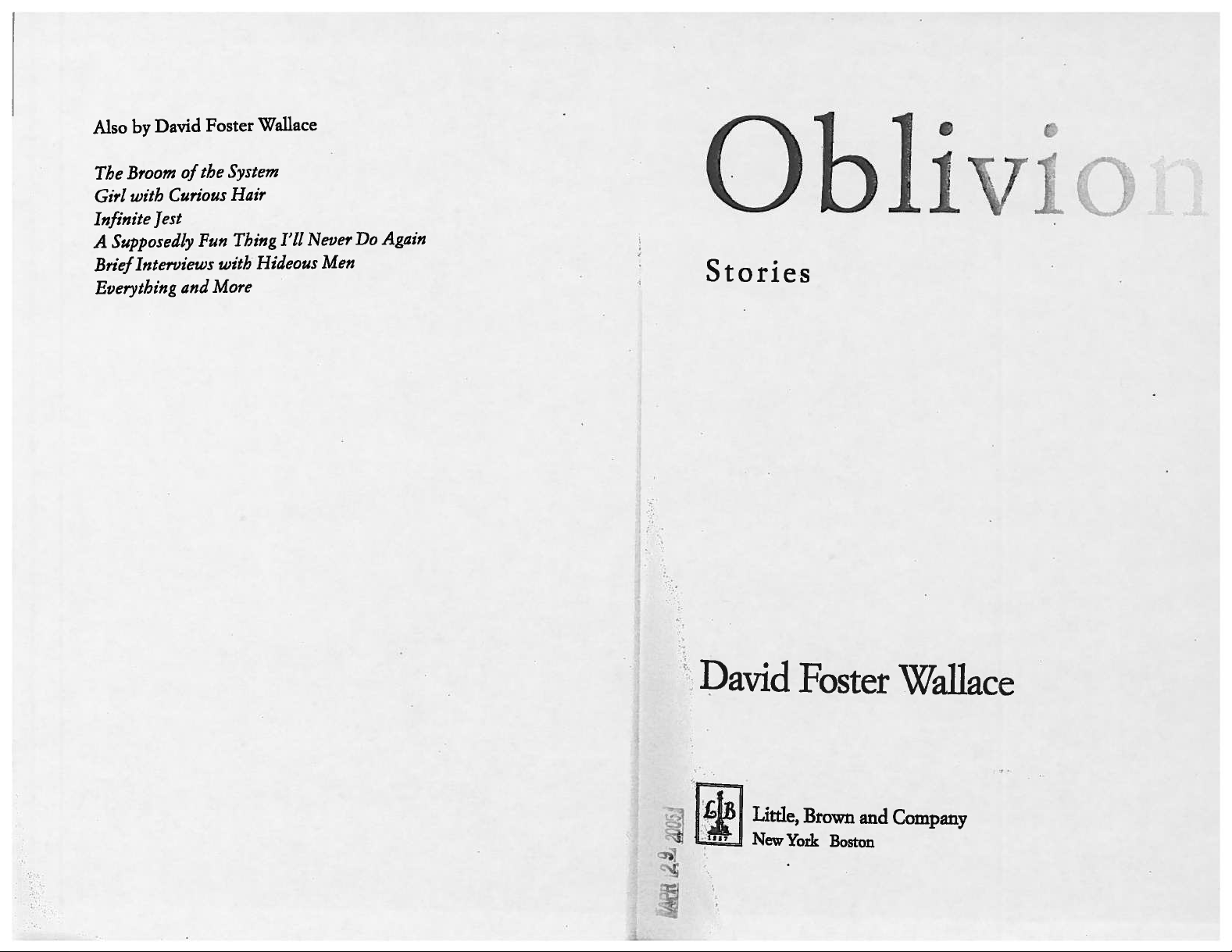
Foreword or Preface
In the foreword or preface, the author states the purpose for writing the book and expresses
thanks to those who assisted in the writing. Knowing the purpose of the book gives you a good
sense of the types of questions you will be able to answer with the content. The foreword helps
you determine the scope of the book.
Introduction or Instructions for Use
This differs from the preface in that it is about the subject of the book. This is a crucial part of a
reference book. It often provides instructions needed to understand how the book works.
When you pick up a reference book for the first time, be sure to read the introduction.
Slide 10
Table of Contents
This gives a list of the chapters or parts of a book. You can tell at a glance what material is
covered in the book and the order in which it is presented. Reading the table of contents can
give you a quick overview of the book and what it can do for you.
Text
This is the main body of the book. Check for the arrangement of the book. Is it alphabetical?
Chronological? Is it arranged by subject? What information is included for each entry?
Appendix
This is supplementary or added material that cannot easily be introduced into the text. It is a
good idea to become familiar with the material in the appendix since some of the most helpful
information is often found there.
Glossary
This is a list of unusual, technical, or obsolete terms with definitions or explanations. It is
usually found in the back of a book.
Index
This is an alphabetical list of topics, names, and other content in a book or group of books, with
references to pages or item numbers where they occur. An index is to a book what the online
catalog is to a library. It lets you target and locate information. Try to get in the habit of
checking indexes. In an encyclopedia, for example, while there may be a major article on Idaho,
by checking the index you may also find relevant information on Idaho included in articles on
other topics, such as “Basques” or “Salmon River.”
To download a list of the parts of the book, click on attachments in the upper right hand corner
of this slide and open the file “Parts of a Book.” Now we will review the process of evaluating a
reference book.
ABLE Course 10: Evaluating Reference Sources 8 | P a g e
Idaho Commission for Libraries 07/31/2017
Funded by a grant from the Institute of Museum and Library Services, Library Services Technology Act
Slide 11 ~ Evaluating Print Reference Books
In addition to the criteria for evaluating reference sources in any format, there are specific
criteria to keep in mind when evaluating print resources. Move to the next slide to further
explore the criteria for evaluating print resources.
Slide 12 ~ Scope
The first aspect to review is the Scope. What does the book cover and in how much detail?
How complete is it? Are there noticeable omissions? The title should indicate the purpose,
while the introduction or preface will explain what the book is intended to accomplish. The
table of contents or index lists the subjects that are included.
For example, Gale Directory of Publications and Broadcast Media is a five-volume set that lists,
as a part of the subtitle, “newspapers, magazines, journals, radio and television stations, and
cable systems.” An examination of the table of contents shows that the first two volumes list
publications and broadcast media alphabetically by state, then Canadian province, and within
state or province by city. Subsequent volumes include a variety of subject indexes and
international information. This is not a directory of international academic and research
journals.
The scope of the one-volume International Directory of Little Magazines & Small Presses is
similar, but is on a modified scale and includes only small-scale media. The entries are in
alphabetical order, with geographic and subject indexes.
Ulrich’s Periodicals Directory is international in scope. The subtitle indicates the inclusion of
“irregular serials & annuals.” The first three volumes list all serials alphabetically by subject, and
under each subject by title. The vast majority of entries are for scholarly journals, although
general interest periodicals are included. Volumes four and five contain multiple indexes and
entries for U.S. newspapers.
Slide 13 ~ Clarity
The next item to look at is Clarity. Is the material well-organized and easily understood?
Is the text arranged in a logical sequence, either alphabetically or chronologically?
For example, all dictionary and nearly all encyclopedia entries are organized alphabetically for
easy access.
The World Almanac and Book of Facts includes a “chronology of events” reported month by
month for the previous year.
ABLE Course 10: Evaluating Reference Sources 9 | P a g e
Idaho Commission for Libraries 07/31/2017
Funded by a grant from the Institute of Museum and Library Services, Library Services Technology Act
The Idaho Blue Book contains an “Idaho History Chronicle,” with notable events for each time
period or year, from prehistory, through territorial days, up to the present day.
Note that any world atlas (such as National Geographic Atlas of the World) is arranged
geographically, usually by continent and region and always includes an index of geographic
names.
Slide 14 ~ Index and Cross-References
Another feature to consider is the Index and Cross-References. How complete is the index?
Some reference sources provide a variety of access points; for example, the TIME Almanac has
three indexes:
o a keyword index
o a section (subject) index
o and a comprehensive index
Do cross-references lead to related subjects and similar concepts?
Are "See" and "See also" references used in the index or throughout the book? “See” and “See
also” notations are cross-references that lead you to the correct or additional headings. You will
find them in library catalogs, encyclopedias, and a variety of indexes, such as the H. W. Wilson
family of indexes and the Yellow Pages of your telephone book.
An index can refer to page numbers (World Almanac), entry numbers (Encyclopedia of
Associations), or table numbers (Digest of Education Statistics).
The Encyclopedia of Associations, a multi-volume guide to more than 22,000 U.S. and
international organizations, is arranged by broad subject and subheading, then alphabetically by
name of organization. The index to this set is organized alphabetically by organization names
and keywords – identifiable by their boldface type. The numbers in the index refer to entry
numbers, not page numbers.
Slide 15 ~ Special Features
What Special Features does the book offer? Does the book contain extras that add significantly
to its value?
For example, the American Heritage Dictionary, like many dictionaries, includes grammar and
punctuation rules, foreign alphabet tables, a gazetteer (list of geographic names), weights and
measures, and photos and sketches. Additional features might include maps, diagrams, charts,
and a glossary.
ABLE Course 10: Evaluating Reference Sources 10 | P a g e
Idaho Commission for Libraries 07/31/2017
Funded by a grant from the Institute of Museum and Library Services, Library Services Technology Act
Are the illustrative materials located near the pages which describe or refer to them? In the
case of the American Heritage Dictionary, pictures are in the margins of the text, right beside
the corresponding entries.
Slide 16 ~ Format
Finally, consider the Format. Do the size, quality of paper, and binding make for a sturdy book
that is easily handled?
The two general-purpose almanacs, TIME Almanac and World Almanac, are available in both
paperback and hardback editions. If your patrons use these heavily, you may want to consider
purchasing them in hardback for greater durability.
The margins should be wide, the pages should lie flat for easy copying, and the print should be
clear and large enough. Two reference books that are difficult to photocopy because of the
narrow gutter (margin next to the binding) are the Physicians’ Desk Reference (PDR) and the
Merck Veterinary Manual.
In the case of the PDR, there are other choices for information about drugs that would be easier
to photocopy. However, there is no print equivalent to the Digest of Education Statistics. While
photocopying may be an issue, you will not want to avoid a book only for this reason if the
information is important for your library.
Next we will review the process for evaluating electronic resources.
Slide 17 ~ Section 4. Evaluating Electronic Resources
The technology for presenting reference information changes rapidly. Many print reference
sources are now available in electronic format. You will find some reference tools have moved
directly from print to the Web while some electronic sources have been developed specifically
for the Web. Meanwhile, others migrated first to CD-ROM and then to the Web. Sometimes
free online resources cease publication and disappear.
Reviews of subscription databases and free web sites may be found in all the standard reviewing
journals. Remember resources should be evaluated using the general criteria discussed
previously in Evaluating Reference Sources:
• Authority – reputation and qualifications of author, editors or publisher
• Currency – date of copyright and currency of content
• Audience – school age/grade level, and, for adults, degree of technical level
• Accuracy – consistency and reliability of entries
• Accessibility – organization and ease of use
ABLE Course 10: Evaluating Reference Sources 11 | P a g e
Idaho Commission for Libraries 07/31/2017
Funded by a grant from the Institute of Museum and Library Services, Library Services Technology Act
Slide 18 ~ Evaluating Online Sources
One advantage to online subscription databases and many academic web sites is that, unlike
Web resources, they contain no advertising. However, these advantages can be offset by other
factors, such as degree of user-friendliness, hardware/software requirements (especially for
mapping data), and licensing restrictions for subscription databases.
In the evaluation process, consider the following:
User-friendliness. Is the product easy to install and later use – or access and use online?
For example, is it obvious from the opening screen how to begin a search? Do the
search strategies make sense? Are the help screens clear?
Requirements. What are the hardware and software requirements for accessing and
using a database? Which, if any, of your software and equipment will support it? Will
your computer’s memory handle the demands of the software?
Licensing. Are there licensing restrictions or limitations on the number of simultaneous
users? Could you network it, and is there an extra cost for doing so?
Updates. How frequently is it updated?
Slide 19 ~ Evaluating Web Sites
Remember, anyone can post a web site, but not all sites are created equal. Because no single
person or organization controls the content of the Internet, quality varies widely from site to
site. It is extremely important--for both librarians and their patrons--to learn how to evaluate
each Internet site.
Use the criteria previously listed for evaluating reference sources:
Authority – reputation and qualifications of author, editors or publisher
Currency – date of copyright and currency of content
Audience – school age/grade level, and, for adults, degree of technical level
Accuracy – consistency and reliability of entries
Accessibility – organization and ease of use
Move to the next slide to learn how responsibility, design, requirements, and purpose also
impact the credibility of a web site.
Slide 20 ~ Responsibility
Similar to authority, look for the reliability and qualifications of the site owner or creator. Who
(individual, business or organization) created the web site? Does the site contain an “About Us”
or “Contact Us” section if identifying information is incomplete?
ABLE Course 10: Evaluating Reference Sources 12 | P a g e
Idaho Commission for Libraries 07/31/2017
Funded by a grant from the Institute of Museum and Library Services, Library Services Technology Act
Explore the following web pages by clicking on the links to discover information about who
created the site. Find the About Us, About, or Contact Us tabs or links either at the top or
bottom of the web pages:
• Idaho Adventures in Living (http://visitidaho.org)
• Library of Congress (https://www.loc.gov/)
• Internet Scout (https://scout.wisc.edu/)
When you are done exploring, close the windows and advance to the next slide.
Slide 21 ~ Design
Is the site easy to use or confusing? To help you find specific sections or pieces of information,
does it include a search engine (which functions much like an index) or a site map (which is
similar to a table of contents)?
Take the Library of Congress web site – at the top of the screen, it includes a search tool and
two dropdown menus that lead to information about collection formats, library services, visitor
information, teaching resources, links to social media, and general information about the site.
When appropriate, does the web site offer links to other useful sites?
Ben's Guide to U.S. Government for Kids teaches students how our government works. It
provides a variety of learning tools and links to other federal web sites for K-12 students,
parents, and teachers.
Click the links on this slide and explore both sites. When you are done, close the windows and
advance to the next slide.
Slide 22 ~ Requirements
Is special software and adequate hardware required to access the information on the site?
Does it contain large PDF files, which will require Adobe® Reader®? This is not a problem
because the reader is available as a free download, or as an app for mobile devices.
Handling streaming video is simpler than it used to be. QuickTime and Flash are the two most
common streaming video formats. QuickTime is available as a free download. Flash is a free
download for Windows computers; mobile device owners can purchase special browsers that
are capable of processing Flash files.
The main problem for libraries related to streaming media is not the software but the
bandwidth. Libraries today need a local network with plenty of online capacity, so patrons can
search the Internet, download eBooks and audiobooks, play games, and do other online tasks at
the same time.

ABLE Course 10: Evaluating Reference Sources 13 | P a g e
Idaho Commission for Libraries 07/31/2017
Funded by a grant from the Institute of Museum and Library Services, Library Services Technology Act
Explore the following sites by clicking on the web links: Discovery.com, Nova, and Idaho
Department of Labor to discover how they use media and other resources on their web site.
When you are done close the windows and advance to the next slide.
Slide 23 ~ Purpose
What is the objective of the site?
To provide information? This is the express purpose of the Library of Congress site and
other federal web sites.
To sell you a product or an idea? Countless businesses and non-profit organizations have
mounted sites on the web in hopes of selling you something.
To convince you of a particular viewpoint? Students use the web to research the pros
and cons of almost any subject.
For example, a student searching for information on gun control should examine a range of
opinions from sites such as the National Rifle Association and the Brady Center to Prevent Gun
Violence. As you gain more experience reading persuasive websites like these, the more
sensitive you will become to their biases, and the better you will become at judging the value of
their content.
In summary, be critical of information you find on the Web and carefully examine each site.
Remember, all sites have some agenda or bias. Knowing the type of site you’re inspecting will
give you some clues as to its purpose. The top-level domain – the suffix at the end of the web
site’s URL or address – indicates its source. The following section will give an explanation of top-
level domains.
Evaluate the sites on this page by clicking on the links. Once you are done, close the windows
and advance to the next slide.
Slide 24 ~ Top-Level Domains
According to Webopedia.com, the top-level domain (TLD) refers to the suffix attached to the
URL or site address. Being familiar with the TLDs will help you and your patrons understand the
site purpose. There are a limited number of predefined suffixes, and each one represents a top-
level domain. These are the most commonly used ones.
.com - commercial businesses; this is the most common Top Level Domain
.gov - government agencies
.edu - Educational institutions such as universities
.org - Organizations (mostly nonprofit)
.net - Network organizations
.mil - Military

ABLE Course 10: Evaluating Reference Sources 14 | P a g e
Idaho Commission for Libraries 07/31/2017
Funded by a grant from the Institute of Museum and Library Services, Library Services Technology Act
Let’s further explore each of these top-level domains. Continue to the next slide.
Slide 25 ~ .com
This TLD indicates commercial sites created to sell a product or service--either online, as
Amazon.com does, or more indirectly, by describing a product and its benefit to you.
Often the reputable web site owner posts valuable information on the Web as a part of the
sales effort (for example, the text of a highly regarded medical source, The Merck Manual of
Medical Information--Home Edition.)
The information on a .com site may be excellent or it may be downright false, depending on the
integrity and desire for accuracy of the site owner.
Further explore the Merck Manual by clicking on the link. Once you are done, close the window
and advance to the next slide.
Slide 26 ~ .gov
This TLD indicates sites that are primarily products of the federal government. The only
exceptions are sites from a few states.
Examples are the Office of the President and the Census Bureau, which is the most
comprehensive source of population and socioeconomic statistics in the U.S.
Further explore the links by clicking on them. Once you are done, close the windows to return
and advance to the next slide.
Slide 27 ~ .edu
This TLD indicates a United States college or university.
In addition to admissions information, most institutions include on their sites the school’s
library catalog, information and databases developed by various academic departments.
Academic web sites frequently support faculty and student pages, often indicated by a “~”
[tilde]; view these pages with a critical eye because they may support the author’s bias or, in the
case of students, may be designed to mislead you intentionally.
As more college courses are being taught online, search engines often pick up links to student
research papers on .edu sites. These are not likely to be very good reference sources for your
customers, except perhaps for their lists of citations to other sites and articles. Also, public
school sites often have the .edu label. You may see a link to what sounds like a great report on
salmon recovery or Idaho history, only to find that it was produced by 4th graders.
ABLE Course 10: Evaluating Reference Sources 15 | P a g e
Idaho Commission for Libraries 07/31/2017
Funded by a grant from the Institute of Museum and Library Services, Library Services Technology Act
Further explore the university web sites by clicking on the links. Once you are done, close the
windows to return and advance to the next slide.
Slide 28 ~ .org
This TLD designates largely not-for-profit organizations, all of which exist for a purpose.
Regardless of your viewpoint, you will find some .org sites beneficial, some offensive, and some
value-neutral.
Do not assume creators of all sites have your best interest in mind. Find out who is responsible
for the site you are examining. If you do not recognize the name of the organization sponsoring
the site, look for information about it – on the site itself and elsewhere on the Web, using a
search engine – and take that knowledge into consideration as you evaluate the site.
Factcheck.org provides a list of websites that post fake and satirical stories. Evaluate some of
these sites by clicking on the link.
Once you are done, close the windows to return and advance to the next slide.
Slide 29 ~ .net
This TLD is assigned to organizations involved in Internet infrastructure activities, such as
Internet service providers, web hosting, and domain name registration.
Examples include Earthlink (a service provider), and InterNIC (for domain name registration
service).
Further explore the links by clicking on them. Once you are done, close the windows to return
and advance to the next slide.
Slide 30 ~ .mil
This TLD is used exclusively by the U.S. military.
It includes the United States Department of Defense, Air Force, Army, Marine Corps, and Navy.
Further explore the links by clicking on them. Once you are done, close the windows to return
and advance to the next slide.

ABLE Course 10: Evaluating Reference Sources 16 | P a g e
Idaho Commission for Libraries 07/31/2017
Funded by a grant from the Institute of Museum and Library Services, Library Services Technology Act
Slide 31 ~ Country Suffixes
.us (United States)
.ca (Canada)
.au (Australia)
.uk (United Kingdom)
.gb (Great Britain)
These are examples of the two-letter suffixes used by countries throughout the world. By
watching for this type of suffix, you can easily determine the country of origin of a web site.
There are several Internet sites where you can find a complete list of these suffixes, such as
checkdomain.com and DomainIt.com. By the way, if no country suffix is included in the URL,
you are most likely looking at a United States site.
Within the United States, many states use the same format as Idaho for their URLs –
http://www.idaho.gov; substitute another state’s name for “Idaho” and usually you will pull up
the website for that state.
To access additional sources of information on web site evaluation, click on RESOURCES tab in
the upper right-hand corner of this window. Click on Evaluating Web Sites, Anatomy of a Web
Address and Internet Scavenger Hunt. Open and download each file. Use the Scavenger Hunt
to practice answering sample reference questions using the information you have learned in this
course.
Once you are finished advance to the next slide to take the Course Review.
Slide 32 ~ This is the Course Review for Evaluating Reference Sources.
If you complete the quiz with an 80% or better score you will be provided access to a final
survey which after completing will allow you to print the Certificate of Completion.
If your score is below 80% you may retake the quiz or review the course content.
Slide 33
Click on the link to access the course survey. Completing this survey, will allow you to print a
personalized Certificate of Completion for your continuing education files.
Thank you for taking the ABLE Evaluating Reference Sources course.