Neo4j: The Definitive Guide PDF Free Download
1 / 662


/662
100%


Neo4j: The Definitive Guide
Hands-On Recipes for Production-Ready Graph
Implementations
Luanne Misquitta and Christophe Willemsen
Foreword by Michael Hunger

Neo4j: The Definitive Guide
by Luanne Misquitta and Christophe Willemsen
Copyright © 2025 Luanne Misquitta and Christophe Willemsen. All rights
reserved.
Printed in the United States of America.
Published by O’Reilly Media, Inc., 141 Stony Circle, Suite 195, Santa
Rosa, CA 95401
O’Reilly books may be purchased for educational, business, or sales
promotional use. Online editions are also available for most titles
(http://oreilly.com). For more information, contact our
corporate/institutional sales department: 800-998-9938 or
corporate@oreilly.com.
Acquisitions Editor: Aaron Black
Development Editor: Sarah Grey
Production Editor: Jonathon Owen
Copyeditor: nSight, Inc.
Proofreader: Helena Stirling
Indexer: nSight, Inc.
Cover Designer: Karen Montgomery
Cover Illustrator: José Marzan Jr.
Interior Designer: David Futato
Interior Illustrator: Kate Dullea

July 2025: First Edition
Revision History for the First Edition
2025-07-16: First Release
See http://oreilly.com/catalog/errata.csp?isbn=9781098165659 for release
details.
The O’Reilly logo is a registered trademark of O’Reilly Media, Inc. Neo4j:
The Definitive Guide, the cover image, and related trade dress are
trademarks of O’Reilly Media, Inc.
The views expressed in this work are those of the authors and do not
represent the publisher’s views. While the publisher and the authors have
used good faith efforts to ensure that the information and instructions
contained in this work are accurate, the publisher and the authors disclaim
all responsibility for errors or omissions, including without limitation
responsibility for damages resulting from the use of or reliance on this
work. Use of the information and instructions contained in this work is at
your own risk. If any code samples or other technology this work contains
or describes is subject to open source licenses or the intellectual property
rights of others, it is your responsibility to ensure that your use thereof
complies with such licenses and/or rights.
978-1-098-16565-9
[LSI]
Foreword
Graphs are everywhere you look: information is connected and doesn’t exist
in isolation. Especially now, in the age of smart agentic systems, having a
reliable and performant full-stack database engine that is built from the
ground up to deal with richly connected information is critical to grounding
your LLM’s language skills in trusted, contextual facts. Knowledge graphs
are digital twins of your business that allow you to ask and answer more
comprehensive questions and find the deeper insights hidden in your data.
GraphRAG lets you use advanced retrieval augmented generation (RAG)
patterns to make LLM output explainable and contextually grounded.
My own journey with graphs started in the 1990s, when I accidentally
reinvented the Dijkstra pathfinding algorithm while building client-side
tooling for a multiuser dungeon online text adventure. Later, in 2008, I met
Emil Eifrem, one of the founders of Neo4j, at a geek-cruise conference on
the Baltic Sea. I was intrigued to hear about Neo4j for the first time, as I
was working in retail applications. I wanted to know more about the
applications of graph models and queries in the complex hierarchies of data.
I started building open source integrations for the Neo4j database (which
was back then only a small Java library, hence the “4j” name) and joined
the small Swedish startup in 2010 as employee number 10. I worked on all
parts of the platform, contributing to everything from the kernel to Cypher
(the world’s best query language) to integration libraries for data import and
application development (such as Spring Data Neo4j and GraphQL).
Fifteen years later, Neo4j is one of the Swedish “unicorns,” serving
thousands of large customers worldwide and offering a graph data platform
that is well positioned to be a crucial part of the GenAI revolution.
Coincidentally, that’s the focus of my current role as VP of Product
Innovation and Developer Experience.
If you’re looking for a deep dive into Neo4j by two of the best experts on
the technology, you don’t have to look any further. The authors, my two
amazing friends Luanne Misquitta and Christophe Willemsen, have been in
the Neo4j graph space for a long time (almost as long as I have), working
on open source projects as well as with a wide range of customer projects.
They have been official Neo4j Ninjas for many years, answering thousands
of questions, blogging, speaking, and training. We’ve shared in the Neo4j
journey from both sides of the curtain: me contributing to building the
database platform, and Luanne and Chris as customers, users, and
contributors. Over the years I’ve worked with them a lot, in my capacity
leading Developer Relations and Neo4j Labs and later Innovation and
Developer Experience in Product Management, but also as a friend and
mentor. I’ve always enjoyed their curiosity, smarts, and ability to take tough
problems and break them down and execute on solving them in challenging
production contexts.
Both are graph addicts who prove that graphs are everywhere: in human
interactions (good and bad), scientific research, security and dependencies
in IT infrastructure, supply chains in the global economy, digital
humanities, and repositories of knowledge.
I encountered Luanne in 2010, when she was working in graph skills
management and won our Heroku Neo4j challenge with a recipe
recommendation application called Flavorwocky. Ever since then, Luanne
has become an integral part of the Neo4j user community, writing articles,
giving talks, and running training classes.
Chris started out working on open source graph projects while building
software for the Belgian Navy. When we met, I was impressed by his
inquisitive nature and always deep and critical feedback. His first open
source project was Neoxygen Graphgen, which generated example graph
models using the power of textual graph-pattern descriptions, not for
querying, but for specifying data. Later, he created and maintained the
neo4j-PHP driver for many years and worked on many integrations of
Neo4j with different data technologies, including Camel, Kafka,
Elasticsearch, and data lakes.
When Chris joined the Neo4j consultancy GraphAware as CTO and Luanne
as VP of engineering, they could finally work on their passion technology
full time. Not only do they work with demanding customers and projects
every day, but they’ve also designed, built, and operated Hume, a
comprehensive graph importation, exploration, and investigation platform
with new and impressive features like complex graph analysis, virtual
patterns, model mapping for massive data imports, and smart AI
integrations. This book shares a lot of the tips and tricks that they’ve
learned the hard way over the years.
This book will get you started on your graph journey, following the team at
the fictional music company ElectricHarmony as they design, develop,
tune, and productionize their graph-based recommendation engine. Besides
explaining the practical applications of graph modeling, querying, and
importing real-world data, they also show common stumbling blocks and
how to address them properly. As we follow the team through their
development cycles, we learn more about the power and possibilities of
graphs and about the decisions that have to be made at each stage of
development.
The book covers the recently released LTS version of Neo4j 5 as a robust
foundation for your production deployment while also hinting at upcoming
features and capabilities of the current development version. It also equips
you for what’s coming: larger sharded graphs, serverless graph
computation, tight integrations with large data platforms, and a graph-based
AI platform.
I hope you enjoy the book as much as I did and that you will become a
graph addict too. You’ll learn a lot here that you won’t learn anywhere else.
Happy graphing!
Michael Hunger
VP of Product Innovation, Neo4j
Author of DuckDB in Action and GraphRAG: The Definitive Guide
Dresden, Germany, April 2025

Preface
Graph databases power mission-critical applications across thousands of
enterprises, enabling everything from recommendation engines and fraud
detection to supply-chain optimization and knowledge graphs. Neo4j, as a
pioneer in this space and now a leading graph platform, plays a pivotal role
in this evolution. Organizations are increasingly turning to graph-based
solutions to extract deeper insights from their connected data. Yet the
journey from concept to production remains challenging for many teams
venturing into the world of graphs.
Whether you’re looking to improve the performance of Cypher queries,
model your graph to support diverse use cases, or comply with enterprise
security requirements, this book is your companion on the road to
production readiness. Within these pages, you’ll find a curated collection of
practical, concise lessons designed to help you solve real-world challenges
with Neo4j. They’re grounded in field-tested strategies from successful
Neo4j deployments around the world.
Furthermore, with the explosion of generative AI driving even greater
adoption of knowledge graphs, the need for practical implementation
guidance has never been greater. From quick proof-of-concept
implementations to full-scale production systems, we’ll be your guides,
keeping you on the path to success. Along the way, we’ll explore common
pitfalls, discuss the trade-offs behind different approaches, and help you
build robust solutions that meet the demands of modern enterprise
architectures.
After reading this book, you will have a clear understanding of what
characteristics lend themselves to making native graph databases the best
technology choice (as compared with multimodel databases) and graph
modeling patterns’ impact on a system’s memory, CPU usage, performance,
speed, and business SLAs. You will be able to make practical decisions in
the proof-of-concept stage to maximize value, then revisit and revise those
decisions when transitioning to production. You will also understand what it
takes to run Neo4j in production at an enterprise scale, including how to
configure your backups and logs and how to plan for running a cluster.
Why We Wrote This Book
The graph database space is relatively young. As some of the earliest
practitioners on the scene, we’ve been involved with both organizations and
individuals interested in using graphs, and particularly Neo4j, for decades.
We’ve always been hands-on, training large and small teams, evaluating
graph use cases, designing and reviewing graph architectures, conducting
modeling sessions, and improving query performance. Starting as graph
consultants, we went on to become key members of the team that
conceptualized and built GraphAware’s Hume, a connected data-analytics
platform. The experience has been invaluable. Thanks to the very nature of
graphs, every challenge is different, and there is always something new to
learn. We felt it was time to share our experiences with everyone who wants
to include Neo4j in their enterprise architecture and take it to production.
We believe that theoretical knowledge of graphs is best learned while
implementing graph solutions in practical applications. Our observations
about common mistakes and gotchas repeated across a wide range of
organizations—despite plenty of documentation—drive our preferred
method of sharing knowledge via trial and error. That’s why, throughout
this book, we guide you to try a seemingly natural way to approach a
problem and then show you why it wasn’t a good idea. This cements the
concepts; you won’t repeat these errors, and you’ll understand the real
reason behind the advice.
We wish you every success on your graph journey. More importantly, we
wish you the thrill we both experience when we work with graphs.
Is This Book for You?
Let’s start with who this book is not for, or not for yet: if you’re new to
graphs and Neo4j, we recommend that you come back to this book once
you’ve completed beginner courses or have used graphs for a couple of use
cases. GraphAcademy is an excellent starting point.
The content of this book is targeted at intermediate to advanced graph
database and Neo4j users. If you’re a data engineer or experienced
developer, you should already be able to ingest data into a graph and query
it using Cypher. If you’re a data scientist, you should have experimented
with a couple of graph data science algorithms. For architects, principal
engineers, and operations engineers, you should have some experience
integrating a graph database into, perhaps, a nonproduction or proof-of-
concept environment and have set up, administered, and monitored the
database.
Essentially, if you’re working with Neo4j today and you’re already in
production but have problems, or you’re planning your path to production,
this book is for you.
Navigating This Book
We recommend that you start with Chapter 1 to set the context for the rest
of the book, especially the examples. Chapters 3 , 4, and 5 are closely
related and best read together. The rest may be read in sequence, building
on the foundations set in the early chapters, or visited as reference points.
Chapter 1, “How to Get Value from Graphs in Just Five Days,” recaps why
native graph databases matter and shows you how to build a proof of
concept in a week. You’ll touch a little of everything: modeling, ingesting
data, and writing Cypher queries, including a simple but valuable
recommendation query.
Chapter 2, “Importing (Much) More Data,” moves beyond the proof-of-
concept dataset and shows you how to ingest data at scale. It will help
solidify your knowledge about database transactions, memory management,
and parallel writes.
Chapter 3, “Revisiting Modeling Decisions,” examines a couple of the
modeling decisions taken in Chapter 1 and walks you through their pros and
cons, as well as other factors to take into account when modeling a graph.
Revisiting your graph model is a real-life process, and this chapter helps
you to evolve out of your proof-of-concept model.
Chapter 4, “Modeling and Refactoring Patterns,” catalogs different
modeling patterns and in which situations they’re best applied. You’ll also
learn techniques to refactor your model and graph.
Chapter 5, “Query Analysis and Tuning,” is an in-depth treatment of how
queries are planned, where the bottlenecks are, how to use the query profile,
and how to massively improve the performance of your Cypher queries.
Chapter 6, “Securing Your Graph Database,” exposes all the areas you
should consider when it comes to securing your Neo4j database. From
authentication and authorization to preventing tampering and elevation-of-
privilege threats, this chapter is a comprehensive checklist to work through.
Chapter 7, “Search,” shows you how to store and query textual data for
relevant search results.
Chapter 8, “Advanced Graph Patterns,” is a collection of patterns that
you’re bound to encounter as you get more experienced with Neo4j and
start to see more advanced use cases. In this chapter, you’ll find a treatment
of subqueries, modeling resolved entities, quantified path patterns, and
guidance for taking your security data modeling to the next level.
Chapter 9, “Backup and Restore,” gives you nonnegotiable skills for
operating Neo4j in production. Learn about types of backups, restoring
them, and how to design your backup strategy.
Chapter 10, “Clustering and Sharding,” prepares you and your growing
graph for scale. You’ll learn about clustering for high availability and the
solution for sharding and federation: composite databases.
Chapter 11, “Observability,” is all about robust strategies involving logs and
monitoring to ensure that your graph is healthy and serving mission-critical
use cases.
Chapter 12, “Practical Graph Data Science,” introduces you to the graph
data science library and how to use these algorithms to extract insights from
your data.
Chapter 13, “The Future of Graphs with Generative AI,” describes the
symbiotic relationship between knowledge graphs and LLMs and why
knowledge graphs are the present and future.
Conventions Used in This Book
The following typographical conventions are used in this book:
Italic
Indicates new terms, URLs, email addresses, filenames, and file
extensions.
Constant width
Used for program listings, as well as within paragraphs to refer to
program elements such as variable or function names, databases, data
types, environment variables, statements, and keywords.
Constant width bold
Shows commands or other text that should be typed literally by the user.
Constant width italic
Shows text that should be replaced with user-supplied values or by
values determined by context.

TIP
This element signifies a tip or suggestion.
NOTE
This element signifies a general note.
WARNING
This element indicates a warning or caution.
Using Code Examples
Supplemental material (code examples, exercises, etc.) is available for
download at https://github.com/neo4j-the-definitive-guide/book.
If you have a technical question or a problem using the code examples,
please send email to support@oreilly.com.
This book is here to help you get your job done. In general, if example code
is offered with this book, you may use it in your programs and
documentation. You do not need to contact us for permission unless you’re
reproducing a significant portion of the code. For example, writing a
program that uses several chunks of code from this book does not require
permission. Selling or distributing examples from O’Reilly books does
require permission. Answering a question by citing this book and quoting
example code does not require permission. Incorporating a significant
amount of example code from this book into your product’s documentation
does require permission.
We appreciate, but generally do not require, attribution. An attribution
usually includes the title, author, publisher, and ISBN. For example:
“Neo4j: The Definitive Guide by Luanne Misquitta and Christophe

Willemsen (O’Reilly). Copyright 2025 Luanne Misquitta and Christophe
Willemsen, 978-1-098-16565-9.”
If you feel your use of code examples falls outside fair use or the
permission given above, feel free to contact us at permissions@oreilly.com.
O’Reilly Online Learning
NOTE
For more than 40 years, O’Reilly Media has provided technology and business training,
knowledge, and insight to help companies succeed.
Our unique network of experts and innovators share their knowledge and
expertise through books, articles, and our online learning platform.
O’Reilly’s online learning platform gives you on-demand access to live
training courses, in-depth learning paths, interactive coding environments,
and a vast collection of text and video from O’Reilly and 200+ other
publishers. For more information, visit https://oreilly.com.
How to Contact Us
Please address comments and questions concerning this book to the
publisher:
O’Reilly Media, Inc.
141 Stony Circle, Suite 195
Santa Rosa, CA 95401
800-889-8969 (in the United States or Canada)
707-827-7019 (international or local)
707-829-0104 (fax)
support@oreilly.com
https://oreilly.com/about/contact.html
We have a web page for this book, where we list errata, examples, and any
additional information. You can access this page at https://oreil.ly/neo4j-
definitive-guide.
For news and information about our books and courses, visit
https://oreilly.com.
Find us on LinkedIn: https://linkedin.com/company/oreilly-media.
Watch us on YouTube: https://youtube.com/oreillymedia.
Acknowledgments
We’re grateful to you, Jim Webber, for introducing us to the lovely O’Reilly
team, your support, and then your unforgiving technical review—your
feedback pushed us to make this book a much better read. We promise not
to use semicolons under pain of death.
To the crew at O’Reilly: Sarah Grey, for your patience, good humor, putting
up with us as we wrote the book in no less than seven countries, and for
never getting tired of Americanizing our writing; Aaron Black for believing
in two first-time writers; Carol Keller for noticing subtle issues and your
very thorough edit; Jonathon Owen and the publishing team.
In addition to Jim, we’d like to thank Michael Simons, Mats Bjerin, and
Dennis Silva for the time you invested in reviewing our book and for
sending us thoughtful and clear feedback.
The fact that we spent a decade of our lives at GraphAware also contributed
heavily to our experience. The brilliant, graphy people of GraphAware, past
and present, have pushed us to learn more and aim for the stars. Hume, a
product we both love very much, was instrumental in keeping graphs our
true passion over all these years.
Our graph of Neo4j friends has always been a community we’ve been
proud to be part of—we’ve learned so much from you all. Being nodes in
the Neo4j ecosystem has been enriching and fun.
Last but not least, we owe a huge thank you to our dear friend, Michael
Hunger. Michael, we’ve known each other for ages, and your brilliance,
enthusiasm, and open sharing of knowledge, support, and kindness have
meant a lot to us. We’re very thankful to you for not only your advice on
book writing but for your very thorough technical reviews and constant
stream of ideas. It is an honor to have our foreword written by you.
Luanne thanks her family especially Declan. Many weekend plans were
sacrificed so that she could find the time to write.
Christophe wants to thank his partner and kids for their patience as he
disappeared for countless “write time” sessions. And it is very fitting to end
with the fact that he also thanks himself.

Chapter 1. How to Get Value
from Graphs in Just Five Days
All the world’s a graph. The early 2010s saw modern enterprises adopting
what was niche at the time—graphs—for use cases, such as online real-time
recommendations or impact analysis. They chose graph databases over
relational and other NoSQL databases because of their performance,
scalability, and astonishing ability to traverse, in real time, relationships that
connect data. The graph captured rich connections that mirrored the real
world.
Fast forward 10 years, and the graph technology landscape has exploded.
Beyond those initial use cases, graphs are the answer to a critical aspect of
today’s data: complexity.
The last two decades have been about data—data collection, analysis,
prediction, and protection. Everything around us captures data. Some
organizations exist solely to analyze data and provide insights. For others,
the usage of data determines the success of the business.
Ever since Clive Humby1 proclaimed that “data is the new oil” back in
2006, the imagination, creativity and technical innovation of various
companies deriving value from data has seen no bounds. From the rise of
NoSQL databases in the first decade of the 2000s to the mind-boggling
pace of generative AI (GenAI) today, it is clear that we are not even close to
being done with data. We live in the data age for sure, but more importantly,
we live in the time of connected data—and value lies in the connections. As
digital consumers, we now expect relevant, personalized experiences. The
world is connected, data around the world is inherently connected, and our
digital footprints across devices and transactions leave rich stories to be
uncovered.

Many large companies continue to silo their data across various enterprise
systems, and even if in much better shape than a decade before, queries
across these systems to unlock hidden value are still nonperformant.
Discovering and leveraging data from all corners of the organization has
typically fallen to data engineers or scientists—but this takes analytics and
data-driven decisions further and further away from those who need access
to trustworthy data on a daily basis. How can we solve this?
Graphs democratize data. Graphs let us bring siloed data together into a
model that is a digital twin of the organization, flexible enough to adapt to
its evolving business needs. Relationships connect this data across disparate
systems and serve as value multipliers. Suddenly, everyone can explore and
work with business data directly. Analytics tools can connect to a single
source of truth to provide the insights needed to validate hypotheses or back
decisions, empowering those on the front lines of the business.
With the rise of GenAI, knowledge graphs are even more prominent: they
capture explicit relationships, bringing institutional intelligence closer to the
data. When paired with vector searches that reveal implicit relationships
(those based on semantics), knowledge graphs ground responses from large
language models (LLMs) in validated facts. GraphRAG is an approach that
involves providing a richer and more relevant context to LLMs as compared
to vector search. You’ll read about these concepts in Chapter 13.
NOTE
Graph technology is experiencing accelerated momentum. Gartner predicts2 that “by 2025, graph
technologies will be used in 80% of data and analytics innovations, up from 10% in 2021,
facilitating rapid decision making across the organization.”
In this chapter, we guide you through a practical path to deliver graph value
to your business in just one week. Neo4j lends itself well to an incremental
style of development and delivery, a process modern enterprises favor over
“big bang” approaches. A swift demonstration of value, followed by
incremental iterations to show ongoing impact along the way, is one of the
most successful routes to adopting a new technology.
Dissonance at ElectricHarmony
ElectricHarmony, an established music-streaming service, is exploring how
it can use graph databases. As new music providers capture young people’s
attention, ElectricHarmony is struggling to stay competitive. In the last two
quarters alone, they have lost a significant number of subscribers, who
revealed that their listening experiences felt stale and uninspiring.
After a thorough analysis, ElectricHarmony concluded that it simply is not
leveraging all the data it collects in various systems well enough to produce
more relevant playlists. New data sources emerge rapidly, and the company
can’t keep up. Accompanying this is the expectation from the decision
makers to implement ad hoc use cases to address immediate needs.
The engineering team at ElectricHarmony decides to experiment with
Neo4j. They import a subset of data and learn the basics of Cypher very
quickly, and soon they’re writing queries that traverse effortlessly across
artists, playlists, albums, and tracks. They can already see the benefits of
connecting these key business entities in the graph. Instead of spending
months trying to bring data together or find clever ways of querying across
data in different sources in real time, they can spend their time working on
critical business problems.
Stakeholders relate immediately to the team’s line of thinking when they
see it sketched on a whiteboard (as shown in Figure 1-1), and the
excitement is palpable. New ideas start to pour in as the dots connect in
everyone’s minds.


Figure 1-1. The whiteboard sketch from ElectricHarmony’s discussion
The team theorizes that a connected data model is the answer to the
problem of data silos and slow, expensive queries. Now they need to
validate their theory with a short proof of concept—and you’re joining the
team to make it happen! In fact, throughout this book, you’ll relate concepts
and lessons learned to the music streaming domain and ElectricHarmony.
First, though, a detour to refresh your knowledge of graph databases and
Neo4j.
Why Graph Databases?
Relational databases organize data in the form of tables. While applications
may read data in this format, they frequently transform it into an object
graph, which better aligns with how humans think about business domains.
The mismatch occurs when the natural representation of the domain—
entities with descriptive properties and relationships—have to be flattened
to be stored in a relational database, then joined at query time to compose
the real-world entity once again. This can lead to performance issues for the
system and cognitive overhead for users to translate between both
representations.
TIP
In database systems, an impedance mismatch is when the data’s representation in the database
differs from its representation in the application or the business domain.
The whiteboard sketch in Figure 1-1 demonstrates that graph models excel
at solving this mismatch between the real world and the models (or
schemas) that databases impose upon it. The beneficial side effect is that
individuals, especially nonengineers, across all levels and functions in an
organization now speak the same language. Graphs not only bring clarity to


Figure 1-2. ElectricHarmony’s relational database schema
Figure 1-3 is the graph model, equivalent to the business domain drawing
on the whiteboard in Figure 1-1. Which one do you think is more intuitive?
Figure 1-3. ElectricHarmony graph model representing the whiteboard sketch
Relational databases struggle with graph use cases because they rely
heavily on join tables to represent relationships, which can lead to complex
queries and performance bottlenecks, especially when dealing with highly
interconnected data. The need to perform multiple joins at query time
makes relational databases inefficient for traversing graphs. Additionally,
their intricate database schemas are difficult for nontechnical stakeholders
to understand, creating a significant gap between how the data is stored and
how users conceptualize it, thus making the data less accessible and
intuitive.
In our many years of consulting with clients, we’ve found that there’s
always an enjoyable aha moment where it suddenly all makes sense. Then
that humble whiteboard begins to spark new use cases and ideas.
Graphs fit neatly into almost every domain, because the world is naturally
connected. But the use cases that derive value from relationships are the
ones that truly shine. The advantages of graphs increase with the size and
complexity of the data, simply because graphs manage the inherent
complexity for you and don’t add more of their own in the form of
normalization rules, many tables, index management, etc.
Graph Use Cases
To help you see the potential of graphs, let’s look at four more ways they
can solve real-world problems:
Ultimate Beneficial Ownership Networks
An ultimate beneficial ownership (UBO) is an individual or company that
ultimately owns or controls another legal entity. It is a critical component of
know your customer (KYC) processes; regulators require most financial
institutions to verify the UBOs they do business with to prevent crimes such
as money laundering or financing terrorism.
Imagine that Jane Doe owns 100% of Company A, which in turn owns
100% of Company B. Ultimately, Jane owns 100% of Company B through
her ownership in Company A. In the real world, ownership structures can
be far more complex. During our consulting work for several tax
authorities, we’ve encountered real cases with 60 to 70 layers of ownership.
Graphs are particularly well suited to traversing these deep and often
circular networks efficiently, empowering anti-money-laundering analysts
and tax investigators to uncover hidden beneficial ownership.
Real-Time Recommendations
Retailers, content providers, social networking platforms, and service
providers all gain clear business advantages when they can provide their
customers with recommendations in real time. Whether it is a product to
purchase, a service that complements the product, or new social experiences
and connections to discover, good recommendations are contingent on
being able to quickly correlate data and incorporate new pieces of
information (such as an action taken by a user).
Customers, the products they buy or are interested in, the services they
subscribe to, their social circles, their preferences, and the content they
consume are all highly interconnected. Recommender systems can use the
power of the graph to traverse this interconnected data in order to perform
content or collaborative filtering rapidly. The graph data science algorithms
they use include community detection for customer segmentation, similarity
algorithms to find similar items to recommend, and link prediction to train
ML models to predict customer churn.
Law Enforcement
Network analysis is an indispensable tool in modern law enforcement—
particularly link analysis, which helps reveal connections between people,
places, and things. In this context, graphs offer a visual representation of
relationships, where nodes represent individuals or entities and edges
illustrate the connections between them. This type of analysis allows law
enforcement agencies to uncover patterns in data, revealing connections
between suspects, crime victims, and known criminals or gang members
that may otherwise remain hidden.
For example, consider a large-scale investigation into organized crime,
specifically drug trafficking. In such cases, criminal organizations often
operate as complex networks, with different members performing
specialized roles—such as money laundering, drug trafficking, or arms
dealing. Traditional investigative methods might identify some key players,
but network analysis can help map out the entire organization by connecting
seemingly unrelated individuals through shared contacts, financial
transactions, or common locations in order to build a complete picture of
the criminal organization.
Investigators can analyze the data they collect from wiretaps, surveillance,
and social media to identify the central figures in the network, as well as the
lower-level members who serve as couriers or enforcers. By visualizing
these relationships, investigators can see the hierarchy of the organization
and identify the critical nodes—those individuals whose removal would
cause the most disruption to the network’s operations.
Furthermore, network analysis can help law enforcement predict future
criminal activities by identifying emerging patterns or trends. For instance,
if certain individuals or locations become increasingly central within a
criminal network, this might indicate that they are becoming more involved
in illicit activities, prompting further investigation.
Network analysis is also useful for solving individual crimes. For example,
homicide investigators can create a network of all known associates of both
the victim and any suspects, including friends, family, and coworkers. By
examining the connections between these individuals, they may uncover a
previously unknown relationship or motive that leads to the resolution of
the case.
In short, network analysis allows law enforcement agencies to move beyond
linear, list-based thinking and gain a more holistic view of criminal
activities. By visualizing relationships between people, places, and things,
agencies can not only solve crimes more effectively but also disrupt
criminal networks before they can act.
Cybercrime Networks
The COVID-19 pandemic has made remote work today’s “new normal,”
but this change also represents an immense opportunity for cyber attackers.
In 2020 alone, the FBI reported a 300% increase in cybercrimes.

John Lambert, of Microsoft’s Threat Intelligence Center, writes3 that the
“biggest problem with network defense is that defenders think in lists.
Attackers think in graphs. As long as this is true, attackers win.” His point
is that defenders traditionally rely on lists, such as logs and alerts from
software tools, while attackers are more opportunistic in thinking of their
target network. After gaining access to one node, they build an attack graph
—a representation of all the possible paths of attack against a cybersecurity
network—to gain access to the most valuable systems. Defenders can
enhance their security by building a digital twin of their infrastructure: a
digital representation of a physical object, person, or process,
contextualized in a digital version of its environment. Digital twins4 can
help an organization simulate real situations and their outcomes and identify
their most valuable assets, the impact on downstream components, and
suspicious patterns. Ultimately, this helps the organization make better
decisions.
These use cases are just the beginning; later in the book, we’ll delve deeper
into the use of knowledge graphs in GenAI workflows.
First, however, you might be wondering: since there are several graph
databases to choose from, why would you use Neo4j?
Neo4j
Neo4j is one of the most mature and frequently deployed graph solutions,5
having created the graph database category in the early 2010s. Neo4j is
available today in a variety of offerings: as an open source Community
edition, a commercial Enterprise edition, and a service on all major cloud
platforms. Its flexible graph modeling, however, is not the sole reason to
adopt another database. Neo4j has many beneficial qualities that may drive
this decision:
It is highly performant when querying complex data.
It uses a powerful query language, Cypher, that expresses
traversals intuitively.

It is highly scalable.
It is operationally sound, with atomicity, consistency, isolation,
durability (ACID) transactions, cluster support, and runtime
failover.
Neo4j is a labeled property graph. Property graph models are very popular
for graph databases. They consist of nodes and relationships, each of which
can contain zero or more properties that describe their characteristics (you
can think of properties as key-value pairs). Figure 1-4 depicts a property
graph model.

Figure 1-4. Property graph model
Nodes represent entities, such as people, vehicles, locations, songs,
suppliers, orders, and so forth. Relationships represent the connections
between entities. Relationships are the “first-class citizens” of graphs.
Relationships have a type and direction: examples are DRIVES,
PERFORMS, SUPPLIES, and LIVES_AT.
Labeled property graphs let you assign zero or more labels (denoting tags
or categories) to nodes. A label categorizes the type of the node. For
example, a node might have just the label Person, or it might have
Person, Customer, Location, and other labels. Keep in mind that
there is no semantic structure or relationship imposed between labels.
Native Graph Databases
Neo4j is also a native graph database. Native graph databases are
architected specifically for graphs. This enables them to perform graph
queries faster and more efficiently because they are designed to store and
process data as a graph. This is a major difference between Neo4j and other
multimodel databases built over other types of database structures, such as
key-value or relational. Such databases may support some graph operations,
but not as a primary use case.
When we say that relationships matter, we mean that it is important to be
able to traverse those relationships or connections in a performant manner
—quickly and with efficient resource usage. How these connections are
represented—whether they are materialized (their structure is physically
represented in the storage) or joined at query time—is crucial. In general,
you will favor materializing the relationships for better performance.
Neo4j stores graph data efficiently using index-free adjacency, meaning that
each node is linked to its connected nodes through relationships that
maintain direct references. This allows fast traversal between related nodes
without needing to search through a global index. Under the hood,
relationships are stored separately and include references to the start and
end nodes, as well as pointers that make it efficient to navigate through
what’s called a relationship chain. In practice, this means Neo4j can access
connected data quickly, as illustrated in Figure 1-5.


Figure 1-5. In Neo4j’s block-storage engine, a node’s relationships are a linked list with pointers to
other nodes.
Nonnative graph stores, by contrast, suffer the cost of joins to find related
entities, which are typically achieved by performing repeated index lookups
to determine the next connection. While this is only of trivial importance at
a couple of hops (a hop is the navigation across a relationship to land at the
connected node), querying gets exponentially slower and more expensive as
the depth of the connections and the size and complexity of the data
increase.
Native graph databases allow graph algorithms that rely on pathfinding to
shine when working with network-based cases. Some examples:
How are people connected to each other in a social network? Are
they immediate contacts, or are they two (friend-of-friends) or
three or even more levels apart? What’s the shortest path that
connects them? Facebook and LinkedIn are definitely modern
examples of such.
What will the impact on the electrical grid be if a particular power
plant has an outage? How should the network be reconfigured to
minimize outage time for a particular area? In case of an outage at
a power plant or along transmission lines, a graph algorithm can
help efficiently reroute power through alternative paths,
minimizing disruption and restoring power quickly. It identifies the
shortest or most reliable routes in the network to redistribute the
load effectively.
What is the fastest route from Clapham South station to King’s
Cross in London? Here, a graph models the transport network as
nodes (stations) and edges (connections). A graph algorithm
calculates the optimal path by considering factors like distance,
transit time, and potential delays. By analyzing real-time data, the
algorithm identifies the most efficient route, adjusting dynamically
for disruptions to provide the best possible option for the user.
Cypher
The query language that Neo4j uses is called Cypher. Created by Neo4j in
2011, it was so intuitive and popular that in 2017 it resulted in an open
source implementation called openCypher, which many graph databases
use. Today, Graph Query Language (GQL), derived from Cypher, is only
the second database query language after Structured Query Language
(SQL) to be standardized by the International Organization for
Standardization (ISO) and International Electrotechnical Commission
(IEC). Neo4j’s Cypher supports the majority of mandatory GQL features
and at the time of writing this book, support for optional GQL features is
increasing.
Cypher is a declarative query language; it focuses on describing what the
user wants to create or find in the database rather than how to do so.
Cypher is also a visual query language that is based on ASCII art. It uses
parentheses “()” to describe nodes and lines “--” with arrows “<>” for
directions to describe relationships.
Figure 1-6 expresses a pattern that reads like this: “A playlist has a track.”
The two entities in rounded parentheses are nodes. The nodes are
represented by identifiers p and t and have labels Playlist and Track,
respectively. The relationship type, HAS_TRACK, is in square brackets.
Finally, the dashes are an arrow that tells you that the playlist is connected
to a track via an outgoing relationship.

Figure 1-6. Cypher’s ASCII art. Nodes are represented by parentheses and relationships by lines and
arrows.
Cypher is very powerful and would probably require an entire book in
itself. We’ll explain the queries throughout the book, but for a complete
overview of Cypher and its capabilities, visit the Cypher manual section of
the Neo4j documentation.
Now that the benefits of Neo4j are clear, we return to ElectricHarmony,
where you and the team will demonstrate that recommendations powered
by Neo4j will help solve the company’s current problem.
The Song Recommendation System: A Proof
of Concept
We assume that you have previous experience with Cypher and labeled
property graphs like Neo4j. If you’ve loaded data into Neo4j in any way,
written Cypher queries, or built an application with Neo4j as the backing
database, then you’re at the right level to proceed reading this book. If
you’re a beginner, fear not: Neo4j is a very friendly database, and it’s easy
to get started. We recommend that you learn the fundamentals of graph

databases, modeling, and Cypher and then return. GraphAcademy is an
excellent resource that offers free, hands-on Neo4j training.
NOTE
Through our decade-long Neo4j consulting experience, we’ve found that we consistently advise
on commonly repeated patterns and gotchas. Our approach in this book is to demonstrate how you
might instinctively do the same, and then explain why there are better solutions. We find that this
method helps good practices stick better.
ElectricHarmony’s analytics show that a listener often skips over the
recommended songs when the listener’s playlist comes to an end. Research
from the company’s socio musicology group shows that users prefer to listen
to music that others with similar musical tastes like. The surprise effect is
also important, as discovering new artists or tracks increases users’
engagement time. Serendipity in recommender systems is a much-written-
about subject. Recommendations that produce something unexpected
broaden users’ experience and, if crafted well, result in delight and novel
discoveries. The group’s hypothesis is that listeners will respond positively
to recommendations based on these principles, so they ask the development
team to quickly deploy a proof of concept that they can test with real users.
WARNING
Recommender systems are an entire discipline in themselves and can be very complex. This book
is not meant to teach you how to build recommendation engines. We use simple examples for
clarity and to showcase the benefits of using graph databases for analytical workloads.
Recommendations produced by traditional systems are often a closed box—difficult to reason
about and less explainable. This magnifies the gap between highly specialized engineers and
stakeholders who are unclear about how and why recommendations are produced. Graphs, on the
other hand, help with traceability, as you will see in the following sections.
The development team members agree that they’ll consider the evaluation
successful if it can do all of the following:
Detect similar playlists based on how many tracks they share.

Compute a track recommendation based on similar playlists; find
similar playlists that share the same last track. The more similar the
playlist, the better the recommendation.
Discard recommendations for tracks that are too popular.
Compute recommendations in less than 200ms.
Day 1
Today is day one. Over the next five days, you and the team will get value
out of the graph database by building the proof of concept. We encourage
you to participate in this very realistic exercise by following along and
reflecting on your accomplishments at the end of each section (day).
Installing Neo4j
A companion GitHub repository is available to help you follow along with
the examples and code in this book. Follow the instructions in the
README file in the repository in order to get all the necessary software
installed and to get up and running locally. The examples in this book use
the most recently released LTS version of Neo4j, currently 5.26.
If you prefer a fully managed option, Neo4j Aura offers Neo4j as a service
in the cloud, removing the need to install or operate database infrastructure
yourself. Aura is available in several tiers, Aura Free, Professional, and
Enterprise, so you can choose what fits your needs.
For those working with large-scale graph analytics, Neo4j launched
serverless Graph Analytics in May 2025. This new option allows you to run
graph data science (GDS) workloads on demand without provisioning a
database—ideal for elastic, analysis-driven use cases. Other Neo4j
deployment options are listed in the Neo4j Deployment Center.
Ingesting your first datasets
To demonstrate the song-recommendation use case, you can draw from two
of ElectricHarmony’s data sources. The first contains track, artist, and

album information. The second contains playlists, including their IDs,
playlist names, and references to tracks and their positions in the playlist.
In this case, the most practical way to import a limited set of this data into
Neo4j is by exporting a sample of the source databases into CSV format.
NOTE
The CSV files are in the docker/import directory in the GitHub repository, while the Cypher
queries for this chapter are in the chapter01/cypher directory and referenced as a comment with
the filename.
If not already done, start up Neo4j with the following command:
cd book/docker
docker-compose up -d
Once Neo4j is running, go to http://localhost:7474/ and log in with the
following credentials:
Username: neo4j
Password: password
The Neo4j browser will show (as seen in Figure 1-7) that you are connected
to the default database named neo4j.
Figure 1-7. Successful authentication in the Neo4j browser
The sample datasets are mounted on the Neo4j docker container and are
available as sample_tracks.csv and sample_playlists.csv in the /import
directory, which is the only folder accessible by Neo4j by default.
Before you create any data, create a new database. You’ll build upon this
database in this chapter and use it again in Chapters 3 and 4:
//000-create-database.cypher
CREATE DATABASE chapter01 WAIT;
Then, switch to that database with :use chapter01.
Previewing the data
The LOAD CSV clause is suitable for ingesting data at the proof-of-
concept stage. It’s easy to use and gets your data into the graph quickly.
We’ll cover other methods in the next chapter. To get accustomed to the
shape of the data, run the following in the Neo4j browser (see Figure 1-8):
//001-preview-data.cypher
LOAD CSV WITH HEADERS FROM "file:///sample_tracks.csv" AS row
RETURN row
LIMIT 5;

Figure 1-8. LOAD CSV preview of five rows of the sample tracks file
If the CSV has a header line, the WITH HEADERS option allows you to
refer to each field by its column name. This is because each row in the file
is represented as a map, such as in Figure 1-9, as opposed to an array of
strings for a file without headers. It’s good practice to add a header to your
CSV files—it makes the data easier to understand and handle.
You can do the same for the playlist sample file:

Our experience shows that many graph users like the ease of previewing
their CSV files in the Neo4j browser; however, other options exist, such as
csvkit, xsv, and similar.
Designing your graph model
Before you can ingest data into the graph, you and the team have to decide
on the first version of your graph model.
You can think of a graph model as akin to a schema in other types of
database systems. A graph model (sometimes referred to as a data model)
represents the conceptual structure of the graph and should be a metamodel
of your business domain. It contains:
Nodes and their labels
How they are related to each other
The types of those relationships
The properties of both nodes and relationships with their data types
Optional constraints
Graph modeling is driven by use cases. A use case elaborates the goal that
you’re trying to achieve and the concepts involved to reach it. This makes it
very different from creating a schema for a relational database, for example,
where you would generally follow normalization rules without having to
know anything about the types of queries users will be executing. This will
work to our advantage as the system evolves.
Initially, the best tool for graph modeling is a whiteboard. You and the team
grab some coffee and assemble in front of one, ready to get started.
First, it’s important to clarify the specific use case. The goal is to provide a
recommendation when a playlist ends. This recommendation is based on
how similar other playlists are to the one just played, specifically by
analyzing the number of tracks they share. The last track of the finished
playlist plays a key role in this process: the more similar playlists that share

this final track, the stronger the recommendation will be. There are many
more ways to determine the next track to be played, but for simplicity, the
last track is used.
You get started by drawing the key entities, which will represent nodes in
your graph (see Figure 1-10). A handy tip is to start by picking out the
nouns from the use case—more often than not, they’re entities that have
some conceptual identity. In this use case, the nouns are user, playlist, and
track, and they also serve as appropriate labels. Similarly, relationships are
usually the verbs or actions in your use case. A user owns playlists, and
playlists have tracks, so you draw those relationships using arrows,
indicating the direction of the relationship.
Figure 1-10. The graph model with key entities
The datasets contain information about the artist and album as well, but you
don’t strictly need that information in order to fulfill the use case. So what
should you do with it?
There are two ways to go here. One approach is to simply not ingest that
data now and bring it into the graph later, when you need it. The second is
to model it in a straightforward way, keeping in mind that the model can
change as the use case gets clearer. You decide as a group to add both labels
to the graph model; they’re fairly obvious and will make validating and
reasoning about the recommendation results easier. Now your whiteboard
looks like Figure 1-11.

Figure 1-11. The extended graph model
Walking the graph
Now you take a step back and look at the graph model. You can “walk the
graph” on the whiteboard. This exercise might feel strange to you if you’ve
never done it before, but trust us: with time, it will come naturally!
Here’s how to walk this graph:
Start all the way on the left. Point at the User and state the first
relationship: “a User owns a Playlist.”
Follow the arrow to point at the Playlist, narrating what you
see on the board.
Hop over to the tracks, saying, “a playlist has tracks.”

Now follow the HAS_TRACK and Artist relationships: “the
artist of a track is…” and land on the artist node.
Do the same with the Album: “an album has tracks”—and arrive
back at the Track node.
“A track is part of other playlists”—back to the Playlist.
And “a playlist is owned by another user.” You’ve reached the start
again.
You’ve discovered the next track to play—and you’ve articulated the
business domain and the graph model with the same language.
Now that you have the idea of the graph model, you’re ready to start
ingesting data tomorrow! You’ll see that the schema will develop along the
way.
Key takeaways
The barrier to getting started with Neo4j is extremely low, and the Neo4j
ecosystem is geared toward developer friendliness and ease of use.
Designing your first graph model is very intuitive—what the team draws on
the whiteboard will turn out to be your initial graph model.
Day 2
The team is eager to see data in the graph!
Creating nodes and relationships
You’ve wisely decided to do a dry run of the ingestion with a single row of
data (LIMIT 1 in the following query) so that you can inspect the graph
and see if the model makes sense before going any further.
This query will create the Track, Album, and Artist nodes as well as
the relationships between them. While the file contains many properties that
will be useful later, the only important ones now are id, name, and uri.
Here’s the statement to import that first row of data:

//002-one-track.cypher
LOAD CSV WITH HEADERS FROM "file:///sample_tracks.csv" AS row
WITH row LIMIT 1
CREATE (track:Track {id: row.track_id})
SET track.uri = row.track_uri,
track.name = row.track_name
CREATE (album:Album {id: row.album_id})
SET album.uri = row.album_uri,
album.name = row.album_name
CREATE (artist:Artist {id: row.artist_id})
SET artist.uri = row.artist_uri,
artist.name = row.artist_name
CREATE (album)-[:HAS_TRACK]->(track)
CREATE (track)-[:ARTIST]->(artist);
Creates a Track node with its id property
Sets the uri and name properties on the track node
Creates the Album node and sets its id
Sets the uri and name properties on the album node
Creates the Artist node and sets its id
Sets the uri and name on the Artist node
Creates the HAS_TRACK relationship from the album to the track
Creates the ARTIST relationship from the track to the artist
Now you retrieve the data you just created:
MATCH path=(artist:Artist)<-[:ARTIST]-(t:Track)<-[:HAS_TRACK]-
(album:Album)
RETURN path;
Your results look like the ones in Figure 1-12.

Figure 1-12. Result of a Cypher pathfinding query matching artists, tracks, and albums
Do the same for the playlists sample file. As with the previous file, you’re
only interested in properties that represent the IDs and the tracks’ positions
in a playlist:
//003-one-playlist.cypher
LOAD CSV WITH HEADERS FROM "file:///sample_playlists.csv" AS row
WITH row LIMIT 1
CREATE (playlist:Playlist {id: row.id})
SET playlist.name = row.name
CREATE (user:User {id: row.user_id})
CREATE (track:Track {id: row.track_id})
CREATE (user)-[:OWNS]->(playlist)
CREATE (playlist)-[:HAS_TRACK {position:
row.playlist_track_index}]->(track);
Match the playlist that was just created and view the results in the Neo4j
browser (see Figure 1-13) to see if this subgraph makes sense:
MATCH path=(user:User)-[:OWNS]->(p:Playlist)-[:HAS_TRACK]->
(t:Track)
RETURN path;

Figure 1-13. Cypher query result showing a user named “bleapkin” who owns a playlist with one
track
Querying across datasets
Now the team checks what their “single source of truth” looks like after
having ingested a row from each dataset. You start to write a Cypher query
to find patterns that represent playlists that have tracks and their artists or
albums. This query traverses from the Playlist node to the Artist and
Album nodes:
MATCH path=(p:Playlist)-[:HAS_TRACK]->(track:Track)<--
(albumOrArtist)
RETURN path;
The label of the albumOrArtist node in the pattern is not specified. The
same applies to the relationship between the track and the
albumOrArtist node—it isn’t specified between the dashes connecting
them, resulting in just a double dash. This allows you to match any node or
relationship that can exist at that place in the pattern in a concise and
friendly form.
Alas, no results are returned, which tells you that something went wrong
during the data ingestion. Run the following query to have an overview of
the whole graph (see Figure 1-14):
MATCH (n)
OPTIONAL MATCH (n)-[r]->(o)
RETURN *
Since there is a very small amount of data in the graph, this query is
suitable: it matches everything and you can visualize the results. In real
graphs with millions or billions of nodes and relationships, you wouldn’t be
able to return the whole graph to your screen.

Figure 1-14. Cypher query result showing all the graph data in the database
Indeed, it doesn’t look quite right. The first pattern represents a row from
the playlists file:
(:User)-[:OWNS]->(:Playlist)-[:HAS_TRACK]->(:Track)
The second pattern represents a row from the tracks file:
(:Album)-[:HAS_TRACK]->(:Track)-[:ARTIST]->(:Artist)
The track in both patterns is the same track and should be the same node. To
correct this, you use the MERGE clause rather than the CREATE clause you
used in the CSV loading scripts.
Merging (safely) to avoid duplicates
In the queries above, you used CREATE, which simply created a node or
relationship as instructed. But it’s important to remember that every track in
the CSV has a unique track ID. If this track exists in the graph already, you
do not want to create it again.
MERGE is a combination of MATCH and CREATE. It will try to find the
pattern you’re looking for in the graph in its entirety, and if it does, nothing
is created. Only if the pattern cannot be matched will the whole pattern be
created.
As you’re looking to avoid duplicate track nodes, MERGE needs a key that it
can use effectively to MATCH a track first. In this case, the ID of the track,
album, or artist is unique and can be reliably used to determine if the node
exists in the graph. You’ll also want to create a unique constraint for this
property to ensure that duplicates are not created when ingesting data into
the graph in parallel. For your current use case, which is the ease of loading
data into Neo4j and preventing duplicates, you use the unique identifiers
available in the dataset.

MERGE EXPLAINED
Working with MERGE needs some care, and we advise that you keep it
simple. Always remember that MERGE will attempt to match the entire
pattern. When it cannot, it will create the entire pattern. Here are a
couple of examples:
MERGE (n:Artist {name:"Wham!", origin:"UK"})
A single node is a pattern too. If you expected this MERGE statement to
match a node in your graph and therefore not create another one, your
graph would have to already have:
A node labeled Artist (other labels may exist and do not
matter)
A property “name” with value “Wham!” and a property
“origin” with value “UK” (other properties may exist and do
not matter)
If the artist node in your graph contained the property “name” with the
value “Wham!” but no “origin” property the pattern does not match,
and a new node with label Artist and the two properties would be
created. Now you’d have two artist nodes for Wham! (assuming a
unique constraint did not fail).
The same applies to patterns that contain relationships. Suppose you
want to create the pattern between a track and an artist:
MERGE (t:Track {name:"Last Christmas"})-[:ARTIST]->(a:Artist
{name:"Wham!"})
You now you have the artist, Wham!, in the graph, so this MERGE will
create the track node for “Last Christmas” and the ARTIST relationship
to Wham!, right?

Wrong. The entire pattern could not be matched since the track wasn’t
in the graph, so MERGE went ahead and created the entire pattern. You
have two Wham!’s now.
Keep it simple. Merge individual nodes on their key and leave off other
properties, and then use those identifiers to merge in the relationships,
like this:
MERGE (t:Track {name:"Last Christmas"})
MERGE (a:Artist {name:"Wham!"})
MERGE (t)-[:ARTIST]->(a)
You can find more examples in an article we wrote a long time ago.
Before re-ingesting the data with the updated query using MERGE, remove
what the previous LOAD CSV created.
Use the following query to delete all nodes and relationships from the
graph:
MATCH (n)
DETACH DELETE n
TIP
DETACH DELETE ensures that all relationships of the node are deleted. Using the single
DELETE clause would fail on nodes that contain at least one relationship, as orphan relationships
(relationships not connected to existing nodes) are forbidden in a graph.
WARNING
Do not attempt the previous query on a large graph. How to perform operations affecting large
graphs is covered in Chapter 2.
Now, recreate the data using the MERGE clause instead of CREATE. Start
with the sample tracks file first:
//004-merge-one-track.cypher
LOAD CSV WITH HEADERS FROM "file:///sample_tracks.csv" AS row
WITH row LIMIT 1
MERGE (track:Track {id: row.track_id})
SET track.uri = row.track_uri,
track.name = row.track_name
MERGE (album:Album {id: row.album_id})
SET album.uri = row.album_uri,
album.name = row.album_name
MERGE (artist:Artist {id: row.artist_id})
SET artist.uri = row.artist_uri,
artist.name = row.artist_name
MERGE (album)-[:HAS_TRACK]->(track)
MERGE (track)-[:ARTIST]->(artist);
Do the same with the sample playlists:
//005-merge-one-playlist.cypher
LOAD CSV WITH HEADERS FROM "file:///sample_playlists.csv" AS row
WITH row LIMIT 1
MERGE (playlist:Playlist {id: row.id})
SET playlist.name = row.name
MERGE (user:User {id: row.user_id})
MERGE (track:Track {id: row.track_id})
MERGE (user)-[:OWNS]->(playlist)
MERGE (playlist)-[:HAS_TRACK {position: row.track_index}]->
(track);
This time, since the Track was created in the graph with the previous
ingest of the track’s CSV, the MERGE (track:Track {id:
row.track_id}) found the track by its ID during its MATCH phase and
hence did not create anything. It is this node, identified by track, that will
be connected to the playlist node via the HAS_TRACK relationship.

Now verify that you can navigate between a playlist and album or artist
nodes via the same track node:
MATCH path=(user)-[:OWNS]->(p:Playlist)
-[:HAS_TRACK]->(track:Track)--(albumOrArtist)
RETURN path;
This picture, as represented by Figure 1-15, looks much better! It clearly
represents a connected set of data—a track that is on an album and is part of
a playlist, along with the artist, just like you intended with your model in
Figure 1-11.
Figure 1-15. Cypher query result showing all the graph data after using the MERGE clause
You can now ingest the remaining of the sample data by removing the one-
row limit. Start with the sample tracks. The only thing that has changed in
this query is that the LIMIT 1 has been removed:
//006-merge-all-sample-tracks.cypher
LOAD CSV WITH HEADERS FROM "file:///sample_tracks.csv" AS row
MERGE (track:Track {id: row.track_id})
SET track.uri = row.track_uri,
track.name = row.track_name
MERGE (album:Album {id: row.album_id})
SET album.uri = row.album_uri,
album.name = row.album_name
MERGE (artist:Artist {id: row.artist_id})
SET artist.uri = row.artist_uri,
artist.name = row.artist_name
MERGE (album)-[:HAS_TRACK]->(track)
MERGE (track)-[:ARTIST]->(artist);
Repeat for the playlists’ file, removing the LIMIT clause:
//007-merge-all-sample-playlists.cypher
LOAD CSV WITH HEADERS FROM "file:///sample_playlists.csv" AS row
MERGE (playlist:Playlist {id: row.id})
SET playlist.name = row.name
MERGE (user:User {id: row.user_id})
MERGE (track:Track {id: row.track_id})
MERGE (user)-[:OWNS]->(playlist)
MERGE (playlist)-[:HAS_TRACK {position: row.track_index}]->
(track);
Now, you can run the following query to have a high-level overview of the
connected graph (see Figure 1-16):
MATCH (n) OPTIONAL MATCH (n)-[r]->(o) RETURN *


Figure 1-16. Visualizing the graph data in the database. You can see this picture in color and full
resolution in the book’s GitHub repo.
Beautiful, isn’t it?
Exploration and refactoring
Just as a business undergoes constant change and optimizations, so does a
graph. As you work with graph databases, it’s common to find yourself
understanding the shape of the graph as it evolves and refactoring it to
accommodate new use cases or improve performance. Often, exploring the
graph also reveals connections that were not apparent earlier and can also
uncover new use cases.
Before jumping into the new recommendation query, you and the team now
run some basic queries for insights into the limited data you’ve ingested
into the graph.
How many playlists does the graph contain? The first query is simple and
tells you how many playlists are in the graph:
MATCH (n:Playlist)
RETURN count(n) AS playlistCount;
The output is:
playlistCount
40
Forty isn’t much, but perhaps enough to prove the concept. However, you
need more information to determine how connected the data is.
Are any tracks present in more than one playlist? The proof-of-concept
recommendation query is based on playlists that share tracks. The following
query matches all tracks that are in more than one playlist:
MATCH (t:Track)<-[:HAS_TRACK]-(p:Playlist)
WITH t AS track, count(p) AS playlistCount

WHERE playlistCount > 1
RETURN track.name as trackName, playlistCount;
The output is:
trackName playlistCount
Where Is My Mind? 2
There’s just one track that appears on two playlists. It’s getting clear that the
amount of data you’ve ingested so far isn’t going to be enough.
Who are the five artists most featured in playlists? Check for the five artists
who are featured the most in playlists and count how many playlists they’re
part of:
MATCH (a:Artist)<-[:ARTIST]-(track)<-[:HAS_TRACK]-(p:Playlist)
RETURN a.name AS artistName, count(distinct p) AS playlistCount
ORDER BY playlistCount DESC
LIMIT 5;
The output is:
artistName playlistCount
Pixies 3
Tristesse Contemporaine 1
Mos Def 1
DJ Shadow 1
Blur 1

NOTE
Using count(distinct p) ensures that playlists are counted only once. This could be the
case when artists have multiple tracks on a playlist.
Which artist has the most tracks in the last position of a playlist? The
recommendation query for the proof of concept is based on the last track of
the playlist. As a reminder, the last track is simple logic for demonstration
purposes. To find which artists are commonly in this place, you need to
know how many tracks are in the playlist, then use that number to match a
track at the last position. A COUNT subquery in the WHERE clause does the
trick:
MATCH (a:Artist)<-[:ARTIST]-(t:Track)<-[r:HAS_TRACK]-(p:Playlist)
WHERE r.position = COUNT { (p)-[:HAS_TRACK]->() }
RETURN a.name AS artist, count(*) AS numberOfTracks
ORDER BY numberOfTracks DESC
LIMIT 1;
The output is:
(No changes, no records)
This is puzzling. It’s quite impossible to have playlists without a track in the
last position. Perhaps something went wrong with the data ingestion? You
check five such tracks to see if their position is set in playlists with the
following query:
MATCH (a:Artist)<-[:ARTIST]-(t:Track)<-[r:HAS_TRACK]-(p:Playlist)
RETURN a.name AS artist, t.name as track, r.position as position
LIMIT 5;
That’s it! Look at the results in the table for position column, then check
the WHERE clause of the query:
WHERE r.position = 1
The 1 in the WHERE clause is expressed as a number, not a string, but the
table results clearly show that the position is a string. You realize that you
used the LOAD CSV command to ingest data, and the nature of CSV files is
that every single cell is typed as a string.
You could modify your query to use a string condition for the value 1, but it
wouldn’t be very elegant compared to storing the data with the correct type.
Fortunately, one of Neo4j’s great benefits is that it’s easy to refactor data
you’ve already stored in the graph—whether that means changing the data
values, its types, or the graph model itself. Figure 1-17 illustrates results in
table view.

Figure 1-17. Cypher query result for track position in playlists. When your query doesn’t return
graph data (nodes, relationships, paths) but scalar values, the Neo4j browser switches to table-result
view.

NOTE
Neo4j is a schema-free database. The word schemaless is also common, but we prefer schema-
free. No dataset is schemaless. A schema exists, logically, even if it’s undocumented. Neo4j gives
you total control and dictates nothing, which enables you to get any sort of data into your graph
very quickly, without regard for types or structures. You can then modify or refactor them, gently
molding them into shape as you proceed.
Schema-free databases also give you the flexibility to impose a schema when required, in the form
of constraints on your graph. This is usually done to ensure data quality and adhere to a
documented or communicated graph model.
You change the type of the values stored on the position property of the
HAS_TRACK relationships to be an integer:
MATCH (p:Playlist)-[r:HAS_TRACK]->()
SET r.position = toInteger(r.position);
Results are now returned for your initial query:
MATCH (a:Artist)<-[:ARTIST]-(t:Track)<-[r:HAS_TRACK]-(p:Playlist)
WHERE r.position = COUNT { (p)-[:HAS_TRACK]->() }
RETURN a.name AS artist, count(*) AS numberOfTracks
ORDER BY numberOfTracks DESC
LIMIT 1;
The output is:
artist numberOfTracks
Pixies 2
No artist other than the Pixies has tracks in the last position of a playlist.
With such sparse data, it’s a bit of a problem to fulfill the use case. Very
often, we see teams struggle to realize their use case or answer queries
satisfactorily, simply because the data required might belong to other
systems that they have no access to, or the data really isn’t captured in the
first place. Graphs help expose this problem and the business benefits by
correcting this to enable newer use cases. However, ElectricHarmony does
have more data and you’ve detected this early enough, so you’re going to
ingest some more tomorrow and see if that solves the problem.
Key takeaways
There are many ways to get data into the graph. In a production system, you
might use a connector or driver to connect to another data source and
transfer data, but one of the easiest ways to get started is a simple CSV
dump of limited data, which you can import into Neo4j with LOAD CSV.
Neo4j browser is an excellent companion to help you get your hands on the
graph, ingest data, query it, and visualize the results.
The schema-free nature of Neo4j removes another barrier by not imposing
any rigid structure in the early stages, making it easy to refactor, extend the
model, and change data types or properties.
Day 3
Thanks to your discovery the day before, you’re going to ingest a larger
dataset using the previous LOAD CSV. Simply change the filenames in
queries 006 and 007 to file:///medium/sample_tracks_medium.csv and
file:///medium/sample_playlists_medium.csv. And you wait.
Fifteen minutes later, you’re still waiting? Does ingesting a fairly small
amount of data (approximately 10,000 rows) really take so long? Well, no.
Most teams stumble upon this problem early in the process. The solution to
faster ingesting is easy: it’s called indexing.
Wait a minute. We said earlier that Neo4j offers index-free adjacency. So
why is the solution indexes? The difference lies in how and why you access
the data.
In the database world, indexes usually make identity lookups faster. They
offer an efficient way to find a particular entity by the value of some
identifier, typically a key.
When you write a Cypher query, the starting point for the traversal—a
pattern specified in the MATCH clause—consists of nodes or relationships,
which should be accessed as quickly as possible by the query engine to stay
performant. Consider this query:
MATCH (t:Track {id: 501})<-[:HAS_TRACK]-(p:Playlist)
RETURN p.name;
It gets expensive to scan through all the nodes or relationships to find the
track with ID 501. Indexes help you get to the starting point of the traversal
quickly—in this case, the track with ID 501. From this point on, you can
traverse the graph at lightning speed without indexes, by following pointers.
This is the index-free adjacency that Neo4j provides.
Indexes for boosting data ingestion speed
The bottleneck in your query is the MERGE. You learned earlier that MERGE
can be a MATCH or CREATE. Without indexes, if you ask Neo4j to MATCH
(i.e., find the Track node with a particular ID, say 1FTSo4), it will iterate
over all nodes with the Track label and, for each of those nodes, filter the
ones that have the value 1FTSo4 for the id property. If the graph has a
hundred tracks, this would result in 200 operations (100 for extracting each
node with the Track label and 100 for filtering on the property). If there
are 100,000 tracks in the graph, this would result in 200,000 operations.
And that’s just for one type of node: the Track.
The query you are running, however, creates more than one type of node.
Apart from the Track, it also creates Album and Artist nodes, and the
number of operations increases drastically as the dataset grows.
When you want to ensure fast ingestion of large datasets, you can add a
constraint on all labels for their respective id property. Constraints are
backed by indexes, so they provide the same performance benefits while
also ensuring data integrity:
//008-index-creation.cypher
// The NODE KEY constraint ensures the id property is present AND
unique
CREATE CONSTRAINT playlist_id FOR (n:Playlist) REQUIRE n.id IS
NODE KEY;
CREATE CONSTRAINT user_id FOR (n:User) REQUIRE n.id IS NODE KEY;
CREATE CONSTRAINT track_id FOR (n:Track) REQUIRE n.id IS NODE
KEY;
CREATE CONSTRAINT album_id FOR (n:Album) REQUIRE n.id IS NODE
KEY;
CREATE CONSTRAINT artist_id FOR (n:Artist) REQUIRE n.id IS NODE
KEY;
With these constraints—and subsequently, indexes—in place, every MATCH
will have only one operation, the index lookup, providing a better
O(log(n)) complexity.
Try running the LOAD CSV queries 006 and 007 with the medium-sized
csv again. They should complete now in seconds!
Minimum data quality
Just before lunch, your team runs into exactly the same situation you’d
puzzled over just the day before: the query which artist has the most tracks
in the last position of a playlist? For a moment or two you all wonder why
you don’t see the results you expect, and then you facepalm as you realize
that the track position in the playlist is again a string.
This is the double-edged sword of Neo4j’s schema-free design. While it
enables quick wins, its lack of schema enforcement allows data-quality
issues to slip in. You will want to prevent situations where you suddenly
don’t have any results because of a type mismatch between how the data is
stored and how you refer to it in your queries.
Refactoring the graph, just like you did yesterday, is always possible. But
refactoring operations take longer to execute as the dataset grows because
they typically work over all data of a specific type or types. To maximize
your effort on solving business problems and minimize the time spent on
these issues caused by data quality, you want to ensure this never happens
again. Let’s see how you can do that.

First, try to add a property-type constraint on the position property on
the HAS_TRACK relationship between the Playlist and Track nodes
so that it accepts only values of type integer:
//009-constraint-creation.cypher
CREATE CONSTRAINT has_track_position_integer
FOR ()-[r:HAS_TRACK]-()
REQUIRE r.position IS TYPED INTEGER;
TIP
A property-type constraint will ensure that a property has the required type for all nodes with a
specific label or all relationships of a specific type. Any query that violates this constraint will fail.
Property-type constraints are useful because you can have two properties with the same name on
two different nodes with the same label, but each of these properties have values that have
different data types!
Since you ingested some of the sample dataset as strings yesterday, you find
that you cannot create the constraint. A ConstraintCreationFailed
error is produced because some of the existing data in the graph is in
violation. At this prototypical stage, it’s easier to just drop the data and
reingest it.
To drop the data, use the following query:
MATCH (n)
DETACH DELETE n
Then move the type transformation (from string to integer) using the
toInteger function to the data-ingestion level like so, in the LOAD CSV
statements that follow:
MERGE (p)-[:HAS_TRACK {position: toInteger(row.track_index)}]->
(t)
Now you’re ready to ingest the larger dataset. Start with a larger tracks file,
sample_tracks_medium.csv:
//010-merge-tracks-medium.cypher
LOAD CSV WITH HEADERS FROM
"file:///medium/sample_tracks_medium.csv" AS row
MERGE (track:Track {id: row.track_id})
SET track.uri = row.track_uri, track.name = row.track_name
MERGE (album:Album {id: row.album_id})
SET album.uri = row.album_uri, album.name = row.album_name
MERGE (artist:Artist {id: row.artist_id})
SET artist.uri = row.artist_uri, artist.name = row.artist_name
MERGE (album)-[:HAS_TRACK]->(track)
MERGE (track)-[:ARTIST]->(artist);
Repeat for the playlists—sample_playlists_medium.csv:
//011-merge-playlists-cast-integer-medium.cypher
LOAD CSV WITH HEADERS FROM
"file:///medium/sample_playlists_medium.csv" AS row
MERGE (playlist:Playlist {id: row.id})
SET playlist.name = row.name
MERGE (user:User {id: row.user_id})
MERGE (track:Track {id: row.track_id})
MERGE (user)-[:OWNS]->(playlist)
MERGE (playlist)-[:HAS_TRACK {position:
toInteger(row.track_index)}]->(track)
Now that you have a higher volume of data ingested in about 2 seconds, and
you’ve ensured that the right constraints are in place, guaranteeing data type
quality, you’re ready to start constructing the recommendation query.
Finding similarities
The very nature of a graph is its expressive model: it stores data in a form
that represents the real world.
When you look at the model in Figure 1-18, it’s easy to see that two
playlists have some similarity if they share a connection to the same track.

For ElectricHarmony’s purposes, they decide that the similarity between
two playlists is greater when they contain tracks at exactly the same
position.
Figure 1-18. Playlists are similar when they share tracks.
You explore the similarities between these playlists and decide to look for
playlists that have a track in common at the same position:
MATCH path=(n:Playlist)-[r1:HAS_TRACK]->(track)<-[r2:HAS_TRACK]-
(other:Playlist)
WHERE r1.position = r2.position
RETURN path
LIMIT 10;
In this query, the whole pattern that connects two playlists via a shared
track is assigned to path—this is a set of nodes connected by relationships
and can be either returned, as in this case, or further operated on later in the
query. This query produces the graph in Figure 1-19.


Figure 1-19. Playlist similarity: you can easily identify which playlists share two tracks.
To find similar playlists with at least five tracks in common, count the
number of tracks with the same position and those without:
//012-find-similar-playlists.cypher
// find playlists sharing tracks
MATCH path=(p:Playlist)-[r1:HAS_TRACK]->(track)<-[r2:HAS_TRACK]-
(other:Playlist)
WITH
p AS playlistLeft,
other AS playlistRight,
collect(
{
track: track,
positionLeft: r1.position,
positionRight: r2.position
}
) AS commonTracks
WHERE size(commonTracks) > 5
RETURN
playlistLeft.name,
playlistRight.name,
size([track in commonTracks
WHERE
track.positionLeft = track.positionRight])
AS tracksWithSamePosition,
size([track in commonTracks
WHERE NOT
track.positionLeft = track.positionRight])
AS tracksAtDifferentPosition
ORDER BY tracksWithSamePosition DESC;
LIMIT 100;
Collect the track and left, right positions
Omit if they don’t share at least 5 tracks
This returns the query results in Figure 1-20. As you can see, playlists can
be similar to themselves. You didn’t add a condition to the query to prevent
this, but you could do so by simply adding AND p <> other in the
WHERE clause.


Figure 1-20. Playlists with a minimum of 5 tracks in common
Key takeaways
A schema-free database allows you to get data into the graph quickly. Since
you can add a schema incrementally, such as a data type constraint, you can
also find and fix data-quality issues early.
Day 4
Now that ElectricHarmony has a query to find similar playlists, you need to
think about how and when to compute their similarity.
Materializing similarities
You don’t need to compute similar playlists for every single user request at
this stage. Instead, you will want to materialize the fact that two playlists
are similar by explicitly creating a SIMILAR relationship between two
similar playlists, along with a similarity score. By explicitly storing these
relationships, the graph becomes even easier and more efficient to traverse,
especially when dealing with large datasets or frequent queries.
Yesterday, you wrote a query to find similar playlists. Now you use the
same query, but add a MERGE as shown below to create a SIMILAR
relationship between playlists that have at least 5 tracks in common. Your
statement will also record the number of tracks in the same or different
positions as properties on the SIMILAR relationship:
//013-merge-similarities.cypher
// find playlists sharing tracks
MATCH path=(p:Playlist)-[r1:HAS_TRACK]->(track)<-[r2:HAS_TRACK]-
(other:Playlist)
WITH
p AS playlistLeft,
other AS playlistRight,
collect(
{
track: track,
positionLeft: r1.position,
positionRight: r2.position

}
) AS commonTracks
WHERE size(commonTracks) > 5
WITH
playlistLeft,
playlistRight,
size([track in commonTracks
WHERE
track.positionLeft = track.positionRight])
AS tracksWithSamePosition,
size([track in commonTracks
WHERE NOT
track.positionLeft = track.positionRight])
AS tracksAtDifferentPosition
MERGE (playlistLeft)-[r:SIMILAR]->(playlistRight)
SET
r.samePosition = tracksWithSamePosition,
r.notSamePosition = tracksAtDifferentPosition;
Collect the track and left, right positions
Omit if they don’t share at least 5 tracks
This created 308 SIMILAR relationships; you can verify it by running the
query:
MATCH path=(p1:Playlist)-[:SIMILAR]->(p2:Playlist)
RETURN count(path)
TIP
The graph you now have is the final version for this chapter. You will use this graph database
again in Chapter 3.
You can now inspect the similar playlists quite easily:
MATCH path=(playlist1)-[:SIMILAR]-(playlist2)
RETURN path
LIMIT 100
This produces the graph in Figure 1-21.


Figure 1-21. Similar playlists
NOTE
The duplication of the SIMILAR relationships between two playlists is a common graph-
modeling gotcha. We cover best practices for handling this in Chapter 3.
Implicit relationships
Look at the updated graph model with the new SIMILAR relationship
between playlists (see Figure 1-22). It doesn’t take your team long to realize
that you can consider two users to be potentially similar if they own similar
playlists or identify groups of users having similar tastes!

Figure 1-22. The dotted line between two users represents an implicit relationship between them
based on other explicit relationships in the graph.
But since the potential number of similar playlists between two users is low,
there is probably no need to materialize this fact as an explicit relationship,
since traversing between users via their shared playlists will be very fast.
These implicit relationships are revealed by other data connections and
provide another dimension of insights.
You’re now ready to write the final recommendation query.
Recommending a track when the playlist ends
To recommend tracks, you will need to first express how you would like to
query the data from the graph, then translate that to Cypher.
While the last song of a user’s playlist is playing, you want your query to
perform the following steps in order:
1. Calculate the 10 most popular tracks by the number of playlists in
which they appear.
2. Find the last track of the playlist currently being played.
3. Get the previous tracks from the playlist (since you do not want to
recommend tracks that are already in this playlist).
4. Find other playlists that have the same last track and are similar to
the given playlist.
5. Find other tracks on those playlists that are not in the given
playlist.
6. Exclude the 10 most popular tracks because you want listeners to
discover new music as much as possible.
7. Score the remaining tracks by the number of times they appear, so
that tracks that appear more frequently in similar playlists rank
higher.
This is the query you will write:
// Find the 10 most popular tracks
WITH COLLECT {
MATCH (popularTrack:Track)-[:HAS_TRACK]-(:Playlist)
WITH popularTrack, count(*) as playlistCount
ORDER BY playlistCount DESC

LIMIT 10
RETURN popularTrack
} AS popularTracks
MATCH (p:Playlist) WHERE p.name = "all that jazz"
WITH p, popularTracks,
COLLECT {
MATCH (p)-[r:HAS_TRACK]->(t)
WITH t, r
ORDER BY r.position DESC
RETURN t
} AS playlistTracks
WITH
p AS playlist,
popularTracks,
head(playlistTracks) AS lastTrack,
tail(playlistTracks) AS previousTracks
MATCH (lastTrack)<-[:HAS_TRACK]-(otherPlaylist)-[:SIMILAR]-
(playlist)
WHERE otherPlaylist <> playlist
MATCH (otherPlaylist)-[:HAS_TRACK]->(recommendation)
WHERE NOT recommendation IN previousTracks
AND NOT recommendation IN popularTracks
RETURN
recommendation.id as recommendedTrackId,
recommendation.name AS recommendedTrack,
otherPlaylist.name AS fromPlaylist,
count(*) AS score
ORDER BY score DESC
LIMIT 10;
For a given Playlist
Collect the tracks in reverse position
Find other playlists that have the same the last track
Find other tracks which are not in the given playlist
Score them by how frequently they appear
The first set of results are shown in Table 1-1.

Table 1-1. Scoring track recommendations
recommendedTra
ckId recommendedTrack fromPlaylist score
"7N2UmTJG5Uv6z
Qvjf4eIjd"
"Now See How You
Are - Remastered"
"smooth jazz" 2
"1Z9XpsIg7YlzD
TGbLQyXMK"
"Stompin' at the
Savoy"
"smooth jazz" 2
"4T0ohWvlVJenm
xPUVeuaue"
"The Folks Who Li
ve On The Hill"
"smooth jazz" 2
"0pmO0O5FCPYri
3rVycwl00"
"I May Be Wrong" "smooth jazz" 2
"5NliRTDw7ktmL
DtUH2Dvqr"
"Intermezzo" "smooth jazz" 2
Note that you may see different recommendations due to the high number
of matches with score 2. The recommendation is computed in a couple of
milliseconds, proving that traversing relationships in the graph is really
efficient.
Key takeaways
As insights are discovered in the graph—in this case, similar playlists—you
can materialize them by creating new nodes and/or relationships. This
enriched graph serves as a foundation upon which more complex queries
can be performed. The recommendation query builds on the concept of
similar playlists and shows how real-time recommendations can be
generated quickly and easily.
Day 5
Your work is producing some recommendations on a limited dataset—
brilliant! You can expect even richer results once all data is ingested. But
how do you know if the recommendations are any good? Is this feature
ready to roll out to a small set of users?
The nice thing about a graph is that it makes recommendation results
explainable—no closed box involved. It’s easy to trace why a particular
song is recommended. Not only does this help you test the query, but it also
means you can elicit and account for negative feedback from users, to build
a pattern of which songs the system should not recommend to that user.
Say a user routinely skips over recommended tracks. If you query these
tracks to see what they have in common, you might find that they’re
performed by the same artist or belong to the same genre. That information
will feed back into the recommendation query to avoid repeating the same
mistake and make more relevant recommendations.
As a test, you decide to take the results of yesterday’s recommendation
query and see if they make sense.
The playlist titled “all that jazz” is over. The next song to be played could
be any of the five listed in Table 1-1. Take the first one: “Now See How
You Are - Remastered,” with track ID 7N2UmTJG5Uv6zQvjf4eIjd.
The first thing to observe is that this track is on a playlist called “smooth
jazz.” That’s a good start—it sounds logical.
What was the last track on “all that jazz”? You can reuse a part of the
recommendation query to find it:
// For a given Playlist
MATCH (p:Playlist) WHERE p.name = "all that jazz"
// Find the last track
MATCH (p)-[r:HAS_TRACK]->(t)
WHERE r.position = COUNT {(p)-[:HAS_TRACK]->()}
RETURN t;
You double-click the Track node to expand its connections (see Figure 1-
23) and see that the last track, “Journey into Melody - 2007 Digital
Remaster/Rudy Van Gelder Edition” by Stanley Turrentine, is actually on
both playlists.

Figure 1-23. The query returns the Track node; double-clicking the node expands its relationships.
If smooth jazz is your genre of music, you probably don’t need much more
explanation to know that the recommended track sounds like a good bet. If
it isn’t, though, then seeing how both tracks are connected is a quick way to
feel your way around the graph and explore why this particular track is
being recommended.
Using the track IDs of each track, you set out to find all connections
between them, to a depth of 5. Why 5? There isn’t any magic formula for
this. Consider tracks that are connected because they share an artist or an
album or a playlist—the two tracks are separated by 3 hops. A path of
length 4 separates two tracks that might be connected in this fashion:
(Track1)--(Artist)--(Track)--(Album)--(Track2). A 6-
hop path such as (Track1)--(Album)--(Track)--(Playlist)-
-(Track)--(Album)--(Track2) is a bit too long for our
recommendation—the tracks are too far apart. So, we go with the middle
ground of 5. We could have tried the shortestPath first, like this:
//015-shortest-1.cypher
MATCH (t1:Track {id: "7ysmJhXFQtiBQlk6EZ6sks"})
MATCH (t2:Track {id:"7N2UmTJG5Uv6zQvjf4eIjd"})
MATCH path = SHORTEST 5 (t1)-[r:HAS_TRACK]-+(t2);
RETURN path
SHORTEST is a function that returns the path between two nodes with the
fewest relationships connecting them (see Figure 1-24). You can define and
constrain the path pattern by, for example, specifying relationship types. In
this case, you’re interested in any kind of relationship, but don’t want to
find paths longer than 5 hops away, so you set an upper bound of 5.

Figure 1-24. The query returns the Track node; double-clicking the node expands its relationships.
You don’t want deep traversals to bring in so much of the graph that it adds
more noise than value. The depth of 5 is just right in this case:
//016-shortest-2.cypher
MATCH (t1:Track {id: "7ysmJhXFQtiBQlk6EZ6sks"})
MATCH (t2:Track {id:"7N2UmTJG5Uv6zQvjf4eIjd"})
MATCH p = ((t1)-[*..5]-(t2))
RETURN p
On the far left and right of the graph in Figure 1-25, you see the two tracks,
along with their artists and the common paths between them, via the
playlists they’re on.

Figure 1-25. Paths between tracks up to a depth of 5
The query returns Midnight Blue, an album recorded in 1963 by Kenny
Burrell that features Stanley Turrentine on tenor saxophone. Sounds like a
good recommendation. You and the team have achieved what you set out to
do this week and with time to spare. Congratulations!
There’s one thing left to do this week: it’s time to sum up the results of your
work for ElectricHarmony’s stakeholders.
The proof is in the pudding, so your team starts off by asking one of the
stakeholders to pull up one of her playlists. You run the recommendation
query for that playlist and tell everyone which song will be played next.
The recommendation gets it right. Instead of a Top 40 track with no real
relevance to her tastes or a totally random track, it’s a song she likes.
The executives are impressed! They all agree that this simple
recommendation is already improving their experience.
Next, you present the current version of the graph model (see Figure 1-26).

Figure 1-26. Latest version of the graph model
This graph has been populated with limited data from two data sources that
exist in different systems at ElectricHarmony. You explain that you created
the SIMILAR relationship by matching playlists that share a number of
tracks at the same position. This makes explicit the knowledge that was
already in the data but was obscured. The executives are surprised at how
easy it is for them to understand the graph model even though they’re not
very technical and that it represents their worldview of the domain.
You elaborate that the clear relationships in the graph enabled the team to
build a simple recommendation query that could traverse from the last track
played in a playlist to a similar playlist, exclude any tracks in common, and
pick the next track to be played to the user, with a relatively high chance of
success and an execution time of milliseconds.
Another stakeholder points out that he sees a way for the company to
leverage the implicit relationship your team has discovered: that users can
be considered similar if they own similar playlists, forming “peer groups”
of users with shared preferences. These peer groups can be useful for
clustering and segmenting users, allowing the company to develop new
features like “users to follow” or “suggested playlists” based on these
groups.
The executives ask your team to do some A/B testing with a subset of users
in the following weeks to gather feedback about whether this feature
improves their listening experience. Feedback is also an interesting aspect
to capture in the graph. For example, you might experiment with extending
the graph model to include a LISTENED relationship between a user and
track. You can go a step further to capture more advanced metrics like a
feedback score: did they listen to the whole track, or half of it, or did they
skip it after the first few seconds? The executives also ask you to test ways
to extend the system to use the artists and albums present in the graph,
working from users’ favorite artists or revealing rare albums.
Summary
It’s time to celebrate: you and the team have got yourselves a graph
database that opens up many exciting opportunities!

While you made mistakes along the way, you learned from them, and now
you all have a better understanding of the value that graphs provide. Using
the graph database allows you to focus on validating business ideas in a
short time.
As you continue to refine your evaluation and build additional use cases,
you will need to adjust your interaction patterns to ensure optimal
performance as you scale up your usage of Neo4j. This will help you
maintain efficiency and handle increased data volumes effectively.
In the rest of this book, we’ll take you beyond the proof of concept and
build on use cases in the music domain. While they are fictitious, they
closely mirror real-world paths to production and address typical issues
you’re likely to encounter on your own journey. The next chapters are
designed to help you circumvent those issues by providing you with best
practices, built upon our years of experience developing and deploying
Neo4j for all sizes and kinds of applications. Chapter 5 explores query
profiling and tuning, while understanding the write path of transactions is
covered in Chapter 9. In the next chapter, we’ll look at how to efficiently
ingest a much bigger dataset.
1 Charles Arthur, ed., “Tech Giants May Be Huge, but Nothing Matches Big Data,” Guardian,
August 23, 2013.
2 “Gartner Identifies Top 10 Data and Analytics Technology Trends for 2021,” Gartner, March
16, 2021.
3 John Lambert, “Defender’s Mindset,” Medium, November 21, 2021.
4 “What Is Digital-Twin Technology?,” McKinsey & Company, August 26, 2024.
5 For more differences between a graph database and a relational database management system
(RDBMS), see this infographic from Neo4j.

Chapter 2. Importing (Much)
More Data
You and your team at ElectricHarmony are now faced with the challenge of
importing a massive amount of data—which will better represent your total
user base—to provide recommendations for users.
You try the method you used for ingesting data in Chapter 1, but it proves to
be slow as you increase the size of the tracks’ dataset from a hundred
thousand to a million rows. This often leads to the dreaded “spinning wheel
of death,” making you wonder if your database choice is effective at scale.
Your concerns are valid. You need to answer key questions from your team
and stakeholders, such as:
Can the system ingest data as fast as the business produces it?
Can the system serve recommendations in near real time and keep
up with the data produced by other systems?
In case of a disaster, how long would recovery take?
This chapter shows you how to ingest the large datasets necessary to answer
these questions.
Your journey begins with an easy-to-understand introduction to database
management system internals, including transactions and memory
management. Next, you’ll learn how to optimize the LOAD CSV
commands you used in Chapter 1. You’ll then move on to more production-
like scenarios, importing data using automated programs in your preferred
programming language. You will also experiment with different locking
strategies to understand when and how parallel data import is feasible
without negative impact and conclude with offline data-import strategies.
Database Tr ansactions
Transactions ensure data integrity by grouping a set of operations into a
single unit that either succeeds entirely or fails entirely. Database
constraints, such as uniqueness and type constraints, enforce rules to
maintain consistency and accuracy. Transactions ensure that all operations
adhere to these constraints, but many checks (such as uniqueness) are often
deferred until the end of the transaction (at commit time). This allows
flexibility during updates such as temporarily violating a constraint while
transitioning data from one state to another. If any operation violates a
constraint, the entire transaction will fail and rollback, ensuring no partial
changes are applied and preventing data inconsistencies.
As you saw in Chapter 1, you already have some experience with database
constraints. For instance, you created one to ensure that the position
property of the HAS_TRACK relationship is an integer:
CREATE CONSTRAINT has_track_position_integer
FOR ()-[r:HAS_TRACK]-()
REQUIRE r.position IS TYPED INTEGER
What happens if you try to write some data that doesn’t adhere to the
defined constraint, like the following Cypher query?
CREATE (n:Playlist)-[:HAS_TRACK {position: 'some string'}]->
(track);
This won’t work; instead, the error message shown in Figure 2-1 is
displayed. In database terminology, your transaction has been aborted due
to a constraint violation.

Figure 2-1. The error message produced by attempting to execute a query that does not comply with
the database constraints
But wait, you didn’t even use the word transaction—in fact, you haven’t
seen that word anywhere so far! The Neo4j browser implicitly uses
transactions and most of the Neo4j drivers offer methods where you don’t
necessarily need to worry about managing transactions yourself. Just know
that everything in Neo4j is transactional.
So, what is really happening under the hood? This sequence of steps is
executed:
1. The Neo4j server opens a transaction.
2. It executes changes (like creating data) on the database.
3. It commits the transaction (changes are applied) or rejects it
(changes are discarded).
The sequence of steps respects the characteristics necessary for transactions
in database systems, both relational and nonrelational, to achieve safety.
Those properties are commonly named the ACID properties; the initials
stand for:
Atomicity
This property treats all the operations to be executed as one single unit.
You wouldn’t want half-constructed objects in your database: it’s all or
nothing.
Consistency
This ensures that transactions move the database from one valid state to
another, maintaining the integrity of the data.
Isolation
Transactions are executed independently of each other; even if multiple
transactions are executing simultaneously, their intermediate state is not
visible to each other. This is how Neo4j operates, as its isolation level is
READ COMMITTED by default.
Durability
Once a transaction has been committed successfully, it is permanently
recorded, even in the event of a power failure or crash.
Transactions ultimately write data to the transaction log on disk, as shown
in Figure 2-2, for durability. For the purpose of this chapter, you only need
to know that the speed (the number of input/output operations per second,
or IOPS) of your disks matters: the faster the better. Chapter 9 will cover
the write path in detail, including transaction logs.

Figure 2-2. Flow of a successful transaction

At its core, a transaction ensures that additions or removals of data are
performed safely and consistently. However, this approach has its limits, a
topic we will explore in the following section.
The Beat Heap Box
Neo4j is developed in Java and runs on the Java virtual machine (JVM),
which introduces you to a crucial feature known as the heap. The heap is a
dedicated memory area for Java objects and stores all working data that
Java applications need to maintain. Whenever Neo4j generates new entities,
such as nodes, their transactional state can be stored either on-heap or off-
heap. However, the process of generating the transaction log requires
creating transaction log commands on the heap.
The heap is managed by the JVM, which automatically allocates space for
new objects and reclaims space from objects that are no longer in use. This
reclamation process is referred to as garbage collection, and it allows for
effective memory reuse. Figure 2-3 illustrates a finite space reserved for the
heap, with allocated objects claiming space inside it.

Figure 2-3. The heap, with objects taking up space in it
The heap serves a critical role beyond just writing data to the database;
during read transactions, it also temporarily holds information within this
memory space, such as query execution plans, states of transactions,
intermediate query state, and query outcomes.
Like a physical box, the heap’s capacity is finite. Recall that the heap is a
segment of memory: its size is thus inherently constrained by the total
amount of memory available on your machine or on the servers hosting
Neo4j. Real-world applications built on Neo4j often execute multiple
transactions simultaneously. All these transactions compete for memory
space in the heap.
When you import data using the LOAD CSV command (as you did in
Chapter 1), each creation of a node, property, or relationship consumes
space on the heap (as shown in Figure 2-4). Consequently, the heap’s size
limits the number of CSV rows you can import in a single transaction
without exhausting the heap.

Figure 2-4. Objects created by the LOAD CSV clause using space on the heap
If you attempted to import a CSV file containing 1 million rows, it might
exceed the configured heap’s maximum memory, and your transaction
would fail. Depending on how you import your data, there are several ways
to address this issue. While LOAD CSV offers a convenient option, this
chapter will also explore strategies for importing data directly from your
applications using your preferred programming language.

NOTE
The setting in the Neo4j server to configure the maximum heap memory allocation is called
server.memory.heap.max_size. In the example Docker Compose, the heap is limited to
512 megabytes (MB). A reference to configuration settings can be found in the operations manual.
The CALL IN TRANSACTIONS operation
Cypher enables you to specify how many rows you wish to commit in a
single transaction. If you have a CSV file containing 100,000 rows and you
set a threshold of 10,000 rows per commit, this will result in 10 separate
transactions, each of which will process 10,000 rows, as illustrated in
Figure 2-5.
NOTE
Splitting an operation into multiple transactions only makes sense if that operation does not
require full atomicity. Each transaction commits independently, meaning that partial updates may
occur if one of them fails. Bulk imports and large-scale data transformations are typical use cases
where full atomicity is not essential.

Figure 2-5. Incremental commits per 10,000 CSV rows
To commit rows incrementally, in transactions, you will need to wrap your
statement in a subquery and add the IN TRANSACTIONS modifier after it:
LOAD CSV WITH HEADERS FROM "file:///mydata.csv" AS row
CALL(row) {
MERGE ...
MERGE ...
} IN TRANSACTIONS OF 10_000 ROWS;
// The underscore _ in 10_000 helps with readability and the
// value 10000 will effectively be used
If you do not specify the number of rows per inner transaction, the default
value of 1,000 rows will be used.
Are you ready to get hands-on with this technique? You will now explicitly
reduce the amount of heap memory available to Neo4j to 128MB, create a
new test database, and import the same sample file you used in Chapter 1.
In the example Docker Compose in the GitHub repository for this book,
uncomment the following line by removing the # character:
NEO4J_server_memory_heap_max__size: "128M"
Now restart the Neo4j container by running the docker compose up
-d in your terminal. Go to the Neo4j browser and run the following
commands that will create a new database named testload; switch to it
and create a constraint for tracks only:
//001-create-database.cypher
CREATE DATABASE testload WAIT
:use testload
CREATE CONSTRAINT FOR (n:Track) REQUIRE n.id IS NODE KEY;
Switch to the new database with :use testload. Then create the
constraint:
//002-create-constraint.cypher
CREATE CONSTRAINT FOR (n:Track) REQUIRE n.id IS NODE KEY;

Now import the same CSV file of sample tracks you used at the end of
Chapter 1. This time, you’ll load only the tracks:
//003-load-tracks.cypher
LOAD CSV WITH HEADERS FROM
"file:///medium/sample_tracks_medium.csv" AS row
MERGE (track:Track {id: row.track_id})
SET track.uri = row.track_uri,
track.name = row.track_name;
After a couple of seconds, you should see an error message like the one in
Figure 2-6, explaining that you tried to execute a transaction that consumes
more memory than the maximum allocated to Neo4j.
Figure 2-6. The error message received when going over the memory limit in a transaction, also
called an OutOfMemory error
The CSV file is just about 100,000 rows. Commit after every 10,000 rows
to release the memory it occupies after each iteration:
//004-call-in-transactions.cypher
:auto // necessary if you run this query in the Neo4j browser
LOAD CSV WITH HEADERS FROM
"file:///medium/sample_tracks_medium.csv" AS row
CALL(row) {
MERGE (track:Track {id: row.track_id})
SET track.uri = row.track_uri,
track.name = row.track_name
} IN TRANSACTIONS OF 10_000 ROWS;

NOTE
:auto is a Neo4j browser–only command that instructs the browser to send the Cypher query in
an auto-commit transaction. In general, using auto-committing transactions is not recommended
because they do not support automatic retries on failure. However, certain queries, such as CALL
{ … } IN TRANSACTIONS, must be executed this way to function properly in the Neo4j
browser.
Congratulations—you’ve imported your data into a Neo4j database using a
drastically reduced amount of memory.
NOTE
CALL IN TRANSACTIONS is not specific to LOAD CSV. You can use it in other large-scale
update operations, like deleting relationships of very dense nodes in smaller increments to ensure
controlled and steady memory usage.
LOAD CSV in the browser is not what you would use in production to
automate your imports.
The next section details how to perform the same operation from a client
application in Python.
Try It: Importing Data from Client Applications
In this section, you will learn how to efficiently import data from client
applications.
Cypher query parameters
Cypher’s query parameters allow you to query or modify data using the
same query string while varying the input values. This enables Neo4j to
reuse cached execution plans, which optimizes performance by avoiding
repeated parsing and planning. Query parameters are especially useful for
application developers, who can run many queries with different inputs
efficiently. Chapter 4 provides deeper insights into Neo4j’s query-analysis
process, and Chapter 6 shows how query parameters help guard against
malicious injection attacks.
Named placeholders for parameters are prefixed with the $ (dollar) sign:
CREATE (track:Track {id: $id})
RETURN track
You can try to create a Track in the testload database by declaring some
parameters and their values before executing the query:
:params {id: 'test-track', name: 'Thunderstruck'};
CREATE (track:Track {id: $id}) SET track.name = $name RETURN
track;

NEO4J DRIVERS
A driver is a software component that enables communication between
a program and a database. In the context of Neo4j, drivers facilitate
interactions with the Neo4j database, allowing developers to query and
manipulate data using various programming languages such as Java,
Python, and JavaScript. These drivers provide an interface for
applications to connect to and interact with Neo4j databases. When you
run the previous code, from the perspective of a Neo4j driver, you’re
passing parameters as a dictionary along with the query.
Note: The Neo4j manual contains guides to drivers for various
languages. GraphAcademy also features courses on how to build
applications with Neo4j drivers.
Here is an example of using parameters with the Neo4j driver for
Python:
001-cypher-parameters.py
from neo4j import GraphDatabase
from neo4j import Result
URI = 'bolt://localhost:7687'
AUTH = ('neo4j', 'password')
query = '''
CREATE (track:Track {id: $id})
SET track.name = $name
RETURN track
'''
def create_track(driver, parameters):
record = driver.execute_query(
query,
parameters,
database_='testload',
result_transformer_=Result.single
)
return record['track']['name']
with GraphDatabase.driver(URI, auth=AUTH) as driver:
t1 = create_track(driver, {'id': 'track-01', 'name': 'Sin

City'})
t2 = create_track(driver, {'id': 'track-02', 'name':
'Creep'})
Note: The GitHub repository contains all instructions for running the
code examples.
You’ve now seen how Cypher parameters work and are ready to move on to
the next section.
Processing batches of data with UNWIND
The UNWIND clause in Cypher is used to break down a list (a collection of
values) into individual rows. This allows each item in the list to be
processed separately, making it a powerful tool for handling data in batches:
UNWIND [1, 2, 3] AS x
RETURN x
//Result
1
2
3
TIP
Combining Cypher parameters with the UNWIND clause is the secret sauce for efficiently
importing data with Cypher. UNWIND is not limited to simple lists; it can also turn lists of
dictionaries (called maps in Neo4j) into rows:
UNWIND [
{id: 'track-7', name: 'Start me up'},
{id: 'track-8', name: 'I feel good'}
] AS trackInfo
CREATE (track:Track {
id: trackInfo.id,
name: trackInfo.name
})
RETURN track
A Cypher parameter can be a list of maps (or dictionaries), commonly used
when importing data into Neo4j from a client application. This section
explores how to work with such parameters effectively.
First, you need to collect some objects to create a temporary list on the
client side. Then you’ll execute a query using UNWIND and pass the
temporary list to the query as a Cypher parameter. The following code
illustrates these concepts all together.
Python:
#002-cypher-unwind-parameters.py
query = '''
UNWIND $trackInfos AS trackInfo
CREATE (track:Track {id: trackInfo.id})
SET track.name = trackInfo.name
RETURN track
'''
def create_tracks(driver, tracks):
records, _, _ = driver.execute_query(
query,
trackInfos=tracks,
database_='testload'
)
for record in records:
print(record['track']['name'])
with GraphDatabase.driver(URI, auth=AUTH) as driver:
# collect a certain amount of tracks
all_tracks = []
all_tracks.append({'id': 'track-01', 'name': 'Sin City'})
all_tracks.append({'id': 'track-02', 'name': 'Creep'})
# execute the query with the tracks collection
create_tracks(driver, all_tracks)
In order to get out of proof-of-concept mode and work with real volumes of
data, you will now import the standard tracks CSV file using Python.
Each line will be converted into a dictionary that you can add to a collection
and pass as Cypher a parameter.
First, you’ll batch all lines into a single collection. Then you’ll try to
reproduce the OutOfMemoryError you received when you attempted to
import the whole file at once with LOAD CSV:
#003-read-csv-1.py
import csv
from neo4j import GraphDatabase
URI = 'bolt://localhost:7687'
AUTH = ('neo4j', 'password')
all_rows = []
with open('./files/sample_tracks_medium.csv', 'r') as file:
reader = csv.DictReader(file)
# accumulate all rows of the file
# into the all_rows variable
for row in reader:
all_rows.append(row)
query = '''
UNWIND $trackInfos AS trackInfo
CREATE (track:Track {id: trackInfo.id})
SET track.name = trackInfo.name
'''
with GraphDatabase.driver(URI, auth=AUTH) as driver:
records, _, _ = driver.execute_query(
query,
trackInfos=all_rows,
database_='testload'
)
Running this script should produce the expected error:
java.lang.OutOfMemory Error: Java heap space.
Batch sizing
Creating a single batch that contains all the rows of the CSV file is as
problematic as trying to import the whole file with LOAD CSV. The
solution is to periodically commit smaller batch sizes as you iterate over the
entire dataset to import it.
This code demonstrates the application of the batch sizing outlined earlier,
following the logic illustrated in Figure 2-7:
#004-import-sized-batch.py
import csv
from neo4j import GraphDatabase
URI = 'bolt://localhost:7687'
AUTH = ('neo4j', 'password')
driver = GraphDatabase.driver(URI, auth=AUTH)
query = '''
UNWIND $trackInfos AS trackInfo
CREATE (track:Track {id: trackInfo.id})
SET track.name = trackInfo.name
'''
BATCH_SIZE = 10_000
current_batch = []
def commit_batch(current_batch):
records, _, _ = driver.execute_query(
query,
trackInfos=current_batch,
database_='testload'
)
# reset current_batch to empty list
current_batch.clear()
def process_row(row, current_batch):
current_batch.append(row)
if len(current_batch) >= BATCH_SIZE:
commit_batch(current_batch)
with open('./files/sample_tracks_medium.csv', 'r') as file:
reader = csv.DictReader(file)
for row in reader:
process_row(row, current_batch)
else:
commit_batch(current_batch)

Figure 2-7. Batching statements programming flow
The Python code is a typical example of what you’ll be writing day in and
day out for importing data into Neo4j. As you work with it, you’ll also need

to keep an eye on how the program’s transactions perform against Neo4j. If
the batch size is too low, it will limit how fast you can write to Neo4j. On
the flip side, if it’s too high, it could saturate heap memory usage, causing
issues for other transactions that are running.
NOTE
If you’re working with CSV files, you might wonder: why not just use LOAD CSV directly? It’s a
valid question. LOAD CSV is great for many use cases, especially quick imports and simple
pipelines. However, in real-world applications, data rarely arrives in such a clean, straightforward
format. More often than not, you’ll be handling dynamic input, conditional logic, error handling,
and monitoring, all of which are far easier to manage in a general-purpose programming language.
Understanding how batching and transactions work at this level is essential, even if LOAD CSV is
sometimes the right tool for the job.
UNWIND IDIOSYNCRASIES
The UNWIND clause has a peculiarity that perplexes developers to this
day, often leaving them frustrated until the aha moment. But not you,
because you’re reading this section now!
As we’ve mentioned, the UNWIND clause turns a list into rows.
However, if the list is empty, no rows are produced, and the rest of the
query is not executed. The following Cypher query will not return any
result, because the second UNWIND didn’t produce any rows:
UNWIND [1,2,3] AS i
UNWIND [] AS x
RETURN i, x
As your datasets become more varied, chances are high that you will
use data structures more complex than simple CSV rows—such as
JSON objects.
Let’s say the following JSON object represents the structure of a User
object in your data.
{
"id": "user-789",
"podcasts": [],
"playlists": [
"playlist-12",
"playlist-14"
]
}
You would naturally construct your Cypher queries following the order
of your data structure:
MERGE (u:User {id: $id})
WITH u
UNWIND $podcasts AS podcast
MERGE (p:Podcast {id: podcast})
MERGE (u)-[:SUBSCRIBED_TO]->(p)
WITH u

UNWIND $playlists AS playlist
MERGE (pl:Playlist {id: playlist})
MERGE (u)-[:HAS_PLAYLIST]->(pl)
Executing the query, with the JSON object above passed as a Cypher
parameter, will create the user, but not any of that user’s relationships to
playlists, because the UNWIND on $podcasts does not produce any
rows. To solve the problem, wrap the portion of the query that creates
playlists into a dedicated subquery:
MERGE (u:User {id: $id})
WITH u
CALL(u) {
UNWIND $podcasts AS podcast
MERGE (p:Podcast {id: podcast})
MERGE (u)-[:SUBSCRIBED_TO]->(p)
RETURN count(*) AS podcasts
}
CALL(u) {
UNWIND $playlists AS playlist
MERGE (pl:Playlist {id: playlist})
MERGE (u)-[:HAS_PLAYLIST]->(pl)
RETURN count(*) AS playlists
}
RETURN podcasts, playlists
Note: The RETURN count(*) in each subquery is used to control
cardinality. In Cypher, cardinality refers to the number of rows being
processed at any given stage of a query. Managing cardinality is
essential when working with subqueries, as the results of one part of the
query can inadvertently multiply rows in subsequent operations. This
can lead to unexpected results, particularly when creating or merging
nodes and relationships.
You can experiment with the behavior of the two queries by simulating
their parameters in the Neo4j browser:
:params {id: "user-789", podcasts: [],
playlists: ["playlist-12", "playlist-14"]}

Using Cypher parameters and proper batch sizing is the key to speedy,
successful large data imports (as well as developer happiness).
Parallel Writes
To speed up data imports, developers sometimes run multiple Neo4j queries
in parallel. While this sounds straightforward, it involves complex
considerations. This section will give you the essentials for implementing
parallel queries effectively and address potential challenges to keep your
project moving smoothly. It’s a practical guide, designed to enhance your
skills and ensure a successful, efficient parallel data importation process.
Competing for memory
If two transactions are attempting to use the heap concurrently, the heap
will need to be large enough to accommodate two transactions at the same
time. In the situation depicted in Figure 2-8, if a third transaction attempts
to write the same amount of data as the two transactions already running,
your Neo4j server will reach its heap memory capacity and reject your
transaction. Or worse, it will shut down.

Figure 2-8. Units of work from multiple transactions occupying space on the heap
Make sure your heap is configured with enough memory to sustain the
concurrent transaction workloads that you can reasonably foresee. Don’t
forget that read transactions use memory, too.
To limit memory usage for transactions, you need to configure two key
settings. The db.memory.transaction.max setting defines the
maximum memory a single transaction can use, while the
db.memory.transaction.total.max setting limits the total
memory usage for all transactions within a database. You can also estimate
the amount of memory a particular Cypher query would consume by
profiling it, which is explained in Chapter 5.
Locking mechanisms
When write operations occur, Neo4j acquires locks to preserve data
consistency. If you try to modify the same record from two different
transactions, one of the transactions will have to wait for the other one to
complete before being able to commit.
Figure 2-9 illustrates this concept by representing transaction 1 deleting a
node, while transaction 2 tries to update a property of the same node.

Figure 2-9. Timeline of concurrent transactions attempting to modify the same node
To deepen your understanding of this mechanism, this section focuses on
hands-on experimentation. These exercises are designed to provide practical
insights that are rarely explored, giving you a unique opportunity to gain a
comprehensive grasp of these concepts.
First, create a new database:
//005-create-database-locking.cypher
CREATE DATABASE locking WAIT
Then switch to it with :use locking.
Next, look at the following Cypher query. The apoc.util.sleep
procedure allows you to pause the transaction for the specified amount of
time (in milliseconds) before processing any further. This easy trick will
prove useful in future testing scenarios!

Running this query will make your Neo4j browser show a spinning wheel
for 60 seconds as it waits for the transaction to commit:
//006-merge-wait-spinning.cypher
MERGE (n:Track {id: 1})
WITH n
// the transaction will be paused for 60 seconds
CALL apoc.util.sleep(60000)
// the transaction now continues
SET n.name = 'Creep'
RETURN n
NOTE
Neo4j procedures are prebuilt or user-defined functions written in Java that extend the capabilities
of Cypher queries. They enable advanced operations, such as data processing, custom algorithms,
or integrations, directly within the database. A popular library, Awesome Procedures on Cypher
(APOC), provides a rich collection of procedures and functions, offering solutions for tasks like
data import/export, graph algorithms, and schema management. Procedures are invoked using the
CALL keyword in Cypher, enhancing Neo4j’s flexibility and power. APOC is already enabled in
the Docker Compose from the GitHub repository.
Simultaneous updates to nodes and relationships
Inevitably, you’ll encounter scenarios where you need to update the graph
from different parts of your code, increasing the likelihood of simultaneous
attempts to modify identical nodes or relationships. This section aims to
show you how locking mechanisms affect your attempts and provides
strategies to minimize such occurrences.
For this experiment, you will simulate two concurrent transactions with two
Neo4j browser tabs opened, using the transaction pause trick in one of
them.
In your first browser tab, create a node that both transactions will try to
modify at the same time:
//007-create-node-1.cypher
CREATE (t:Track {id: 1})
Now, in the first Neo4j browser tab, issue the following Cypher query:
//008-tab-1-1.cypher
MATCH (t:Track {id: 1})
SET t.name = 'Creep'
WITH t
CALL apoc.util.sleep(60000)
RETURN t
Issue the following query in the second tab:
//009-tab-1-2.cypher
MATCH (t:Track {id: 1})
SET t.name = 'Creep from transaction 2'
RETURN t
You will observe that despite not using the apoc.util.sleep procedure, the
query in the second tab also shows a spinning wheel icon for about 60
seconds. This indicates that its transaction is waiting for the other one to
complete, as shown in Figure 2-10. Observe, too, that the final name value
for the track is the value set by the second transaction.

Figure 2-10. One transaction is waiting for another one to complete before proceeding.
You can inspect the state of transactions with the SHOW TRANSACTIONS
command. Run the following code in your Neo4j browser while both
previous queries are idle:
//010-transactions-info.cypher
SHOW TRANSACTIONS YIELD *
RETURN transactionId, status, currentQueryId, currentQuery,
resourceInformation.lockMode AS lockMode,
resourceInformation.resourceType AS lockOnResource
In the result, seen in Figure 2-11, the status of the second transaction is
blocked by the first transaction.

Figure 2-11. One transaction is blocked by another transaction and is waiting before proceeding.
To minimize locking conflicts during concurrent import pipelines, it’s
essential to structure the import process in a way that reduces contention.
One effective approach involves dividing the import tasks among
concurrent threads so that each thread handles distinct portions of the data.
For example, threads can process nodes with specific labels or those whose
identifiers fall within designated alphanumeric ranges, ensuring that no two
threads attempt to modify the same nodes simultaneously.
Locking conflicts can arise when multiple transactions try to access the
same nodes or relationships concurrently, leading to congestion. While
Cypher load statements like LOAD CSV can handle a significant amount of

Figure 2-12. Sticky load balancing of statements in transaction pools
Creating nodes and relationships concurrently
When you’re bootstrapping a fresh database with minimal existing data,
you’ll often find yourself juggling two datasets: one for creating nodes and
another solely for various types of relationships that’s packed with node
identifiers (generally a primary key property such as id).
You’ll be tempted to load those two datasets simultaneously, but here’s the
twist: as you begin writing relationships to your database, you aren’t certain
whether the corresponding nodes have already been created from the other
dataset. This might push you toward a tempting but tricky solution: using
MERGE on node identifiers backed by a unique or node key constraint (here
comes locking again!).
To simulate this scenario, you’ll use two browser tabs. In one, you will
MERGE a node on its identifier; in the second tab, you will MERGE two
nodes, again on their identifiers, and attempt to create a relationship
between them:
//011-tab-2-1.cypher
// browser tab 1
MERGE (t:Track {id: '123'})
WITH t
CALL apoc.util.sleep(60000)
RETURN t
//012-tab-2-2.cypher
// browser tab 2
MERGE (t1:Track {id: '123'})
MERGE (t2:Track {id: '234'})
MERGE (t1)-[:SIMILAR_TO]->(t2)
You cannot believe your eyes: the second query returns immediately,
successfully creating both the nodes and the relationships in no time, while
the first query is still paused. Did the authors of this book get it wrong? No,
this little surprise is intentional. Identifier uniqueness guarantees are
enforced with the usage of uniqueness constraints. These are enforced using
locks to prevent concurrent transactions violating the constraint.
Try it out. Remove all the test data and add a uniqueness constraint for the
nodes with label Track:
//013-unique-constraint.cypher
MATCH (n) DETACH DELETE n;
CREATE CONSTRAINT track_uk FOR (t:Track) REQUIRE t.id IS UNIQUE;
After you repeat the previous locking experiment queries, the second
transaction is effectively waiting for the first one to complete, ensuring that
only one node with a label Track and the ID 123 can exist in the
database.
Adding relationships concurrently
Starting with Neo4j version 5.23 and the introduction of the new store
format, called block, it is now possible to create relationships between
two nodes even when other transactions hold a write lock on one of the
nodes. This behavior can be demonstrated using the following queries:
//014-tab-3-1.cypher
// In browser tab 1
MATCH (t1:Track {id: 1})
SET t1.popularity = 0.9
WITH t1
CALL apoc.util.sleep(60000)
//015-tab-3-2.cypher
// In browser tab 2
MATCH (t1:Track {id: 1})
MATCH (t2:Track {id: 2})
CREATE (t1)-[r:SIMILAR]->(t2)
You’ll observe that the relationship-creation query executes and returns
instantaneously.
Transactions also acquire locks on relationships when modifying or deleting
them. Figure 2-13 shows what happens when two simultaneous transactions

attempt to delete the same relationship—the second transaction waits for
the first to complete because of the lock on the relationship and then fails.
Figure 2-13. Locks when two transactions attempt to delete the same relationship
Finally, you might encounter a situation where locks on nodes can still be
taken. This situation becomes very apparent when you’re materializing
similarity relationships between nodes (as depicted in Figure 2-14, based on
the graph model presented in Chapter 1).

Figure 2-14. A typical graph model representing a similarity network between playlists.
Because the similarities between playlists will change over time, you might
have to delete many old similarity relationships and insert newly computed
ones.
Nodes keep track of the first relationship for each group (relationship type),
as shown in Figure 2-15.

Figure 2-15. Representation of the head of a relationship group, with relationships grouped by type
and direction
When two concurrent transactions are competing to replace the head of a
node’s relationship group, the first transaction takes a lock on that node as
well.
Locking mechanisms are crucial to ensuring your database’s consistency in
all circumstances. To ensure a safe, successful, and smooth writing
experience with Neo4j, you’ll need to understand the nuances of these locks
and incorporate this knowledge into how you design your import pipelines.
Offline Import
Neo4j has specialized tooling for fast offline import of an initial dataset
called the admin import feature that lets you load data from CSV files
directly into the database’s storage layer, circumventing the transactional
layer and the locking mechanisms. This approach maximizes your
machine’s resource utilization by engaging all available CPU cores and I/O.
Most relational database systems offer the capability to export data into
CSV format. As long as the transformation from relational tables to a graph
model is straightforward and minimal, this method is particularly
advantageous for initially importing data.
Most of your effort will go toward generating the necessary CSV files.
You’ll need one or more files for each node type, along with corresponding
relationship CSV files that include columns for the start and end node IDs,
as illustrated in Figure 2-16.


Figure 2-16. Typical CSV file structure suitable for use with the neo4j-admin import tool
You can download the complete dataset in CSV format from this book’s
accompanying GitHub repository and test the import process. The
performance metrics provided below are based on importing the dataset
using a 12-core MacBook Pro with the following command:
./bin/neo4j-admin database import full
--nodes=:Track=import/full/track.csv
--nodes=:Playlist=import/full/playlist.csv
--relationships=:HAS_TRACK=import/full/track_playlist1.csv
--skip-duplicate-nodes
--multiline-fields=true tracksdb
IMPORT DONE in 1m 23s 708ms.
Imported:
14336944 nodes
125451006 relationships
358453696 properties
Peak memory usage: 1.674GiB
The admin import tool offers a wide range of configuration possibilities:
you can import incremental data, supply headers through separate files,
manage duplicates,1 specify the number of cores to utilize, and handle
multiline values, among other things. Neo4j has developed comprehensive
guides to assist you in using this tool, tailored to the characteristics of the
CSV files you are able to produce.
WARNING
The neo4j-admin import tool is designed for clean datasets. In this context, “clean” means your
CSV files must not contain duplicate node IDs and should avoid relationships that point to
nonexistent nodes. The tool performs strict validation and will fail the import if duplicate node
IDs are detected. It also checks for relationships that reference undefined nodes, and if the
proportion of such missing references exceeds a certain threshold, the import will be aborted. This
is a high-performance, create-only process, so it’s essential to preprocess and verify your data
carefully before using it.
Exploring Other Ingestion Tools

While this chapter focused on foundational techniques for getting data into
Neo4j, the ecosystem offers a wide range of other tools designed to support
more advanced or continuous ingestion workflows. Depending on your
architecture, you might benefit from Neo4j’s Change Data Capture (CDC)
feature for streaming updates from transactional systems or from Kafka
Connect plugins that integrate Neo4j into event-driven data pipelines. If
you’re working in a Java-based environment or integrating with BI tools,
neo4j-jdbc can help you treat Neo4j like a traditional data source. These
tools are particularly useful in production environments that require real-
time updates, synchronization with external systems, or tighter integration
with enterprise data platforms. We encourage you to explore these options
as your needs evolve or as your software stack demands.
Summary
You now have the tools to import data efficiently, no matter the stage of
your project. By leveraging the CALL IN TRANSACTIONS clause of the
LOAD CSV statement, you can efficiently import and experiment with large
volumes of data. Batching data imports provides a seamless solution when
connecting to Neo4j from your own applications. However, while lightning-
speed offline imports are possible with Neo4j admin import, they may not
be ideal for extensive data transformations between original formats and
graph models.
1 The tool is optimized for clean datasets, so we recommend that you eliminate duplicates from
your CSV files before using it.
Chapter 3. Revisiting Modeling
Decisions
Graph modeling is an intuitive process that requires a clear understanding
of the use cases in your business. It’s different from relational schema
design, and the flexibility and lack of fixed rules can be bewildering at first,
but as you get used to the process, you’ll find that it is a rewarding exercise.
You’ll use the graph you created in Chapter 1 to try some of the queries that
follow.
It Depends
Let’s say you’ve been given a dataset that contains tracks, albums, artists,
and their genres, and you want to design a schema for a relational database
management system (RDBMS). You’d probably apply the familiar set of
normalization rules1 and end up with a similar structural model—table and
column names might vary—as in Figure 3-1.


Figure 3-2. Model A models genres as a property of the artist.

Figure 3-3. Genres are nodes and the album is a property in Model B.


Figure 3-4. Model C with a TRACK_VERSION node and genres as labels
Add more entities to the dataset, and the number of possible models grows.
No model is incorrect; their suitability depends on the use case. That’s why
the next thing you say, as a seasoned graph modeler is, “What questions do
you want the graph to answer?” The use case determines which model is
optimal to answer the question(s) you’re asking of the graph and perform
efficient queries.
TIP
We strongly advise you, as with everything else, to keep it simple. Model just enough, but no
more—and don’t optimize prematurely.
You can always refactor your graph model; this is not considered to be an
antipattern. A graph model should constantly evolve as the business
changes. You may find yourself refactoring primarily when the following
events occur:
New kinds of data
New use cases
The volume of data increases sharply
The business domain evolves or changes
If all the models in Figures 3-2 to 3-4 are valid, which one should you pick?
Which is the “right” one? It depends on your use case! Right now, your
primary use cases are to:
Find tracks on an album with the track artist.
Find all tracks by an artist and the albums they’re on.
Whenever the artist is listed, also list artist genres.

Model A in Figure 3-2 will work. The album, artist, and track are modeled
as nodes. It doesn’t use the genres as part of any query criteria; they are
simply a returned property and are modeled as such. Modeling the genre as
a node or as labels, as in Models B and C, would be overkill.
Let’s stay with the same data, but try two different use cases:
Find all artists in one or more genres and return their tracks, along
with their albums.
Find artists that share genres.
Model B shown in Figure 3-4 is suitable for these tasks. Since the genres
are modeled as nodes, queries can start from them or traverse through them.
The album isn’t of note, so it can start as a property of the track till it gains
importance.
Model C would not suit the query to “find artists that share genres,” since
Neo4j traverses the graph along the relationships between nodes, and labels
are used to filter. Finding shared genres across artists would not use the
power of Neo4j’s traversals and instead would have to compare labels
across individual artist nodes. However, it is more specific and covers these
use cases:
Find all the artists that have covered a track, and the albums
they’re on.
Categorize artists by genre.
Given a genre, find tracks in that genre, and then find artists that
have performed the same track.
As you can see, knowing the use case and the questions they need to answer
is the only way to arrive at an appropriate graph model. You might also use
the three models to visualize how use cases evolve and how the graph
model evolves with them—if perhaps you start off with the first set but then
grow to the third, the graph model would need to be refactored.
There are many factors to consider when deciding whether to model your
data as nodes, properties, or labels. First, though, it is vital to understand the
principles behind these factors.
Principles of Modeling
The characteristics of a well-tuned graph model are:
Human intuitiveness
The appeal of a graph database is the intuitiveness of its model. It
should directly represent the business and be whiteboard-friendly and
clear to stakeholders.
Query simplicity
Cypher was designed to be an expressive query language. Query
simplicity derives directly from the model, so an unnecessarily complex
graph model results in unnecessarily complex queries, which in turn
leads to increased cognitive load for the engineers maintaining or tuning
these queries.
Query performance
A well-designed graph model, backed by reasoned choices of indexes
and constraints, aids query performance (which we cover in Chapter 5).
For now, think of query performance as how much work the graph
engine must do to access, traverse, and fetch data to answer your use
case questions. In this chapter, we will frequently refer to how
accessible a graph element (a node, relationship, property, or label) is
and how much processing the query engine must do to execute the
query.
Read/write trade-off
In Chapter 2, you learned approaches to ingesting high volumes of data.
Reading data at scale is the other side of the coin. Your goal is to

understand your application’s read and write requirements and then
tweak your graph model to achieve an optimal balance between the two.
We’ll adopt a problem-solution approach in the following sections to help
you to recognize modeling patterns in your own graphs and apply good
practices.
Properties Vers us Nodes
Examine figures 3-2 and 3-3 again. Notice how Model A represents the
album Cross Road as a node, and Model B represents it as a property of the
track. Which one is better? By now, you know that it depends on a couple
of things.
Properties That Decorate the Result
First, consider the use case: when fetching tracks, the query should return
the album as well. The album is a decorating property: it enriches the result
but is not itself used in the query, neither to navigate the graph nor as a
predicate. This case is quite easily fulfilled by Model B.
If you add cardinality to the picture, what is the cardinality of the
association between a track and an album? If it is one-to-one, Model B is
still quite suitable. You can look up the node by the track or album name
and return the node and both properties easily. Modeling the album as a
separate node, however, has no value and results in an extra traversal to
fetch the album every time a track needs to be returned.
TIP
Cardinality in the context of databases describes the numerical relationship between entities on
either side of a relationship. A one-to-many cardinality between label A and label B indicates that
one node with label A is related to many nodes with label B.

What if the album had a couple more properties, such as a release date and
a link to the cover art? It is still okay to add these properties to the track
node, as seen in Figure 3-5.
Figure 3-5. A representation of a nested object within a node
What if you’re dealing with one-to-many cardinality? One track can be on
multiple albums. This is not yet a dealbreaker, in the absence of other use
cases. Figure 3-6 shows how you can still store the album name as a
property on the track node; only now, the data type of this property is a list.

Figure 3-6. The albums property is now a list of strings.
This does not work if you need a richer representation of an album. Adding
release dates and a link to cover art would require storing the album as a
nested object (an object embedded in an object), which Neo4j does not
currently support. Hacks to get around this include transforming the object
to a JSON string, but then engineers must do extra work on the client side
to reconstruct the object from its string representation. In addition, you’ll
suffer the drawback of being unable to sort on a list property or enforce
uniqueness constraints. In this case, you are better off representing the
album as a node, as in Model A, since it is an entity in its own right.
Key Takeaways
Simple pieces of data that serve as decorators and are not of use while
querying should not be stored in the graph. If they must for various reasons,
such as that the graph is the only database or that it is infeasible to separate
them into another database, then they can be modeled as properties on a
node. The downside of this approach is that the information in these
properties is duplicated across the graph. This redundancy also implies
updates in multiple places instead of one.
Traversing Acr oss Commonalities
A frequent use case for graphs is to find entities that share something in
common. For example, which tracks share the same album as a given track?
If the album were a property of the track, the query would look like this:
MATCH (t:Track {id:1})
MATCH (otherTrack:Track)
WHERE otherTrack.album = t.album
RETURN otherTrack
This is not a performant query, because it will gather and inspect all tracks
and discard any that do not contain the same album as track 1. It also has to
be written differently if the album property is a list—instead of a simple
comparison. The query would have to check that the intersection of both
lists is not empty, making it even more unintuitive. Furthermore, list
properties are not indexed, preventing quick access to the value. In use
cases such as this, the album ceases to be a decorator: it is a first-class
entity and should be represented as a node, as in Model A.
The query then changes to:
MATCH (t:Track {id:1})<-[:HAS_TRACK]-(a:Album)-[:HAS_TRACK]->
(otherTrack:Track)
RETURN otherTrack
A query navigating through the HAS_TRACK relationships is very
performant and only gathers tracks it needs to return. Tracks that belong to
other albums are not traversed, unlike the previous query.
Key Takeaways
When you find yourself referring to some data as an entity or an important
concept in the business domain, and the data is a shared concept between
other entities, then traversing through nodes and relationships is more
intuitive and performant. Model the entity as a node.
Modeling Concepts as Labels
An artist’s genre is represented in three different ways in Figures 3-2 to
Figure 3-4—as a list property, as nodes, and as labels. Genre is an example
of a categorical variable, as are characteristics like the artist’s country of
origin, status, or gender. A categorical variable is a variable that can have a
limited and finite number of possible values. These types of data are the
ones that raise the most questions when you’re modeling a graph because
they can be modeled in many different ways.
Model A expresses genres as properties. Just like you saw in the previous
section, where it is not performant to find tracks that belong to the same
album, modeling the genre as a property also makes it difficult to find
artists that share genres.
Model B represents genres as nodes: this is great for representing one-to-
many cardinality, as well as traversing to other entities such as artists,
tracks, or albums based on shared (common) genres.
Model C uses labels for genres. This is an interesting modeling approach
that is typically considered for categorical variables with a small number of
values, where the values assigned to the node have a low change velocity
(that is, they are not frequently updated on nodes) and when their primary
purpose is categorization.
Using labels is inappropriate when your queries involve traversing through
the category. For example, this query, “Find tracks from artists who share
genres with the artists in my favorites playlist,” is unwieldy to write—and
wouldn’t perform well either. The labels of a node can be queried using the
labels(node) function; it returns a list of strings, and finding shared
genres once again would result in a predicate that finds the intersection of
lists—not very graphy.
Labels are primarily used to group nodes into sets. Labels are backed by
indexes that are implicitly created by the database, so matching the starting
set of nodes in a query using labels is efficient. We’ll show you more about
how labels aid query performance in Chapter 5; for now, it is sufficient to
know that to make your query both performant and readable, you should
start it by finding nodes in specific genres, as in the following query:
MATCH (a:Artist&HardRock&ArenaRock)
There are related factors to consider with this type of modeling. Labels are
implicitly Boolean: they are either present or absent. No other meaning,
conditions, or states are involved. Labels on a node also imply an overlap of
categories. The meaning of labels should be clear, semantically.
In the MATCH from the previous query, the use of genres is clear, but that’s
not always the case. This query uses labels indiscriminately:
MATCH (:Artist&Songwriter&Producer&Grammy&HardRock&PowerUpTour)
Does the absence of the Grammy label indicate that the artist has never won
a Grammy Award or that there is no information about it? Was the Grammy
for the Producer category or the SongWriter category or was it for a
song or the album? Is the PowerUpTour in the HardRock genre or is the
artist in this genre?
Apart from unclear semantics, there is another downside to having too
many labels. Neo4j preallocates a certain amount of storage for labels—if
you go above that limit, Neo4j has to allocate extra space and do more work
to keep database statistics up to date, which can affect performance. You
could go up to 30 or 40 labels on a node without slowing things down, but
there’s rarely any justification for using more than 20 labels on a node (one
justification is using labels to model security roles—a topic that we will
cover in Chapter 8).

Finally, if the change velocity of a categorical variable is high, the cost of
Neo4j acquiring a lock on the node for every change can be significant. As
you learned in Chapter 2, you should take locking into account when doing
parallel writes or heavy updates on the graph.
Key Takeaways
Labels are great for performance, as you’ll see in the next chapter,
especially when used as a lookup. When using labels, make sure that they:
Are Boolean
Stay semantically clear (a good example: a set of a few categorical
values that clearly represent some property of an entity, such as
status)
Have low change velocity
Are primarily used for looking up collections of nodes of the same
type or role
Avoid these:
Treating labels as you would a relationship, such as to connect
nodes
Overloading nodes with labels
Node Fanout
Node fanout refers to the number of related entities that a node has.
Let’s look at two examples. The node in Figure 3-7 has no fanout and
compresses all information into properties.


Figure 3-8. This model represents maximum fanout, where every property has been modeled as a
node. This is similar to a Resource Description Format (RDF) model.
Neither of these models is viable. They suffer from traversal problems such
as:
No relationships to take advantage of when traversing in Figure 3-
7
High number of traversals when gathering fine-grained properties
to return in Figure 3-8
Duplicated values
Extra inspection work done by the database due to gathering too
many nodes up front, then discarding them when they fail the
inspection criteria
By contrast, the model in Figure 3-9 strikes the right balance.


Figure 3-9. Balanced fanout on nodes
Key Takeaways
Aim to control node fanout by:
Identifying navigation points such as entities that are shared or
traversed through and turning them into nodes
Reducing repetition of values so that updates are localized to a
single place
Reducing the number of nodes to be traversed when gathering
properties that decorate the output
Reducing the number of nodes to be inspected and discarded when
checking property conditions
Supernodes
As your graph grows, you may encounter a categorical variable that you
modeled as a node becoming a supernode: a node that has an extremely
high number of relationships, disproportionately higher than for other nodes
of the same type. There is no exact answer to “How high is high?” It could
be thousands, tens of thousands, or millions of relationships. Supernodes
are easy to spot when you visualize your graph: they’re the ones causing the
“hairball” effect (see Figure 3-10).

Figure 3-10. A typical hairball visualization
You can predict some supernodes and avoid them. An example would be
modeling gender as a node. If ElectricHarmony’s user base numbers in the
tens of millions, each Gender node will have tens of millions of
relationships to users, as the team verified by pulling these statistics from
their RDBMS sources.
Some nodes start off innocently but grow into supernodes over time.
Imagine a case where users can follow artists. In the beginning, the
FOLLOWS relationships are fairly well distributed.
Then, some event occurs that propels a particular artist to fame. Suddenly,
this artist starts to collect millions of fans, and their node crosses some
threshold to become a supernode. Not only does this create issues with
graph visualizations and skew recommendations in favor of this supernode
artist, it also adversely impacts the performance of queries that traverse
through this artist node. Think of it as a variation of the node fanout
problem: Every time the query engine hits the artist node, the number of
paths it can traverse explodes along the FOLLOWS relationship.
Imagine that ElectricHarmony decides to query the graph to suggest other
listeners that a user might want to connect with at the after-party of a
concert they’re attending, based on whether these listeners follow the same
artists as the user:
MATCH
(u:User {id:500})-[:FOLLOWS]->(:Artist)
<-[f:FOLLOWS]-(other)-[:ATTENDS]->(c:Concert)
<-[:ATTENDS]-(u)
RETURN other
Does the user with ID 500 follow the famous supernode artist? Probably,
but it would be unfortunate if the number of FOLLOWS relationships
identified by f in the query could reach the millions, and Neo4j would need
to traverse each of those paths further to find concerts in common.

NOTE
Paths ending at the supernode are not a problem—just those that traverse through it.
There are some techniques to get around the supernode problem, depending
on your domain and use cases. Some of them involve query hints, which
will be covered in Chapter 5. Others involve excluding the supernode from
path traversals. This is highly dependent on your use case, but it would be a
possible solution for ElectricHarmony: they’d have too many listeners at
their concert after-party just because of the supernode artist.
ElectricHarmony can monitor the graph at frequent intervals to detect
supernodes and, when found, add a special Supernode label to the
Artist node. Then they can exclude any supernode artists by modifying
the query like this:
MATCH
(u:User {id:500})-[:FOLLOWS]->(:Artist&!Supernode)
<-[f:FOLLOWS]-(other)-[:ATTENDS]->(c:Concert)
<-[:ATTENDS]-(u)
RETURN other
You might also prefer to remove supernodes from the graph altogether (or
not even ingest them) if they offer no value in graph analysis. You can also
consider sharding the supernode into buckets based on some key, such as
time or geography, and then use bucketed relationships to connect them.
Bucketed relationships are explained later in this chapter. Sometimes the
node can be represented as a property instead, like gender.
You don’t always have to get rid of supernodes. In fact, some use cases
revolve around identifying these dense nodes, and therefore they cannot be
modeled in any other way.
Key Takeaways
Weigh the costs and benefits of supernodes in your graph. If they are
undesirable, consider detecting and skipping them prior to ingesting the
data. Otherwise, if they turn out to add tremendous navigational overhead,
you might try ways to exclude them from traversals. This can be done quite
efficiently with degree counts; you’ll learn about this in Chapter 8.
However, supernodes might be an important aspect of your domain and aid
you in finding, for example, clusters with graph data science algorithms,
which you’ll read about in Chapter 12.
Relationship Granularity
How generic or specific should your relationship types be? Recall the
model employed in Chapter 1 (Figure 1-3), which we’ve reproduced in
Figure 3-11. The HAS_TRACK relationship connects a Track to both a
Playlist and an Album.

Figure 3-11. This graph model uses the HAS_TRACK relationship between tracks and playlists or
albums.
Figure 3-11 depicts a generic relationship. If the major use case for
ElectricHarmony is to start from either a playlist or an album, navigate to
their tracks, and then continue as in the next query, this works quite well.
Here is that query:
//001-generic-relationship-1.cypher
MATCH (n {id:"0eLgWXRdFvQWb5Ch6Hm33Z"})-[:HAS_TRACK]->(t:Track)
-[:ARTIST]->(a:Artist) //this n matches an album
It also works for use cases that start from a track and want to traverse to all
entities that contain this track in the future, such as playlists, albums, or
anything else:

//002-generic-relationship-2.cypher
MATCH (t:Track {id: "0kish3Tobj6Wq0we74343q"})<-[:HAS_TRACK]-(n)
RETURN n.name, labels(n)
This particular track was on one album and one playlist, as shown in
Table 3-1.
Table 3-1. Results of the query to find all
entities that contain track t
n.name labels(n)
“Road Trip Punta Fuego” [“Playlist”]
“Cross Road” [“Album”]
Consider the following query:
//003-generic-relationship-3.cypher
MATCH (t:Track {id:"15vzANxN8G9wWfwAJLLMCg"})<-[:HAS_TRACK]-
(a:Album)
RETURN t,a
If the primary use cases consist of finding albums on which a certain track
appears, this query can turn out to be inefficient—depending on how dense
the track’s playlist relationships are (see Figure 3-12):
The query starts by anchoring itself on the Track node with the
given ID.
The query traverses every HAS_TRACK relationship.
The nodes on the other end are filtered based on whether they
contain the Album label or not.


Figure 3-12. Steps taken by the Cypher execution engine to find albums of a track
This results in extra work to filter and discard the HAS_TRACK
relationships to playlists. In this case, you’d refactor your graph model to
find a more specific relationship type (see Figure 3-13).
Figure 3-13. A specific relationship, ON_PLAYLIST, replaces the generic HAS_TRACK between a
playlist and a track.
In cases where both traversal patterns are important, you may consider
maintaining both relationship types, as in Figure 3-14. This way, generic
and specific traversals remain optimal: you’d use either the HAS_TRACK
relationship type or the ON_PLAYLIST relationship type in your queries.

Figure 3-14. The best of both worlds: maintaining specific and generic relationships between
playlists and tracks
Note that the redundancy in relationship types now means that track nodes
are twice as dense, so you will incur a maintenance cost. Every time a
relationship between a track and a playlist is created, updated, or deleted,
the operations must be applied to two relationships instead of one.
Key Takeaways
Prefer the specific relationship as much as possible. In cases where you
want to use a single relationship type to connect nodes with different labels,
consider the performance hit.

Qualified Relationships
Sometimes you need to quantify the strength or weight of a relationship.
You can do that in two ways: with the relationship type or with a property
on the relationship.
Consider how listeners feel about a song. Figure 3-15 shows how this is
modeled with a relationship type.
Figure 3-15. Modeling a listener’s love or hate relationship with a song
The relationship types, LOVES or HATES, are explicit and simple.
You can also use a generic relationship type, as depicted in Figure 3-16.
Here, a property called level indicates the strength of this relationship,
with level 0 equivalent to “hate” and 5 meaning “love.” This model
supports different grades: for example, a 4 might be a “like.”

Figure 3-16. Using a quantified relationship instead of specific types
There is no single best model—your use case will help you pick the more
suitable one.
If ElectricHarmony believes that its recommendations benefit from
knowing whether a user loves or hates a track, then the specific
relationships are perfect. When querying for tracks that a user loves, the
graph traverses only the LOVES relationships. The HATES relationships
don’t incur any extra traversals.
What if ElectricHarmony decides to introduce a new feature by which users
can rate how much they like tracks on a scale from 0 to 5? They would need
to refactor the model to use a property on the relationship. All existing
queries that use the LOVES or HATES relationship would also need to be
refactored to use the new LIKES relationship type and its level property.
As with everything, it is not worth designing this prematurely. With a
property, every time the query needs to find tracks that this user hates, it
will gather every LIKES relationship between the user and the track to
inspect the level property and discard any that do not have value 0—
wasting a lot of work.
However, if ElectricHarmony supports track ratings from the get-go, then
using a generic relationship type with a property would be the right way to
start, even if it only supports two values at first, 0 and 5. When
ElectricHarmony is ready to introduce the equivalent of a “likes” or “OK,”
it won’t need to refactor any existing queries. Only the value of the property

will be updated or queried accordingly. Also, the property is useful to
compare how different two users are when it comes to their taste for a song,
or to average and calculate some score for a track. As in the previous
discussion, if both cases are important, it’s worth considering using both the
property and the relationship, which acts as a shortcut, with maintenance as
the trade-off.
Bucketed Relationships
Here is another use case that blends the previous concepts: when
relationship granularity is neither coarse nor specific, the relationships are
all quantified in some way, and their volume in the graph is very high.
Let’s say ElectricHarmony extends its graph model with a PLAYED
relationship. Every time a user listens to a song, a counter property on
the PLAYED relationship is incremented. ElectricHarmony frequently runs
demographics-based targeted campaigns, and they want to find all users
aged 20 to 30 who’ve listened to a particular song 100 to 250 times.
Executing this query execution involves:
Traversing the coarse-grained PLAYED relationship between all
users in this age group and the track
Inspecting the counter property on all these relationships
Retaining only the relationships with a counter value between
100 and 250 and discarding the rest
A specific relationship type isn’t practical here, either, due to the continuous
nature of the counter property. Neither is an alternative model where you
create a PLAYED relationship between the user and a song every time the
song is played. This would be too fine-grained and wasteful when
calculating aggregate statistics.
To constrain the number of relationships traversed to the ones that you’re
interested in, you can create specific relationship types per bucket: for
example, PLAYED_0_99, PLAYED_100_250, etc. Then, when you
query for the users who listened to a song between 100 and 250 times, the
query can use the PLAYED_100_250 relationship type. Other such
buckets could categorize by date ranges, scores, or weights. Only consider
this approach when you can’t further improve performance of the PLAYED
relationship with a counter, since it does increase maintenance costs.
Key Takeaways
Are your queries making Neo4j do extra work to gather and discard results
because a relationship type is too broadly defined? Options to improve this
include using specific relationships, quantified relationships, and—if really
necessary—bucketed relationships.
Bidirectional Relationships
Every relationship in Neo4j must have a type, a direction (outgoing or
incoming), a start node, and an end node. Together, these characteristics
give semantic meaning to the relationship that connects two nodes.
Even though relationships must be stored with a direction, they can be
traversed or queried in either direction with no performance penalty (unlike
some nonnative graph databases). Modeling symmetric relationships in
Neo4j is an antipattern; there is no reason to do so. A symmetric
relationship is one that is true in either direction—it means the same thing,
no matter which way it is traversed.
In Chapter 1, you created a SIMILAR relationship between similar playlists
(see Figure 3-17). This is a good example of a symmetric relationship. No
matter which way the traversal goes between the two playlists, playlist A is
similar to playlist B and playlist B is similar to playlist A.

Figure 3-17. Representing a symmetric relationship
Storing the relationship in both directions, as in Figure 3-18, is redundant
and causes two significant problems.
Figure 3-18. Do not store symmetric relationships in both directions.
First, it duplicates data, doubling the amount of data that must be stored.
The second is that traversal will occur in both directions—one traversal
across each relationship—when matching with an undirected pattern. For
example:
MATCH (a:Playlist)-[:SIMILAR]-(b:Playlist)
RETURN a,b
In Chapter 1 (see Figure 1-20), you created bidirectional relationships,
resulting in an extra traversal for each pair of playlists. Here’s an example
of this double traversal:
//005-double-traversal.cypher
MATCH path=(track1:Track {id:"0BB9eUBBaaX6GALSYNcEp7"})-
[*3]-(track2:Track {id:"2KmEgiY8fQs0G6WNxtzQKr"})
RETURN path


Figure 3-20. Five playlists were expected to match, but 10 records were returned due to the traversal
in either direction across the SIMILAR relationships.
You will now apply the good modeling practice you’ve just learned and
refactor your graph to keep just one SIMILAR relationship between
playlists. The graph is pretty small, so you will first drop all SIMILAR
relationships and then re-create them.
To drop all SIMILAR relationships, run:
//006-drop-similar.cypher
MATCH ()-[r:SIMILAR]-()
DELETE r
Then re-create them, using the query from “Materializing similarities” in
Chapter 1 but with one modification: you’ll remove the direction from the
MERGE of the SIMILAR relationship:
//007-single-similar-rel.cypher
MATCH path=(p:Playlist)-[r1:HAS_TRACK]->(track)<-[r2:HAS_TRACK]-
(other:Playlist)
WITH p AS playlistLeft, other AS playlistRight,
collect({track: track,
positionLeft: r1.position,
positionRight: r2.position}) AS commonTracks
WHERE size(commonTracks) > 5
WITH playlistLeft, playlistRight,
size([track in commonTracks WHERE
track.positionLeft = track.positionRight])
AS tracksWithSamePosition,
size([track in commonTracks WHERE NOT
track.positionLeft = track.positionRight])
AS tracksAtDifferentPosition
MERGE (playlistLeft)-[r:SIMILAR]-(playlistRight)
SET r.samePosition = tracksWithSamePosition,
r.notSamePosition = tracksAtDifferentPosition
This doesn’t mean that there is no direction now. In fact, Neo4j simply does
not allow us to create relationships that look like the ones in Figure 3-21.

Figure 3-21. Every relationship in Neo4j is stored with a direction. The two patterns above are
disallowed.
MERGE is MATCH or CREATE. Since MATCH (playlistLeft)-
[r:SIMILAR]-(playlistRight) will find a SIMILAR relationship
between two playlists if it exists in either direction, it will not create a new
one. This results in one and only one SIMILAR relationship connecting two
playlists. If nothing is matched, then the relationship is created in the
outgoing direction from the left node to the right, since the direction is not
explicitly mentioned.
Now run the pathfinding (005-double-traversal.cypher) query again. Apart
from the cleaner visual (see Figure 3-22), it has matched half the number of
paths we expected.


Figure 3-22. A single SIMILAR relationship results in half as many records as compared to the
initial query.
Other examples of symmetric relationship types are SPOUSE, PARTNER,
SIBLING, and LIVES_WITH. The HAS_TRACK relationship in Figure 3-
23, outgoing from Album to Track, embodies the semantics that an album
has a track.
Figure 3-23. The relationship between an album and a track
HAS_TRACK implies that the track is on the album. Traversing from the
track to the album requires reversing direction and produces identical
results. Adding a relationship in the opposite direction with ON_ALBUM, to
make it “bidirectional,” such as in Figure 3-24, is redundant and not
recommended.
Figure 3-24. Do not add redundant relationships to navigate in the opposite direction.
When choosing names for relationships, choose the one that is most
commonly used in your business domain. If you are modeling family
relations and you always speak of “parents” (“A is the parent of B”), then
use PARENT. But, if the more frequent usage is “child” (“B is the child of
A”) then use CHILD. It helps greatly when reading queries—you won’t

have to reverse the concept in your head. It also makes it much easier for
business stakeholders to understand the model. Of course, now that you’ve
read this section, you will not model it like in Figure 3-25.
Figure 3-25. Choose the relationship type that better matches your domain and omit the reverse
concept.
Conversely, a relationship like FOLLOWS (think of a person following
another person on X/Twitter) is not symmetric, so creating two relationships
—one in either direction—is the right thing to do.
Key Takeaways
Maintain a single relationship for a symmetric or bidirectional concept. The
relationship type should be named so that it is coherent with your domain.
Summary
In this chapter, you’ve learned the principles of graph modeling and how
your use cases will determine the most appropriate solution. As with most
things, there are trade-offs between various models, and you’re now
equipped to spot them and pick the optimal model for your use case. The
next chapter continues with modeling and highlights common patterns, as
well as how to refactor your graph.
1 Wikipedia. “Database normalization.” Last modified April 23, 2025.
Chapter 4. Modeling and
Refactoring Patterns
Now that you’ve mastered the principles of graph modeling, you’re ready to
explore some other modeling patterns. You’ll learn to recognize when to
apply these patterns and weigh their pros and cons. Sooner or later you’ll
also need to refactor your graph as your use cases and model evolve, so the
second half of this chapter takes you through refactoring patterns with a
hands-on approach.
Hyperedges: N-way Relationships
There’s a new trend—everybody appears to be interested in covers of
songs. ElectricHarmony wants to jump onto the bandwagon by introducing
a new feature that helps listeners find covers of their favorite tracks easily.
This feature should also help them discover if some of their favorite tracks
are indeed covers—and, if so, who the original artist is. You find yourself at
the whiteboard with the team once again to model this use case.
The most obvious way to start is like in Figure 4-1: by specifying whether
the artist’s recording of the track is a cover or not on the ARTIST
relationship to the Track.

Figure 4-1. Quantifying the ARTIST relationship to indicate whether the track is a cover or not
Good modeling practice involves revisiting existing use cases to see if your
refactoring has impacted them (perhaps adversely). You immediately think
back to a key use case—fetching the track artist. So far, ElectricHarmony
has leaned toward always showing a track’s original artist, and you don’t
want that to change. However, now that this information is contained in a
property on the relationship, Neo4j is doing extra work to traverse all the
ARTIST relationships from a TRACK, examine the cover property value,
and discard the majority. While that isn’t a major problem (because it is rare
for tracks to have an extremely high number of artists), your team doesn’t
feel like this is the right solution.
Instead, based on what you’ve learned in the previous chapter about
relationship granularity, you decide to introduce a new relationship type:
This leaves the key use case undisturbed. When Neo4j needs to fetch covers
—or conversely, find all tracks that a particular artist has covered, it
traverses the COVERED_BY relationship.
What about finding any artist who has performed any version of the track?
Simply include both relationship types in the pattern and Neo4j will
traverse them both:
MATCH (t:Track {id:"4J4gApJKSC0himDViFotdy"})-
[:ARTIST|COVERED_BY]-(a:Artist)
RETURN a
Draw some examples on the whiteboard (like in Figure 4-3) to validate that
this approach works.

Figure 4-3. Representing some data using the new model to validate use cases
It does work: it’s easy to find both the original artist and other artists
who’ve covered these tracks. But does it really work? Are you now asking
your team whether it was Simon & Garfunkel or Disturbed who recorded
the album Immortalized? What happened?
The model has now lost information: it is no longer possible to associate an
album with a particular version of a track. What you want is an n-way
relationship, one that connects more than two nodes. The model in
Figure 4-4 would be ideal, but in graph databases such as Neo4j, a
relationship must have exactly two nodes—one on either end.

Figure 4-4. An n-way relationship, which is not supported
The solution here is to capture the shared context at the junction of the n-
way relationship into a node called a hyperedge. This hyperedge is bound to
its related nodes, and the data it holds is only applicable in this local
context.
The new intermediate nodes in Figure 4-5 are represented by the label
Recording. Every time a new version of a track is created by the
ingestion process, a new Recording node must be created to hold context
for that particular recording. What’s nice about this model is that it can be
extended to model other concepts that are specific to the hyperedge, such as
whether the track won any rewards or recognitions.

Figure 4-5. Introducing the Recording node

Figure 4-6. Adding context to the Recording node with new relationships such as
INDUCTED_INTO


Figure 4-7. Neo4j’s schema-free nature lets you attach additional information to the graph where it is
available, such as on the Performance node.
WARNING
Usually, intermediate nodes emerge to be entities themselves that were previously undiscovered.
If that’s not the case, consider carefully whether you want to use them: remember, they add more
nodes to the graph and, consequently, more hops during traversal.
Key Takeaways
Use intermediate nodes in place of n-way relationships when your graph
would otherwise lose context that cannot be represented clearly by two
nodes and the relationship that connects them. If you find yourself needing
to start a traversal at a relationship, that’s a hint that these might be a good
idea. Weigh the trade-offs of introducing more nodes into the graph that will
also have to be created or updated during data ingestion flows.
Time-Based Versioning
A few business domains, such as infrastructure and retail, have use cases to
version their graphs over time.1 Applications of this concept include:
Determining how the network changed over time
Tracking behavior changes
Updating entities without affecting past records
This section applies a variation of the time-based versioning pattern to a
simplified use case for ElectricHarmony: versioning a user’s “Favorites”
playlist to track the music tastes of the user over time. This feature will be
especially useful by applying time decay to artists and genres—applying
lower weights to artists and genres that a user might have loved in the past,
but not as much now, to improve the relevance of recommendations.

Every user has a default Favorites playlist which contains their favorite
songs, as shown in Figure 4-8. Over time, they add or remove tracks from
this playlist. To apply the principles of time-based versioning, you’ll
separate the object from the state: here, the object is the Favorites
playlist, and the state is its contents at various points in time.
Figure 4-8. The default Favorites playlist for every user
After some debate about time-period granularity, ElectricHarmony settles
on six months to detect if a user’s listening preference has changed. This
means that their application will create and maintain a new state for six
months. You decide to capture this timeframe as a property of relationships
between the objects and their states, as pictured in Figure 4-9.


Figure 4-9. Separating the object and its state
Every time a track is added or removed from the Favorites playlist, the
HAS_TRACK relationship is created or deleted between the Track and the
active FavoritesState node for the current time period, which is
matched with a condition in the query, such as:
MATCH (u:User {id:"100"})-[:OWNS]->(p:Playlist
{name:"Favorites"})
-[r:HAS_STATE]->(f:FavoritesState)
WHERE r.from <= timestamp() <=r.to
RETURN f
TIP
It’s worth familiarizing yourself with the temporal instant types available in Neo4j. In this case,
you have two main options. One is to represent time as a Timestamp in milliseconds past the
epoch (midnight UTC on January 1, 1970). The other is to represent it as a DateTime or other
fitting temporal type. Timestamps are integers, which are compact and straightforward to
compare. However, timestamps for dates before the epoch will be represented as negative integers.
A DateTime is a richer object, making it easier to calculate durations, convert formats, or extract
components (such as the day or month). For time versioning in this example, a timestamp does the
job.
Introducing time-based versioning brings its own trade-offs—the model is
more complex, you need to adjust your queries, and writing data to the
graph is more involved. One way of reducing complexity in the main graph
is to offload all states except the active state to another database.
Chapter 10 explains how to do this with composite databases.
Another avenue to explore is encoding the time period into the relationship
type. This is helpful for cases where you want to capture when relationships
were created or when they were valid or applicable. Recall the section
“Bucketed Relationships”—the relationship from the Favorites playlist to a
track could also be recorded as FAVORITE_2024_H1 for the time period
of the first half of the year.
Key Takeaways
Time-based versioning is useful when you want to track or audit changes
made to the graph or go backward in time to compare the states of the
graph. It adds complexity, however, so consider carefully.
Representing Sequences
Recall that, in Chapter 1, you learned that Playlists are related to their
tracks via the HAS_TRACK relationship, which includes a position
property representing the order of the tracks (see Figure 4-10).

Figure 4-10. The graph model for playlists and their tracks
Although this did the job for your proof-of-concept model, while working
with it, the team has uncovered some disadvantages:
Finding the last track in a playlist
The recommendation query in the proof-of-concept model is based on
the last track in a playlist, which is queried in an awkward way. Neo4j
traverses every HAS_TRACK relationship from the playlist to inspect
the position property and compare it to the total number of tracks on
the playlist (determined by the COUNT subquery):
MATCH (p)-[r:HAS_TRACK]->(t)
WHERE r.position = COUNT { (p)-[:HAS_TRACK]->() }
WITH p AS playlist, t AS lastTrack
It also assumes that all position properties are correct and
sequential, with no holes, since the last track position must match the
count of all tracks. This brings us to the next problem.
Maintaining track order
Users frequently reorder tracks in a playlist: new tracks are added,
others are removed. Every time one of these operations takes place,
your code must recalculate the positions of all tracks in the playlist.
You can make that happen by writing a procedure that extends Neo4j.
The disadvantage of going down this route is that you have to write
procedures in a JVM language (such as Java or Scala) and compile them
into Java archive (JAR) files, which you must then deploy as plugins to
the Neo4j database server.
Since you’re working with a graph, there is a more natural way to
model sequences—whether they are tracks in a playlist, episodes in a
TV series, or jobs in your employment history: linked lists. You’ll also
find linked lists to be especially useful when splitting text into chunks
and linking them in order to represent the original document—
Chapter 13 on generative AI, will refer to this concept. Linked lists are
fundamental data structures where each element maintains a reference
or pointer to the next. The graph fetches the elements in sequence by
simply following the pointer to the next element in the list. The
complexity of insertion and deletion is, at best, O(1) and, at worst,
O(n).
In a graph, the pointers are implicitly represented by relationships, and
traversing across relationships is the sweet spot for graph databases.
Figure 4-11 shows a playlist modeled as a linked list.

Figure 4-11. Modeling tracks in a playlist as a linked list
Let’s connect some of the concepts you’ve read in Chapter 3. The coarse-
grained HAS_TRACK relationship from the Playlist to a Track has
been replaced with a more specific relationship, PLAYLIST_TRACK (the
PLAYLIST_TRACK relationship can also be called NEXT—it’s just a
matter of preference).
Consider Figure 4-12. Can you tell which tracks are part of which playlist?

Figure 4-12. A linked list of tracks directly related to each other via a PLAYLIST_TRACK
relationship
You can probably tell that “Nobody’s Fool” is the first track of two
playlists, “Rock Ballads” and “Drive,” but the tracks that follow it in each
playlist are unclear.
To avoid losing context about how tracks are related to playlists, let’s
introduce a new node: PlaylistItem. The PlaylistItem node
makes it much easier for the graph to traverse the playlist and to modify its
order.
Figure 4-13 contains one more modification you can make. Since finding
the last track of any Playlist is a top use case for ElectricHarmony,
instead of traversing all tracks in the sequence, you can give the graph a
shortcut and send it straight to the last track by adding a
LAST_PLAYLIST_TRACK relationship. Only add this relationship,
however, if it’s useful for the majority of your use cases or if it shows a
substantial performance advantage when traversing over extremely long
playlists. Premature optimization in the form of adding the
LAST_PLAYLIST_TRACK leads to issues in other areas—you increase
complexity because the pointer to the tail of the linked list has to be
maintained, especially when the list is updated frequently.

Figure 4-13. The LAST_PLAYLIST_TRACK navigates directly to the last track on a playlist.
The recommendation query you wrote on Day 4 in Chapter 1 contained the
following segment to find the last track:
// Find the last track
MATCH (p)-[r:HAS_TRACK]->(t)
WHERE r.position = COUNT { (p)-[:HAS_TRACK]->() }
WITH p AS playlist, t AS lastTrack, popularTracks
With the introduction of the LAST_PLAYLIST_TRACK relationship, this
part of the query reduces to:
MATCH (p)-[:LAST_PLAYLIST_ITEM]->()<-[:PLAYLIST_ITEM]-(lastTrack)
In the next section, you will refactor the graph you created in Chapter 1 to
this enhanced model.
Be careful not to model a doubly linked list data structure by introducing a
PREVIOUS_PLAYLIST_TRACK relationship to navigate the playlist in
reverse, as shown in Figure 4-14.

Figure 4-14. Do not model doubly linked lists in a graph.
As you learned in the section on bidirectional relationships, these are
redundant and bad practice. Remember that Neo4j can traverse the
relationship in either direction without any performance penalty.
Key Takeaways
When you encounter sequences in your domain, think about whether you
can model them as linked lists for easier modification and faster traversal
through the sequenced nodes. Weigh the pros and cons of query complexity
against the frequency of updates to the list.
Refactoring Patterns
At some point, you’ll need to enhance your graph model for performance or
new data or new use cases, and that means refactoring your graph data.
There are two basic ways to refactor:
Reingest all data
This method assumes that the graph can be completely reconstructed
from original sources. Here, you modify the ingestion queries or scripts
to write data to the graph as per the new model. The benefit of this
approach is that ingestion scripts are always current. The downside is
that replacing the graph in production will require some minimal
downtime.
Refactor live
When you can’t reconstruct your graph or when it’s quite small, live
refactoring is the way to go—refactor queries are executed directly on
the live graph. Typically, you’ll do this on a backup of the graph and
validate it before applying the refactor in production.
You can also combine these two approaches. If data is constantly streaming
into the graph, refactoring will feel like a never-ending quest. One way of
tackling this problem is to first update the ingestion scripts or queries to
write new data to the graph in accordance with the refactored model. This
serves to stop propagating the current graph model. Then you can perform a
live refactor to address the current graph.
In most cases, you can maintain backward compatibility. The current and
refactored version of the graph and applications can coexist provided they
are not in conflict (for example, due to a changed property data type or
removed label), which lets you migrate queries gradually with no
downtime. However, you need to plan what to do in case things go wrong.
For example, if the graph is too large to apply the refactor in a single
transaction, you run the risk of applying a partial refactor until you can
reattempt the rest of the transactions that have failed. This is why we advise
keeping both versions of the graph in place until you’ve verified the success
of the operation. Then you can remove the previous version.
A huge benefit of graph refactoring is that it lets dependent applications
catch up and migrate over time. You can phase out the “old” graph model
once all queries and applications have switched over to the new one. This is
similar to Martin Fowler’s description of the Strangler Fig Application (You
will see this in action in the following sections.)
You’ve already performed the first type of refactoring: in Chapter 1, you
converted the data type of the position property of the HAS_TRACK
relationship from a string to an integer by updating the LOAD CSV query
and reingesting the data. You also removed the redundant SIMILAR
relationship in the previous chapter.
The next three sections describe a few more refactoring patterns that you’re
likely to come across, all of which use live refactoring.
Refactoring to Change the Type of a Relationship
After you read the section on relationship granularity in Chapter 3, you
decide to refactor the graph to replace the HAS_TRACK relationship

between Playlists and Tracks with a ON_PLAYLIST relationship
from Tracks to Playlists.
TIP
Continue to use the graph from Chapter 3 which built upon the first graph named chapter01.
Neo4j does not support changing the type of a relationship, so you need to
delete the HAS_TRACK relationship type and create ON_PLAYLIST. Since
you want to keep the graph backward compatible until ElectricHarmony’s
engineering team updates their recommendation queries, you’ll refactor in
the following stages.
Stage 1
Match all HAS_TRACK relationships from a Playlist to a Track. For
each pair of Track and Playlist matches, create an ON_PLAYLIST
relationship from the Track to the Playlist and set the position on the
new relationship. At this point, both models coexist in the same graph; the
recommendation query will not break.
First, count how many relationships need to be refactored in the graph you
ended with from Chapter 1:
MATCH (:Playlist)-[r:HAS_TRACK]->(:Track)
RETURN count(r)
There are 73,153 relationships to be refactored. This is not a large number;
Neo4j can refactor these relationships in a single transaction.
Execute the following query to refactor the graph:
//001-rel-type-refactor-1.cypher
//Step 1
MATCH (p:Playlist)-[hastrack:HAS_TRACK]->(t:Track)
//Step 2

Figure 4-15. The old and new relationship types coexist in the graph.
Stage 2
Update all queries that depend on the HAS_TRACK relationship to use the
new ON_PLAYLIST relationship.
Here’s the updated recommendation query that you can test:
//002-recommendation-1.cypher
//Find popular tracks
MATCH (popularTrack:Track)-[:ON_PLAYLIST]-(:Playlist)
WITH popularTrack, count(*) as playlistCount
ORDER BY playlistCount DESC
LIMIT 10
WITH collect(elementId(popularTrack)) as popularTracks
// For a given Playlist
MATCH (p:Playlist) WHERE p.name = "all that jazz"
// Find the last track
MATCH (p)<-[r:ON_PLAYLIST]-(t)
WHERE r.position = COUNT { (p)<-[:ON_PLAYLIST]-()}
WITH p AS playlist, t AS lastTrack, popularTracks
// Get the previous tracks
WITH playlist, lastTrack, popularTracks, COLLECT {
MATCH (playlist)<-[:ON_PLAYLIST]-(previous)
WHERE previous <> lastTrack
RETURN elementId(previous)
} AS previousTracks
// Find other playlists that have the same the last track
MATCH (lastTrack)-[:ON_PLAYLIST]->(otherPlaylist)-[:SIMILAR]-
(playlist)
// Find other tracks which are not in the given playlist
MATCH (otherPlaylist)<-[:ON_PLAYLIST]-(recommendation)
WHERE NOT elementId(recommendation) IN previousTracks
AND NOT elementId(recommendation) IN popularTracks
// Score them by how frequently they appear
RETURN recommendation.id as recommendedTrackId,
recommendation.name AS recommendedTrack,
otherPlaylist.name AS fromPlaylist, count(*) AS score
ORDER BY score DESC
LIMIT 5
Note that the WHERE clause from the original query has been dropped:
// Find other playlists that have the same the last track
MATCH (lastTrack)<-[:HAS_TRACK]-(otherPlaylist)-[:SIMILAR]-
(playlist)
WHERE otherPlaylist <> playlist
This is because the graph now has a single SIMILAR relationship between
any pair of playlists
Stage 3
Delete the HAS_TRACK relationship:
//003-rel-type-refactor-2.cypher
//Step 3
MATCH (p:Playlist)-[hastrack:HAS_TRACK]->(t:Track)
DELETE hastrack
Refactoring to Create a Node from a Property
To see this refactoring pattern in action, you’ll first add a property to a few
Artist nodes that represents genre. Then you’ll refactor the graph to
extract genres as nodes.
The accompanying GitHub repository contains a CSV file of genres for a
limited number of artists, which you can import into the graph using LOAD
CSV. Since this data source does not contain artist IDs, you will match
artists by their names. Adding an index on artist name will speed up the
MATCH and hence the import:
//004-artistNameIndex.cypher
CREATE INDEX artist_name FOR (n:Artist) ON n.name;
The data source isn’t particularly clean and contains a slash-delimited set of
genres for each artist. The following query will split the genres on the /
delimiter, trim spaces, convert them to lowercase, and store them as a list of
strings on the Artist node:
//005-loadGenres.cypher
LOAD CSV WITH HEADERS FROM "file:///genres.csv" AS row

Figure 4-16. The genres property on Artist nodes
Your next task is to create Genre nodes from the genres property. Since
you don’t want duplicate Genre nodes, you will use MERGE. This will
result in a single Genre node for “alternative rock,” even though this genre
is repeated across the artists listed in Figure 4-16.
The best practice is to create the constraint first:
//006-genreConstraint.cypher
CREATE CONSTRAINT genre_name
FOR (genre:Genre) REQUIRE genre.name IS UNIQUE
The following steps will complete the refactor:
1. Match all Artist nodes that have a genres property.
2. UNWIND the genres, which will convert the list of genres into
individual rows.
3. Merge a Genre node for each unwound genre name.
4. Merge a GENRE relationship from the Artist to each Genre
node from the previous step.
5. Now both models coexist in the graph. Once you have refactored
all queries that use genres property on an Artist to traverse
the GENRE relationship, drop the property.
Here’s the Cypher query to execute on your graph:
//007-refactor-genre.cypher
//Step 1
MATCH (a:Artist)
WHERE a.genres IS NOT NULL
//Step 2
WITH a
UNWIND a.genres as genreName
//Step 3
MERGE (g:Genre {name:genreName})
//Step 4


Figure 4-17. Genre nodes extracted from the genres property
Refactoring to Create a Node from a Relationship
Now it’s time to refactor the ON_PLAYLIST relationships into new
PlaylistTrack nodes and create linked lists, following the model
described in the section “Representing Sequences”.
NOTE
This refactoring pattern is also handy when you’re creating intermediate nodes.
Refresh your memory using Figure 4-18, which shows the transformation
required to accomplish this.


Figure 4-18. Refactoring the ON_PLAYLIST relationship into PlaylistTrack nodes and
connecting them sequentially
TIP
Use realistic examples to expose potential problems with your refactoring early. The graph in
Figure 4-18 includes “Back in Black,” a track that is on two playlists.
While creating a node from a relationship looks complicated, breaking the
process up into stages makes it more manageable.
Stage 1
Before getting into the creation of the linked list, you’ll first create
PlaylistTrack nodes. Remember that the PlaylistTrack nodes
are nodes that represent a track at a particular spot in the playlist. The result
should look like Figure 4-19.


Figure 4-19. The state of the graph after creating PlaylistTrack nodes
Can you spot the problem with this new graph? Look closely at the new
PlaylistTrack nodes. How will you sequence them in a linked list later
on?
The lists to create are Klasik-Progresif-Hard -> A -> B -> C
and Jump Up -> D.
Introducing the PlaylistTrack nodes has muddied the waters, and it is
not clear how to figure out which PlaylistTrack for “Back in Black”
belongs to which playlist, except by correlating its position numbers on the
ON_PLAYLIST and PLAYLIST_ITEM relationships. If the same track is
at the same position in multiple playlists, then the problem is magnified.
TIP
Don’t be afraid to use temporary relationships during refactoring to help you write simple but
predictable queries—you’ll delete these relationships when they’ve done their job of assisting
with the refactor.
Here, try introducing a temporary TRACK_ITEM_TEMP relationship
between the Playlist and the PlaylistTrack (as shown in Figure 4-
20). This relationship is essentially a copy of the ON_PLAYLIST
relationship, but it terminates at the new PlaylistTrack nodes and will
help reconstruct the sequence for the linked list.

Figure 4-20. Adding a temporary helper relationship, TRACK_ITEM_TEMP
Now it’s time to write the Cypher query for this stage. It consists of three
steps. First, find all tracks and the playlists they’re on. Then, create a
PlaylistTrack node for every Track in the Playlist. Finally,
create the TRACK_ITEM_TEMP relationship from the Playlist to the
PlaylistTrack, recording the position of the track in the playlist on
the relationship.
Since the number of playlists and tracks are fairly large, you’ll execute this
in transactions, with a default batch size of 1,000:
//008-refactor-playlist-linked-1.cypher
//Stage 1
//Step 1
:auto
MATCH (p:Playlist)
CALL {
WITH p
MATCH (t:Track)-[r:ON_PLAYLIST]->(p:Playlist)
//Step 2
CREATE (pt:PlaylistTrack)
CREATE (t)-[:PLAYLIST_ITEM]->(pt)
//Step 3
CREATE (p)-[:TRACK_ITEM_TEMP {position:r.position}]->(pt)
} IN TRANSACTIONS
Stage 2
This stage simply links the Playlist to the head and tail
PlaylistTrack nodes:
//009-refactor-playlist-linked-2.cypher
//Stage 2
:auto
MATCH (p:Playlist)
CALL {
WITH p
MATCH (p)-[:TRACK_ITEM_TEMP {position:1}]->
(firstTrack:PlaylistTrack)
CREATE (p)-[:PLAYLIST_TRACK]->(firstTrack)
WITH p
MATCH (p)-[r:TRACK_ITEM_TEMP]->(lastTrack:PlaylistTrack)

WHERE r.position = COUNT {()-[:ON_PLAYLIST]->(p)}
CREATE (p)-[:LAST_PLAYLIST_TRACK]->(lastTrack)
} IN TRANSACTIONS
Stage 3
This is where the linked list is produced by creating relationships between
PlaylistTrack nodes. You’ll use the position property on the
TRACK_ITEM_TEMP relationship to maintain the playlist’s track order.
One way to do this in Cypher is to collect a playlist’s PlaylistTrack
nodes, in order. Then use a combination of RANGE and UNWIND to obtain a
pair of adjacent tracks and create the relationship between them:
//010-refactor-playlist-linked-3.cypher
//Stage 3
//Step 1
:auto
MATCH (p:Playlist)
CALL {
WITH p
MATCH (p)-[r:TRACK_ITEM_TEMP]->(t:PlaylistTrack)
WITH r,t
ORDER BY r.position
WITH COLLECT(t) AS playlistTracks
UNWIND RANGE(0,SIZE(playlistTracks) - 2) as idx
WITH playlistTracks[idx] AS t1, playlistTracks[idx+1] AS t2
MERGE (t1)-[:PLAYLIST_TRACK]->(t2)
} IN TRANSACTIONS
TIP
The apoc library contains a handy list of refactoring procedures, such as apoc.nodes.link to
create a linked list—this would simplify the query you just wrote.
Next, drop the temporary relationships as they’ve done their job. You can
batch the deletes in transactions to avoid running out of memory:
//011-refactor-playlist-linked-4.cypher
//Stage 3
//Step 2

Figure 4-21. The playlist is refactored into a linked list, and the old ON_PLAYLIST relationship is
maintained till it is no longer in use.
Stage 4
To use the linked list, rework the recommendation query from Chapter 1 as
follows:
//012-recommendation-2.cypher
//Stage 4
//Find popular tracks
MATCH (popularTrack:Track)-[:PLAYLIST_ITEM]->()
WITH popularTrack, count(*) as playlistCount
ORDER BY playlistCount DESC
LIMIT 10
WITH collect(popularTrack) as popularTracks
// For a given Playlist
MATCH (playlist:Playlist) WHERE playlist.name = "all that jazz"
// Find the last track
MATCH (playlist)-[:LAST_PLAYLIST_TRACK]->(lastTrackItem)
// Get the previous tracks
WITH playlist, lastTrackItem, popularTracks, COLLECT {
MATCH (playlist) (()-[:PLAYLIST_TRACK]->()) {1,100}
(previousTrackItem)
WHERE previousTrackItem <> lastTrackItem
RETURN previousTrackItem
} AS previousTrackItems
// Find other playlists that have the same the last track
MATCH (playlist)-[:SIMILAR]-(otherPlaylist:Playlist)-
[:LAST_PLAYLIST_TRACK]->(otherLastTrack)<-[:PLAYLIST_ITEM]-
(:Track)-
[:PLAYLIST_ITEM]->()<-[:LAST_PLAYLIST_TRACK]-(playlist)
// Find other tracks which are not in the given playlist
MATCH (otherPlaylist) (()-[:PLAYLIST_TRACK]->()) {1,100}
(recommendationItem)
<-[:PLAYLIST_ITEM]-(recommendation)
WHERE NOT recommendationItem IN previousTrackItems
AND NOT recommendationItem IN popularTracks
// Score them by how frequently they appear
RETURN recommendation.id as recommendedTrackId,
recommendation.name AS recommendedTrack,
otherPlaylist.name AS fromPlaylist,
count(*) AS score
ORDER BY score DESC
LIMIT 5
Finally, drop the ON_PLAYLIST relationships:
//013-refactor-playlist-linked-5.cypher
//Stage 4
:auto
MATCH ()-[r:ON_PLAYLIST]-()
CALL(r) {
DELETE r
}
IN TRANSACTIONS
Key Takeaways
Refactoring is a normal part of graph modeling. You can refactor a live
graph or reingest all the data to comply with an updated model. A model’s
old and new versions of the model can often coexist in the same graph: this
provides backward compatibility and eases the query migration process.
Sometimes refactoring can result in more complex queries, such as with the
recommendation query. Always consider the cost and benefits, taking the
principles of modeling into account.
Summary
You can now recognize when specific modeling patterns such as linked lists
and hyperedges can be applied. Most domains are straightforward to model
and, with experience, you’ll find yourself using these patterns intuitively.
You’ve also practiced refactoring your graph. Soon this will be second
nature.
Chapter 5 addresses query analysis and tuning: we’ll show you how queries
are executed and how your modeling decisions affect it.
Chapter 5. Query Analysis and
Tuning
Any graph application in production relies on performant queries and an
effective use of resources. This is even more important in mission-critical
applications, where the difference between an efficient query and a slow
one can sometimes bring dire consequences, such as financial loss, security
compromise, or even loss of life. Instead of only providing ready solutions,
this chapter focuses on why queries perform efficiently (or not). Its goal is
to give you enough depth of understanding to be able to reason about your
own queries when you need to tune them.
As Neo4j consultants, we’ve encountered a myriad of Cypher queries in all
sorts of domains, and the good news is that the majority of those queries
can be tweaked to perform better if you have a strong grasp of the
fundamentals. In this chapter, you will learn how the query planner operates
and how to read and understand the execution plan it produces. We’ll
explore concepts such as anchor selectivity and row cardinality, which are
core to writing good queries, as well as the use of indexes for performance.
Query Execution
A Cypher query starts off as a string that describes the pattern(s) you want
to match in the graph, the conditions to apply, and any transformations to be
applied to the results. Figure 5-1 shows the steps involved at a high level,
which take your Cypher query string through its execution to produce
results.

Figure 5-1. Cypher’s query processing pipeline
The query is first parsed into an abstract syntax tree (AST). Then it goes
through a series of normalization steps, including semantic analysis. The
query optimizer, or query planner, uses database statistics as well as the
current state of indexes and constraints to produce an imperative logical
plan. This plan usually represents the most efficient way of executing the
query against the current database state. It contains the steps to execute the
query and consists of a binary tree of operators.
Next, the Cypher runtime turns this plan into a physical plan and executes it
against the database. The Cypher planner and runtimes are constantly
improving, with newer versions of Neo4j resulting in more and more
efficient query executions. As we write this book, Cypher has three
available runtimes: slotted, pipelined, and parallel. The default runtime
(currently the pipelined runtime in Neo4j Enterprise) is generally the best
for overall performance, especially for transactional workloads with a large
number of queries running in parallel. Each runtime has its own
characteristics. You may decide to override the runtime for a specific query,
as you come to understand the advantages and disadvantages of doing so.
We’ll revisit runtimes later in this chapter. Now let’s look at how the query
planner works.
Pattern Anchors
The next concept to grasp is the sequence of steps the query planner uses to
match patterns in the graph. Briefly stated, the planner must:
1. Identify suitable anchors in the pattern (nodes or relationships that
serve as entry points for the query to be matched in the graph).
2. Locate these anchors and load them into memory if they aren’t
already in the page cache.
3. Expand from the anchors, following pointers to traverse the graph
and find occurrences of the patterns specified in the Cypher query.
Along the way, the planner evaluates predicates, aggregations, and other
transformations and operations.
It is important to understand why anchors are the key to query planning and
execution. Follow along as we explore this through the following set of
queries.
Global graph query
The first query is very broad: it matches all nodes in the graph:
MATCH (n)
RETURN n

In the absence of any anchor, there is no clear place in the graph to start.
The planner must load all nodes from the nodes store. This type of query is
known as a global graph query because it utilizes the whole graph and
places the burden of consuming these results on the client application—this
will be expensive on nontrivial graphs.
Querying based on labels
The next query is a bit more specific—it matches all artists and their tracks:
MATCH (a:Artist)<-[:ARTIST]-(t:Track)
RETURN a,t
The query planner has more information now. It doesn’t need to scan the
whole graph, which contains other nodes, such as playlists. It can use any of
three anchors: nodes with the label Artist, nodes with the label Track,
or relationships of type ARTIST.
Here is where the database statistics come into play. Neo4j maintains a
variety of statistics about the graph. One is the count store, which holds
count metadata about:
The number of nodes with a certain label
The number of relationships by type
The number of relationships by type starting from or ending with a
node with a specific label
The selectivity per index (the ratio of unique values to the total
entries in the index)
Since the query planner gets counts from the count store in constant time,
this is a really quick way for it to make an informed choice about the query
plan. In this case, it finds that the smallest set is artists. It designates these
artists, identified as a, as the anchors for this query.

TIP
You can inspect the count store by running this procedure:
CALL db.stats.retrieve('GRAPH COUNTS')
Once these artist nodes are loaded into the page cache, if they weren’t there
already, the planner traverses the ARTIST relationship rapidly to locate the
Track nodes on the other end, matching the pattern.
If the number of pattern matches for artists and their tracks remains
constant, this query matching artists and their tracks will execute in
constant time, even if the total graph might be much larger than the nodes
and relationships specified in our pattern, such as playlists or genres. In
Neo4j, the idea of a graph local query refers to a query whose scope is
intentionally limited to a portion of the graph—typically the neighborhood
around a set of starting nodes—instead of scanning or aggregating
information from the entire graph. This is why it is important to make your
patterns (and therefore your anchors) as specific as possible, including
labels, relationship types, and directions (when known). If this were a
global graph query, as in the first example, query execution time would
grow as the size of the graph grows.
Let’s look at one more query.
A more selective query
Our third query is even more specific: match artists with songs that have the
exact title “Tonight”:
MATCH (t:Track {name:"Tonight"})-[:ARTIST]->(a:Artist)
RETURN a.name
Where do you think the planner will choose to start its traversal?
The graph counts show that there are fewer artist nodes than tracks.
However, the presence of a property on the Track indicates that the track
has chances of higher selectivity than the artist. That is, instead of locating
every Artist in the graph, which would be a very large set, locating the
number of tracks with the name “Tonight” is likely to result in a smaller set
of matches.
If you’ve set up an index on the name property for Track, then the
anchors will be the Track nodes named “Tonight”—so the planner simply
looks them up from the index. Once it obtains that smaller set, it continues
traversing by expanding from these nodes through the ARTIST relationship
to find artists.
The absence of an index, however, forces the planner to scan all track nodes
(which become the anchors) and then filter them by name to retain only the
tracks named “Tonight.” From there, it expands as before. As the number of
tracks in your graph grows, this query gets less and less performant because
it must progressively load all tracks into memory. You can see why
indexing properties that are identity values or business keys or are
frequently queried is critical to making queries performant.
Fortunately, you can view the query execution plan, which will help you
identify areas that need tuning.
Query Profiling
There are two ways to view the query execution plan: the EXPLAIN
command and the PROFILE command:
EXPLAIN
Prepend your Cypher query with EXPLAIN. This does not run the
query; instead, it uses estimates based on the logical plans to create the
execution plan. Since it does not run the query, using EXPLAIN is safe:
it does not modify your database and produces no results. What it does
is show you the tree of operators that will be used to produce results
when the query is executed.
PROFILE
The PROFILE command produces a similar query plan, but it actually
runs the query. This produces results or modifies the database,
depending on the query. In addition to the information produced by
EXPLAIN, PROFILE shows you the total cost of running the query
plan. It will track, for each operator, the runtime, how much memory is
used, how many rows pass through it, and how each operator needs to
interact with the storage layer to retrieve data.
Since it actually runs the query, using PROFILE is more resource-intensive.
When you’re attempting to tune a very long-running query, use EXPLAIN
to identify key bottlenecks quickly. Just remember that because EXPLAIN
uses database statistics and estimates, the actual cost of the query is only
precisely known with PROFILE.
Now, we’ll look at the execution plans for some of the example queries to
correlate the explanation with actual numbers. This chapter uses a much
larger graph than previous chapters: it contains over 18 million nodes and
100 million relationships. To run the queries in this chapter, refer to the
README for Chapter 5 in the GitHub repository.
Start with example query 1, the global graph query, to return all nodes. You
know this is going to be expensive, so use EXPLAIN:
//001-explain-global
EXPLAIN MATCH (n)
RETURN n
Run this in your browser, and you’ll see that the view in the result frame
switches to “Plan” and the operators in the execution plan are displayed, as
in Figure 5-2.

Figure 5-2. Query plan results for the first example, the global graph query
This plan uses two operators before terminating at the result. The first is an
AllNodesScan, using the variable or identifier n in the query. This tells
you that n will contain all nodes that are read from the node store. The
planner can estimate that the query will produce 18,546,056 rows without
running it. It does so by looking up the count of all nodes from the count
store. These “rows” are intermediate results passed between the processing
units, the operators. You can verify this by running the following:
call db.stats.retrieve('GRAPH COUNTS')
The results contain the following:
"nodes": [
{
"count": 18546056
},....
The query then simply returns all of the nodes, and the next operator
prepares for that. ProduceResults is part of every query that produces
some results; there’s nothing to optimize for here.
Now that you can begin to think like the planner, you can also infer that the
more nodes in the graph, the longer a query that uses an AllNodesScan
will take to execute. Execution time is directly proportional to the number
of nodes in the graph.
If you prefer to read the text version of an execution plan, you can
download it as text from the result frame in your browser or, more
conveniently, via the Cypher Shell.

NOTE
Cypher Shell is a command-line tool that ships with your Neo4j distribution, although it can also
be downloaded separately. You can perform administrative tasks or run queries against your graph
and do some lightweight scripting. We find it very handy when tuning queries—the time to render
the visualization in the browser is eliminated. This book will use the text versions of query plans
as much as possible to aid readability. The Neo4j documentation explaining operators also uses
this version, so it is worth getting familiar with.
If you run the EXPLAIN command for the third query in the Cypher Shell,
you will see output as in Figure 5-3:
//002-explain-tonight.cypher
EXPLAIN
MATCH (t:Track {name:"Tonight"})-[:ARTIST]->(a:Artist)
RETURN a.name

Figure 5-3. A plan produced by EXPLAIN
The text version contains the same tree of operators, but you read it from
the bottom up. A unique ID is assigned to each operator (as shown in the
Id column). This ID decreases in value from leaf operators, such as
NodeByLabelScan, till it reaches the root, typically at the results stage.
The Details column describes the task the operator is performing: in this
simple query, it is processing nodes identified by n. Finally, Estimated
Rows is an approximation of the number of rows passing through each
operator. This is calculated based on statistical information; it doesn’t know
the actual number of times the database was accessed. The total number of
rows is 0—which makes sense, because EXPLAIN doesn’t really run the
query.
Try using PROFILE for the next query:
//003-profile-tonight.cypher
PROFILE
MATCH (t:Track {name:"Tonight"})-[:ARTIST]->(a:Artist)
RETURN a.name
The plan produced with Cypher Shell is shown in Figure 5-4.

Figure 5-4. The query plan produced with PROFILE using Cypher Shell
Remember to read from the bottom to the top.
This plan validates our reasoning about how the query will execute: the
track nodes are identified as anchors. A NodeByLabelScan operator
loads all tracks in the graph from the node label index. The Rows column
tells you that this number is around thirteen million and these are input to
the next operator. The Filter operator takes over to filter all tracks that
have a name property with the value “Tonight.” This discards a vast portion
of the rows—notice that from the 13 million, only 1,999 match the track
name. Next, Expand(All) iteratively traverses out from the 1,999 track
nodes supplied to it, following the outgoing ARTIST relationship to arrive
at the node on the other end. Here, another Filter checks that the end
node has an Artist label.
Finally, the Projection step evaluates what we’ve asked it to return—in
this case, just the name property—and returns the final set of 2,385 rows.
Since PROFILE executes the query and produces results, we now have the
total number of database accesses, total allocated memory, number of rows
returned, and how long it takes before any results are ready to be consumed.
There are some extra pieces of information in this plan as compared to
EXPLAIN: rows, database hits, and page cache hits and misses. Let’s look
at each in turn.
Rows
A row is basically a processing unit—often a path that corresponds to the
pattern matched by the query—but sometimes it can simply be a set of
literal values. In the very first query, MATCH (n), you’re matching a
pattern n, which is simply a node. So, every match of a node in the graph is
a row. If the graph contains 1 million nodes, then the number of pattern
matches is 1 million and the number of rows is 1 million.
The query you just profiled has a more specific pattern:
MATCH (t:Track {name:"Tonight"})-[:ARTIST]->(a:Artist)
The query plan produced by PROFILE shows you how it matches parts of
the pattern. For the anchors, the pattern was “all nodes with label
Track”—roughly 13 million nodes—and so you see that number of rows
listed by the NodeByLabelScan operator. These rows form the input to
the next operator, where most of them are discarded by the filter, resulting
in 1,999 rows that represent tracks with name “Tonight.” The next operator
takes all those rows and expands from them to reach the nodes on the other
end of each ARTIST relationship, increasing the number of rows to 2,385.
Why is this? If you examine the graph, you’ll find that some tracks have
multiple artists. Each of these Track-Artist permutations counts as a
pattern match, and hence as a row. Figure 5-5 makes this easier to
understand. The pattern (:Track)-[:ARTIST]->(:Artist) for this
particular track shows that while the track is just one node, it has three
artists, and each of these three patterns matches generate a row.

Figure 5-5. A single track node with three artists, resulting in three matches for the pattern
(:Track)-[:ARTIST]->(:Artist)
For the purpose of memory consumption, a row is a single object on the
heap. The size of each row varies (depending on the length of the pattern,
for example), but this explains why some queries, like global graph queries,
can cause Neo4j to run out of memory if the heap allocated is too small. In
most cases, though, rows are streamed through and aggregations and eager
operations (see the section “Don’t Be Eager!”) allocate data on the heap.
Database hits
The next column you see in the plan is DB Hits (database hits). A DB hit
is an abstract unit of storage-engine work that represents a request from an
operator to the storage engine to store or retrieve data and may cause an IO
operation to occur. One or more DB hits occur for requests such as getting a
node by its ID, getting the label of a node, getting a property or finding a
node through an index seek, creating or deleting nodes or relationships, and
so on. The full list of operations that result in DB hits can be found in the
documentation.
Page cache hits/misses
The page cache is an off-heap area of memory that Neo4j uses to cache data
stored on disk. Disk access is relatively expensive, and optimal
performance is achieved by caching graph data and indexes into the page
cache. Initially, upon database startup, the page cache is empty. Neo4j loads
graph data on demand from disk when queries need it.
In Figure 5-4, you can see that when we ran the query, all tracks were not
yet loaded into the page cache, causing 10 page cache misses (or faults). As
data is loaded into the cache, the page faults reduce, since it is likely that
the data the queries need is already in the cache. This is good to monitor,
since a sustained or increasing number of page cache misses across queries
can indicate that you need to tune your queries or that the size of your page
cache is inadequate. When the page cache is full, Neo4j will replace the
page that was not accessed for the longest time with a new page. If the page
cache is too small, this thrashing leads to increased IO waiting time as new
blocks are read from disk and then are evicted quickly. The ideal case

would be for your entire graph, or at the very least the most frequently
accessed portion, to fit into the page cache.
TIP
You can configure the amount of memory allocated to the page cache using the parameter
server.memory.pagecache.size.
Neo4j Enterprise has a setting called
db.memory.pagecache.warmup.enable that is enabled by default.
It is used to warm the page cache up faster. When the database is running,
cache profiles that contain information about what data is (and is not) in
memory are periodically recorded. If Neo4j were to be restarted, instead of
empty page caches, it would use these profiles to load the same data that
was in memory at the time the profiles were created. This helps to get the
page cache warm faster and more predictably than a cold start, where query
execution forces the loading of data from disk into the cache.
Row Cardinality
Cypher operations execute on a stream of rows coming into an operator and
produce a stream of rows to the next operator. Cypher’s streaming, or
“lazy,” nature contributes to its speed and efficiency. This means that most
operators pipe their output to the next operator as soon as rows are
produced and that one operator doesn’t have to exhaust all its rows before
the next operator can start executing.
NOTE
There are exceptions to this laziness: notably, the “eager” operators, sorts, and aggregations,
which must aggregate all their rows before passing the output onward. This is covered in the
section “Don’t Be Eager!”.

The more rows that stream to an operator, the more the operator must be
called, resulting in more work to be done. The cost of the operator is the
number of rows × number of DB hits per row. Not only has
the cost increased, but the number of rows that flow onwards to the next
operator has also increased, leading to cascading impact. Ideally, you want
to reduce the cardinality of these intermediate rows as early as possible. For
example, perhaps your query includes many filtering conditions. If you
have them run at the end, you’ll incur the cost of DB hits and execution
times only to discard large volumes of rows. Instead, move the most
specific filters to run as early as possible in your query. Some operators,
such as aggregations, Distinct and Limit, reduce row cardinality;
others, such as Expand(All) and Unwind, increase cardinality—be
aware of this when writing your query and try to order them optimally as
much as possible.
Now that you understand how queries are executed and how to read a plan,
you should follow these principles to get your queries as performant as
possible:
Help the Cypher planner choose the smallest possible anchor set by
using indexes and specifying labels and relationship types and
directions.
Keep row cardinality in mind. Reduce the number of rows passed
from operator to operator by filtering data as early as possible, to
decrease the wasteful work done later in the query.
Ensure, as much as possible, that you’re only retrieving necessary
data from the graph.
The next set of queries will demonstrate how to aim for these goals.
Remember to refer back to Chapters 3 and 4 frequently to correlate how
modeling decisions can affect the performance of your queries.
Matching Disconnected Patterns

Even though Neo4j is a graph, focusing on connections, you can write
Cypher that queries across disconnected patterns. Run the following
EXPLAIN:
//004-explain-disconnected.cypher
EXPLAIN
MATCH (a:Artist),(t:Track)
RETURN a,t
WARNING
Do not PROFILE or run this query directly on your graph. It is extremely memory-intensive!
Only use EXPLAIN.
You will see the dreaded CartesianProduct operator. Figure 5-6
shows the plan.

Figure 5-6. The CartesianProduct operator in the query plan
A Cartesian product of two inputs (also called a cross join) is where each
row from the left operator is combined with all rows from the right
operator, producing an explosive set of permutations on a nontrivial graph
size. The Pipeline column in Figure 5-6 shows that the operators have
been divided into three pipelines. Operators in a pipeline (in this case, there
is just one operator in pipelines 0 and 1) operate on batches of rows and are
fused together so the runtime can execute them as a single task. This also
demonstrates the disconnectedness of the query.
The visual query plan in Figure 5-7 will help you picture how those two
pipelines deal with nodes with labels Artist and Track, respectively,
and then supply those rows to the next pipeline, CartesianProduct.

Figure 5-7. The visual representation of the same plan, obtained by running EXPLAIN in the Neo4j
browser.
The query in this section attempts to combine every artist in the graph with
every track in the graph (irrespective of whether there is a relationship at all
between the artist and the track).
Why would you attempt such a query on a graph database that champions
connectedness? What would the use case really be? The first way to fix the
problem is to not create it at all. If you do for some reason need to execute
this sort of query, think about its purpose once again. If you’re convinced,
then try to reduce the row cardinality as much as possible. For example,
instead of combining about 1.2 million artists with 16.7 million tracks, use
an aggregating function such as COLLECT to reduce row cardinality after
matching artists to 1. Now that single row is combined with every track:
//005-disconnected-collect.cypher
EXPLAIN
MATCH (a:Artist)
WITH COLLECT(a) as artists
MATCH (t:Track)
WITH artists, COLLECT(t) as tracks
RETURN artists,tracks
The tracks are then aggregated. Finally, the query returns a collection of
tracks and a collection of artists, as in Figure 5-8.

Figure 5-8. The query plan with an early aggregation of artists to reduce the row cardinality
If you want to squeeze out a little more performance, you need to
understand the shape of your graph well. At ElectricHarmony, you know
the number of tracks will always exceed the number of artists. This means
it’s better to collect the tracks first, so that the number of combinations with
the smaller set, that of artists, reduces the overall combinations as compared
to the other way round:

//006-disconnected-tracks.cypher
EXPLAIN
MATCH (t:Track)
WITH COLLECT(t) as tracks
MATCH (a:Artist)
WITH tracks, COLLECT(a) as artists
RETURN artists,tracks
While this eliminates the CartesianProduct, notice the appearance of
the Eager Aggregation operator in the query plan in Figure 5-8. Due to
the presence of the aggregating function COLLECT, Cypher can no longer
lazily stream artists or tracks to the result consumer. Instead, it has to
eagerly pull in the required data (tracks and artists) and hold its state, which
in turn puts pressure on memory. In addition, the returned collections will
be huge.
The bottom line is: if you feel the need for such a query, question it—hard.
The workaround does not solve every problem for this kind of undesired
use case.
Increasing Anchor Selectivity
As you read earlier in this chapter, every query starts with an anchor, which
may be one or more nodes or relationships. One of the goals of query tuning
is to help the Cypher planner locate anchors as quickly and efficiently as
possible. If you don’t have any predicates, your best bet is to provide
enough information in the query to aid the Cypher planner in consulting the
graph counts. Recall that Neo4j collects statistics about the following:
The number of nodes with a certain label
The number of relationships by type
The number of relationships by type starting with or ending at a
node with a specific label
The following query, to find all artists that have tracks on playlists, does
very little in the way of helping the planner:
MATCH (a)-[:ARTIST]-(t)-[:ON_PLAYLIST]-(p)
RETURN a.name AS artistName, count(p) as playlistCount
It specifies no labels for the nodes and no relationship directions, either.
The only information that it gives the planner is the relationship types
involved. If you run the following, you can make a guess about which graph
element will form the anchor for this query:
CALL db.stats.retrieve("GRAPH COUNTS")
The planner cannot use the information about nodes because the query
doesn’t specify any labels. You haven’t set up any indexes or constraints
yet, either. In the relationships section, you must ignore all counts such as
the following, because there are no labels:
{
"relationshipType": "HAS_TRACK",
"count": 13282006,
"endLabel": "Track"
}
The only counts it can use are:
{
"relationshipType": "HAS_TRACK",
"count": 13282006
},
{
"relationshipType": "ARTIST",
"count": 17471590
},
{
"relationshipType": "ON_PLAYLIST",
"count": 125451006
}
ARTIST is more selective than ON_PLAYLIST, so those relationships will
anchor the query. Verify your assumption by prefixing the query with
EXPLAIN.

Figure 5-9. The ARTIST relationship anchors the query.
Figure 5-9 shows that, indeed, the ARTIST relationships are the starting
point of the query. They’re loaded from their relationship index, which
Neo4j creates and maintains automatically. Once it locates the anchors,
traversal and expansion take place as usual.
If you try to execute this query or check the actual execution plan with
PROFILE, you will find that it is extremely slow—if it returns at all. We
threw more memory at it to help it along. The result is pictured in Figure 5-
10.

Figure 5-10. The PROFILE of the query with actual rows and DB hits, anchored on the ARTIST
relationship
Are you wondering why the graph counts show around 17 million ARTIST
relationships but the profile shows around 34 million? The operator name
gives you a clue—the query does not specify any directions, so each
relationship is matched twice, once in either direction.
This is definitely not the kind of query you want in production. Based on
your understanding of graph counts, what can you do to make this query
more performant? Add in all the information you have—labels and
relationship directions:
//007-selective-1.cypher
EXPLAIN
MATCH (a:Artist)<-[:ARTIST]-(:Track)-[:ON_PLAYLIST]->(p:Playlist)
RETURN a.name AS artistName, count(p) as playlistCount

Use EXPLAIN with this query to see how the plan changes (see Figure 5-
11).
Figure 5-11. A more performant query when Cypher has more information about labels and
relationship directions, resulting in a better choice of anchor
In comparison with the previous plan in Figure 5-9, the anchor is now more
selective—about 1 million Artist nodes with the NodeByLabelScan
operator, as opposed to the 34 million relationships. Once the artist nodes
are anchored, the graph is traversed along the specified relationships:
ARTIST and ON_PLAYLIST.

Eliminating Redundant Filter Operations
While the anchor set is smaller, did you notice that if you profile the
previous query, the number of DB hits is higher in the plan, shown in
Figure 5-12, as compared to the earlier profile in Figure 5-10?
Figure 5-12. A high count of DB hits due to additional operators in the execution plan
Go through the operators to see what is different in both profiles. The new
profile has two Filter operators that filter the labels of the nodes
matched after traversing each relationship.

Here’s where you have to apply your understanding of the domain. You
may be able to remove some labels from the query and get rid of the
redundant Filter operators if you know for a fact that there is no
possibility that a node with a different label is on the end of those
relationships, as pictured in Figure 5-13. Are you sure that this model
represents your domain?
Figure 5-13. Playlists can have only tracks on them, and artists only record tracks.
Or might your graph have some variations, such as the one in Figure 5-14?

Figure 5-14. Playlists can contain podcasts in the future, and artists may record both tracks and
podcasts.
If indeed your graph extends to podcasts and is modeled like this, then
dropping the label Track isn’t a good idea, because your query will also
start to match podcasts. But if you’re confident about your domain and you
will remember to revisit your queries if the model evolves, then go ahead
and drop the two labels that Cypher filters on after traversing the
relationships:
//008-selective-2.cypher
PROFILE
MATCH (a:Artist)<-[:ARTIST]-()-[:ON_PLAYLIST]->(p)
RETURN a.name AS artistName, count(p) as playlistCount
Check the profile of this query. The Filter operations are gone, the
anchor Artists retains its selectivity, and the total DB hits have dropped
to around 252 million, as shown in Figure 5-15. Much better than the first
query without any labels and relationship directions!

Figure 5-15. Remove filters only if you understand your domain very well and the performance gain
is significant.
Once again, you can see how your graph model and use cases are
intrinsically linked to your Cypher queries. Carefully considering all these
aspects allows you to extract the best performance possible.
Improving Anchor Selectivity in Queries with Predicates
When your queries have at least one condition, you have more options to
increase the selectivity of the query anchors. You decide to modify the
previous query to add one simple condition—to match only playlists that
have at least 5,000 followers:
//009-selective-3.cypher
EXPLAIN
MATCH (a:Artist)<-[:ARTIST]-()-[:ON_PLAYLIST]->(p)

WHERE p.followers > 5000
RETURN a.name AS artistName, count(p) as playlistCount
Before you run the EXPLAIN, refer to the graph counts again and try to
sketch out the execution plan yourself. Did you change the anchor? Did you
add a Filter operator? Figure 5-16 shows what the plan looks like.
Figure 5-16. The query plan after adding a condition
Figure 5-16 shows that the anchor isn’t very selective at all! The
AllNodesScan operator reads all nodes from the node store. The reason
it does this is because it sees the predicate on p.followers and assumes
that its best bet is filtering on this condition early to prevent wasteful
expansions. Now, put the Playlist label back in to prevent loading all
nodes for no reason:
//010-selective-4.cypher
EXPLAIN

MATCH (a:Artist)<-[:ARTIST]-()-[:ON_PLAYLIST]->(p:Playlist)
WHERE p.followers > 5000
RETURN a.name AS artistName, count(p) as playlistCount
NOTE
The $autoint_0 in operator 5 is the first integer parameter in the query: 5,000, in this case.
Check the plan in Figure 5-17. It’s far better: the anchor set is now just
playlists. In the very next step, you’ll discard all playlists with fewer than
5,000 followers, so the query will expand only to the ones that matter and
will be included in the results.
Figure 5-17. The Playlist label provides enough information to the planner to anchor on
playlists, apply the filter, and only then expand to artists from the smaller, filtered set of playlist
nodes.

But you can do better still. In Chapter 1, you created indexes to speed up
data ingestion. These same indexes are invaluable to evaluate query filters
efficiently and provide quick access to the anchors in your query.
Recall that an index is a copy of specific data in your graph, such as nodes,
relationships, or properties, in a data structure that is optimized for fast
access. Cypher will automatically use the available indexes to evaluate a
particular predicate as efficiently as possible. It uses indexes primarily at
the start of the query, to load the anchors, not during traversal. Recall that
indexes are not required during traversal, since pointers are followed
instead of using indexes, like in relational databases.
NOTE
We used token lookup indexes in the queries earlier in this section. These indexes are generated by
default when you create a database in Neo4j. They store copies of node labels and relationship
types and only solve these kinds of predicates. NodeByLabelScan is one operator that uses this
type of index to speed up the query. Without the token index, an AllNodesScan operator would
have been used to read all nodes from the database.
The range index is the default index type. You will need to create these
indexes yourself, as you come to understand what conditions you’ll be
using frequently in your queries. Create one now for the followers
property on nodes with label Playlist:
//011-selective-index-1.cypher
CREATE INDEX playlist_followers_range
FOR (n:Playlist)
ON (n.followers)
You’ve named this index playlist_followers_range. It’s a single-
property index for nodes with label Playlist, on the property
followers. The index will be populated in the background. It’s a pretty
fast operation, however, and you can confirm that it has completed by
running SHOW INDEXES. The state of the index will be ONLINE when it
is ready.

Rerun the EXPLAIN and examine how the plan has changed, now that the
Cypher planner can consult the index you just created. Now it can quickly
locate nodes with a range condition, instead of having to load all
Playlist nodes and then filter on the followers property. The
NodeIndexSeekByRange in Figure 5-18 shows how only playlists with
more than 5,000 followers directly form the anchors for this query, without
loading any other irrelevant nodes.
Figure 5-18. Use an index for properties that are frequently queried on. The filter step is discarded
and only the exact set of nodes are fetched from the index.
As before, if you want to make this query even more performant and you’re
sure that the only label possible on the end node of ARTIST relationships is
an Artist, you may drop the Artist label from the query and eliminate
the Filter operator.
Range indexes are used for most predicates, including equality, existence,
list membership and prefix, in addition to the range search you just saw in
action and ordering (addressed later in this chapter). The other types of

indexes are text indexes, for filtering and searching string values (covered in
Chapter 7), and point indexes, for spatial POINT property types. These
indexes optimize queries that filter on spatial distance, for example.
NOTE
Creating constraints, such as uniqueness constraints or node and relation keys, implicitly adds
indexes on the properties involved. You will not be allowed to create an index (except a full text
index) on that set of properties for the label or relationship type you use in the constraint. Cypher
uses these implicitly added indexes just like it would any index you create yourself. Remember,
though, that when you delete a constraint, you also delete the index that was created with it. If you
still require that index, you’d then need to create it manually. Also, attempting to drop an index
that was created implicitly by constraint creation will result in an “Unable to drop index” error.
It’s good practice to check the query plan to ensure that the indexes you
intend to be used are actually used. One common issue is defining the index
on a misspelled property. The query plan simply will not show usage of this
index, so you should verify that the correct index has been set up.
TIP
Another good practice is to check the usage of your indexes. SHOW INDEXES returns the time
the index was last read. If this looks suspicious to you, then you should check whether your index
was set up as you expected and why the index isn’t used by your queries.
Another common misunderstanding is expecting multiple indexes to be
used when your query specifies multiple predicates for the same label. To
see what we mean, go ahead and create another index for playlist
nodes, this time on the name property:
//012-selective-index-2.cypher
CREATE INDEX playlist_name_range
FOR (n:Playlist)
ON (n.name)

Profile this query, which matches playlists that have more than 5,000
followers and a name that starts with “Sound”:
//013-selective-5.cypher
PROFILE
MATCH (n:Playlist)
WHERE n.followers > 5000 AND n.name STARTS WITH "Sound"
RETURN n
You might have expected that both indexes—one on followers and one
on name—would be used, but only a single index is selected to locate the
query anchors. The index used in this query (see Figure 5-19) is the index
on name.
Neo4j maintains statistics about indexes and their selectivity, which it uses
to determine which index it should pick to be most performant. In this case,
it has decided that the selectivity of the playlist name is higher than that of
followers.
Figure 5-19. The more selective index, on playlist name, is selected as the anchor.
If you change the followers condition to be quite specific, you’ll find
that it may choose the followers index instead:

//014-selective-6.cypher
PROFILE
MATCH (n:Playlist)
WHERE n.followers = 5574 AND n.name STARTS WITH "Sound"
RETURN n
Indeed, the query plan in Figure 5-20 has now changed to use the other
index, because the value 5574 is highly specific (it matches a single row).
Figure 5-20. The planner chooses the index on playlist followers now since the selectivity of the
follower value is more specific.
If querying by followers and the names of playlists is a very frequent use
case, it would be beneficial to use a composite index to fulfill all predicates
in one go, rather than partially. A range index on multiple properties is
called a composite index.
Composite indexes are created in Neo4j like so:
//015-selective-index-3.cypher
CREATE INDEX playlist_name_followers_range
FOR (n:Playlist)
ON (n.name,n.followers)

Now try the query again:
//013-selective-5.cypher
PROFILE
MATCH (n:Playlist)
WHERE n.followers > 5000 AND n.name STARTS WITH "Sound"
RETURN n
The composite index is now used as shown in the query plan (see Figure 5-
21) because it can fulfill both conditions simultaneously.
Figure 5-21. Usage of a composite index for multiple properties in a condition
In fact, since the followers property is stored in the index, there’s no
need to retrieve it from the graph—the value from the index is already at
hand, so Cypher uses that instead. Remember that the indexed value and
graph value will always be consistent because Neo4j is ACID transactional.
Indexing Guidelines
Why not index everything, then? That would give Cypher plenty of options
to choose from!
The first disadvantage of this approach is that it greatly increases the
storage space used. Since indexes contain copies of the values on which

graph elements are indexed, the space these properties occupy is doubled in
the worst case where all values are unique: one copy in the graph storage,
one in the index.
The second factor to consider is decreased write throughput. Every write to
the graph for nodes or relationships that are indexed necessitates a write to
the index as well. There is no straightforward formula to achieve a perfect
balance between read and write performance and which indexes to
maintain, but the general rules of thumb are:
Frequently queried or filtered properties are good cases for
indexing.
If a certain set of critical queries runs slowly, consider indexing on
the properties that can contribute to speeding them up, even if they
are not frequently used in other queries.
Properties that are used to filter and have high cardinality, such as
identifiers or fairly distinct values, will benefit from high index
selectivity.
It bears repeating: do not optimize prematurely. Start off with frequently
filtered, high-cardinality properties; only consider adding other indexes, or
composite ones, when performance is an issue. Revisit your graph model as
your domain expands or changes to make sure the model is still suitable and
to avoid overusing indexes to hide a modeling problem.
Accessing Properties
A general tip to wring out more performance in your queries is to defer
reading properties of nodes and relationships to as late as possible.
Accessing properties of nodes can be more expensive than it should be. If
the properties are inlined with the node in storage or already in the page
cache, then this is of no consequence, but it’s impossible for you to know
this beforehand. Typically, good reasons to access a property in a query
come at the end, when returning a subset of properties or applying a
predicate to a property value. We’ve seen that Cypher query writers tend to
access properties very early in the query and pass them on through further
stages using WITH. An example is:
//016-access-1.cypher
EXPLAIN
MATCH (a:Artist)<-[:ARTIST]-(t:Track)
RETURN a.name, count(t) as trackCount
ORDER by trackCount DESC
LIMIT 10;
The purpose of this query is to return the 10 artists that have the most
tracks. The plan (see Figure 5-22) shows approximately 1.29 million artist
names retrieved right at the start by operator ID 5, but you were only ever
interested in 10.

Figure 5-22. Retrieving the artist name property too early
Instead, you can use the artist node as the aggregating key and defer
accessing the name property until much later, when the limit has been
applied:
//017-access-2.cypher
EXPLAIN MATCH (a:Artist)<-[:ARTIST]-(t:Track)
WITH a, count(t) as trackCount
ORDER by trackCount DESC
LIMIT 10
RETURN a.name, trackCount
Now, the plan (see Figure 5-23) changes.

Figure 5-23. Deferring access of the artist name to as late as possible
Operator 1, the projection, only accesses the names of 10 artists, as
intended. To summarize, on large graphs, be conscious of accessing a high
number of property values when they’re not necessary, and look for ways to
delay this step as much as possible.
Node Degrees
Let’s say your use case is to find tracks that are on more than n playlists. To
do this, your query needs to count how many playlists a track is related to,
via the ON_PLAYLIST relationship. This is the query that your colleague
has written:

//018-degrees-1.cypher
PROFILE
MATCH (t:Track)-[:ON_PLAYLIST]->(p)
WITH t, count(p) as playlistCount
WHERE playlistCount > 2500
RETURN t.name
First, while this looks like a reasonable query, it is the relationships that are
important, not really the playlist nodes (p) on the end. Second, running this
query takes a really long time, especially considering that it only returns
1,505 rows. The profile of this query plan is shown in Figure 5-24.
Figure 5-24. Tracks are expanded through the ON_PLAYLIST relationship to calculate the number
of playlists that each track is on.

What you see in Figure 5-24 is an expansion through the ON_PLAYLIST
relationship, which costs around 169 million DB hits, to be able to count the
playlists for a track.
There is a more efficient way to do this: with the getDegree function.
The degree of a node is the number of edges incident to it.
TIP
In graph theory, a node is incident to a relationship if the node is one of the two nodes that the
relationship connects. In other words, it is the number of relationships from or to a node.
To count the number of playlists that a track is on, you need the degree of
the track node for the ON_PLAYLIST relationship type. Neo4j stores these
degrees (by relationship type and direction) with the node, and the function
getDegree accesses this value without the need to traverse the graph.
The performance of queries that require node degrees vastly improves when
you write the queries that COUNT like this:
//019-degrees-2.cypher
PROFILE
MATCH (t:Track)
WHERE COUNT {(t)-[:ON_PLAYLIST]->() } > 2500
RETURN t.name
In the query profile shown in Figure 5-25, the COUNT function in this form
uses the getDegree function in the Filter operator.

Figure 5-25. Instead of expanding through all ON_PLAYLIST relationships, the highly efficient
getDegree function is used.
As compared to the previous plan, with 183 million DB hits, this one,
which is optimized by making use of getDegree, reduces the DB hits to
26 million.
However, not every COUNT function implies the use of getDegree. Try
an EXPLAIN on the following query:
//020-degrees-3.cypher
EXPLAIN
MATCH (t:Track)
WHERE COUNT {(t)-[:ON_PLAYLIST]->(:Playlist)} > 2500
RETURN t.name
If you attempt to make the pattern more specific, for instance by specifying
the Playlist label, you’ll get a plan that once again traverses the graph
with Expand instead of getDegree.
This is because node degrees are not maintained on labels on the other end.
Adding the Playlist label will require a Filter operator.
Thus, getDegree is a cheap way to obtain node degrees. Use it whenever
you need to query for the degrees of nodes.
Don’t Be Eager!
Cypher tries to execute queries in a lazy fashion, which means that as
operators fetch values from the graph, they are streamed to subsequent
operators and finally to the client. If the client can consume this stream
efficiently at the same speed, then Neo4j effectively requires no extra
memory allocation to hold results. Figure 5-26 illustrates this.

Figure 5-26. Operators lazily stream rows to the next in the chain.
Operator A fetches row 1 from the graph. It does not need to wait for other
rows to be fetched before streaming it to Operator B, the final results
operator, and to the client. Meanwhile, Operator A has fetched row 2, which
is streamed in a similar manner.
Two types of eagerness can trip up this efficient laziness. The first is
implicit eagerness, which occurs when queries contain both reads and
writes on interdependent elements. This query illustrates implicit eagerness:
//021-eager-1.cypher
EXPLAIN
MATCH (p:Playlist) WHERE p.followers = 100
DELETE p
MERGE (p2:Playlist) SET p2.followers = 100
If Cypher were to execute this query lazily, it would create an infinite loop,
because every matched row is deleted but then generates another row to be
matched. Instead, the planner has to read all nodes that satisfy the predicate
before progressing to update the predicate. This keeps the two operations
isolated and prevents updates to the graph from influencing the pattern
matches to be read. Instead of fetching one playlist from the graph, deleting
it, and then merging a new one, it fetches and deletes all playlists that have
100 followers before executing any MERGE, as depicted in Figure 5-27.

Figure 5-28. The Eager operator inserted by the planner when it detects that implicit eagerness is
required
This can lead to a lot of memory usage. Why is this a problem? The first
line of reasoning is that the heap space is exhausted, causing database
panic. But there are other impacts, too. The JVM may stop the world to
reclaim space on the heap, which causes a pause in service for a single
server. This might appear as a transient failure to a cluster, causing a repair
to happen, which takes perhaps a second where the database isn’t accepting
any writes.
When creating large volumes of data, especially through ingestion, aim to
isolate the reads from the writes. Instead of writing one complex query that
both reads and writes dependent data to the graph, consider breaking it up
into separate simple queries—for example, splitting the nodes and
relationships—even if it involves multiple passes over the same set of input
data.
The second scenario is explicitly eager. Certain operations require that data
be pulled in eagerly to execute over the entire set. Examples of these are
aggregating functions, such as avg(), min(), max(), or collect(); a
sort operation if not using an index; and a DISTINCT. Here’s an
example of an explicitly eager aggregation:
//022-eager-2.cypher
EXPLAIN
MATCH (t:Track)-[:ARTIST]->(a:Artist)
RETURN a.name as artistName, avg(t.duration) as avgDuration
ORDER BY avgDuration
The EXPLAIN, in Figure 5-29, shows the query plan.

Figure 5-29. The EagerAggregation operator must consume all rows from the previous
operators in order to calculate the average duration of all tracks.
The anchors in this query are the Artist nodes. If there was no avg
function in this query, the artist-track expansions could have been lazy.
However, the query requires the average track duration for an artist. This
results in the EagerAggregation operator, which forces this data to be
materialized in memory to be able to calculate the average. After this, the
Sort operator also must wait for all the rows evaluated before it can sort
on average, resulting in increased memory pressure. If the query operates
over a trivial set of data, though, this is still a fast operation.
EagerAggregation is slightly less memory intensive than the Eager
operator; however, you will find that as the volume of rows grows past the
tens of millions, this query starts to get inefficient and Neo4j may run out of
memory.
Sorting
The Sort operator in an execution plan sorts rows by a key and is a result
of an ORDER BY in the query. It is an eager operator: it pulls in all rows to
be sorted and holds them in memory, resulting in increased memory usage.
Examine the execution plan for this query, which sorts tracks based on their
duration:
//023-sorting-1.cypher
EXPLAIN
MATCH (a:Artist)<-[:ARTIST]-(t:Track)
RETURN a.name as artistName, t.duration as trackDuration
ORDER BY trackDuration
Operator 2, Sort, in Figure 5-30, must wait for the expansion of all tracks
from all artists before it can do its work.

Figure 5-30. The Sort operator is also eager. To be able to sort all tracks by their duration, it must
eagerly pull in all rows from the previous stages.
Try adding a limit of 5 and see how the plan changes (see Figure 5-31):
//024-sorting-2.cypher
EXPLAIN
MATCH (a:Artist)<-[:ARTIST]-(t:Track)
RETURN a.name as artistName, t.duration as trackDuration
ORDER BY trackDuration LIMIT 5

Figure 5-31. Introducing a Limit in the query results in the Sort being planned earlier so that the
Artist expansion is not wasteful and operates on fewer rows.
Now, the planner decides that it need not expand artists and tracks, since
you only want 5 tracks sorted by their duration. The anchor changes to
tracks (operator 7), and Sort eagerly pulls 13 million rows and keeps them
in query state to sort them. Five are then input to the next operator, which
expands them to fetch their artists.
There is a way to avoid some of these expensive queries. Since range
indexes store their properties in ascending order, Cypher can benefit from
using them instead of the Sort operator. Create an index on the track
duration, the property to be sorted on:

//025-sorting-3.cypher
CREATE INDEX track_duration
FOR (n:Track)
ON (n.duration)
TIP
Wait for the index to populate before rerunning the query. SHOW INDEXES will list the indexes,
and the state column will indicate whether it is populating or online.
Now rerun the EXPLAIN. You’ll see that the plan is the same as in
Figure 5-29. Indeed, if you check the track_duration index in the
table produced by SHOW INDEXES, you will see that the readCount is 0
and the lastRead time is null, confirming that your new index was not
used.
The reason it was not picked up is that there is no predicate and no type
constraint on this property, so the planner decides that it will use the token
lookup index for artists. Here’s where you can nudge the planner into
using the track_duration index to back the sorting. Since the track
duration is expected to be positive, add a condition that won’t affect your
results:
//026-sorting-4.cypher
EXPLAIN
MATCH (a:Artist)<-[:ARTIST]-(t:Track)
WHERE t.duration > 0
RETURN a.name as artistName, t.duration as trackDuration
ORDER BY trackDuration
Now the plan (see Figure 5-32) is far better! The Sort operator has
vanished, and instead, the planner is using the new index to retrieve already
sorted track durations (which were fetched from the index in the
NodeIndexSeekByRange stage). It then traverses the ARTIST
relationship to retrieve the artist names. It preserves the sort order and
returns the results.

Figure 5-32. An index-backed Sort is far more efficient than the eager Sort operator.
NOTE
In this case, the heuristics result in an estimation of 398,459 rows. In reality, due to the condition
that matches every track, the number of actual rows will be around 13 million. You can verify this
by running PROFILE. We recommend doing this via Cypher Shell instead of the Neo4j browser,
since it will execute much faster to stream 13 million rows to the shell.
What about adding a limit? Let’s add the predicate on track duration and
rerun the earlier query:
//027-sorting-5.cypher
EXPLAIN
MATCH (a:Artist)<-[:ARTIST]-(t:Track)
WHERE t.duration > 0
RETURN a.name as artistName, t.duration as trackDuration
ORDER BY trackDuration LIMIT 5
The LIMIT does make a huge difference. Since the sort is now backed by
the index, the planner is smart enough to stream up to 5 tracks from the

index and expand them. Unlike the situation when there was no index, there
is now no expansion. Figure 5-33 confirms this.
Figure 5-33. Since the index on track duration is sorted, only 5 nodes need to be fetched from it,
massively cutting down on query time.
While properties in a range index are stored in ascending order, ORDER BY
property DESC can also take advantage of the index, because it can be
read efficiently in reverse too.
Sorting can be an expensive operation due to its eagerness. Always evaluate
your queries that use an ORDER BY to see if an index can make them more
performant. Where sorting is the last part of the query and it is particularly
expensive, consider sending the unsorted data to the client and let it do the
sorting job.
I Want to Break Free (of the Planner)

The Cypher planner improves constantly, and the cases where you might
think you know better than the planner get more rare with every new release
of Neo4j. In those rare cases where you need to squeeze out every last
millisecond of performance, you can provide hints to the planner. Look at
the following query:
//028-planner-1.cypher
PROFILE
MATCH (t:Track)-[:ON_PLAYLIST]->(p:Playlist)
WHERE t.duration > 8000000 and p.followers > 5000
RETURN p.name, t.name
There are indexes on track duration and playlist followers, so the planner
can use either index to anchor the query. Figure 5-34 shows the profile for
this query.
Figure 5-34. The Cypher planner has chosen the playlist duration index to anchor the query based on
database statistics.
The planner has picked the playlist follower index over the track duration
index. This is a good choice, because the selectivity of the playlists index is
higher, based on the ratio of unique values to total size.
However, because you know your graph really well, you know that very
few tracks are longer than 3 hours. Verify this by counting the number of
tracks with this particular duration, as well as the number of playlists with
more than 5,000 followers:
//029-planner-2.cypher
MATCH (t:Track)
WHERE t.duration > 8000000
RETURN count(t);
MATCH (p:Playlist)
WHERE p.followers > 5000
RETURN count(p);
The number of tracks is 252, while the number of playlists is 2,511.
Expanding 2,511 playlists to find all tracks produces more than 500,000
rows, only to discard all but 3 tracks that meet the duration criteria.
Wouldn’t it be better to expand 252 tracks to their playlists instead?
The planner will be forced to use the track index if you direct it to do so
with an index hint:
//030-planner-3.cypher
PROFILE
MATCH (t:Track)-[:ON_PLAYLIST]->(p:Playlist)
USING INDEX t:Track(duration)
WHERE t.duration > 8000000 and p.followers > 5000
RETURN p.name, t.name
The planner uses the track index as directed and continues using the playlist
index as well. Figure 5-35 shows that there are two starting points now;
their branches join together in a NodeHashJoin operator. This operator is
one of the variants of a hash join operator and executes based on node IDs
efficiently.

Figure 5-35. The index hint provided in the query forces the planner to use the track duration as well,
resulting in a NodeHashJoin to merge the two branches, tracks and playlists.
The smaller input is called the build input and is pulled in eagerly,
producing a probe table. The larger input branch is called the probe input.
The planner checks the probe table against every row of the probe input.
The visual query plan in Figure 5-36 shows this better.

Figure 5-36. The visual query plan better illustrates both indexes being used and then the branches
merged at the NodeHashJoin operator.
The DB hits for this query are 9,089, which is a big improvement over the
previous 1.7 million hits. You’ll notice, though, that the join that’s now part

of the plan is more expensive in terms of memory. This is something to
watch out for; you’ll need to evaluate whether the trade-off is still worth it.
In some cases, you may be able to eliminate the join as well. This example
shows how you could try to manipulate the query, though it’s very rarely
worth doing, as you’ll see with this query:
//031-planner-4.cypher
PROFILE
MATCH (t:Track)-[:ON_PLAYLIST]->(p:Playlist)
USING INDEX t:Track(duration)
WHERE t.duration > 8000000
MATCH (t)-[:ON_PLAYLIST]->(p)
WHERE p.followers > 5000
RETURN p.name, t.name
The corresponding plan is shown in Figure 5-37.
Figure 5-37. The NodeHashJoin has been eliminated with a double match on the ON_PLAYLIST
relationship. This sort of trick is rarely worth it.
The trick here is to match the ON_PLAYLIST relationship twice, to get
around the join. The total number of DB hits is a bit higher, though better
than the original query, and the memory consumption is lower than the one
with the NodeHashJoin. However, it won’t be easy to remember why
you wrote the query this way. You’ll have to monitor it as your graph
evolves and when you upgrade Neo4j for performance degradation—one
reason we don’t recommend extreme or clever hacks like this.
Other types of query hints include label scan hints, which force the planner
to use a different index for a NodeByLabelScan or a
RelationshipByTypeScan, and join hints, which enforce a hash join
at a certain point between two branches. These are rarely required for the
majority of queries you will write.
Use hints cautiously and measure if they’re really worth it. If the shape of
your graph changes significantly, or a new version of Neo4j optimizes the
planner, your hint could be rendered ineffective or even detrimental.
Cypher Runtimes
The runtime executes query plans from the planner. Knowing the
characteristics of each of these runtimes will help you understand whether
you want to override the default for a particular query, so let’s look at each
in turn:
Pipelined
The pipelined runtime is the default runtime for Neo4j Enterprise
edition. This runtime allows operators to produce and consume batches
of rows, which are written into buffers containing both the data and the
tasks in the pipeline. The pipeline is a sequence of operators executed
together, in the same task, by the runtime. This model makes better use
of CPU caches, enables direct use of CPU registers, and avoids the cost
of the virtual function calls used in traditional models like the slotted
runtime. It is well suited for transactional use cases and in systems
where large numbers of queries are being executed in parallel.
Parallel
The pipelined and slotted runtimes both execute queries in a single
thread assigned to one CPU core. The parallel runtime can execute one
query over many cores, typically resulting in a performance boost for
graph analytics queries. It thus produces more pipelines than the
pipelined runtime. It contains the partitioned operators, which can
segment the data and then operate on the segments in parallel.
Long-running queries and systems with multiple cores can benefit from
the parallel runtime, but you’re unlikely to see a large performance
boost on queries that execute in less than 500ms. Graph global queries,
where there is no specific anchor node, are good candidates for the
parallel runtime. So are queries that anchor on dense nodes or
supernodes and queries that expand from the anchor to a very large
portion of the graph.
The parallel runtime currently only supports read queries. It does not
take advantage of property indexes for sorting, so queries that use
ORDER BY can perform worse than with the pipelined runtime.
Monitor your system if you begin using the parallel runtime heavily,
because increased concurrency can decrease the overall throughput and
increase CPU load. As such, transactional systems are ideal with queries
that must support workloads with high throughput. However, an
analytics system with few queries but expensive and long-running ones
would also benefit. You may also want to consider larger provisioned
read-replicas for parallel analytical queries.
Slotted
The slotted runtime follows traditional database models and is the
default planner for Neo4j’s Community edition. It is directly mapped to
the logical plan, where the logical operators match a physical operator
and the operators are processed row by row. This runtime has a short
planning phase, so it can be useful for rarely executed but planning-
intensive queries. The disadvantages of the slotted runtime are slower

execution and less efficient use of CPU caches. But it is more efficient
than the previous runtime, as it uses preallocated arrays (which sit in the
CPU cache) instead of maps for the query state rows.
The following query uses the default pipelined runtime and takes 201ms to
have results ready to start consuming (see Figure 5-38):
//032-runtime-1.cypher
PROFILE
MATCH (a:Artist)<-[:ARTIST]-(t:Track)
WHERE t.duration > 0 AND a.name="Pink Floyd"
RETURN t.name as trackName, t.duration as trackDuration
Figure 5-38. The default pipelined runtime with pipeline 0 being the only one, using a single core
While this is not a graph-global query, you can still see a boost when you
use the parallel runtime. Prefix the query with CYPHER runtime =
parallel to force the usage of this runtime:
//033-runtime-2.cypher
CYPHER runtime = parallel
PROFILE
MATCH (a:Artist)<-[:ARTIST]-(t:Track)
WHERE t.duration > 0 AND a.name="Pink Floyd"
RETURN t.name as trackName, t.duration as trackDuration
You can see the introduction of the
PartitionedNodeIndexSeekByRange in Figure 5-39. The results
are available faster due to parallel processing.

Figure 5-39. PartitionedNodeIndexSeekByRange is an operator used when the parallel
runtime is in play.
The parallel runtime is very effective for certain kinds of queries, especially
graph-global ones, but keep in mind that it is not a drop-in substitute for the
default runtime.
Parameterizing Queries
There is a cost associated with producing an optimal query plan. In order to
keep planning to a minimum, Neo4j maintains a set of query caches per
database; the default number of cached queries is 1,000. When your query
plan is retrieved from the query cache, the cost of planning is zero.
Parameterizing your queries enables them to be cached, leading to faster
execution times.
Parameters can be used for node and relationship IDs as well as literals and
expressions, and these values are substituted at execution time. Always
parameterize your queries. Here’s an example:
MATCH (a:Artist)<-[:ARTIST]-(t:Track)
WHERE t.duration > $duration AND a.name = $artistName
RETURN t.name as trackName, t.duration as trackDuration
ORDER BY trackDuration
In this query, $duration and $artistName are parameters, with
values supplied by the client. The following query, which supplies literals,
is not recommended, because it may not be cached, leading to query
planning on every execution:
MATCH (a:Artist)<-[:ARTIST]-(t:Track)
WHERE t.duration > 0 AND a.name="Pink Floyd"
RETURN t.name as trackName, t.duration as trackDuration
ORDER BY trackDuration
Since Neo4j version 5, Cypher has attempted to autoparameterize queries,
meaning that it infers parameters and then substitutes them. However, we
still don’t recommend relying on this behavior. Parameterization also helps
guard against Cypher injection and aids query readability, so there is no
reason to not parameterize your queries.
Monitoring and Measuring Query Time s
It is good practice to monitor your queries’ performance and measure how
long they take to execute before putting them into production. There are
many ways to measure query times, ranging from trivial to more advanced.
One of the critical aspects is the graph on which you execute the query.
Query performance can vary significantly, depending on the shape of the
graph. You want your test graph to mirror your graph in production so that
the database statistics are as similar as possible. It might be easy to generate
a test graph with a uniform distribution of nodes and relationships, but it
will not represent the performance of your queries in production. If you
have access to your production graph, you have the best test graph (you
may obfuscate some properties or other sensitive information). If not, the
next option is to gather statistics and use them to generate the same shape of
graph.
Once you have a test graph, then the trivial way to test query time is to
profile your expensive queries and record the number of DB hits and
memory usage. As with any performance testing system, the infrastructure
and resources you use should mirror production as much as possible.
You can also do load testing of Cypher queries via JMeter. These test plans
can be recorded and rerun at intervals or before upgrading the application or
Neo4j. Tools such as this give you a consistent way to test, and you can
version-control plans as well as test reports.
Neo4j’s query log is another valuable source of information about how your
queries are performing in production. To turn on query logging, edit the
neo4j.conf file to set db.logs.query.enabled to VERBOSE (the
default) or INFO (if you set it to OFF, nothing is logged).
Another configuration, db.logs.query.threshold, is used in INFO
mode and will log any queries that exceed this threshold (in seconds). This
configuration is ignored in VERBOSE mode.
This gives you the flexibility to monitor everything or just the long-running
queries. The query log can provide a wealth of information, including query
planning time, page hits and faults, CPU time, the user executing the query,
and the query plan itself. Here is an example of what you might find in the
query.log:
2024-06-07 20:01:27.083+0000 INFO id:13 - transaction id:3 - 110
ms:
(planning: 29, waiting: 0) - 731944 B - 6264 page hits, 187 page
faults -
bolt-session bolt neo4j-browser/v5.15.0
client/127.0.0.1:55902
server/127.0.0.1:7687> chapter5full - neo4j - MATCH
(t:Track)-[:ON_PLAYLIST]->(p:Playlist)
USING INDEX t:Track(duration)
WHERE t.duration > 8000000 and p.followers >
5000
RETURN p.name, t.name; - {} -
runtime=pipelined - {app:
'neo4j-browser_v5.15.0', type: 'user-direct'}
Monitoring the log and setting up alerts is a good way to capture poorly
performing or expensive queries. We discuss how to do this in Chapter 11.
Summary
You’ve learned to use EXPLAIN and PROFILE, and you now understand
the work that the query planner does under the hood. Indexes are critical to
anchor selectivity and to the efficiency of most queries and should be the
starting point when you examine your queries. To get more comfortable
with query tuning, we recommend that you profile your queries frequently
and analyze the plans. Revisit Chapters 3 and 4 as well to gain a fresh
perspective of how your graph model can impact query performance. In
Chapter 8, we’ll discuss subqueries that can help performance, as well as
quantified path patterns.

Chapter 6. Securing Your
Database
Securing Neo4j (and any other database, for that matter) is of paramount
importance. Your database is likely to contain business-critical and sensitive
data, including personal, financial, and tactical information. A security
breach by data thieves can reveal information that could damage your
business’s reputation and financial stability. Securing Neo4j is usually
necessary to meet regulatory and compliance standards—a breach could
even lead to a legal censure. Graph databases, in particular, can reveal
crucial patterns and insights; unauthorized or malicious modification of the
data may lead to misleading or incorrect predictions or results.
TIP
Security is always a top priority at Neo4j. We advise that you keep aware of the latest features in
this area by visiting the release notes frequently.
As part of its compliance process, ElectricHarmony has brought in a team
of security experts to conduct a threat analysis study of their system. They
will adopt the STRIDE threat-assessment model, a structured framework
for identifying and mitigating security threats. STRIDE is a mnemonic for
security threats in six categories: spoofing, tampering, repudiation,
information disclosure, denial of service, and elevation of privilege. This
chapter is structured along that framework, assessing each type of threat in
turn. You will represent the Neo4j database team at ElectricHarmony and
tag along with the experts to help them identify and mitigate potential
threats.
Spoofing
Spoofing is the first threat category in the STRIDE model. It occurs when
an attacker illegally accesses the system using a legitimate user’s
credentials.
Authentication
Verifying a user’s identity in order to gain access to the database is called
authentication (often shortened to auth). Neo4j supports many
authentication providers, including custom plugins, Lightweight Directory
Access Protocol (LDAP), and single sign-on (SSO) integration with
services such as Okta and Google; consult the relevant documentation for
setup instructions. Neo4j’s default is the native auth provider that stores
user and role information in the system database. In our experience, serious
enterprise deployments almost always disable the native auth provider in
favor of others, such as LDAP or SSO. To disable the native provider and
thus the native user, modify the configuration file
dbms.security.authentication_providers and set it to your preferred provider.
Using the native auth provider
You must set a password for the native user neo4j before starting Neo4j
for the first time. If you don’t set one, it will use the default password
neo4j and prompt you to change it on first login. The best practice is to
set this password yourself before you start Neo4j, using the set-
initial-password command of the neo4j-admin tool. You can
also force this password to be changed upon first login to the database. An
example of this command is:
neo4j-admin dbms set-initial-password be4Hw%qi9 --require-
password-change

TIP
The default minimum length of passwords in Neo4j is eight characters. This can be changed with
the configuration setting dbms. secu rity. auth_minimum_password_length.
Using the LDAP provider
Consider the following configuration settings if you’re using the LDAP
provider:
dbms.security.ldap.authentication.cache_enabled
If true (the default), then the result of authentication via the LDAP
server will be cached. Your security policies may dictate otherwise, in
which case, turn this cache off.
dbms.security.auth_cache_ttl
Another way to turn off the cache is to set its time to live (TTL) to 0. If
you do, or if you set it to a very small value, be aware that
reauthentication and reauthorization will be required more frequently,
which could affect performance. On the other hand, a long TTL would
mean that changes on the LDAP server (such as those to user settings)
won’t be reflected quickly in Neo4j’s authorization behavior.
dbms.security.auth_cache_use_ttl
This related setting is a boolean; if set to false, the TTL setting is
ignored and the cache lives forever or is evicted when the maximum
capacity of the authentication cache is reached. The maximum capacity
of the authentication and authorization cache is configured by
dbms.security.auth_cache_max_capacity and the default
is 10000.
Securing Access via the Neo4j browser

By now, you’re very familiar with the Neo4j browser as one of the
mechanisms to access the data stored in your Neo4j database. You want to
be sure that if users leave their machines unattended for long periods with
the Neo4j browser open in a tab, it does not provide unauthenticated users
an unintended route to access Neo4j. By default, Neo4j keeps the browser
session to the database alive while the tab is open; the default timeout for an
idle session is 0 seconds (which means there is no time limit). Change this
configuration to log the user out after a set period of idleness.
TIP
You can configure browser credential timeouts using browser. cre dential_timeout. The
timeout is reset when the user interacts with the browser.
The Neo4j browser caches unencrypted user credentials in its local storage,
where they are governed by the browser.credential_timeout
settings. If the browser tab is closed and reopened within the timeout
period, it uses the cached credentials to reestablish its database connection.
We recommend turning this behavior off for users who share workstations.
TIP
Set the Neo4j browser configuration browser.retain_ connection_ credentials to
false to disable credential caching.
Best Practices
To improve protection against spoofing, review your Neo4j deployment and
implement lockout mechanisms and activity monitoring.
You can configure the maximum number of unsuccessful authentication
attempts allowed with
dbms.security.auth_max_failed_attempts. The default is 3
attempts. Setting this number higher makes it easier for an attacker to brute-

force the password. Once the maximum number of attempts are reached, the
user’s account will be locked until the time specified in
dbms.security.auth_lock_time expires, even if they provide
correct credentials.
It is important to log authentication attempts and review these logs
periodically. Neo4j logs security-related events to a file called security.log
(located by default in the <NEO4J_HOME>/logs directory) if the
configuration setting dbms. secu rity. auth_enabled is set to true,
which is its default setting. The security log contains:
Successful and unsuccessful login attempts
Authorization failures from role-based access control
All administration commands run against the system database,
such as creating users or granting and revoking roles
LDAP server communication events and failures
Some cases of misconfiguration
As with any other system, you’ll want to set up alerts for suspicious
activity, such as multiple failed login attempts, and periodically review user
accounts and access levels.
Tampering
Tampering refers to the unauthorized and malicious modification of data,
either directly in the database or by manipulating queries.
Securing Communication Channels
Securing data in transit involves enabling SSL/TLS for communication
channels between Neo4j and client applications or administrative tools,
such as backups or cluster communication. Table 6-1 lists the default ports

Neo4j uses. However, it is a best practice to change these ports to reduce
the attack surface.
Table 6-1. Neo4j default communication
ports
Channel Default port
bolt 7687
https 7473
cluster 5000, 6000, 7000, 7688
backups 6362
Neo4j uses the Netty library, which supports OpenSSL derivatives and the
native JDK SSL provider. Remote access to Neo4j—including client
applications and APIs—should use only encrypted Bolt or HTTPS. If your
system permits loading data via the LOAD CSV command, enforce that this
is also done securely, over HTTPS. Follow the manual to ensure that the
relevant channels are configured correctly. Use SSL certificates from a
trusted certificate authority.
If your Neo4j deployment is clustered, configure intra-cluster
communication to use encryption.
Securing Data at Rest
You can set up volume encryption to protect your Neo4j database on disk.
Vormetric Data Security Manager from Thales is one option to configure
full-disk encryption. If you use Neo4j Aura, data is encrypted at rest using
the underlying cloud provider’s encryption mechanism. You can go a step
further with Aura and use customer-managed keys. These are managed
using a supported cloud key management service. All data at rest is
encrypted with this key.
Don’t forget to protect access to the backups of your database, too, to
prevent unauthorized users from making copies of your database. Apart
from configuring the backup server to use SSL/TLS, make sure that no
external access is allowed to the backup port. The backup port is configured
in the setting server.backup. lis ten_ address.
Neo4j uses several files and directories for configuration, logs, and data.
Ensure that the correct file permissions are set up for these. Only the data,
logs, run, and metrics directories require write permissions; the rest should
be read only, with the bin directory also requiring execute permissions.
Using Consistency Checks
The check command in the neo4j-admin tool performs a consistency
check on your database, dump, or backups. It can be included in general
housekeeping routines to verify the integrity of the graph and its indexes
and counts. However, you can’t execute a consistency check on a running
database and shouldn’t need to.
To run a consistency check, run the following at the command line:
neo4j-admin database check <database_name>
By default, this checks consistency between nodes, relations, properties,
types, and tokens. If the tool finds inconsistencies, it produces a report;
otherwise, the process exits cleanly. If there are inconsistencies, you can try
to make a copy of the database using the neo4j-admin copy command.
The copy command performs a couple of actions while copying a database:
it defragments (and therefore compacts) it by reclaiming unused space,
creates the node and relationship lookup indexes, and can fix
inconsistencies. In the rare event that all inconsistencies are not fixed,
you’ll need to reach out to Neo4j Support to get help to resolve them.
Defending Against Cypher Injection Attacks
You’ve likely heard of SQL injection attacks. Cypher injection attacks
apply the same concept to the Cypher query language. In a Cypher injection
attack, a Cypher query is “injected” with new or changed pieces or with
complete queries that terminate the original via the input data from the
client. This dynamically modified query, if successful, can have severe
effects. Attackers can tamper with existing data, spoof identities, access
sensitive information, and elevate their privileges.
Here’s an example of a Cypher query that uses string concatenation to
create a new node:
String query = "CREATE (u:User) SET u.name = '" + username + "'";
If an attacker wants to delete all nodes and relationships in your graph, they
could supply the username string as the following:
"Bob' WITH 1 as nothing MATCH (n) DETACH DELETE n //"
The WITH provides the bridge for the next part of the query to execute, and
the trailing // serves to comment out anything that remains of the original
query.
This is why you should always use parameters in your Cypher query. Here’s
how you could rewrite the earlier query creating a new node:
String query = "CREATE (u:User) SET u.name = $username";
This method supplies the username by mapping key-value pairs. Recall
from Chapter 5 that the query is compiled into an executable plan. Once
compiled, nothing that is supplied later with the parameter map can alter or
hijack the query. Apart from protecting against Cypher injection on literals,
such as the username string in the example, parameterizing your query is
also important for query caching. In short, there’s no reason not to always
use parameters.

Don’t forget to examine APOC library usage. Supply the parameters, via a
parameter map, to the procedures that allow you to execute a Cypher
statement. For example, the procedure apoc.periodic.submit allows
you to provide a Cypher statement and creates a background job which runs
the Cypher statement once:
CALL apoc.periodic.submit("create-user",
"CREATE (u:User) SET u.name = '" + $username + "', {})
Even though we’ve used a parameter for the username here, the string
concatenation still makes this code vulnerable to attacks. Use a parameter
map instead:
CALL apoc.periodic.submit("create-user",
"CREATE (u:User) SET u.name = $name"', {name: $username })
Not only can such literal injections compromise the integrity of your
database, but they can also result in information disclosure, if the injected
text includes a further MATCH clause to return sensitive data.
Never return database errors directly to your users. They should always be
mapped or sanitized by your application to return a more generic error. This
is because attackers can inject syntax errors into a Cypher query that return
in the query to the attacker, exposing any information used in it, such as
labels, properties, and relationships.
TIP
Starting from Neo4j 5.26, the error codes that Neo4j returns to indicate the unsuccessful outcome
of a query or command execution also contain a GQL status object. The GQLSTATUS codes can
be reliably used to map to generic error messages by your application.
From the example above, simply guessing an invalid identifier and injecting
Bob' RETURN x // will reveal the entire query:

Variable `x` not defined (line 1, column 43 (offset: 42))
"CREATE (u:User) SET u.name = 'Bob' RETURN x //"
Wherever parameterization is not supported and string concatenation is
used, it is always a good idea to sanitize user input. This involves using
backticks around labels, relationship types and property keys, escaping
quotes, and removing delimiters that could be interpreted as the end of the
string literal or identifier.
Finally, ensure that your application runs with the fewest privileges required
to do the job. This adds another layer of security against an attack: the
database will reject any operations that the application is not allowed to
perform.
Implementing Role-Based Access Control
After authentication, authorization is the next line of defense. Authorization
determines the actions that authenticated users are allowed to perform
against the database. Neo4j uses role-based access control (RBAC) for this.
A role is a collection of privileges that enable users to perform certain
actions on the data or database. Multiple roles can be assigned to a single
user. Roles simplify user management and reduce complexity when
combinations of privileges are assigned directly to users.
The next track recommendations at ElectricHarmony are ready to go to
production. You’re going to work with your team to set up the right
authorization.
First, you need to think through the kinds of users who will need access to
the graph at a macro level. Which labels, relationship types, and properties
will they need? Your team members come up with a list:
The recommendation application needs read access to all labels
and relationships in the graph. However, it should only be able to
access the id property on the User node. All other properties,
such as their name and email, should be hidden.

Paul and John from the data science team need read access to
playlists, artists, tracks, albums, and the relationships between
them. They also need the ability to create SIMILAR relationships.
Angus from the content team needs access to albums, artists, and
tracks. He should not have access to users or playlists.
USING SERVICE ACCOUNTS
To illustrate RBAC concepts in this chapter, the recommendation
application will use a service account. This is a specific user account set
up solely for use by the recommendation application’s driver. While
service accounts are easier to manage than individual accounts (which
are typically configured to use SSO or LDAP), they have several
drawbacks. Generally, service accounts tend to be assigned more
privileges than individual accounts. If a service account is
compromised, attackers gain broader access to the database than should
have been possible with better configured individual accounts.
Secondly, while a service account creates a clear audit trail of the
application’s actions, this is also a disadvantage, since malicious actions
can no longer be attributed to a specific user. Furthermore, if you have a
multitenant application where data separation is critical and therefore
each tenant must be restricted to its own database, using a service
account that spans all tenant databases gets complex.
Start by creating these user accounts:
CREATE USER reco
SET PASSWORD 'password' CHANGE NOT REQUIRED;
CREATE USER paul
SET PASSWORD 'password';
CREATE USER john
SET PASSWORD 'password';
CREATE USER angus
SET PASSWORD 'password';

Paul, John, and Angus will be prompted to change their passwords when
they first log into Neo4j.
Now go ahead and try logging in as the reco user. Then, in the Neo4j
browser, run :server disconnect to log out. You will see that simply
having a user account does not grant you access to any of the nodes or
relationships in the graph. The users you just created have all been granted
the PUBLIC role by default. This is one of the built-in roles; it allows users
to access the home database, load data, and execute procedures and
functions.
TIP
Run SHOW USER PRIVILEGES to see what actions your user can perform.
In addition to PUBLIC, Neo4j has five other built-in roles: reader, editor,
publisher, architect, and admin. The combination of roles assigned to a user
determines that user’s full set of privileges. These roles are hierarchical: the
reader role has the fewest privileges, while admin has them all. These roles’
privileges apply across all databases. Though the default roles can be
modified, we recommend using custom roles unless your application is
fairly trivial.
Create the following roles:
CREATE ROLE content_manager;
CREATE ROLE data_scientist;
CREATE ROLE reco_app;
Now you’ll grant the appropriate roles to each user:
GRANT ROLE reco_app TO reco;
GRANT ROLE content_manager TO angus;
GRANT ROLE data_scientist TO paul, john;

Figure 6-1. List users and their roles
Now you can grant privileges. First, tackle the privileges that the
recommendation application needs. The read privileges that can be assigned
are:
TRAVERSE
Traversing the graph does not require access to properties of nodes or
relationships. The TRAVERSE privilege enables specific nodes or
relationships to be found by their label(s) or relationship type and then
traversed. When you don’t want to give certain users access to nodes
with a particular label or relationships of a particular type, simply do not
grant those users the TRAVERSE privilege.
This privilege is also useful when you want users to be able to traverse a
subgraph—for example, to find the shortest path between two nodes—
but you do not want to reveal any information from the properties of
nodes lying along that path.
READ
The READ privilege enables users to read property values on nodes and
relationships, provided they can find them in the first place (thanks to
the TRAVERSE privilege).
MATCH
The MATCH privilege conveniently grants both TRAVERSE and READ
privileges, allowing users to find elements such as nodes or
relationships, traverse them, and access their properties.
The recommendation application requires MATCH privileges on all labels
and relationships, but this privilege should not be allowed to access any
property on the User nodes except for id.
To secure access to the User nodes, you’ll grant only the rights to read the
id property on them:
GRANT MATCH {id} ON GRAPH neo4j NODES User TO reco_app;
You don’t know yet how the properties on these User nodes will evolve, so
at the beginning, it’s wiser to grant access only to named properties. Then,
as new properties are added to the User nodes, you don’t have to revisit
the user’s privileges to deny access to them.
Contrast this to the strategy of granting access to all properties on User
nodes, but denying access to name and email. This looks like:
GRANT MATCH {*} ON GRAPH neo4j NODES User TO reco_app;
DENY READ {name,email} ON GRAPH neo4j NODES User TO reco_app;
The drawback to this is that as new properties are added, such as the user’s
date of birth, the role reco_app will have access to it unless you
remember to go back and deny that access. We’ve worked with several
organizations where the use of DENY is forbidden. It results in overly
complex management and violates the principle of least privilege.
Thus, granting access only to named properties is the strategy you should
adopt for any labels or relationships that are likely to contain sensitive
information.
Finish setting up the reco_app role by granting MATCH privileges on the
other labels and relationship types:
GRANT MATCH {*} ON GRAPH neo4j NODES Album, Artist, Track,
Playlist TO reco_app;
GRANT MATCH {*} ON GRAPH neo4j RELATIONSHIPS * TO reco_app;
Go ahead and set up privileges for the content_manager and
data_scientist roles yourself. Once you’re done, try logging in as
those users to verify that you have access to the right elements. You can
check your work against these Cypher statements:
GRANT MATCH {*} ON GRAPH neo4j NODES Album,Artist,Track TO
content_manager;
GRANT MATCH {*} ON GRAPH neo4j RELATIONSHIPS HAS_TRACK,ARTIST TO
content_manager;
GRANT MATCH {*} ON GRAPH neo4j NODES Album,Artist,Track,Playlist
TO
data_scientist;
GRANT MATCH {*} ON GRAPH neo4j RELATIONSHIPS
HAS_TRACK,ARTIST,ON_PLAYLIST,
SIMILAR TO data_scientist;
GRANT MERGE {*} ON GRAPH neo4j RELATIONSHIP SIMILAR TO
data_scientist;
You’ve likely found that everything looks okay. If not, go over the
privileges you set up and compare them against this list to see what was
missing.
Now log in as Paul. Paul has come up with a new similarity score that’s
based on whether the tracks in playlists are performed live or not. He
informs the recommendations team that there’ll be a new property called
similar_liveness on the SIMILAR relationships. To help the team
start incorporating this new property into their queries, he decides to
initialize it to 1 on all SIMILAR relationships:
MATCH (a:Playlist)-[r:SIMILAR]-(b:Playlist)
WHERE id(a) < id(b)
CALL (r) {
SET r.similar_liveness=1
} IN TRANSACTIONS
Paul’s set operation is denied due to a
Neo.ClientError.Security.Forbidden error: Creating new
property name on database 'neo4j' is not allowed
for user 'paul' with roles [PUBLIC,
data_scientist].
This is a current limitation in Neo4j. When you authorize a user to perform
an action, only the privileges for existing properties, labels, and relationship
types are applied. Since the similar_liveness property is new—that
is, it doesn’t exist in the graph—the privilege cannot be applied to it. Thus,
Paul’s set operation is denied.
There are two ways around this. The first is to have an admin create the
property in the database using this procedure:
CALL db.createProperty('similar_liveness');
The drawback of this is that every time the data science team needs access
to a new property, they’ll need to find an admin to grant it.
The other option is to grant the data scientists the ability to create new
properties in the database:
GRANT CREATE NEW PROPERTY NAME ON DATABASE neo4j TO
data_scientist;
While this makes the data scientists more independent, it also implies that
they are now allowed to create any property in the database on any elements
to which they have write access, not just on the SIMILAR relationships.
You’ll need to pick one approach over the other depending on your
organization policies. ElectricHarmony decided to choose the second option
and allow their data scientists to create new properties on any elements that
they can write to.

WRITE PRIVILEGES
These privileges aren’t applicable to your use case now. However, here
is the list of other write privileges that exist in Neo4j:
CREATE
Granting this privilege allows the user to create nodes and
relationships.
DELETE
This privilege allows deleting of nodes and relationships.
SET LABEL
The SET LABEL privilege allows a label to be set using the SET
clause.
REMOVE LABEL
Labels can be removed from nodes using the REMOVE clause if the
REMOVE LABEL privilege is granted.
SET PROPERTY
In order to set properties on nodes and relationships, the SET
PROPERTY privilege must be granted.
Compound privileges combine commonly used privileges together.
MERGE allows MATCH, CREATE, and SET PROPERTY so that you can
run MERGE commands. WRITE allows all writes across the graph.
Finally, ALL GRAPH PRIVILEGES combine all READ and WRITE
operations on the entire graph.
By setting up these privileges, you’ve guarded your graph against
accidental or malicious data tampering by unauthorized users. We
recommend you follow the principle of least privilege to reduce the risk and
surface area of damage should a tampering attempt take place.
Using the Load CSV Command
Loading data via the LOAD CSV command is very convenient when you’re
starting out and need to get datasets into the graph quickly, like you did in
Chapter 1. However, it also presents a vulnerable entry point into the
system that you should consider when evaluating possible tampering
threats. The LOAD privilege can be used with this command to allow or
disallow certain roles from importing data. However, this privilege applies
to the whole system, not just a specific database; if it’s granted, users can
use the ALL DATA command to load files from all sources. For example:
GRANT LOAD ON ALL DATA TO dataloaders;
The other option is to restrict loading to a certain range of IP addresses
specified as Classless Inter-Domain Routing (CIDR) notation. To do this,
use the ON CIDR clause instead.
Denying the LOAD privilege works similarly. Here, loading files is denied
from the single localhost IP:
DENY LOAD ON CIDR "127.0.0.1/32" TO dataloaders;
Audit Logs
As we mentioned in the spoofing section, it’s important to audit the security
log regularly. Let’s look at how the security log captures the moment when
Paul inadvertently tries to create a new property on Album nodes:
ERROR [paul]: Set property for property 'something_new' on
database 'neo4j' is
not allowed for user 'paul' with roles [PUBLIC, data_scientist].
We’ll explore monitoring in more depth in Chapter 11.
Constraints
Neo4j supports various types of database constraints. To preserve the
integrity of the database and reduce tampering threats, you can set up the
following constraints:
Uniqueness
Both nodes and relationships support property uniqueness on both a
single property and a combination of properties.
Property existence
This constraint ensures that a specific property exists on nodes or
relationships and cannot be deleted.
Property type
This constraint mandates a data type for the specified property on nodes
or relationships.
Node/Relationship key
Akin to a primary key, these constraints are defined for a set of
properties on either a label or relationship type and ensure that all
properties exist and that the combination of their values is unique.
Defining property uniqueness constraints or node/relationship keys
implicitly adds an index on the property or set of properties. These indexes
are used for fast lookups at query time, as you learned in Chapter 5.
Backups
While backups do not prevent tampering, they aid in data recovery after an
incident. You can back up both online and offline Neo4j databases.
Designing a robust backup-and-restore strategy, which we cover in
Chapter 9, is vital to ensuring that your database is operational again as
quickly as possible, preventing another threat—the system becoming
unavailable for users and critical functions.
Repudiation
Repudiation is a threat that occurs when a user denies having performed an
action and there is no way to prove otherwise. Nonrepudiation refers to the
system’s ability to provide evidence as a counterclaim. Preventing
repudiation is essential to maintaining accountability, traceability, and legal
compliance.
Make sure that all logs are configured to provide a trail of all actions
performed. We covered logging earlier in this chapter and will revisit it in
Chapter 11, but for now, Table 6-2 summarizes the various types of logs
Neo4j produces.

Table 6-2. Types of logging in Neo4j
Type of log Purpose Filename
General General functioning of the database,
configuration issues, startup and
shutdown, and errors
neo4j.log
Debug More detailed information about
errors, useful for debugging and as a
source of information when
contacting Neo4j Support
debug.log
Query Queries, including parameters, literals
(can be obfuscated), query plans, and
queries that run longer than a
specified threshold
query.log
Security Information about security-related
events
security.log
Garbage
collection
Garbage-collection information
provided by the JVM
gc.log
Http HTTP API information http.log
By configuring the logs, you can control what types of events and
information are written to the log files, as well as their level of granularity
and how long to keep them. We highly recommend planning and
documenting your log-retention strategy for any production-grade system.
Neo4j’s logs are not tamperproof, though, so if you need very strong
nonrepudiation guarantees, plan to integrate Neo4j with a secure logging
infrastructure that can provide cryptographic integrity and access control.

TIP
When using a service account for applications, remember that, by default, queries executed by the
application cannot be traced back to individual user accounts. To achieve nonrepudiation, you’ll
want to attach extra metadata to the query transaction via the application: for example, the logged-
in user’s name or ID, or some other identifying characteristics. The built-in procedure CALL
tx.setMe tadata accepts a map of information, which is logged to the query log with the
query transaction, providing a clear audit trail.
Information Disclosure
Information disclosure occurs when sensitive information is disclosed to
unauthorized parties. In previous sections, we’ve covered several
preventive mechanisms to secure your graph data at rest via encryption and
in transit, as well as database configuration files and backups. This section
discusses a few more precautions you can take.
Query Logs
Be aware that the query log can reveal information to those who can access
it. By default, all queries are logged, along with their parameter values. This
means that viewers of the log file can see which users ran queries and what
they were looking for. If you want to turn off parameter logging, set
db.logs.query.parameter_logging_enabled to false.
Another setting, db.logs.query.obfuscate_literals, goes a
step further and obfuscates any literals in Cypher queries. By default, this is
set to false.
Fine-Grained Access Control
Your graph may contain sensitive information in the form of property
values on nodes and relationships. These should always be protected by
appropriate read or write privileges (as you did for the User nodes in the
RBAC section) to ensure that they are not inadvertently disclosed through
something like a path traversal. In addition to protecting certain properties
for all nodes with a given label or all relationships of a specific type, Neo4j
allows for property-based access control, in which the value of the property
determines if the element should be accessible or not.
For example, ElectricHarmony’s European marketing team should only be
able to access user information for users who reside in the EU. This is
indicated by the property zone on the User nodes. To enforce this, you
use a privilege such as:
GRANT TRAVERSE ON GRAPH neo4j FOR (n:User) WHERE n.zone = "EU" TO
marketing_eu
Keep in mind that with the current version of Neo4j, 5.2, using property-
based access control can incur significant performance overhead. We cover
how property-based and label-based access control affect performance in
Chapter 8.
Property Encryption
Your application can encrypt the values of sensitive properties to further
protect revealing them in the event of an information disclosure event.
Choose a strong encryption algorithm and encrypt sensitive property values
in the application layer before storing them in Neo4j and decrypt them after
they’re read back by the application. Keep in mind that typically, encrypted
properties are not searchable and therefore should not be indexed unless it
is an exact search and the encryption of the search term produces the same
string as the encryption of the property value.
Denial of Service
The purpose of a denial-of-service (DoS) attack is to render a system
unusable to legitimate users. Attackers typically achieve this in databases
by causing resource starvation, leading to an eventual crash. Some
strategies for mitigating or preventing DoS attacks include:
Transaction configuration
You can configure the maximum time a transaction should run before
timing out. The default for the setting db.transaction.timeout
is 0 seconds, which means that the setting is disabled. We always
recommend changing this to prevent multiple very long transactions
from hogging system resources. In addition to timeouts, you can control
the maximum number of concurrent transactions with
db.transaction.concurrent.maximum. The default is 1,000.
This configuration also protects against DoS attacks that attempt to
overwhelm the database by initiating a large number of simultaneous,
long-running transactions.
Memory limits
Recall that transactions in execution consume on-heap memory for the
running state and for uncommitted data. Long-running queries and some
very complex queries tend to occupy more memory. To prevent rogue
queries from draining enough memory to bring the system down, limit
the total memory that a single transaction can consume by changing the
value of dbms.memory. transaction. max from the default of 0
(the largest possible value of memory available). You can constrain
memory consumption for an entire set of transactions by setting a value
for dbms.memory.trans ac tion.total.max. The default is
70% of the heap size limit.
Query monitoring
Not all DoS incidents have malicious causes. Inadvertent DoS incidents
can occur if, for example, your system has several unoptimized queries
that are causing high workloads and exhausting memory. Review the
query logs routinely to monitor for and fix any poorly performing
queries.
There are two configuration settings you can combine to find your
optimal query-logging strategy. The first is
db.logs.query.enabled. Its default value is VERBOSE, which
logs the entire query at the beginning and end of its execution,
irrespective of the db.logs.query.threshold setting, which
specifies a duration. INFO logs only queries that have exceeded the
threshold. OFF does not log any queries (we do not recommend that you
use this value). If a query executes longer than the threshold value, it is
logged once completed, provided that the
db.logs.query.enabled setting is INFO.
The second setting to know is
db.logs.query.transaction.enabled. The default value
here is OFF (nothing is logged). Like the previous setting, the other two
values are VERBOSE and INFO, which log the start and end of the
transaction to the query log. INFO depends on the threshold you set in
db.logs.query.transaction.threshold.
Clustering
Operating Neo4j in clustered mode makes it resilient and highly
available. The primary-mode database servers provide the fault
tolerance for transaction execution, by staying available when a simple
majority of primary servers are functional. Secondary-mode servers
provide read availability at scale. Neo4j also supports multidatacenter
clusters, which are key to disaster-recovery planning. Clustering
strategies are covered in Chapter 10.
Elevation of Privilege
In an elevation of privilege attack, an attacker gains higher privileges than
intended. This is generally used to facilitate access to carry out other kinds
of attacks. To avoid or mitigate elevation of privilege attacks, we
recommend the following strategies.
Immutable Privileges
Setting immutable privileges is useful to restrict the actions of users who
have the rights to administer privileges. Suppose that you want to prevent
all users (they have the PUBLIC role) from executing procedures, such as
db.schema.visualization. As an admin, you could execute the
following:
DENY EXECUTE PROCEDURE db.* ON DBMS TO PUBLIC
Now users cannot execute any database procedures.
However, if Steven is an admin, he could revoke this DENY:
REVOKE DENY EXECUTE PROCEDURE db.* ON DBMS FROM PUBLIC
To prevent this, immutable privileges can be granted. Immutable privileges
can only be added or removed when auth is disabled. When you’re doing
this, make sure that other mechanisms are preventing access to the database.
Disable auth by setting dbms.security.auth_enabled to false
and restart Neo4j. Then add the immutable privilege:
DENY IMMUTABLE EXECUTE PROCEDURE db.* ON DBMS TO PUBLIC
Change the config to set dbms.security.auth_enabled to true
and restart Neo4j. You’ll find that Steven can no longer revoke your DENY.
Least Privileges
The principle of least privileges applies to this threat as well as tampering.
You can also explicitly deny privileges to protect against anyone
accidentally or intentionally granting broad access. Neo4j will grant access
to a resource in the presence of a GRANT and the absence of an explicit
DENY rule.
Extensions
Neo4j allows you to write your own extensions in the form of custom code
that can be invoked directly from Cypher. Always review and validate these

extensions to ensure they expose no sensitive data and are not susceptible to
security breaches.
The principle of least privileges applies to procedures and functions, too,
whether they’re shipped with Neo4j or you’ve developed them yourself.
Procedures and functions that use Neo4j’s internal APIs are disabled by
default. Remove the restrictions on these only on a case-by-case basis, via
the configurations setting dbms. secu rity. procedures.
unrestricted. The value is a comma-separated list of procedures and
functions to unrestrict.
The APOC set of procedures is quite vast and versatile, so you will likely
want to restrict which procedures are exposed to users. You can specify an
allow list using the configuration setting
dbms.security.procedures.allowlist. This also applies to any
third-party packages of procedures or functions you might wish to use.
WARNING
By default, all procedures are allowed in Neo4j. The default setting of
dbms.security.procedures.allowlist is *. If you do not change it or if you give it no
value, all procedures in the plugins directory will be loaded.
User and Privilege Reviews
As with any system, periodically review all users, roles and privileges.
Review Neo4j configuration files, too. Carry out additional audits when
users join or leave the system as well.
We recommend granting DBMS privileges only as needed. DBMS
privileges include the ability to manage users, roles, and privileges and to
create and drop databases. The built-in admin role is very powerful, so
consider restricting users who have this role and instead assigning them
only a subset of admin privileges.
File Permissions
To prevent an attacker from elevating their privileges by modifying
procedure allow lists and the like, protect Neo4j’s directories and files by
granting the minimum permissions required. The manual includes a
complete list of directories; the bin, conf, plugins, and import
directories are especially important to review periodically to make sure that
no broad access has been granted.
Patches
Always upgrade Neo4j to the latest patch available. The patch release notes
contain a section on security and begin with an advisory section noting any
critical issues. Patch versions are backward compatible.
If you’re running a standalone server, simply stop it, install the new version,
and start it up again. You can upgrade clusters in a rolling fashion (see
Chapter 10).
Summary
This chapter introduced you to some very important aspects of securing
your Neo4j database. Many of these aspects frequently appear in requests
for proposals (RFPs), so you can use this chapter as a handy guide to help
you fill them out accurately. We also introduced you to the STRIDE threat
model, a practical tool that you can use to identify and mitigate potential
threats early on.

Chapter 7. Search
The winter holidays are coming, and your team at ElectricHarmony decides
to run a challenge for the whole month of December to drive user
engagement. You run a brainstorming workshop, then vote for the best idea.
This year, the winning idea is a 30-day song challenge (see Figure 7-1)!
Figure 7-1. The 30-day song challenge
The goal of the challenge is trivial—every day has a theme tag, and users
share songs associated with it on social media. While the challenge is fun,
your team is hoping to gather an understanding of users’ personalities, since
the meanings of songs differ for everyone. It’s also interesting to note how

tags such as “childhood” can reveal personal associations with music:
someone might tag a Led Zeppelin song that way because it was part of
their early memories, regardless of when the song was released.
To test the idea, you decide to run the challenge internally. You immediately
encounter some issues related to finding tracks in your database. For
example:
Searching for a partial track name like heaven doesn’t find the
track “Stairway to Heaven.”
Variations in English dialect: searching for colour doesn’t find
color.
Search is case-sensitive, so users need to know exactly how the
track name is stored in the database. First letter uppercase?
Lowercase? All lowercase? So many possible variations!
This chapter will teach you all the ins and outs of how to store and query
textual data for maximum relevance of search results. It is a fascinating
topic because providing accurate and relevant results to users based on
simple textual input is both a highly challenging and immensely rewarding
endeavor. This chapter will walk you through different kinds of data
structures and algorithms used for search and how they add their own value
to a powerful search system. While this book is about Neo4j, much of the
content is foundational to Apache Lucene-based search technologies, such
as Solr and Elasticsearch, so users of those technologies will find familiar
concepts here.
What Is Search?
Picture yourself in a vinyl record store. The racks are each marked with a
letter, to indicate that it contains records by artists whose names start with
that letter. You head to the “L” rack for “letter” and start crate-digging
vinyls until you finally find your favorite band: Led Zeppelin.

This whole experience is a kind of search! Let’s say you enter the store with
a query. The store has a system in place to help you find things efficiently.
You either find the record you wanted or leave empty-handed. And if you
do find the artist, you might notice other albums by the same band—
suggestions that align with your original intent.
Text
What text elements will you want to make searchable? Not every text is
eligible for search, in contrast to lookups. Your team is looking for texts that
are stored as properties on nodes or relationships. The track identifier in
your graph, by contrast, is probably not something you will want to make
searchable. Users are unlikely to want to retrieve the value
1FTSo4v6BOZH9QxKc3MbVM by typing just three or four characters in a
search bar.
However, the track title contains text that must be found, even if the user’s
query contains only a portion of it. For example, typing start in the
search bar should return “Start Me Up” by the Rolling Stones, “Let’s Get It
Started” by the Black Eyed Peas, or “Firestarter” by Prodigy.
The following use cases identify text that is eligible for search:
Finding texts that start, contain, end with, or are equal to the search
query. For example: Typing “Love” returns “Love Me Do” (starts
with), “All You Need Is Love” (ends with), and “Crazy Little
Thing Called Love” (contains).
Finding texts that match the search query. Matches should account
for common typing and grammar mistakes. For example: Typing
“Stairway To Heven” (misspelling “Heaven”) should still return
“Stairway to Heaven” by Led Zeppelin. Typing “Smels Like Teen
Spirit” (missing an “l” in “Smells”) should return “Smells Like
Teen Spirit” by Nirvana. Typing “dont stop belivin” (missing
apostrophe and “e”) should return “Don’t Stop Believin’” by
Journey.

TIP
Not all identifiers are equal. While the track identifier is a good example of text that shouldn’t be
searchable, other identifiers have some parts with a logical meaning that could be used to find
results in groups. For example, part of an International Standard Book Number (ISBN) indicates
the book’s publisher; in some countries, the two last letters of car license plate numbers indicate
the province; in other countries, a national ID number may have a suffix that indicates if a person
is a citizen of the country or not. Techniques for handling such identifiers are detailed later in this
chapter.
Indexes
Text indexes are the backbone of search. They utilize specialized indexing
structures to efficiently organize and retrieve text property values. In Neo4j,
three types of indexes are available:
Text index
Optimized for queries using the operators STARTS WITH, ENDS
WITH, and CONTAINS. This type of index is case sensitive: it
differentiates between uppercase and lowercase letters, such as “top”
and “Top.”
Full-text index
Optimized for more complex search use cases, including proximity
search and relevance ranking; can index larger texts, like full song lyrics
or PDF texts.
Vector index
Optimized for storing mathematical representations of texts in the form
of embeddings; they use similarity functions to compare vectors in a
higher-order geometric space.
Understanding the capabilities of each type of index and using each in well-
thought-out ways is key to building a successful search experience.

The rest of this chapter will guide you through advanced text search
techniques, helping you make the most of what Neo4j offers.
NOTE
This chapter uses a full dataset listing 13 million tracks. You can download it from the book’s
GitHub repository.
Searching for Data
You start by trying out the first day’s challenge, which is to share a song
that contains a color in its title. Without hesitation, you decide on “Purple
Rain” by Prince. You execute the following query in the Neo4j browser:
//001-match-track.cypher
MATCH (n:Track)
WHERE n.name = "purple rain"
RETURN n
The query is stuck in the browser as indicated by the permanent spinning
icon. Your knowledge from the previous chapters suggests that an index is
missing, so you look up the Neo4j documentation for the right syntax and
create an index:
//002-create-constraint.cypher
CREATE INDEX track_name
FOR (n:Track)
ON n.name
Now the query is very fast, but it still doesn’t return any result. The reason
is simple: the text was not transformed when you stored it in the index. This
leads to case sensitivity: your query purple rain doesn’t match
anything stored as “Purple Rain” in the index.
You find a potential solution in the Cypher syntax: the toLower()
function, which can convert the indexed texts to all lowercase letters to
match your query. This transformation occurs only in memory during the
query execution and does not alter the underlying data:
//003-match-lower.cypher
MATCH (n:Track)
WHERE toLower(n.name) = "purple rain"
RETURN n
The query takes approximately 4–5 seconds to execute, which is too slow.
Instead, you decide to profile the query and look at the query plan (see
Figure 7-2).

Figure 7-2. Cypher query plan using the toLower() function on the node property
The NodeByLabelScan operator indicates that no index is used. That
means the query will iterate over all 13 million tracks, converting each track
name to all lowercase characters and comparing it to your query. Indeed,
when you use transformation functions on the values stored in Neo4j, it
can’t use the index.
The solution is to transform the text into the right case before storing it in
the database and the index, which is what you will do now:
//004-transform-text.cypher
:auto
MATCH (n:Track)
CALL (n) {
SET n.name = toLower(n.name)
} IN TRANSACTIONS OF 50_000 ROWS
Figure 7-3 shows the query plan, this time omitting the transformation of
the name value. The text is now stored in the same case as your query. The
plan indicates 1,935 database hits—a grain of sand compared to the
previous plan’s 39 million database hits.

Figure 7-3. Cypher query plan showing the correct usage of the index
Transforming the case of the input doesn’t prevent Neo4j from using the
index. For example, the following query will produce the same very
optimized query plan as in Figure 7-3:
//005-match-lower-b.cypher
MATCH (n:Track)
WHERE n.name = toLower("Purple RAIN")
RETURN n
The case in which the text is stored in the database plays a critical role in
search query performance. For this reason, you’ll often want to store the
same text with two different properties: one version optimized for search
and the original value for screen-display purposes or human readability, as
shown in Figure 7-4.

Figure 7-4. Human-readable version of a text (left) versus the same text converted for search engine
performance (right)
Partial Searches
You know that your purple rain query should return more results, such
as live versions and remixes. The = operator finds only exact matches, but
you can use additional operators to find track names that include your
search term anywhere in their text. These include:
CONTAINS
The track name contains your search term anywhere in the text.
STARTS WITH
The track name must start with your search term.
ENDS WITH
The track name must end with your search term.
You use the CONTAINS operator to find all tracks that have purple
rain in their names:
//006-contains.cypher
MATCH (n:Track)
WHERE n.name CONTAINS "purple rain"
RETURN n
All the relevant tracks are returned correctly this time. However, it takes
longer than a second to return the results. That’s still slow, so you analyze
the query plan (see Figure 7-5).


Figure 7-5. Cypher query plan for a query using CONTAINS with a RANGE index
This query plan indicates 13 million database hits, which seems excessive.
Why? It turns out that the type of index you created is not suitable for
partial searches. Let’s see why in the next section, which dives into how to
use specialized TEXT indexes.
TEXT Indexes
TEXT indexes sometimes take up more disk space—a trade-off for faster
data retrieval. To index text, they use a specialized data structure called an
n-gram: a sequence of n adjacent letters in a particular order. In Neo4j, the
value for n is 3, so it’s commonly known as a trigram index. Let’s look at
the trigram for the word purple:
purple pur, urp, rpl, ple
Texts are indexed in trigrams alongside sequences. When Neo4j executes a
query, it decomposes the input into trigrams. The search engine then locates
corresponding trigrams and retrieves documents that contain those trigrams
in the same sequence as in the search query.
To see how this works, you drop the previous index and create a specialized
TEXT index for the track names:
//007-recreate-index.cypher
DROP INDEX track_name;
CREATE TEXT INDEX track_name FOR (n:Track) ON n.name;
You then run the same CONTAINS query, and this time it performs only
961 database hits (see Figure 7-6). The query time also drops from 1 second
to 21 milliseconds.


Figure 7-6. Cypher query plan for a query using CONTAINS and a TEXT index
Try it out. You can experiment with other combinations, too, like ENDS
WITH "rain" or STARTS WITH "purple".
TEXT indexes are limited to texts with a maximum size of 32KB. However,
that’s not always equivalent to 32K characters: some Unicode characters
take more than 1 byte, such as emojis and certain letters with diacritical
marks, such as in the French alphabet. Attempting to index a text larger
than that will result in an error. You can simulate this effect by using an
APOC function (see Chapter 2) to generate the large value of the
track_name property:
//008-text-limit-reached.cypher
CREATE (t:Track {id: "test_id_large"})
SET t.name = apoc.text.repeat('hello', 10_000)
The query results in an error, as shown in Figure 7-7.
Figure 7-7. Cypher returns an error when you try to index a text larger than 32KB.
A string-based index, like the TEXT index, treats the entire text as one unit
for searching. These indexes are especially powerful in use cases where

exact matches are important. Table 7-1 shows examples of when search
queries do not return results.
Table 7-1. Search queries that do and do not return results
Query Text in database Results
n.name = “the beatles” beatles, the No
n.name ENDS WITH “beatles” beatles, the No
n.name STARTS WITH “beatles” beatles, the Yes
n.name CONTAINS “eatl” beatles, the Yes
Because the Cypher query planner is aware of TEXT indexes and can
leverage them during the query-planning phase, this type of index is the
best suited for queries that combine text search with graph patterns.
Let’s say you have a TEXT index on artist names. To retrieve purple
rain songs from an artist named Prince, you could run the following
query:
//009-combined-match.cypher
PROFILE
MATCH (n:Track)-[:ARTIST]->(a:Artist)
WHERE n.name CONTAINS "purple rain"
AND a.name = "prince"
RETURN n
The Cypher planner will not only leverage the index but also determine that
the fastest query plan would start from the label with the lowest cardinality
—that is, the one associated with the fewest nodes (as depicted in Figure 7-
8). If you’re unfamiliar with cardinality and how it impacts query
performance, refer to Chapter 5, where this concept is explained in more
detail.

Figure 7-8. A Cypher query plan that uses both a TEXT index and a graph pattern
In summary, TEXT indexes consider the whole text string when searching,
are optimized for queries using inexact match operators, and are limited to
texts of 32K bytes or less.
Next, we’ll look at another type of index that’s capable of circumventing
limitations such as spelling and grammar mistakes.
Full-Text Indexes
Full-text indexes are specialized, token-based indexes designed for more
flexible and powerful search capabilities. Unlike string-based indexes,
which treat the entire value as a single unit, token-based indexes break text
into individual tokens (typically words) and index each one separately. This
allows for advanced search features such as fuzzy matching, wildcard
searches, and range queries. Neo4j’s full-text indexes are built on Apache
Lucene’s inverted index, the same foundation used by popular search
engines like Elasticsearch and Solr.
Look at the FULLTEXT index creation command syntax. What differences
from the TEXT index can you identify?
CREATE FULLTEXT INDEX my_index
FOR (n:Label1|Label2)
ON EACH [n.prop1, n.prop2, n.prop3...]
OPTIONS {
indexConfig: {
`fulltext.analyzer`: 'english',
`fulltext.eventually_consistent`: false
}
}
In a nutshell, you index objects as “documents” containing one or more
fields, generally the text properties of your nodes. Thus, when you search
for purple, you’re searching not on a particular property but on all the
properties that are part of the document.

The most notable differences you might have spotted, also highlighted in
Table 7-2, are:
You can create an index for nodes with different labels.
You can create an index for more than one property.
Neo4j uses an analyzer to analyze your texts.
The indexing process can be eventually consistent (asynchronous)
and can run in the background.
Table 7-2. FULL-TEXT and TEXT indexes
FULL TEXT TEXT
Case insensitive sensitive
Maximum length none 32KB
Efficient with graph patterns no yes
Order by backed by index no yes
Prefix wildcard yes no
Suffix wildcard yes yes (using CONTAINS)
Phrase search yes yes
Fuzzy matching yes no
Stemming yes no

NOTE
Stemming helps match different forms of a word by reducing it to its root, while fuzzy search
allows for matching results despite typos or small mistakes in the query.
The analysis phase of the indexing process consists of a series of steps that
transform the text into smaller, more precise units for the sake of searching.
The specific steps will depend on your choice of analyzer. Choosing the
right analyzer based on the type of text at hand is crucial when designing
your search capability, because it directly affects how the text is processed
and indexed—which, in turn, affects the search engine’s relevance,
performance, and overall effectiveness.
You can find the list of all available analyzers in Neo4j with the following
command:
CALL db.index.fulltext.listAvailableAnalyzers
The analyzer standard-no-stopwords is the default in Neo4j.
Figure 7-9 shows how the default analyzer transforms the texts before
storing them.

Figure 7-10. A more complex text-analysis phase
Here is an explanation of the steps:
Tokenization
Tokenization involves using a tokenizer to parse the text and split it into
tokens based on certain rules and delimiters. The tokenizer identifies
boundaries where the text should be divided, such as spaces,
punctuation, or other nonletter characters.
ASCII character collapsing
The ASCII character-collapsing step in Lucene is a process used to
normalize characters by converting them to their ASCII equivalents.
This is particularly useful for improving search functionality by
reducing variations of characters that may look different but are
essentially the same for search purposes, such as é, è, and ê all being
collapsed to e.
Lowercase filter
The lowercase filter step in Lucene is a token filter that converts all
characters in the tokens to lowercase. This is a common and essential
step in text analysis for search engines. It helps ensure that searches are
case-insensitive.
Stopwords filter
The stopwords filter step is a token filter that removes stopwords from
the token stream during text analysis. Stopwords are common,
insignificant words that occur frequently in a language but carry little
meaningful information in the context of search queries (for instance,
and, the, and is are stopwords). By removing these words, the
stopwords filter helps to improve search relevance and efficiency.
Possessive filter
The possessive filter step in Lucene is a token filter that removes
possessive endings from tokens in the token stream. This step is
particularly useful for normalizing text by handling possessive forms of
words, making search queries more effective by treating possessive
forms as their base forms. The most common possessive ending in
English is ’s (apostrophe-s).
Full-text indexes are token-based; they use an inverted index consisting of
two main elements. The first is a term dictionary: a sorted list of all terms
that occur in a given field across the corpus. It assigns a unique identifier to
each term. The second is a postings list, which maps each term (referenced
by ID) to the list of documents in which it appears (see Figure 7-11).

Figure 7-11. Structure of a Lucene inverted index
You create a FULLTEXT index for the tracks:
//010-create-fts-index.cypher
CREATE FULLTEXT INDEX Track

FOR (n:Track)
ON EACH [n.name]
Next, you execute a search query with the full-text procedure and the
Lucene simple query syntax:
//011-query-fts-index.cypher
CALL db.index.fulltext.queryNodes('Track', 'purple', {limit: 10})
YIELD node, score
RETURN node.name AS trackName, score
The procedure call takes two or more arguments:
The name of the index to search on (Track)
The search query (purple)
Optional parameters, such as a cap on the number of results to
return (here, 10)
The procedure call returns 10 track names along with a score. The score is a
numerical statistic that reflects how important a word is to a document in a
collection or corpus. It’s computed by Lucene with an algorithm named
term frequency–inverse document frequency (tf–idf), which is the most
common similarity-computation function used in information retrieval.
Term frequency is the raw count of how many times a term appears in a
document (in the equation below, the number of times the term t appears in
document d). Inverse document frequency is a measure of how much
information the word provides, based on whether it’s common or rare
across the corpus.
In the formula for the idf, N is the total number of documents in the corpus
and
|
d
∈
D
:
t
∈
d
|
is the number of documents where the term t appears:
idf (
t
,
D
) =log
N
|{
d
∈
D
:
t
∈
d
}|
The tf-idf is calculated with this formula:

tfidf(
t
,
d
,
D
) = tf(
t
,
d
) ⋅ idf(
t
,
D
)
There are some variations and adaptations in the concrete implementation
of tf–idf in Lucene, but you have the basic idea. For a detailed explanation,
you can refer to its Javadocs.
To illustrate the concept, let’s create two random nodes and a simple query
using the full-text index:
//012-create-test-fts-index.cypher
CREATE FULLTEXT INDEX Test FOR (n:Test) ON EACH [n.text];
CREATE (a:Test {text: "this is a sample"});
CREATE (b:Test {text: "this is a sample in a longer text"});
//013-query-test-fts-index.cypher
CALL db.index.fulltext.queryNodes("Test", "sample");
Table 7-3 shows the results.
Table 7-3. Full-text index query results with TF/IDF
scores
Node Score
This is a sample 0.0959
This is a sample in a longer text 0.0729
As you can see, the importance of the term sample is higher in the first
result because the text is shorter than the second result—this is the effect of
the tf formula.
Now let’s create 100 additional Test nodes with a similar text and run the
search query again:
//014-more-test-data.cypher
UNWIND range(1,100) AS i
CREATE (n:Test {text: "this is a sample in a longer text " + i});

//015-query-more-test-data.cypher
CALL db.index.fulltext.queryNodes("Test", "sample");
Table 7-4. Full-text index query results with 100 more nodes,
again with tf–idf scores
Node Score
This is a sample 0.00285
This is a sample in a longer text 100 0.00221
Table 7-4 shows the results. The difference in similarity increases between
the first result and all other results for the term sample because it appears
frequently in many documents.
Multitoken Searches
Searching for purple rain in the music database using this technique
yields some results, as shown in Figure 7-12:
//016-multi-token-search.cypher
CALL db.index.fulltext.queryNodes("Track", "purple rain")
YIELD node, score
MATCH (node)-[:ARTIST]->(artist)
RETURN node.name AS track, artist.name AS artist, score

Figure 7-12. FULLTEXT query results with track title and score
However, if you scroll down the list, you will also find results where the
track name consists of the single word purple. Recall that the index is
token-based; the query is also decomposed into tokens, in this case two:
purple and rain. The default behavior of the Lucene query syntax is to
do an OR query that effectively translates to “Find me tracks with purple
OR rain in the name”:
//017-or-query.cypher
CALL db.index.fulltext.queryNodes("Track", "purple OR rain")
YIELD node, score
RETURN node.name, score
You can change the query to use an AND operator for the tokens if you want
to ensure that both tokens are part of the name:
//018-and-query.cypher
CALL db.index.fulltext.queryNodes("Track", "purple AND rain")
YIELD node, score
RETURN node.name, score
This returns 320 results, compared to more than 3,000 with the original
query (see Figure 7-13).

Figure 7-13. FULLTEXT query results using multiple tokens and the AND operator
Phrase Searches
Token-based searches like the ones you’ve just seen do not take into
account each token’s position in the text. The following search query would
return the exact same results as the previous query:
CALL db.index.fulltext.queryNodes("Track", "rain AND purple")
YIELD node, score
RETURN node.name, score
When the order of tokens is important, enclose the tokens inside double
quotation marks to tell the Lucene syntax parser to execute a phrase search
instead: a search query that looks for a specific sequence of words
appearing together in the same order within a document. Unlike simple
term searches, where each term is searched independently, a phrase search
ensures that the exact phrase, with words in the specified order and
typically adjacent to each other, is found in the documents. For example:
//019-phrase-search.cypher
CALL db.index.fulltext.queryNodes('Track', ' "rain purple" ')
YIELD node, score
RETURN node.name, score
No results would be returned from the query, because there are no tracks
with names that contain rain and purple in that order.
Wildcard Searches
You probably don’t want your users to have to type the full tokens in a
search bar to get results. Simply typing pur should start to return results,
including purple rain. In applications with search-as-you-type inputs,
it is very common to internally append a wildcard to what the user is typing.
Wildcard searches find tokens ending with anything after the partial token
given in the query, so the query pur* would find tracks where the name
contains, for example, purple, purity, or purse. Thus, if the user
queries pur rai, your application might retype it as pur* AND rai*:
//020-wildcard-search.cypher
CALL db.index.fulltext.queryNodes('Track', 'pur* AND rai*')
YIELD node, score
RETURN node.name, score
Wildcards aren’t limited to suffixes. You can also use prefix wildcards (e.g.,
*rock) to find tokens that end with a certain string. These are typically
more expensive, since the index must scan more broadly, but they can be
useful in specific use cases. For instance, if a user searches for genres or
subgenres with a common suffix like -rock (think punk-rock, indie-rock,
hard-rock), a query like this might help:
//021-wildcard-prefix.cypher
CALL db.index.fulltext.queryNodes('Genre', '*rock')
YIELD node, score
RETURN node.name, score
Next, let’s look at fuzzy search.
Fuzzy Search
Fuzzy search queries retrieve results even if the query doesn’t exactly match
the original text; for example, if users make spelling mistakes or write the
same query term differently according to regional spellings, like color
and colour.
To execute a fuzzy search, you use the ~ (tilde) character at the end of the
query term, along with a coefficient that specifies the minimum percentage
of similarity there should be between the query and the original data stored
in the index.
The following query includes results that contain the word colour in its
count, even if the query itself was color:
//022-fuzzy-search.cypher
CALL db.index.fulltext.queryNodes('Track', 'color~0.7')
YIELD node, score
WITH node WHERE node.name CONTAINS 'colour'
RETURN count(*) AS count
In this section, we’ve explored various query possibilities in Lucene,
including wildcard searches, phrase searches, keyword searches, and fuzzy
searches. Each of these query types offers unique capabilities for tailoring
search results to meet specific needs. Wildcard searches allow for flexible
pattern matching, phrase searches ensure the retrieval of exact sequences of
words, and keyword searches facilitate precise term matching. These tools
enhance the robustness and accuracy of search functionalities, providing
powerful mechanisms to extract relevant information from large datasets.
Additional Index and Query Considerations
Let’s look at a few more important factors to consider when dealing with
indexes.
Tokenization
Token-based indexes can lead to surprising effects, especially when you’re
analyzing documents before storing them. It’s important to consider these
effects before configuring your indexes in order to ensure that you’re using
the right analyzer. This section provides some examples of common
patterns.
Tokenization is definitely one of the most important factors to consider in
choosing your analyzer. The way a text is broken down into tokens can lead
to undesired effects if not done properly. A practical example will be worth
a thousand words.
In a test database, create two Person nodes, each with an email address:
//023-test-persons-db.cypher
CREATE DATABASE persons WAIT;
:use persons ;
CREATE (:Person {name: "John Doe", email:
"john.doe@example.com"});
CREATE (:Person {name: "Bob Green", email:
"bob.green@example.com"});
We will create an index with the `stop` analyzer, whose documentation
tells us that it “tokenizes at nonletter characters and filters out English stop
words. This differs from the ‘classic’ and ‘standard’ analyzers in that it
makes no effort to recognize special terms, like likely product names, URLs
or email addresses”:
//024-persons-fts-index.cypher
CREATE FULLTEXT INDEX test
FOR (n:Person)
ON EACH [n.email]
OPTIONS {
indexConfig: {
`fulltext.analyzer`: 'stop',
`fulltext.eventually_consistent`: false
}
}
This will ultimately break down the email addresses into tokens as nonletter
characters, producing the following tokens for John Doe’s email address:
“[john, doe, example, com]”
Querying for “bob.green@example.com” would lead to both
Person nodes being returned, because the breakdown of [bob,
green, example, com] has at least one token matching those from
John Doe’s email address tokens.
To circumvent this issue, choose an analyzer that preserves emails as single
tokens, such as the whitespace analyzer.
Special Characters: Hashtags and Mentions
If you’re combining your own data with data from social media, it might
include certain special characters. For example, on many platforms, users
can mention an artist using the “@” symbol, like “jekyll & hyde -
live @ wiesbaden” or add a hashtag with the name of a song, like
#HighwayToHell.
As previously mentioned, special characters are removed before data is
stored, which yields tokens like HighwayToHell. This makes it
impossible for users to search for data that must be a hashtag or a mention.
Even if they type the “#” in their query, the query analyzer will remove it.
To circumvent this behavior, it’s important to choose the right analyzer for
the particular type of text in question. You can create your own analyzer
with a Neo4j extension. You can also combine full-text indexes with normal
text indexes, like in the following query:
//025-fts-and-normal-search.cypher
CALL {
CALL db.index.fulltext.queryNodes('Track', '#highwayToHell')
YIELD node
RETURN node AS track
UNION DISTINCT
// DISTINCT ensures the same node
// found by the two queries will be returned
// only once
MATCH (n:Track)
WHERE n.name CONTAINS '#highwayToHell'
RETURN n AS track
}
RETURN track
Next, let’s look at how analyzers handle nonword terms.
Identifiers, IP Addresses, and Other Nonword Terms
Look at the following identifier:
V-1234
Neo4j’s default analyzer, standard-no-stopwords, will tokenize this
text on nonletter boundaries, producing two tokens: V and 1234. Lucene
doesn’t index single-letter tokens, so it will only index 1234.
This means that if you query V-* in hopes of finding all identifiers starting
with V-, you’ll get no results, because no such thing exists in the index.
The solution is to use an analyzer that breaks the strings into tokens at the
whitespace character rather than at nonletter boundaries, such as the
whitespace analyzer.
IP addresses (for instance, 127.0.0.1) often yield unwanted results in search
engines because applications tend to separate tokens using the dot character
(period). In IP addresses, this produces four tokens. Fortunately, you can
leverage the same solution as for the identifiers. It is also very common to
convert IP addresses to full numbers instead so they can be compared with
lower than and greater than operators.
Stopwords: To Be or Not to Be
Did you ever imagine you would use this speech from Shakespeare’s
Hamlet in your professional career? Well, here you are. This line is special
because it consists entirely of stopwords: words that are too common to be
meaningful to language-specific analyzers, such as the English analyzer.
The analyzers thus consider them noise and remove them from the text
before analyzing it.
In English, words like the, at, and and are stopwords. So are to, be, and not.
Therefore, as Figure 7-14 shows, analyzing the phrase “to be or not to be”
with the English analyzer produces an empty token set and stores nothing in
the index.

Figure 7-14. Analysis of the “to be or not to be” speech using the English analyzer
Analyzers vary widely, so it may take long hours of experimentation to find
the right analyzer for your use case.
Performance with Graph Patterns
The Cypher query planner does not perform as well with full-text indexes in
combination with graph patterns as it does with text indexes. While this
isn’t apparent with a simple search query, writing a Cypher query to include
a graph pattern and multiple search queries on different indexes is quite
complex. For example:
//026-artist-search.cypher
CALL db.index.fulltext.queryNodes('Track', 'purple rain')
YIELD node AS track
MATCH path=(track)-[:ARTIST]->(a:Artist)
WHERE a IN COLLECT {
CALL db.index.fulltext.queryNodes('Artist', 'prince')
YIELD node
}
RETURN path
LIMIT 10
Try it. If you’re adventurous enough, attempt to rewrite this query so that it
optionally matches “Prince”; results matching both conditions should be
scored higher. The complexity lies in combining optional path matching
with multiple full-text searches. You can find the solution in the GitHub
repository accompanying this book.
As a last thing to say, Neo4j allows you to inspect when an index was last
used and how many times it has been hit. As shown in Figure 7-15, this can
be a valuable indicator for identifying unused indexes or spotting queries
that aren’t making effective use of indexing. If the hit count is far below
what you’d expect, it could suggest redundant indexes or unoptimized
queries. Monitoring these metrics regularly helps you refine both your
indexing strategy and query performance:
SHOW FULLTEXT INDEXES YIELD lastRead, readCount

Figure 7-15. Statistics of the index usage
Summary
In this chapter, you learned the characteristics of the two main types of
indexes used for searching textual data. Text indexes are simple, efficient
indexes for case-sensitive search queries. They work best with text no
bigger than 32KB and combine well with graph pattern queries. Full-text
indexes allow far more complex ways of handling text and search; they’re
great for finding the starting point in your graph but can’t be efficiently
combined with complex graph patterns.
The next chapter will delve into the topic of advanced graph patterns.
Chapter 8. Advanced Graph
Patterns
This chapter explores advanced graph patterns that are useful to know as a
Neo4j expert. The topics here touch on modeling techniques for security as
well as entity resolution, more efficient queries, dealing with node degrees,
and the more recent quantified path patterns. You’ve seen some usage of
subqueries in previous chapters—now you’ll learn more about them.
To try the queries, continue using the chapter5 database, or, recreate it
following the README in the GitHub repository.
Subqueries
Subqueries in Cypher are nested queries that execute within a nested scope
of the outer query. The CALL subquery executes per row that arrives from
the outer query. This is an important point: since the subquery operates in
its own scope, it does not need to hold onto any data structures that were
created while it executes over a row before it moves on to the next
incoming row, thus reducing memory overhead. Subqueries are used both
when reading from and writing to the graph.
CALL Subqueries
In Chapter 5, you imported a large set of data, which resulted in a graph
with 18 million nodes and 100 million relationships. This graph is ideal to
examine the effects of using a subquery. The first version of the query asks
Neo4j to return every track in the graph along with the playlists that they’re
on, and it uses a regular MATCH with path expansion:
//001-explain-all-tracks.cypher
EXPLAIN

MATCH (t:Track)-[:ON_PLAYLIST]->(p:Playlist)
RETURN t as track, COLLECT(p) as playlists
There are about 13 million tracks in this graph, and this query is going to
traverse them all to collect the playlists they’re on. Run an EXPLAIN of
this query (don’t try to PROFILE it, or you could be waiting a very long
time for the query to actually execute). The plan, as shown in Figure 8-1,
shows the EagerAggregation operator (refer to Chapter 5 for a
refresher about eager operations).
Figure 8-1. The EXPLAIN plan for the query to return all tracks and their playlists
The MATCH must fully execute over all tracks and playlists to allow the
COLLECT aggregation to be processed correctly. These aggregated results
are kept in memory till the operator completes, and then the streaming of
results proceeds. This can stress the heap, leading to potential Out of
Memory exceptions or increased garbage collection (GC) pauses. This type
of query is ideal for demonstrating the power of subqueries. Since the
results of the query (the actual tracks and playlists) aren’t of interest, we’ve
simplified the query to only return a count:
//002-count.cypher
MATCH (t:Track)-[:ON_PLAYLIST]->(p:Playlist)

WITH t as track, COLLECT(p) as playlists
RETURN count(*)
Before you run this query, check your memory settings in neo4j.conf. If
they were generous, you can reduce them to see the effect more easily. The
settings we used are:
dbms.memory.heap.max_size=1G
server.memory.heap.initial_size=512m
dbms.memory.transaction.total.max=256m
db.memory.transaction.max=16m
Run the query and monitor debug.log. You’ll start to see stop-the-world GC
pauses, like these:
WARN [o.n.k.i.c.VmPauseMonitorComponent] Detected VM stop-the-
world pause:
{pauseTime=337, gcTime=476, gcCount=7}
WARN [o.n.k.i.c.VmPauseMonitorComponent] Detected VM stop-the-
world pause:
{pauseTime=542, gcTime=666, gcCount=7}
WARN [o.n.k.i.c.VmPauseMonitorComponent] Detected VM stop-the-
world pause:
{pauseTime=214, gcTime=363, gcCount=8}
WARN [o.n.k.i.c.VmPauseMonitorComponent] Detected VM stop-the-
world pause:
{pauseTime=344, gcTime=398, gcCount=3}
NOTE
A stop-the-world pause is a period of time when all application threads are suspended to allow the
Java virtual machine (JVM) to perform certain operations, usually garbage collection. These
pauses affect Neo4j by making the database unresponsive for the duration of this pause. They’re
typically caused by pressure on the heap when many objects are created too rapidly and not
enough space is available, triggering garbage collection cycles. While stop-the-world pauses in
themselves are not a problem, very frequent and long ones are. The JVM is constantly improving
garbage collection, though, so over time, the impact of these stop-the-world pauses will continue
to decrease.

As Figure 8-2 explains, your query has most likely failed as well, as it hit
the configured memory limit for the transaction.
Figure 8-2. The query’s high memory requirements have caused it to fail.
Now use a subquery to find the playlists that each track is on:
//003-subquery.cypher
EXPLAIN
MATCH (t:Track)
CALL (t) {
MATCH (t)-[:ON_PLAYLIST]->(p:Playlist)
RETURN collect(p) as playlists
}
RETURN count(*)
Before you run it, look at the EXPLAIN plan. Figure 8-3 is now different,
thanks to the introduction of the CALL subquery.

Figure 8-3. Each track is now processed in pipeline 1. The subquery executes in its own scope,
expands only to the playlists of the single track, and performs the Eager Aggregation collect on
a much smaller number of rows. The memory consumed by this operation is released before the next
track is processed.
When you run this query, you should have a result and fewer to no GC
pauses in your debug.log. CALL subqueries are an effective way to allow
large queries to scale and be more performant.
What is the difference between the CALL subquery and pattern
comprehension? Pattern comprehension is a construct to create a list from a

pattern, optionally based on predicates. It closely resembles an OPTIONAL
MATCH and collect. The previous query can be rewritten to use pattern
comprehension:
//004-pattern-comprehension.cypher
MATCH (t:Track)
WITH [(t)-[:ON_PLAYLIST]->(p:Playlist) | p] AS playlists
RETURN count(*)
The EXPLAIN plan in Figure 8-4 is similar to that in Figure 8-3.
Figure 8-4. The query plan of the query with pattern comprehension
Apart from having the same execution benefits as the CALL subquery,
pattern comprehension is more succinct. However, it cannot be used for

other types of aggregations, and it’s less versatile than subqueries when you
also need to limit, skip, or sort results.
Post-Union Processing
Subqueries are very handy when you want to aggregate the results of a
union. Say you want to sum the number of artists who have really long
tracks and the number of artists whose tracks are on more than 500
playlists. You might start with a query like this:
//005-post-union-a.cypher
MATCH (a:Artist)<-[:ARTIST]-(t)
WHERE t.duration > 2000000
RETURN COUNT(a) AS artistCount
UNION
MATCH (a:Artist)<-[:ARTIST]-(t)
WHERE COUNT { (t)-[:ON_PLAYLIST]->(:Playlist) } > 500
RETURN COUNT(a) as artistCount
TIP
The UNION used in the query above will eliminate duplicates from the combined result. If an
artist falls into both categories, they will be counted only once. If you want duplicates to be
retained, use UNION ALL.
Unfortunately, this does not return the sum of artists across both parts of the
query. Instead, you see a row returned for each. Subqueries are the answer
to post-union processing:
//006-post-union-b.cypher
MATCH (a:Artist)
CALL (a) {
MATCH (a)<-[:ARTIST]-(t)
WHERE t.duration > 2000000
RETURN COUNT(a) AS artistCount
UNION ALL
MATCH (a)<-[:ARTIST]-(t)
WHERE COUNT { (t)-[:ON_PLAYLIST]->(:Playlist) } > 500
RETURN COUNT(a) as artistCount
}
RETURN SUM(artistCount)
Here, the sums of artists from both parts of the union are processed after the
subquery executes, resulting in a whopping 48,632 artists.
Concurrent Transactions with CALL
CALL {} IN CONCURRENT TRANSACTIONS is also a subquery. By
default, CALL {} IN TRANSACTIONS executes on a single core. But
adding CONCURRENT to it will allow batches to execute in parallel,
utilizing the number of cores you specify or the number of CPU cores
available by default.
With concurrent transactions in play, the now-familiar LOAD CSV looks
like this:
LOAD CSV WITH HEADERS FROM "file:///track_artist1.csv" AS row
CALL (row) {
MATCH (t:Track {id: row.track_id})
MATCH (a:Artist {id: row.artist_id})
MERGE (t)-[:ARTIST]->(a)
} IN 4 CONCURRENT TRANSACTIONS OF 1000 ROWS
If you skipped over Chapter 2, revisit it to understand more about high-
volume imports and concurrent transactions.
Fine-Grained Relationship Types
Before diving into relationship-type granularity, let’s refresh your
understanding of node degree.
In Neo4j, a node’s degree represents the number of relationships connected
to it. This measure indicates how interconnected the node is with its
neighbors within the graph and plays a crucial role in query performance
and optimization.

Neo4j internally tracks the degree of a node based on relationship type and
direction. For example, the Track node shown in Figure 8-5 has a degree
of 9 for incoming HAS_TRACK relationships.
Figure 8-5. The track node has an in-degree of 9.
As we discussed in Chapter 2, a node’s internal structure maintains
references to its connected relationships. That’s why retrieving the degree
for a specific relationship type is as straightforward as using the COUNT
subquery:
//007-degree.cypher
PROFILE
MATCH (n:Track) WHERE n.track_id = '0qbV8TfCN7gTESOxixV2SI'
RETURN COUNT { (n)<-[:HAS_TRACK]-() } AS degreeInHasTrack
Figure 8-6 shows a profile of the same query, in which you can identify the
usage of the GetDegree operator. (For more information about operators

in the profile, see Chapter 5.)
Figure 8-6. The GetDegree operator is an optimal way to get the degree of a node.
Modifying the query to include the Playlist label in the COUNT pattern
prevents Neo4j from using the GetDegree operator, as you’ll notice in
Figure 8-7. As a result, the query requires more database accesses, leading
to increased overhead and reduced performance:
//008-degree-broken.cypher
PROFILE
MATCH (n:Track) WHERE n.track_id = '0qbV8TfCN7gTESOxixV2SI'
RETURN COUNT { (n)<-[:HAS_TRACK]-(:Playlist) } AS
degreeInHasTrack

Figure 8-7. Specifying the Playlist label prevents you from using the GetDegree operator.
In this case, Neo4j must traverse all incoming HAS_TRACK relationships,
filter the connected nodes to check if they have the Playlist label, and
then count the matches. This approach is less efficient than directly
retrieving the degree, because it requires additional traversal and filtering
steps. Experienced Neo4j developers often refer to this as the “HAS-
everywhere” relationship-type antipattern (see Figure 8-8).
The node-degree example illustrates how avoiding label-specific filtering
on relationships can improve performance. The same principle applies
when traversing the graph. For instance, if you start from a Track node to
retrieve its associated playlists and their users, you may also encounter
HAS_TRACK relationships from other sources, such as WeeklyChart

nodes that track the top 50 tracks per week. In such cases, specifying only
the relationship type without filtering by node labels allows for more
efficient traversal.
Figure 8-8. An example of a HAS-everywhere relationship antipattern
The query starts from a Track node but is immediately penalized because
it must traverse all incoming HAS_TRACK relationships, filter out those
connected to WeeklyChart, and retain only those linked to Playlist.
This additional filtering increases query complexity and reduces
performance (see Figure 8-9).

Figure 8-9. The query traverses to WeeklyChart labels via the HAS_TRACK relationship, but they
are then filtered out.
Refactoring the relationship type between WeeklyChart and Track
from HAS_TRACK to INCLUDES_TRACK, as shown in Figure 8-10,
significantly improves performance. Running the same query with this
adjustment reduces the number of database hits by a factor of 10, making
the adjusted query far more efficient.

Figure 8-10. The query plan is more efficient with a specific relationship type.
To achieve maximum performance, it’s best to ensure that for a given node
label, each relationship type and direction corresponds to a unique target
node label. This eliminates the need to filter by the other node’s label,
allowing Neo4j to optimize traversal efficiency.
Other factors also impact traversal efficiency, such as using a generic
relationship type combined with a subtype property (see Figure 8-11).

Figure 8-11. Avoid general relationship types where possible: be specific.
The HAS_TRACK example has a parallel in modern knowledge graphs,
where entities are extracted from text and linked to their source documents.
In ElectricHarmony’s domain, this could involve extracting entities from
track lyrics and linking mentions to people, cities, or other relevant
concepts (see Figure 8-12).

Figure 8-12. Entity extraction benefits from specific relationships in knowledge graphs to enable
more efficient querying and better understanding of the graph
You might question whether performance at the level of a single node is
significant. While it’s true that the impact is minimal for a node with only a
few relationships, the situation changes as nodes become dense,
accumulating thousands of relationships. At that point, performance
optimization becomes crucial.
Another scenario where node degree efficiency matters is when analyzing
the overall structure of the graph: for example, when gathering statistics
such as the number of nodes per label or counting relationships per type
from a given label.

A typical query for counting all incoming HAS_TRACK relationships for
the Track label would look like Figure 8-13.
Figure 8-13. A COUNT subquery is typically used to gather statistics about nodes and relationships.
The query uses the RelationshipCountFromCountStore operator,
which is highly efficient because Neo4j maintains these counts separately in
its counts store (see Chapter 5). However, if you need to constrain the
incoming relationship to only those originating from the Playlist label,
the query becomes significantly less efficient.

As shown in Figure 8-14, Neo4j must traverse all 13 million Track nodes,
iterate through their relationships, filter by the end node’s label, and then
compute the count. This approach drastically increases execution time and
computational cost, making it highly inefficient.
Figure 8-14. When the Playlist label is included, the count store cannot be used.
In summary, selecting relationship types in graph modeling carefully is
crucial for both performance and maintainability. By ensuring that each
relationship type has a clear and distinct semantic meaning, you can avoid
unnecessary filtering, reduce traversal overhead, and help Neo4j’s query
engine to optimize its execution.
Modeling Resolved Entities
ElectricHarmony’s success is growing, and they’ve acquired a smaller
regional streaming service. But in their enthusiasm to merge their newly
acquired catalog into the graph quickly, they’ve added artists and tracks
(many of them misspelled) without checking if they were already there.
Users are finding their quality of experience degraded when their search
results find multiple artists that are actually the same artist but are now
repeated in the graph with minor variations. Guns N’ Roses is, as you’d
expect, a bit of a jungle, as shown in Figure 8-15.


Figure 8-15. Possible representation of multiple instances of the same artist, Guns N’ Roses
Users can flag duplicates, so the music curators at ElectricHarmony now
have a long queue of flagged content to work through. Since resolving
duplicates is a tedious affair, they decide to get help from Claude.ai, an AI
assistant. They give Claude the set of possibly similar artists, along with
extra context in the form of their genres and tracks, and instruct it to resolve
the duplicate artist entities.
NOTE
This book does not cover entity resolution techniques; the example used here is to illustrate how
resolved entities are modeled in a graph.
You can find the CSV of artists (and additional context) that the curators
supplied to the chatbot in the code repository, or you can export it yourself
using the following Cypher code and then download the results as CSV
from the Neo4j browser:
//009-genres-export.cypher
MATCH (n:Artist)
WHERE toLower(n.name) STARTS WITH "guns" OR
toLower(n.name) STARTS WITH "gnr"
RETURN n.id as `ID`,
n.name as `Music Artist`,
COLLECT {MATCH (n)-[:GENRE]->(g:Genre) return g.name} AS `Genre`,
COLLECT {MATCH (n)<-[:ARTIST]-(t:Track) return t.name} AS
`Tracks`
The COLLECT subquery creates a list from a set of rows produced by the
subquery.
The resulting CSV will look like Table 8-1.

Table 8-1. Duplicate artists
ID Music artist Genre Trac
3qm84nBOXUEQ2vnTfUTTFC Guns N’
Roses
[hard rock,
heavy metal]
[Para
- Liv
Kno
Heav
Doo
Lond
1992
Estra
Live
Welc
The
Para
Mov
City,
On H
Doo
Nov
Rain
Japa
Swe
O’ M
Live
1992
Chil
Mine
Nov
Rain
Boys
Sym
The
Patie

Along with the CSV file they attach, they supply Claude.ai with the
following prompt:
This is a CSV of music artists, their IDs, the genres they belong
to and some
of their tracks.
You have to resolve the artist entities and produce results in
ID Music artist Genre Trac
Don
(Orig
Don
Live
1992
Chil
Mine
3PALZKWkpwjRvBsRmhlVSS Gunship [synthwave] [Tec
Feel
Toni
b7f3a2c9e5d1x8k6m4n0p2q9r Guns ‘N’
Roses
[hard rock] [Para
Welc
The
t5k9j2h7f1w6m3n8p4q0r2s6x Guns n roses [power ballad] [Wel
The
Nov
Rain
z6r4k9n2h7p3m1j5f8x0w2d4q GNR [heavy metal] [Kno
Heav
Doo
Nov
Rain

Table 8-2. Results returned by Claude.ai
Primary ID Duplicate entity ID
Confi
level
3qm84nBOXUEQ2vnTfUTTFC b7f3a2c9e5d1x8k6m4n0p2q9r 0.95
3qm84nBOXUEQ2vnTfUTTFC t5k9j2h7f1w6m3n8p4q0r2s6x 0.90

Claude also says: “Note: Gunship (3PALZKWkpwjRvBsRmhlVSS) is not
included in the results as it’s a different artist with different genre
(synthwave) and completely different tracks.”
Armed with a faster way to process flagged content, the curators ask the
engineering team to improve the graph using this information.
NOTE
Before you proceed, you’ll need to have the right graph data set up. Follow the instructions in the
GitHub section “Modeling Resolved Entities” of the chapter 08 README.
Entity Groups
Entity groups are one way to show that two or more entities in the graph
might be the same. We’ve seen this mechanism used more than often in
places where resolved entities must not be merged, as their sources must be
Primary ID Duplicate entity ID
Confi
level
3qm84nBOXUEQ2vnTfUTTFC z6r4k9n2h7p3m1j5f8x0w2d4q 0.85

Figure 8-16. An EntityGroup node created to represent the group of resolved Guns N’ Roses
Artist entities. The confidence level and reason for resolution are stored as properties on the
ENTITYGROUP_ARTIST relationship.
This model preserves the original Artist entities. You can immediately
trace a path from the entity group to its component entities; depending on
the domain you’re in, traceability and preserving the original data may be
an important factor. If you expand each individual artist, you’ll see that
none of the original relationships are affected.
As your graph grows more complex and richer, especially with new
relationships adding context to entities, rerunning entity resolution may
actually result in new and more precise groupings. With this model,
adjusting or updating the entities in the group is straightforward. Since
you’re now a pro at graph modeling, the drawback of this approach is
exactly what you’re thinking: the entity group introduces an extra hop in
your queries, adding complexity.
Fused Entities
Another approach is to actually resolve the entities—or fuse them—into a
single one. Start again with the variations of Guns N’ Roses, as shown in
Figure 8-17.

Figure 8-17. Leaving aside Gunship, the other four Artist nodes all represent the same artist,
Guns N’ Roses.
The first variation of the fused entity is to merge all four nodes and their
relationships into one single fused node, resulting in a single Artist node
that represents Guns N’ Roses.

Drawing on the response of the AI chatbot, the artist with the name Guns N’
Roses is the primary node, and we want to retain this node’s name and ID in
the fused entity. There are quite a few ways to go about it in Cypher; let’s
look at one of the most straightforward.
First, temporarily mark the primary node:
//010-primary-artist.cypher
MATCH (n:Artist {id: '3qm84nBOXUEQ2vnTfUTTFC'})//Guns N’ Roses
SET n.primary=true
Then gather all four nodes and use the mergeNodes procedure from the
APOC library, which takes care of merging the nodes and their relationships
and removing the duplicate Artist nodes. This handy procedure lets you
specify strategies for how properties and relationships should be merged.
This example sticks to the defaults and asks the procedure to combine the
values of properties into an array if they are different across nodes. In
addition, the name and ID of the primary node are retained, and the
alternate names of the artist, as recorded on the original nodes, are written
into a namesAlias property for future reference:
//011-resolve-artist.cypher
MATCH (n:Artist)
WHERE n.id IN
['3qm84nBOXUEQ2vnTfUTTFC','t5k9j2h7f1w6m3n8p4q0r2s6x',
'b7f3a2c9e5d1x8k6m4n0p2q9r','z6r4k9n2h7p3m1j5f8x0w2d4q']
WITH n ORDER BY n.primary
WITH collect(n) as nodes
WITH nodes, head(nodes).name AS primaryName, head(nodes).id AS
primaryId
CALL apoc.refactor.mergeNodes(nodes,{properties:"combine",
mergeRels:true})
YIELD node
WITH node, primaryName, primaryId
SET node.nameAlias=node.name, node.name=primaryName,
node.id=primaryId
REMOVE node.primary
RETURN node
Find the four artists to merge

Sort so that the primary node appears first
Collect all nodes into a list, the primary is first
Extract the artist name and id from the primary node for subsequent use
Merge all four nodes and combine the property values into an array if
the values from all 4 nodes differ
Set the aliases, name and id
Clean up the temporary primary property
The resulting node and its merged properties are shown in Figure 8-18.

Figure 8-18. The ID and name property of the primary node are retained, and the nameAlias
property contains all the possible values that existed in the graph for this artist.
Now, if you query again for all artists whose names start with “gun” or
“gnr,” you’ll see only Gunship and a single Guns N’ Roses node see
(Figure 8-19), which now also has relationships to the tracks previously
associated with “GNR” and the other variations:
//012-match-resolved.cypher
MATCH (n:Artist)-[r]-(m)
WHERE toLower(n.name) STARTS WITH "guns" OR
toLower(n.name) STARTS WITH "gnr" return n,r,m

Figure 8-19. A single fused entity for Guns N’ Roses
This method results in a model that is the same as the original graph model
—there are no extra hops as with the entity group. However, depending on
the merging strategy you choose, keep in mind that you may end up with
lists as property values on these nodes. That can make your Cypher queries
harder to write, since they now have to deal with nodes that have either
single values or lists. You’ve also lost any paper trail documenting what
those original entities were and who added them. In some domains that’s
not a problem, but if it matters to you, read on.
Maintaining the original entities, or facts, can be important for auditing,
data lineage, and reporting. A fact is a record of information about
something that existed, whether it is entirely accurate or not. In the example
we’ve been using, each Artist node that represents Guns N’ Roses is a
fact. To enhance the previous fused entity model, you would not delete the
facts, but instead you’d link them to the fused entity.
How is this different from the entity group? The fused entity carries merged
properties from the facts. Whether this is done automatically or through
human intervention, the fused entity and its properties represent a single
“resolved” view of the facts. The facts’ relationships are also merged onto
the fused entity so that, in the absence of the facts, the fused entity complies
with the graph model and is traversable. An entity group, however, simply
serves to link the underlying facts and is not a substitute for any of them.
Start over and create a fused entity—but this time, don’t delete the facts. If
you want to try this, you’ll need to re-create the graph since you fused the
entity already in the previous query. Follow the instructions in the
README. You do not have to download the backup again if you have it
already. Either drop the database of Chapter 5 with DROP DATABASE
chapter5 and restore the backup, or restore the backup into a new
database, say chapter8.
Reimport the genres and then proceed. We will use plain Cypher, without
APOC:

//013-resolve-no-apoc.cypher
MATCH (primary:Artist {id:"3qm84nBOXUEQ2vnTfUTTFC"})
WITH primary
MERGE (fused:Artist {id:"fused-3qm84nBOXUEQ2vnTfUTTFC"})
SET fused.name = primary.name, fused.uri = primary.uri,
fused.aliases=[]
SET fused:$(labels(primary))
WITH fused
MATCH (fact:Artist)
WHERE fact.id IN
['3qm84nBOXUEQ2vnTfUTTFC','t5k9j2h7f1w6m3n8p4q0r2s6x',
'b7f3a2c9e5d1x8k6m4n0p2q9r','z6r4k9n2h7p3m1j5f8x0w2d4q']
SET fused.aliases=fused.aliases + fact.name
WITH fused, fact
OPTIONAL MATCH (fact)-[factRelOut]->(otherOut)
MERGE (fused)-[fusedRelOut:$(type(factRelOut))]->(otherOut)
SET fusedRelOut=factRelOut
WITH fact, fused
OPTIONAL MATCH (fact)<-[factRelIn]-(otherIn)
MERGE (fused)-[fusedRelIn:$(type(factRelIn))]->(otherIn)
SET fusedRelIn=factRelIn
WITH fact, fused
MERGE (fused)-[:FACT]->(fact)
This is our primary Guns N’ Roses node, which will serve as the base of
the fused entity.
Copies all properties from the primary node to the fused node.
Here is where you can customize what you want to store on the fused
entity. In this case, we want to maintain the names of all the facts in the
aliases property.
Sets any additional labels the primary node might have had.
Adds the fact name to the aliases list on the fused entity.
Copies all outgoing relations from the facts to the fused node.
Copies the relationship properties as well.
Copies all incoming relations from the facts to the fused node.
Creates a relationship from the fused entity to the facts.
Figure 8-20 shows the final state after the query is run.


Figure 8-20. The new fused entity, which preserves relationships to its facts
DYNAMIC LABELS AND TYPES
Prior to Neo4j v5.26, labels, dynamic relationship types, and property
keys could not be dynamically created or set via parameters or
variables. If you wanted to construct a query without knowing the label,
relationship type, or property key beforehand, you had to either build
the query string at runtime, risking potential Cypher injections, or use
APOC procedures, such as those from the apoc.refactor package.
Cypher v5.26 introduced the ability to use dynamic labels and types.
The previous query uses these. Callout sets all the labels from the
primary node on the fused entity. Callouts and set the relation
type dynamically: the new relationship type is the type of the
relationship between the fact and the other entity.
While this is a great addition to Cypher, at the time of writing this book,
the planner isn’t as efficient when it encounters any of these dynamic
expressions. This means that these queries will be less efficient while
executing. Since the planner uses static query information when
planning, as you will recall from Chapter 5, a dynamic label or property
key results in an AllNodesScan because it can’t leverage an index.
Do not use dynamic expressions indiscriminately. If you know these
values, help the planner and specify them up front.
Now, the fused entity retains its usefulness, as in the previous model, but it
also allows you to drill down through to the facts, which is helpful for
curators, analysts, and data scientists who want to understand why fused
entities are created. However, this model now suffers from the same
problem as entity groups, affecting node expansions and path finding. One
mitigation is to change the labels of the Fact nodes so that they no longer
participate in queries as their original entity (in this case, they would no
longer be artists). Apart from this, Fact nodes can clutter the graph
visualization when you perform exploratory analysis.
The final variation on the fused entity model is to offload facts to another
graph database and start using a composite database, as we explain in
Chapter 10. With composite databases, you get the best of both worlds: you
have a fused entity (with a traceable lineage) in the main graph, but you
avoid the clutter of the Fact nodes by moving them to a composite
database where you can analyze them.
Quantified Path Patterns: An Entity-
Resolution Use Case
Quantified path patterns (QPP) solve the problem of matching repeated
parts of a path without the need to write multiple distinct queries joined
with UNION. Instead, they let you extract the repeating part of a path
pattern into parentheses and apply a quantifier that specifies the allowed
number of repetitions. This leads to more concise and expressive Cypher
queries, especially when dealing with variable-length path segments that
follow a common structure. They’re the perfect solution for traversing
entities that are resolved into entity groups, where a common pattern
connects members of the same group in a repetitive structure.
Consider the scenario illustrated in Figure 8-21. We start from an Artist
node and resolve it as equivalent to other Artist nodes with different
spellings. Without QPP, the query would not account for these variations, so
attempting to find tracks belonging to the artist would result in a single
Track match.

Figure 8-21. Entity group linking variations of the same artist
With the help of QPP, we have the option to take the entity-resolved group
into account as we traverse the graph.
The following QPP query will return the tracks correctly. The query file,
014-qpp-one.cypher in the GitHub repository, contains the necessary
sample data creation in order to execute this query:
//014-qpp-one.cypher
MATCH
(n:Artist {name: "Guns'N' Roses"})
(()-[:ENTITYGROUP_ARTIST]->()<-[:ENTITYGROUP_ARTIST]-()){0,1}
()-[:TRACK]-(track)
RETURN track
To clarify, this query begins from the starting node, the Artist, as shown
in Figure 8-21. Then an additional pattern is introduced to represent
possible connections between artist entities:
()-[:ENTITYGROUP_ARTIST]--()--[:ENTITYGROUP_ARTIST]-() .
This pattern is wrapped in parentheses to ensure it is treated as a single unit.
A quantifier (the quantified name in QPP), similar to a regular expression
quantifier, is added at the end, specifying that the pattern can appear 0 or 1
times—effectively making it optional. Finally, the query continues with the
relationship to the Track nodes to complete the traversal. The result is
illustrated in Figure 8-22.


Figure 8-23. Entity groups for both resolved artists and tracks
This query can be easily extended to take the optional new pattern into
account:
//015-qpp-two.cypher
MATCH p =
(n:Artist {name: "Guns'N' Roses"})
(()-[:ENTITYGROUP_ARTIST]-()-[:ENTITYGROUP_ARTIST]-()){0,1}
()-[:TRACK]-()
(()-[:ENTITYGROUP_TRACK]-()-[:ENTITYGROUP_TRACK]-()){0,1}
RETURN p
Figure 8-24 shows the result.
Figure 8-24. Query result showing how QPP can traverse through multiple entity groups

QPP originates from GQL, and Cypher is gradually transforming into GQL
while maintaining backward compatibility. This means you can still use
your existing queries and knowledge about Cypher. You can find more
information about QPP in the Neo4j documentation.
Security Modeling: Labels Versus Properties
As you previously learned in Chapter 6, Neo4j offers two primary
mechanisms for controlling access:
Label-based access control (LBAC)
Restricts access based on node labels and relationship types, making it
easy to enforce role-based access control (RBAC) at a high level.
Property-based access control (PBAC)
Allows fine-grained restrictions by defining property-level visibility
rules on nodes and relationships, enabling more dynamic and flexible
access policies.
To illustrate these approaches, we modeled a multiregional graph shown in
Figure 8-25. A few things to notice here:
Europe and Latin America have distinct datasets.
Some users have access to only one of these two regions (such as
the EU or Latin America) and non-region-specific data.
Some users can access both regions and non-region-specific data.
Data tied to specific regions includes Customer, Profile,
Payment, and other types of nodes and relationships.

Figure 8-25. Multiregional graph
Now, let’s consider the following users:
Alice
Alice is part of the European marketing team. She is preparing to launch
a campaign offering Taylor Swift tickets to users who have the greatest

number of her tracks in their playlists.
Bob
Bob works in the Latin American (LATAM) customer-retention team.
His role involves identifying whether customers approaching their
renewal date are still active on the platform.
Charlie
Charlie is a senior customer support agent responsible for handling
support requests from sensitive customers, such as influencers and high-
value artists. Support requests are classified into four levels (1 to 4).
While all agents can access requests up through level 3, only senior
agents like Charlie have permission to view level 4 requests.
Drew
Drew is a junior customer support agent and has access to requests up
through level 3.
Privileges cannot be assigned directly to users, only to roles, so let’s create
a role for each of them. We’ll also need to create a role that can only access
generic data, such as playlists and tracks. The roles we’ll create are:
marketing_europe
sales_latam
senior_customer_support
junior_customer_support
music_info
The code for this is:
//016-security-setup-a.cypher
CREATE ROLE marketing_europe IF NOT EXISTS;
CREATE ROLE sales_latam IF NOT EXISTS;
CREATE ROLE senior_customer_support IF NOT EXISTS;
CREATE ROLE junior_customer_support IF NOT EXISTS;
CREATE ROLE music_info IF NOT EXISTS;
CREATE USER alice IF NOT EXISTS SET PASSWORD 'password' CHANGE
NOT REQUIRED;
CREATE USER bob IF NOT EXISTS SET PASSWORD 'password' CHANGE NOT
REQUIRED;
CREATE USER charlie IF NOT EXISTS SET PASSWORD 'password' CHANGE
NOT REQUIRED;
CREATE USER drew IF NOT EXISTS SET PASSWORD 'password' CHANGE NOT
REQUIRED;
GRANT ROLE marketing_europe TO alice;
GRANT ROLE music_info TO alice;
GRANT ROLE sales_latam TO bob;
GRANT ROLE music_info TO bob;
GRANT ROLE senior_customer_support TO charlie;
GRANT ROLE music_info TO charlie;
GRANT ROLE junior_customer_support TO drew;
GRANT ROLE music_info TO drew;
Right now, none of our users can access the database. Let’s give the role
music_info access to the database:
GRANT ACCESS ON DATABASE electric_harmony TO music_info;
Playlists and tracks are visible to all users, making them both strong
candidates for granting access under the music_info role. To simplify
access control, we will also grant this role permissions to all relationships.
However, relationships will only be traversable if the user has access to
both connected nodes:
GRANT MATCH {*} ON GRAPH electric_harmony NODES Playlist, Track
TO music_info;
GRANT MATCH {*} ON GRAPH electric_harmony RELATIONSHIPS * TO
music_info;
To grant the EU marketing team access to European customers, we need to
determine the best way to model this access control. Should we use a label,
such as Europe, on customer nodes, or a property, like region="eu"?

From a performance standpoint, label-based privileges are significantly
more efficient than property-based ones. Neo4j optimizes label-based
access control by leveraging its label index, making it faster to evaluate and
enforce permissions. In contrast, property-based privileges require scanning
node properties, which can introduce performance overhead, especially at
scale.
Given these considerations, we recommend assigning a Europe label to
relevant customer nodes for efficient and scalable access control:
GRANT MATCH {*} ON GRAPH electric_harmony NODES Europe TO
marketing_europe;
Note that we didn’t grant the privilege on the Customer label itself, since
that would grant access to all customers, regardless of their region.
Now, let’s define access privileges for Bob, who needs access to only those
LATAM customers whose subscription renewal date falls on or before April
1, 2025 (including late renewals).
Granting Bob access based on the Latam label alone won’t be sufficient,
because we also need to restrict his access based on the renewal date. While
one option would be to introduce labels like Expiration202503 or
Expiration202504, maintaining such a system would quickly become
cumbersome and unmanageable due to the continuous need for new labels.
A more practical approach is to use property-based privileges, allowing Bob
access to Customer nodes with the Latam label only if their
subscriptionRenewal property is on or before April 1, 2025.
Although property-based privileges come with a performance cost
compared to label-based ones, in this case, they provide the necessary
granularity without introducing label sprawl.
NOTE
A well-sized page cache could alleviate the cost of property access. With the block storage format,
if this property were inlined with the node, then the cost would be insignificant.
Let’s implement that approach:
GRANT MATCH {*}
ON GRAPH electric_harmony
FOR (n:CustomerLatam)
WHERE n.subscriptionRenewal <= date('2025-04-01') TO sales_latam;
One key consideration from the command above is that Neo4j does not
support label-based privileges that require multiple labels on the same node.
This means you cannot create a rule that enforces access only when both the
Customer and Latam labels are present. Granting access based on the
Latam label alone would apply to all nodes with that label, regardless of
whether they also have the Customer label.
Charlie and Drew need access to the same types of nodes, but with different
security levels. Let’s start with the junior customer support role and grant
Drew access to SupportRequest nodes where the security level is lower
than or equal to 3:
GRANT MATCH {*}
ON GRAPH electric_harmony
FOR (n:SupportRequest)
WHERE n.securityLevel <= 3 TO junior_customer_support;
We’ll do the same for Charlie’s senior customer support role, simply
changing the 3 to a 4:
GRANT MATCH {*}
ON GRAPH electric_harmony
FOR (n:SupportRequest)
WHERE n.securityLevel <= 4 TO senior_customer_support;
A best practice is to ensure that the properties used for security checks
actually exist on the nodes. We will do this by creating a property existence
constraint for the subscriptionRenewal and securityLevel
properties:
CREATE CONSTRAINT customer_renewal_date_exist
FOR (n:Customer)
REQUIRE n.subscriptionRenewal IS NOT NULL;
CREATE CONSTRAINT support_request_security_level_exist
FOR (n:SupportRequest)
REQUIRE n.securityLevel IS NOT NULL;
You have learned that label-based privileges are more efficient than
property-based privileges in Neo4j due to the label index, which optimizes
access control. While labels should be used whenever possible for better
performance, property-based privileges provide finer granularity when
labels alone are insufficient. Additionally, always ensuring that the
properties used in access rules exist can prevent unintended access.
Summary
You’ll almost certainly encounter subqueries on your path to production
with Neo4j. Now you’ve learned why they’re important and when to use
them. Quantified path patterns continue to improve with newer releases of
Neo4j, so getting the hang of them is very beneficial. When you start to
tackle fine-grained access control and entity resolution, you’ll now be
familiar with the pros and cons of the various approaches to handling them.

Chapter 9. Backup and Restore
ElectricHarmony’s journey with Neo4j has been nothing short of
transformative. What started as an experimental graph database to map
artists, albums, and user preferences has quickly become a core component
of their recommendation engine. The team has successfully built real-time
music discovery, playlist curation, and artist relationship mapping, all
powered by Neo4j’s ability to traverse complex connections at lightning
speed.
But success comes with scale, and scale comes with risk.
As ElectricHarmony’s user base explodes, so does its graph database.
Millions of relationships are created and updated daily, and downtime is no
longer an option. Their engineering team has optimized queries, tuned
indexes, and deployed Neo4j into production, yet one critical piece remains:
a robust backup and recovery strategy.
The Write Path
Before diving into backup strategies, it’s essential to understand how Neo4j
writes and persists data. The transaction lifecycle in Neo4j follows a
structured sequence to ensure durability and consistency.
Figure 9-1 shows a high-level overview of the sequence.

Figure 9-1. Transaction lifecycle
Recall from Chapter 2 that a transaction starts when changes are made in the
database. These changes are initially applied in memory and stored in the
page cache, which acts as an intermediary layer before the data is eventually
written to disk.
Before a transaction is committed, its changes must be written to the
transaction log, also called write-ahead logging (WAL). This step ensures
durability by recording modifications in a separate, sequential log file
located under the transaction directory.
Once the transaction log entry is durably written to disk, the system marks
the transaction as committed. This guarantees that the changes are
recoverable in case of failure. The commit operation finalizes the
transaction, making its changes officially visible and allowing the system to
proceed with subsequent requests.
Checkpoints
Checkpoints in Neo4j are part of the database’s housekeeping process. While
transaction logs guarantee durability by recording all changes, checkpoints
help optimize recovery time by flushing dirty pages (those modified by
committed transactions) from the page cache to the store files. During a
checkpoint, Neo4j records the latest log position up to which all changes are
reflected in the store files. This allows the system to discard older parts of
the transaction log and restart more quickly after a crash, without needing to
replay the entire log.
Checkpoints serve two primary purposes:
Optimizing crash recovery
In the event of a crash, Neo4j replays transaction logs starting from the
last checkpoint. The more recent the checkpoint, the less work the
database must do to recover. Without checkpoints, the database would
have to replay the entire transaction history, resulting in longer recovery
times.

Truncating transaction logs
Once a checkpoint confirms that data has been fully persisted, any
transaction log entries preceding that checkpoint become redundant for
recovery. This enables Neo4j to safely rotate and delete old logs, freeing
up disk space and keeping the log directory manageable.
Checkpoints are triggered by:
Time-based or volume-based intervals, which are defined in the
configuration (such as in db.checkpoint.interval.time)
Manual triggers, such as CALL db.checkpoint() in
administrative operations
Full backups
While committed transactions exist in the page cache, they are not
immediately written to the store files. Instead, a checkpoint mechanism is
responsible for flushing dirty pages from the page cache to persistent storage
at predefined intervals. This ensures that data in memory is persisted to disk
gradually, optimizing write performance while maintaining system integrity.
In the event of a crash, Neo4j can recover committed transactions because
they have already been flushed to disk in the transaction log, fulfilling the
durability guarantee of ACID. Upon restart, Neo4j replays the transaction
log to reapply any changes that were not yet reflected in the store files.
Checkpoints enhance this process by marking safe log positions and
allowing truncation of older log entries, reducing recovery time.
This structured write path plays a crucial role in defining a robust backup
strategy, as understanding the interplay between transaction logs, page
cache, and store files allows you to make informed decisions about backup
frequency, log retention, and recovery processes.
Transaction-Log Retention
Neo4j physically maintains a series of transaction logs to ensure durability
and recoverability. These logs record all write operations in the database and
are essential for crash recovery, replication, and backup. However,
depending on their configuration, transaction logs can grow indefinitely if
not managed. To avoid exhausting your disk space and improve
manageability, Neo4j rotates its transaction logs, splits them into
manageable chunks, and removes or archives older segments based on your
configuration.
The rotation typically occurs when a configured threshold is reached (for
example, size or time) or when a new checkpoint is written.
A well-defined log rotation strategy balances several needs, including:
Durability
Recent transaction logs will be needed for recovery in case of a crash.
Retaining enough history ensures minimal data loss.
Backup and replication
Logs are also used by tools like neo4j-admin backup and for syncing
with replicas in clusters. Rotating them too aggressively may break these
processes.
Disk usage
Without rotation, logs will consume unbounded disk space. Rotating
them too conservatively may leave you accumulating logs that are no
longer useful.
Performance
Keeping logs smaller and well-rotated improves efficiency during
recovery and reduces I/O overhead.
How Aggressive Is Aggressive?

Transaction logs are used by tools like neo4j-admin backup and for
syncing state across cluster members. If logs are rotated before a backup
completes or before a replica has had a chance to consume them, the process
can fail. As a rule of thumb, “too aggressive” means:
Retaining less than three files in a high-write environment
Using a db.tx_log.rotation.retention_policy that’s
time-based but shorter than your full and incremental backup cycles
Not retaining logs for at least as long as it takes for all replicas in a
cluster to catch up
A Guided Example
Now it’s time for you to put these principles into practice. First, configure
Neo4j with the following settings:
db.checkpoint=VOLUME
db.checkpoint.interval.volume=250MB
db.tx_log.rotation.size=1MB
db.tx_log.rotation.retention_policy=3 files
These settings define that:
A checkpoint should occur after 250MB of transaction log data.
Transaction logs will be rotated after 1MB of data.
Only the last three log files will be retained.
These are definitely not production-ready settings, but they will help you
perform operations manually without being interrupted by automated
database operations.
You can now start the Neo4j server:
./bin/neo4j start

NOTE
While we use Docker throughout most of this book, for this particular chapter, it would have made
the commands unnecessarily verbose. To keep things clear and focused, the examples here are
shown without Docker. If you’re working with Docker, you’ll find equivalent commands provided
in the GitHub companion repository.
Create a new database named staging:
//001-create-staging-db.cypher
CREATE DATABASE staging WAIT
:use DATABASE staging
Neo4j stores data and logs in two separate directories. For the staging
database:
Transaction logs are in data/transactions/staging.
Database files are in data/databases/staging.
Check the contents of the transaction log directory:
//002-list-tx-logs.txt
ls -l data/transactions/staging
You should see something like:
checkpoint.0 neostore.transaction.db.0
These files contain the write-ahead log entries used for durability and crash
recovery.
To inspect the database store directory:
//003-list-db-stores.txt
ls -lha data/databases/staging
This will list a variety of .db files that represent Neo4j’s internal data
structures (nodes, relationships, tokens, schema, etc.). Here’s a sample:
block.token.label.db
block.schema.db
block.relationship.map.db
database_lock
quarantine_marker
Now create one random node in the database:
//004-random-node.cypher
CREATE (n:Node {id: randomUuid()})
Inspect the transaction logs directory again:
ls -lha data/transactions
The first transaction log is now present:
-rw-r--r--@ 1 cwillemsen staff 360B 4 Apr 09:17 checkpoint.0
-rw-r--r--@ 1 cwillemsen staff 1.5K 4 Apr 09:17
neostore.transaction.db.0
Since we created one node only, it does not reach the 1MB threshold for
transaction log rotation.
If you inspect the databases directory, you’ll see that nothing has changed, as
expected. Since no checkpoint has occurred yet, the dirty pages in the page
cache have not been flushed to the store files, but the transactions
themselves are already safely persisted in the transaction log.
Now create 20,000 random nodes:
//005-20k-random.cypher
UNWIND range(1,20000) AS i
CREATE (n:Node {id: randomUuid()})
Inspect the transaction logs again:
-rw-r--r--@ 1 cwillemsen staff 360B 4 Apr 09:19 checkpoint.0
-rw-r--r--@ 1 cwillemsen staff 1.1M 4 Apr 09:19
neostore.transaction.db.0
-rw-r--r--@ 1 cwillemsen staff 128B 4 Apr 09:19
neostore.transaction.db.1
A single transaction creating 20,000 nodes will take up approximately
1.1MB of space. Even though the rotation threshold is 1MB, you cannot
divide a transaction across multiple files, so this transaction is kept in the
db.0 transaction log. The next transaction will be logged in the db.1
transaction log:
CREATE (n:Node {id: randomUuid()})
Again, if you inspect the database store, nothing has changed yet:
-rw-r--r--@ 1 cwillemsen staff 360B 4 Apr 09:19 checkpoint.0
-rw-r--r--@ 1 cwillemsen staff 1.1M 4 Apr 09:19
neostore.transaction.db.0
-rw-r--r--@ 1 cwillemsen staff 252B 4 Apr 09:21
neostore.transaction.db.1
Repeat the random 20,000-node creation ten times, to create 10 additional
transaction logs of approximately at 1.1MB each:
// do this 10 times
UNWIND range(1,20000) AS i
CREATE (n:Node {id: randomUuid()})
Inspect the transaction logs again:
-rw-r--r--@ 1 cwillemsen staff 360B 4 Apr 09:19 checkpoint.0
-rw-r--r--@ 1 cwillemsen staff 1.1M 4 Apr 09:19
neostore.transaction.db.0
-rw-r--r--@ 1 cwillemsen staff 1.1M 4 Apr 09:28
neostore.transaction.db.1
-rw-r--r--@ 1 cwillemsen staff 1.1M 4 Apr 09:28
neostore.transaction.db.10
-rw-r--r--@ 1 cwillemsen staff 128B 4 Apr 09:28
neostore.transaction.db.11
-rw-r--r--@ 1 cwillemsen staff 1.1M 4 Apr 09:28
neostore.transaction.db.2
-rw-r--r--@ 1 cwillemsen staff 1.1M 4 Apr 09:28
neostore.transaction.db.3
-rw-r--r--@ 1 cwillemsen staff 1.1M 4 Apr 09:28
neostore.transaction.db.4
-rw-r--r--@ 1 cwillemsen staff 1.1M 4 Apr 09:28
neostore.transaction.db.5
-rw-r--r--@ 1 cwillemsen staff 1.1M 4 Apr 09:28
neostore.transaction.db.6
-rw-r--r--@ 1 cwillemsen staff 1.1M 4 Apr 09:28
neostore.transaction.db.7
-rw-r--r--@ 1 cwillemsen staff 1.1M 4 Apr 09:28
neostore.transaction.db.8
-rw-r--r--@ 1 cwillemsen staff 1.1M 4 Apr 09:28
neostore.transaction.db.9
You will observe that even though Neo4j is configured to retain only three
transaction log files, it is smart enough to not prune older transaction logs if
those transactions have not been flushed to the data store by a checkpoint.
You can manually perform a checkpoint by running this query in the Neo4j
browser:
//006-checkpoint.cypher
CALL db.checkpoint()
Now inspect the transaction logs directory, and you’ll observe that the logs
have been pruned:
-rw-r--r--@ 1 cwillemsen staff 592B 4 Apr 09:31 checkpoint.0
-rw-r--r--@ 1 cwillemsen staff 1.1M 4 Apr 09:28
neostore.transaction.db.10
-rw-r--r--@ 1 cwillemsen staff 128B 4 Apr 09:28
neostore.transaction.db.11
-rw-r--r--@ 1 cwillemsen staff 1.1M 4 Apr 09:28
neostore.transaction.db.8
-rw-r--r--@ 1 cwillemsen staff 1.1M 4 Apr 09:28
neostore.transaction.db.9
Additionally, the data directory has now changed:
total 56664
drwxr-xr-x@ 31 cwillemsen staff 992B 4 Apr 09:34 ./
drwxr-xr-x@ 12 cwillemsen staff 384B 4 Apr 09:34 ../
1 cwillemsen staff 0B 4 Apr 09:34 block.big_values.db
1 cwillemsen staff 40K 4 Apr 09:36 block.big_values.db.id
1 cwillemsen staff 48K 4 Apr 09:36 block.counts.db
1 cwillemsen staff 40K 4 Apr 09:36 block.huge.db
1 cwillemsen staff 48K 4 Apr 09:36 block.indexstats.db
1 cwillemsen staff 48K 4 Apr 09:36 block.metadata.db
1 cwillemsen staff 0B 4 Apr 09:34 block.node.xd.db
1 cwillemsen staff 40K 4 Apr 09:36 block.node.xd.db.id
1 cwillemsen staff 40K 4 Apr 09:36
block.relationship.degrees.db
1 cwillemsen staff 40K 4 Apr 09:36
block.relationship.dense.db
1 cwillemsen staff 0B 4 Apr 09:34 block.relationship.map.db
1 cwillemsen staff 40K 4 Apr 09:36
block.relationship.map.db.id
1 cwillemsen staff 0B 4 Apr 09:34 block.relationship.xd.db
1 cwillemsen staff 40K 4 Apr 09:36
block.relationship.xd.db.id
1 cwillemsen staff 40K 4 Apr 09:36 block.schema.db
1 cwillemsen staff 40K 4 Apr 09:36 block.schema.db.id
1 cwillemsen staff 48K 4 Apr 09:36 block.token.label.db
1 cwillemsen staff 40K 4 Apr 09:36 block.token.label.db.id
1 cwillemsen staff 48K 4 Apr 09:36
block.token.property_key.db
1 cwillemsen staff 40K 4 Apr 09:36
block.token.property_key.db.id
1 cwillemsen staff 40K 4 Apr 09:36
block.token.relationship_type.db
1 cwillemsen staff 40K 4 Apr 09:36
block.token.relationship_type.db.id
1 cwillemsen staff 27M 4 Apr 09:36 block.x1.db
1 cwillemsen staff 64K 4 Apr 09:36 block.x1.db.id
1 cwillemsen staff 0B 4 Apr 09:34 database_lock
1 cwillemsen staff 0B 4 Apr 09:34 id-buffer.tmp.0
drwxr-xr-x@ 27 cwillemsen staff 864B 4 Apr 09:35 profiles/
1 cwillemsen staff 1.0K 4 Apr 09:34 quarantine_marker
drwxr-xr-x@ 3 cwillemsen staff 96B 4 Apr 09:34 schema/
You can also find traces of these Neo4j operations in the debug.log file:
…
2025-04-04 07:35:51.945+0000 INFO [o.n.k.d.Database]
[staging/bebc7d3a] Rotated
to transaction log [/Users/cwillemsen/dev/_graphs/book-db-
data/transactions/
staging/neostore.transaction.db.11] version=10, last append index
in previous
log=16, rotation took 5 millis, started after 653 millis.
2025-04-04 07:36:04.791+0000 INFO
[o.n.k.i.t.l.c.CheckPointerImpl]
[staging/bebc7d3a] Checkpoint triggered by "Call to
db.checkpoint() procedure"
@ txId: 16, append index: 16 checkpoint started...
2025-04-04 07:36:05.037+0000 INFO
[o.n.k.i.t.l.c.CheckPointerImpl]
[staging/bebc7d3a] Checkpoint triggered by "Call to
db.checkpoint() procedure"
@ txId: 16, append index: 16 checkpoint completed in 246ms.
Checkpoint flushed
3500 pages (0% of total available pages), in 2064 IOs. Checkpoint
performed with
IO limit: 600, paused in total 1 times( 41 millis).
2025-04-04 07:36:05.040+0000 INFO [o.n.k.i.t.l.p.LogPruningImpl]
[staging/bebc7d3a] Pruned log versions 0 through 7. The strategy
used was
'3 files'.
Go ahead and add more random nodes:
// do this 10 times
UNWIND range(1,20000) AS i
CREATE (n:Node {id: randomUuid()})
The transaction logs again contain 10 additional log files that are waiting for
the checkpoint to prune them.
To better understand how Neo4j handles unexpected shutdowns and how it
recovers afterward, we’ll now simulate a crash by forcefully terminating the
process. This allows us to observe how transaction logs are used during
recovery.
First, let’s find the Neo4j Process Identifier (PID):
//007-pid-find.txt
ps aux | grep neo4j
You’ll see output like this:
neo4j 12345 1.0 ... /path/to/java -cp ...
org.neo4j.server....

Here, 12345 is the PID.
Kill the process, replacing 12345 with the correct PID:
//008-kill-neo4j.txt
sudo kill -9 12345
At this point, the Neo4j server has crashed, and while all committed
transactions are safely stored in the transaction log, their corresponding
changes may not yet be reflected in the store files.
Restart Neo4j:
//009-restart-neo4j.txt
./bin/neo4j start
Upon startup, Neo4j will automatically initiate the recovery process. It will
detect that the store is not in sync with the latest committed transactions and
will replay the transaction logs to bring the store up to date.
Once recovery is complete, Neo4j will trigger a checkpoint, allowing older
transaction logs to be pruned safely. No manual intervention is required
during recovery, but you can follow the process in real time by monitoring
the debug.log file in Neo4j’s logs directory:
2025-04-04 08:47:27.475+0000 INFO [c.n.c.d.d.TopologyState]
Database {bebc7d3a}
/staging on {07a5a718}/ME! now has state STARTING
2025-04-04 08:47:27.483+0000 INFO [c.n.c.d.d.TopologyState]
Database {bebc7d3a}
/staging on {07a5a718}/ME! is discoverable in mode SINGLE and
publishing
RaftMemberId{07a5a718}
2025-04-04 08:47:27.572+0000 INFO [c.n.k.i.p.PageCacheWarmer]
[staging/bebc7d3a]
Page cache warmup started.
2025-04-04 08:47:27.572+0000 INFO [o.n.k.d.Database]
[staging/bebc7d3a]
Transaction logs recovery is required with the last check point
(which points to
LogPosition{logVersion=20, byteOffset=1200196}, oldest log entry
to recover

LogPosition{logVersion=20, byteOffset=1200196}). First observed
post checkpoint
append index: 27.
2025-04-04 08:47:27.630+0000 INFO [c.n.k.i.p.PageCacheWarmer]
[staging/bebc7d3a]
Page cache warmup completed. 6666 pages loaded. Duration: 58ms.
114.93 pages/ms.
2025-04-04 08:47:27.637+0000 INFO [o.n.k.d.Database]
[staging/bebc7d3a] Recovery
required from position LogPosition{logVersion=20,
byteOffset=1200196}
2025-04-04 08:47:27.696+0000 INFO [o.n.k.r.Recovery]
[staging/bebc7d3a]
TransactionLogsRecovery
2025-04-04 08:47:27.733+0000 INFO [o.n.k.r.Recovery]
[staging/bebc7d3a]
10% completed
2025-04-04 08:47:27.795+0000 INFO [o.n.k.r.Recovery]
[staging/bebc7d3a]
20% completed
2025-04-04 08:47:27.866+0000 INFO [o.n.k.r.Recovery]
[staging/bebc7d3a]
30% completed
2025-04-04 08:47:27.912+0000 INFO [o.n.k.r.Recovery]
[staging/bebc7d3a]
40% completed
2025-04-04 08:47:27.985+0000 INFO [o.n.k.r.Recovery]
[staging/bebc7d3a]
50% completed
2025-04-04 08:47:28.507+0000 INFO [o.n.k.r.Recovery]
[staging/bebc7d3a]
60% completed
2025-04-04 08:47:28.718+0000 INFO [o.n.k.r.Recovery]
[staging/bebc7d3a]
70% completed
2025-04-04 08:47:28.943+0000 INFO [o.n.k.r.Recovery]
[staging/bebc7d3a]
80% completed
2025-04-04 08:47:29.094+0000 INFO [o.n.k.r.Recovery]
[staging/bebc7d3a]
90% completed
2025-04-04 08:47:29.243+0000 INFO [o.n.k.r.Recovery]
[staging/bebc7d3a]
100% completed
2025-04-04 08:47:29.255+0000 INFO [o.n.k.d.Database]
[staging/bebc7d3a]
Recovery in 'full' mode completed. Observed transactions range
[first:27,

last:36]: 10 transactions applied, 0 not completed transactions
rolled back,
skipped applying 0 previously rolled back transactions. Time
spent: 1s 673ms.
2025-04-04 08:47:29.264+0000 INFO
[o.n.k.i.t.l.c.CheckPointerImpl]
[staging/bebc7d3a] Checkpoint triggered by "Recovery completed." @
txId: 36,
append index: 36 checkpoint started...
2025-04-04 08:47:29.647+0000 INFO
[o.n.k.i.t.l.c.CheckPointerImpl]
[staging/bebc7d3a] Checkpoint triggered by "Recovery completed." @
txId: 36,
append index: 36 checkpoint completed in 381ms. Checkpoint flushed
3186 pages
(0% of total available pages), in 2226 IOs. Checkpoint performed
with IO limit:
600, paused in total 2 times( 133 millis).
2025-04-04 08:47:29.650+0000 INFO [o.n.k.i.t.l.p.LogPruningImpl]
[staging/bebc7d3a] Pruned log versions 18 through 27. The strategy
used was
'3 files'.
Neo4j detects Recovery is necessary
Recovery process started
In this section, we’ve explored how Neo4j handles write operations and
ensures durability through its transaction lifecycle. You now understand the
role of the page cache for in-memory changes, the importance of the
transaction log (or WAL) for durability, and how checkpoints periodically
flush changes to the store files. Together, these components form the
foundation for crash recovery and safe persistence.
For ElectricHarmony, this architecture is critical. Their platform relies on
consistent and reliable data updates, especially during peak periods when
many users interact with the graph simultaneously. Knowing that Neo4j can
recover from crashes without data loss gives their team the confidence to
move fast without compromising on reliability.
You’ve also seen why transaction log rotation is essential to preventing
unbounded growth and how checkpointing determines when old logs can
safely be pruned. A well-tuned rotation and checkpointing strategy balances
durability, disk usage, and recovery time.
Backups
Next, we’ll explore how to protect data through backups.
A proper backup strategy is more than just copying files. It must ensure
consistency, minimize downtime, and align with how Neo4j manages its
internal state. Because of Neo4j’s write-ahead architecture and memory-
based page cache, thoughtlessly copying store files can result in incomplete
or corrupt backups if you don’t use the recommended tools.
Types of Backups
Neo4j provides built-in backup mechanisms tailored to its architecture,
ensuring that backups are both consistent and restorable. In this section,
you’ll learn the different types of backups, how to perform them, and how to
integrate them into a production-ready data protection strategy.
Full backup
Full backups perform a complete backup based on the database store files.
This is done with the following command:
./bin/neo4j-admin database backup --to-path=
<path/to/backups/directory>
--type=FULL <database-name>
First, prepare a directory to store your backups:
//010-create-backup-dir.txt
mkdir -p /tmp/backups/staging
Run the following command to perform a full backup on the staging
database:
//011-neo4j-backup.txt
./bin/neo4j-admin database backup --to-path=/tmp/backups/staging
--type=FULL staging
This produces the following output:
[c.n.b.b.BackupOutputMonitor] Starting backup of database
'staging' from servers:
[127.0.0.1:6362]
[c.n.b.b.BackupOutputMonitor] Start backup of database 'staging'.
[c.n.b.b.BackupOutputMonitor] Using remote server 127.0.0.1:6362
for backup of database 'staging'.
[c.n.b.b.BackupOutputMonitor] Start full backup of database
'staging'.
[c.n.b.b.BackupOutputMonitor] Start receiving store files for
database
'staging'. Backups | 267
[c.n.b.b.BackupOutputMonitor] Finished receiving store files for
database
'staging', took 106ms.
[c.n.b.b.BackupOutputMonitor] Start receiving database 'staging'
transactions
from [36, 37].
[c.n.b.b.BackupOutputMonitor] Finished receiving transactions for
database
'staging' at 36, took 95ms.
[c.n.b.b.BackupOutputMonitor] Finished full backup of database
'staging'.
Downloaded from tx -1 to tx 36.
[c.n.b.b.BackupOutputMonitor] Start recovering database 'staging'.
[c.n.b.b.BackupOutputMonitor] Finished recovering database
'staging',
took 829ms.
[c.n.b.b.BackupOutputMonitor] Start creating artifact
'incomplete_backup0.tmp'
for database 'staging'.
[c.n.b.b.BackupOutputMonitor] Finished artifact creation
'staging-2025-04-04T10-42-57.backup' for database 'staging',
took 296ms.
[c.n.b.b.BackupOutputMonitor] Backup of database 'staging'
completed,
took 1s 714ms.
When you analyze the debug.log file during a full backup, you’ll notice that
Neo4j begins by triggering a checkpoint. This flushes all recent transactions
to the store files, allowing the backup to capture a consistent and up-to-date
snapshot. As part of this process, transaction logs may also be pruned, since
the checkpoint marks them as no longer needed for recovery:
2025-04-04 10:42:56.597+0000 INFO
[o.n.k.i.t.l.c.CheckPointerImpl]
[staging/bebc7d3a] Checkpoint triggered by "Store copy" @ txId:
36, append index:
36 checkpoint started...
2025-04-04 10:42:56.757+0000 INFO
[o.n.k.i.t.l.c.CheckPointerImpl]
[staging/bebc7d3a] Checkpoint triggered by "Store copy" @ txId:
36, append index:
36 checkpoint completed in 159ms. Checkpoint flushed 29 pages (0%
of total
available pages), in 29 IOs. Checkpoint performed with IO limit:
600, paused in
total 0 times( 0 millis).
2025-04-04 10:42:56.757+0000 INFO [o.n.k.i.t.l.p.LogPruningImpl]
[staging/bebc7d3a] No log version pruned. The strategy used was '3
files'.
This process produces a compressed archive containing the database backup.
Check that your backup has been created:
ls -lha /tmp/backups/staging
The output is:
1 cwillemsen wheel 15M 4 Apr 12:42 staging-2025-04-04T10-42-
57.backup
Incremental backup
Incremental backups rely on transaction logs to identify changes since the
last backup. Instead of copying the entire database, they transfer only the
modified parts of the store files that correspond to transactions committed
since the last known backup point. This makes them faster and more space-
efficient than full backups, though they still require access to a complete
backup chain starting from the last full backup.
The command for incremental backup is similar to the previous one, with
just the backup type parameter changing:
./bin/neo4j-admin database backup --to-path=
<path/to/backups/directory>
--type=DIFF <database-name>
To test this, let’s add new data to the graph:
// do this 10 times
UNWIND range(1,20000) AS i
CREATE (n:Node {id: randomUuid()})
Now run an incremental backup:
//012-incremental-backup.txt
./bin/neo4j-admin database backup --to-path=/tmp/backups/staging
--type=DIFF staging
Here’s what a successful differential backup looks like in the logs: output
shows the start of a differential backup, the transaction range that was copied
(from tx 37 to tx 47), the creation of the backup artifact, and the successful
completion, all in under half a second:
2025-04-04 10:53:04.736+0000 INFO [c.n.b.b.BackupOutputMonitor]
Starting backup of database 'staging' from servers:
[127.0.0.1:6362]
2025-04-04 10:53:05.363+0000 INFO [c.n.b.b.BackupOutputMonitor]
Start backup of database 'staging'.
2025-04-04 10:53:05.364+0000 INFO [c.n.b.b.BackupOutputMonitor]
Using remote server 127.0.0.1:6362 for backup of database
'staging'.
2025-04-04 10:53:05.387+0000 INFO [c.n.b.b.BackupOutputMonitor]
Start differential backup of database 'staging'.
2025-04-04 10:53:05.547+0000 INFO [c.n.b.b.BackupOutputMonitor]
Start receiving database 'staging' transactions from [37].
2025-04-04 10:53:05.791+0000 INFO [c.n.b.b.BackupOutputMonitor]
Finished receiving transactions for database 'staging' at 47, took
243ms.
2025-04-04 10:53:05.797+0000 INFO [c.n.b.b.BackupOutputMonitor]
Finished differential backup of database 'staging'. Downloaded
from tx 37
to tx 47.
2025-04-04 10:53:05.801+0000 INFO [c.n.b.b.BackupOutputMonitor]
Start creating artifact 'incomplete_backup0.tmp' for database
'staging'.
2025-04-04 10:53:05.845+0000 INFO [c.n.b.b.BackupOutputMonitor]
Finished artifact creation 'staging-2025-04-04T10-53-05.backup'
for database
'staging', took 44ms.
2025-04-04 10:53:05.848+0000 INFO [c.n.b.b.BackupOutputMonitor]
Backup of database 'staging' completed, took 483ms.
The produced incremental backup files will be stored along with the original
full backup:
ls -lha /tmp/backups/staging/
The output is:
1 cwillemsen wheel 15M 4 Apr 12:42 staging-2025-04-04T10-42-
57.backup
1 cwillemsen wheel 6.1M 4 Apr 12:53 staging-2025-04-04T10-53-
05.backup
Incremental backups are especially recommended when your database has
frequent write activity and you need a short recovery point objective (RPO)
without the overhead of performing full backups too often. (RPOs are the
maximum acceptable amount of data loss measured in time.) Incremental
backups help you strike a balance between backup speed, storage efficiency,
and recovery flexibility.
Restoring Backups
Creating backups is only one part of the story. Being able to reliably restore
them is what ultimately protects your data.
Whether you’re recovering hardware-level corruption or accidental deletion
or you’re setting up a staging environment from production data, Neo4j
provides straightforward tools to restore both full and incremental backups.

While the database is ACID-compliant, external factors such as disk failures
or abrupt shutdowns can still result in file-level corruption.
In the following example, you’ll restore a database using the backup files
you created in the previous section. Neo4j can reconstruct a complete store
from a combination of a full backup and one or more incremental backups.
You’ll restore the backup chain into a new database named staging2. Use
the following command:
//013-restore-backup.txt
./bin/neo4j-admin database restore \
--from-path=/tmp/backups/staging/staging-2025-04-04T10-53-
05.backup staging2
NOTE
The --from-path option must point to the latest file in the backup chain. In this case, it refers to
the single incremental backup created earlier. Neo4j will automatically resolve and include the full
backup and all preceding incremental files. It’s important to run the restore command using the
same Linux user as the one running the Neo4j server—otherwise, the restored database might not
start due to file ownership issues.
What happens during the restore process?
Backup chain validation
Neo4j verifies that all backups in the chain are valid and consistent. Each
incremental backup must follow the previous one in transaction order
and all must originate from the same full backup.
Full backup restoration
The original full backup is unpacked and copied to initialize the new
staging2 database store.
Incremental recovery
Each incremental backup is processed and applied in order. This step
replays the transactions contained in the differential backups, bringing
the store up to date.
This third step is especially important: the longer the backup chain (that is,
the more incremental files there are), the longer the restore will take. Each
incremental file adds recovery time, so balance granularity and frequency
accordingly.
Once the restore is complete and the store files are in place, the final step is
to create the database in the current Neo4j server instance:
CREATE DATABASE staging2 WAIT
With the restored store in place and the database created, your Neo4j
instance is once again ready to serve queries, closing the loop between
backup and recovery with confidence.
Cloud Backups
If you’re running Neo4j on a virtual machine or cloud instance, storing
backups locally on the same host introduces a major risk: if the VM is lost or
corrupted, so are your backups.
To avoid this single point of failure, it’s essential to store backups in a
separate, durable location—ideally in object storage, such as Amazon S3,
Azure Blob Storage, or Google Cloud Storage.
Neo4j offers built-in support for cloud backups and restore in the neo4j-
admin backup command. This allows you to push full or incremental
backups directly to cloud storage, without needing intermediate staging on
local disk:
bin/neo4j-admin database backup --to-
path=s3://myBucket/myDirectory/ mydatabase
For more information on cloud backups and how to set up your cloud object
storage credentials, refer to the Neo4j documentation.

Remote Backups and VM Separation
In a busy production environment, running resource-intensive operations
like full backups directly on the primary Neo4j server can introduce latency
and affect performance. To avoid disrupting query throughput or interfering
with other processes, it’s often preferable to perform backups from a
separate virtual machine.
Full backups are particularly well-suited to remote execution. Since they
involve copying the entire store and triggering a checkpoint, running them
from a different VM reduces I/O load on the main database host while still
producing a consistent snapshot. This also allows full backups to run on
their own schedule, independent of database activity peaks.
Incremental backups, by contrast, are lightweight and time-sensitive. They
rely on access to recent transaction logs and are typically performed more
frequently—every few minutes in some setups. Running these locally on the
primary VM ensures fast execution and guarantees that the required logs are
still available when the backup starts. Once you’ve created them, you can
transfer these incremental backup files to remote storage for archiving or
disaster recovery.
A common pattern is to:
Run incremental backups locally at short intervals (such as every 5
to 15 minutes).
Run full backups from a remote VM once per day or during low-
traffic periods.
Archive all backups to remote or object storage for long-term
retention.
This strategy balances backup consistency, system performance, and fault
tolerance so that backups protect data effectively without interfering with
regular database workloads.
Designing a Backup Strategy
With a clear understanding of Neo4j’s internal write lifecycle and recovery
mechanisms, it’s time to design a backup strategy suitable for production
environments. The goal is simple: ensure that data can be restored reliably,
with minimal data loss and downtime.
A good backup strategy must balance three key factors:
Durability
Backups must be consistent and restorable.
Performance
Backup and restore processes should not impact database throughput.
Recovery guarantees
Define how much data loss is acceptable and how quickly the system
must be back online:
The recovery point objective (RPO) defines how much data you’re
willing to lose in case of failure. It reflects the maximum acceptable
gap between the latest data and the last successful backup.
The recovery time objective (RTO) defines how quickly you need to
restore the system and make it available again.
Table 9-1 provides recommended targets for production environments.

Table 9-1. Recommended RPO and RTO targets
Environment RPO target RTO target
Business-critical 5 minutes <15 minutes
Standard production 15 minutes <1 hour
Noncritical/testing 1 hour Best effort
Why these numbers? In a production system with frequent writes (like
ElectricHarmony), losing more than a few minutes of data can impact users
and business operations. A 5- to 15-minute RPO ensures that even in the
worst-case scenario, only a small window of transactions is lost. A low RTO
ensures high availability, especially in customer-facing systems where
downtime directly affects service levels.
The components of a good backup strategy are:
Full backups (daily)
– Schedule one full backup every 24 hours, preferably during
off-peak hours.
– Store it in a safe, reliable, redundant location outside of the
database service and ideally in a different availability zone
(such as object storage or an offsite backup repository).
– This provides a baseline for restores and resets your
backup chain.
Incremental backups (every 5–15 minutes)
– Depending on RPO requirements, perform incremental
backups every 5 to 15 minutes.
– These backups are lightweight and efficient since they only
store transaction deltas.

Transaction log retention
– Retain logs for at least 2x the interval between full backups
to allow point-in-time recovery.
– For example: If you do full backups daily, keep at least 48
hours of logs.
Frequent checkpointing
– Use time or volume-based checkpoint settings that ensure
transaction logs are not kept indefinitely but also do not
rotate prematurely before backups occur.
Validation and monitoring
– Regularly test restores in a staging environment.
– Monitor backup logs and Neo4j’s debug.log for failures,
skipped checkpoints, or unexpected retention behavior.
Maintaining a restore playbook
– Maintain clear procedures to restore from both full and
incremental backups.
– Automate where possible, and document how to validate
restored data and bring systems back online.
Here is an example of Neo4j configuration for a 15-minute RPO:
db.checkpoint.interval.time=5m
db.tx_log.rotation.size=250MB
db.tx_log.rotation.retention_policy=7 days
The first line sets checkpoints to run every 5 minutes, ensuring that recent
transactions are regularly flushed from memory to disk, reducing recovery
time after a crash. The second sets the log size threshold for rotation to
250MB, and the third configures Neo4j to keep transaction logs for 7 days.
This allows point-in-time recovery within the retention window, even if a
backup is slightly older.
Additionally, schedule a full backup every 24 hours. In between, run
incremental backups every 15 minutes to minimize potential data loss.
Summary
A solid backup strategy provides the foundation for resilience, recovery, and
operational confidence in your Neo4j deployment. As your data volume and
usage evolve, revisit these parameters regularly to align with new
workloads, storage constraints, and business expectations.
In this chapter, you’ve explored the critical mechanisms that ensure Neo4j
remains reliable and recoverable in production. Starting from the
fundamentals of the write path, you learned how Neo4j handles in-memory
and on-disk persistence through transaction logs and checkpoints. You’ve
seen how log rotation and checkpointing work together to manage disk
space, recovery speed, and data durability.
You also got hands-on with full and incremental backups and understood the
importance of designing a strategy tailored to your system’s recovery point
objective (RPO) and recovery time objective (RTO). Finally, you walked
through a complete restore workflow and saw how backups come together to
ensure operational continuity even in the face of failure.
For ElectricHarmony, these practices are more than theoretical—they’re
critical to maintaining trust with users. Whether it’s ensuring that music
metadata stays consistent or recovering quickly from infrastructure hiccups,
the backup and recovery setup they’ve adopted allows their team to move
fast with confidence, knowing the data layer is solid and recoverable.
Chapter 10. Clustering and
Sharding
As ElectricHarmony’s graph grew in size and value, so did the expectations
around reliability. Outages that were once tolerable became unacceptable. A
failed write during a peak event could mean lost revenue, or worse, a
corrupted view of their users’ listening habits. The team knew it was time to
move beyond a single-node setup.
This chapter introduces clustering in Neo4j, the foundation for building
highly available graph deployments. You’ll explore how Neo4j’s
architecture supports fault tolerance, how leader elections and replication
work, and what trade-offs come with scaling for resilience.
From setting up a basic cluster to understanding how reads and writes
behave across members, you’ll learn how ElectricHarmony transitioned
from a single point of failure to a robust cluster capable of handling both
growth and unpredictability.
High availability isn’t just a feature—it’s a necessity. Let’s dive in.
Clustering for High Availability
When performance and uptime are critical, running Neo4j as a standalone
instance no longer cuts it.
Neo4j’s clustering model is designed to keep your database available even
in the face of hardware failures, maintenance windows, or surging traffic.
Clustering doesn’t just improve resilience; it also enables the system to
scale read capacity across multiple machines.
Figure 10-1 starts with a very basic cluster to introduce you to some of the
clustering concepts.

Figure 10-1. A basic Neo4j cluster with three primaries
Neo4j servers can operate in two modes: primary and secondary. A primary
server (often simply called a primary) can handle both read and write
operations for the databases it hosts. A secondary server (or just a
secondary) only handles read operations.
Databases can be replicated across the cluster; each replica, also called an
instance, can also be either primary or secondary. To achieve high
availability, the system deploys multiple primary instances of the same
database. When a database has multiple primaries, one of them is
automatically selected as the leader (also referred to as the writer). The
leader coordinates all write operations, while the other primaries act as
followers, and the secondaries as readers.
Raft Protocol
To achieve high availability, Neo4j uses the Raft protocol, a consensus
algorithm that elects a leader to manage log replication and maintain
consistency across a cluster, to ensure that all transactions are safely
replicated. Raft requires a majority of the primaries in a database, calculated
as (N/2+1), to acknowledge a transaction before it is considered committed
and is acknowledged to the client application.
In practice, only the leader accepts client write requests; it replicates those
changes to the followers, ensuring durability and consistency across the
cluster. Figure 10-2 illustrates this mechanism.

Figure 10-2. Commit sequencing
Here’s the step-by-step sequencing:
1. The client application submits a transaction with a commit.
2. The leader tentatively writes the transaction to its local Raft log.
3. The leader then forwards the transaction to the follower primaries
via the Raft protocol.
4. Each follower tentatively writes the transaction to its own Raft log.
5. The followers then acknowledge the transaction back to the leader.
6. Once a majority of primaries (N/2+1) have acknowledged the
transaction, the leader marks the transaction as committed and
instructs the followers to do the same.
In a three-member cluster (N=3), a majority is defined as N/2+1, which
equals 2; this means the leader can acknowledge the transaction to the client
once any two members (including itself) have confirmed it, even if the third
(like server C) hasn’t yet.
This synchronous replication mechanism has a direct impact on write
latency: writes are acknowledged as soon as the fastest majority has
responded. However, as the number of primaries increases, so does the
number of acknowledgments required, potentially increasing write latency.
This trade-off comes with a benefit: higher numbers of primaries improve
availability and fault tolerance, as the system can tolerate more failures
while still reaching quorum.
Fault Tolerance
The fault tolerance for a database is calculated with the formula M = 2F +
1, where M is the number of primaries required to tolerate F faults. For
example, to tolerate one failure, the database must have three primaries. To
tolerate two failures, it must have five primaries.
If the number of failed primaries exceeds what the cluster can tolerate, it
halts write operations to ensure data safety. In this state, the database
becomes read-only until a majority can be reestablished.
Secondaries
Secondaries are designed to scale read workloads by distributing query load
across multiple replicas. Unlike primaries, secondaries do not participate in
the Raft consensus protocol. Instead, they frequently pull updates from
upstream primaries through a process known as log shipping, where
changes to the database are recorded in logs and then sent to replicas so
they can replay them and stay up to date.
A database can have many secondaries, and the loss of one does not affect
availability or data safety. However, it does reduce the system’s overall read
capacity by removing one source of query throughput.
Deploying a Cluster
This book’s GitHub companion repository offers a Docker Compose that is
ready for you to deploy a cluster locally. Check out the chapter10/docker
folder and run the following command:
docker compose up -d
This will deploy a three-server cluster. The default mode for servers is
PRIMARY. To change this, use the
initial.server.mode_constraint setting.
Since two servers cannot be bound on the same port, the three servers are
available on ports 17474, 27474, and 37474, respectively.
Open the server 1 browser on http://localhost:17474 and select neo4j://
as the scheme for the connection, as shown in Figure 10-3.

Figure 10-3. Connecting server 1

The neo4j:// scheme ensures that even if you’re not connected to the
server hosting a database in “write/leader” mode, you will be able to
perform write operations. You can find more information on the connection
URIs in the driver manual of the Neo4j documentation.
Once you’ve logged in, using password as the password, run the
following command:
SHOW SERVERS
This should give you output that looks like Figure 10-4.
Figure 10-4. Output of the show servers command
The system database is always present on all the servers. You might notice
in Figure 10-4 that the default database, neo4j, has only one replica.
The default number of primaries when databases are created is dictated by
the setting initial.dbms.default_primaries_count, which has
a default value of 1. You can change the setting or specify the topology of a
database at creation time. The following command creates a database with
three primaries and no secondaries:
//001-create-db-3-primaries.cypher
CREATE DATABASE prod TOPOLOGY 3 PRIMARIES 0 SECONDARIES WAIT
NOTE
You cannot create a database with a topology (number of primaries + number of secondaries)
higher than the number of available servers.
Then run the following command:
//002-show-db-small.cypher
SHOW DATABASES
YIELD name, address, currentStatus, role, writer
This gives the output shown in Figure 10-5, showing that the production
database has been replicated with three primaries, and the leader of the
database is hosted by server 3 (primary-3).


Figure 10-5. SHOW DATABASES command result, highlighting on which server a database writer is
allocated
Now let’s create some nodes in the database:
//003-create-nodes.cypher
:USE prod
UNWIND range(1,10) AS i
CREATE (n:Node)
Cluster Degradation
We told you that a three-node cluster can tolerate one failure. Let’s put this
into practice by killing server 3, which is hosting the production database in
write mode. We expect that a new leader will be selected and that write
operations will still be accepted:
docker kill neo4j-primary-3
NOTE
Since we can’t know ahead of time on which server the leader will be allocated, please amend
these commands to reflect the correct server as you follow along with these steps.
Run the SHOW DATABASES command again and you’ll see that the new
leader for the prod database is now allocated to the server primary1 (see
Figure 10-6).

Figure 10-6. The state of the databases after killing one of the primary servers
You can find the relevant Raft lifecycle logs in server primary1’s debug.log
files:
.. [c.n.c.c.c.RaftMachine] [prod/72700f2a] Pre-election started
with:
PreVote.Request from RaftMemberId{e978e938} {term=1,
candidate=RaftMemberId{e978e938}, lastAppended=4,
lastLogTerm=1}
and members: [RaftMem
.. [c.n.c.c.c.RaftMachine] [prod/72700f2a] Election started with
reason:
PRE_ELECTION_WON, Vote.Request from RaftMemberId{e978e938}
{term=2, candidate=RaftMemberId{e978e938}, lastAppended=4,
lastLogTerm=1} and
.. [c.n.c.c.c.RaftMachine] [prod/72700f2a] Moving to CANDIDATE
state after
successful pre-election stage
.. [c.n.c.c.c.RaftMachine] [prod/72700f2a] Moving to LEADER state
at term 2
(I am RaftMemberId{e978e938}), voted for by
// Logs truncated for readability
If you attempt to create more nodes on the database now, you should
succeed.
The current cluster state can’t tolerate any more failures. Indeed, if you kill
server 2, the database will enter read-only mode, and no more writes will be
accepted:
docker kill neo4j-primary-2
Figure 10-7 shows that no more writers exist for the prod database, and any
attempt to write will lead to the exception illustrated in Figure 10-8.


Figure 10-7. Result of SHOW DATABASES with no more writers available
Figure 10-8. This exception message appears if you attempt to write to a database that is in read-
only mode.
Making one of the killed primaries available again will bring the database
back to a writable state:
docker compose up -d primary-2
Multidatabase Clusters
In a cluster with multiple databases, each database can have its own leader
on a different server. This means that leadership is distributed across the
cluster, so the impact of a server going down varies, depending on which
databases it was leading.
Figure 10-9 illustrates how leadership for each primary (P) database—DB1,
DB2, and DB3—is distributed across three servers. Each database has one
leader at any given time, and in this example, the leaders are spread out:
DB1 on Server B, DB2 on Server A, and DB3 on Server C. This
distribution helps balance the workload and improves fault tolerance by
avoiding concentration of leadership on a single server. However, it’s
important to note that this distribution is not guaranteed. Leaders are elected
dynamically using the Raft consensus algorithm, which means the actual
placement can vary depending on the state of the cluster and recent
elections.

Figure 10-9. Multiple databases in a cluster setup
How Network Latency Affects Clustering
In clustered environments, low network latency is critical to ensuring fast,
reliable synchronization between nodes. This is especially important for
clusters that rely on synchronous replication, where the speed of
coordination between nodes directly affects write performance and overall
system responsiveness.
We recommend making sure that network latency between your cluster
nodes supports fast and reliable synchronization, ideally with no more than
5ms round-trip time and never exceeding 10ms. Higher latencies can
increase replication lag, delay consensus, and degrade availability in the
face of failures.
You’ve now seen how a cluster of primary servers handles leader election
and failover. Next, we look at how secondary servers (also known as read
replicas) work and how to add them to your cluster.
Scaling Reads with Secondaries
To handle higher read workloads without overloading the primaries, Neo4j
allows you to add secondary servers to your cluster. These servers are read-
only and cannot host databases in primary mode. As we’ve noted,
secondary servers do not participate in the Raft protocol, vote on
transactions, or take part in leader elections. Instead, they stay in sync by
pulling Raft logs from primaries at regular intervals, controlled by the
db.cluster.catchup.pull_interval setting. This keeps them up
to date without adding pressure on write operations.
In addition to scaling read queries across the cluster, secondary servers are
also ideal for running analytical workloads, such as Graph Data Science.
You can dedicate a secondary with higher memory and CPU specs to handle
heavy analytics without impacting your transactional workload.

Figure 10-10. Cluster with secondaries
The cluster setup compose file in the companion repository has a
commented section that adds two secondary servers. Uncomment those
lines and run the following command to start the servers:
docker compose up -d
You will also see in the compose file that we explicitly specify the setting
ini tial. server. mode_constraint as SECONDARY.
Run the following command in the Neo4j browser:
//004-show-servers.cypher
SHOW SERVERS
YIELD serverId, address, state, hosting
The result is shown in Figure 10-11.

Figure 10-11. Result of the SHOW SERVERS command with secondary servers
Secondary servers initially appear in a Free state, meaning they’ve been
discovered by the cluster but are not yet active members. To add them to the
cluster, you need to explicitly enable them.
Take the value from the serverId column for each secondary and run the
following command:
ENABLE SERVER "<serverId>";
ENABLE SERVER "<serverId>";
Running SHOW SERVERS again will now show the secondary servers’
state as ENABLED. For more details on various server states, refer to the
cluster management section of the Neo4j documentation.
Next, create a database with three primaries and two secondaries, using the
following command:
//005-create-db-secondaries.cypher
CREATE DATABASE prod2 TOPOLOGY 3 PRIMARIES 2 SECONDARIES
Figure 10-12 shows that the prod2 database now runs on five instances in
total: three primaries to ensure data integrity and two secondaries dedicated
to scaling read throughput.

Figure 10-12. Database with three primaries and two secondaries
Using Secondary Servers for Backups
While secondary servers aren’t typically added to a cluster specifically for
backups, their presence offers a valuable opportunity. Because they are
read-only nodes that don’t participate in Raft consensus or write operations,
you can safely use them to run backups without affecting the transactional
workload. This means that you can offload backup tasks to a secondary
server, avoiding extra load on the primaries, which are busy handling writes
and coordinating cluster state.
This setup allows you to take full advantage of your existing infrastructure,
using secondary servers not only for read scaling and analytics, but also for
operational tasks like backups. It’s a simple yet effective way to improve
reliability and reduce risk without adding complexity.
Beyond local backup use, secondary servers are also commonly deployed in
offsite environments as part of disaster recovery (DR) strategies. In such
setups, they act as continuously updated backup nodes located in a different
datacenter or cloud region—providing an additional layer of protection in
the event of a regional failure.
This setup allows you to maximize your existing infrastructure by using
secondary servers not just for read scaling and analytics, but also for
operational resilience, backups, and disaster recovery—all without adding
complexity.
Causal Consistency
In a distributed Neo4j cluster, causal consistency guarantees that a client
sees the effects of, at least, its previous writes, even when requests are
routed to different servers. This is critical in systems where operations span
multiple transactions or interact with different application components that
use independent connections to the database.
Neo4j implements causal consistency through bookmarks: lightweight
tokens that are returned to the client after a successful write transaction.
Each token encodes a point in the causal history of the database (such as the
last transaction the client has observed). When the client makes a
subsequent request, it attaches the bookmark to ensure that the server it
connects to has caught up to that point.
This mechanism ensures read-your-own-writes—meaning that a user can
immediately read the data they just wrote, even when there is replication lag
between primaries and secondaries.
Let’s look at an example scenario for read after write across servers.
Figure 10-13 illustrates causal consistency.

Figure 10-13. A causal-clustering transaction flow
In Figure 10-13, a client successfully performs a write on Server 1 and
returns a bookmark. The client wants to read the data immediately, but the
driver instead routes the read to Server 4, a secondary. If Server 4 hasn’t yet
replicated the write from Server 1, the read might not reflect the recent
change. To prevent this, the client includes the bookmark with the read
transaction. This is how Neo4j’s driver ensures that the chosen server is
caught up to the state represented by the bookmark, preserving causal
consistency.
This system lets clients maintain a coherent view of the data across
transactions, without requiring all operations to hit the primary. It’s
particularly effective in distributed environments, where routing and
replication are abstracted away by the Neo4j driver.
The Mythical 1+1 Cluster
In their quests to cut costs, many organizations are tempted by a deceptively
simple setup: one primary, one secondary. It looks like a cluster, sounds like
a cluster, and even promises some level of fault tolerance. But in practice,
this “1+1 cluster” is a fragile construct, more illusion than infrastructure.
Here’s why:
It’s not really a cluster
High availability requires consensus. With only two nodes, there’s no
quorum. If the primary fails, the secondary doesn’t promote itself—it
simply goes into read-only mode. Your application is suddenly unable to
write, and you’re left scrambling.
Data loss is a real risk
The secondary is a follower, not a peer. It pulls updates from the
primary and can lag behind it. If the primary fails before the secondary
catches up, any unreplicated data is gone—no redo logs, no second
chances.
Murphy’s Law applies
The danger isn’t that this setup will always fail, it’s that you assume it
won’t. And when you need high availability most, the unexpected
happens. That one edge case, that one network glitch, that one kernel
panic...if you assume nothing will fail, something inevitably will.
Recovery is painful
Restarting services is one thing. Recovering a half-synced, unbalanced
cluster without introducing split-brain or more data loss? That’s another
level of complexity. And every minute spent recovering is downtime
you thought you were protected against.
If you’re building for resilience, invest in a proper cluster, at least three
members for online fault tolerance, proper monitoring, and tested failover
procedures. The 1+1 cluster might seem like a shortcut, but more often than
not, it’s a trap.
Sharding and Federation
Chapter 8 introduced you to composite databases for offloading a portion of
the data (the facts forming a fused resolved entity) to a separate graph when
that data doesn’t provide any more useful information to the main graph or
would introduce too much noise. As you may recall, a composite database
is a virtual construct that must be created explicitly and configured with
references to its constituent databases.
Composite databases in Neo4j allow two things: sharding and federation.
Sharding is the practice of distributing data that shares the same model,
labels, relationship types, and properties across multiple databases. Each
shard holds a subset of the data, enabling better scalability and performance
by spreading storage and query load. Sharding is useful when your dataset
grows too large for a single database or when you want to isolate data for
operational or geographical reasons.
Federation allows you to access and query across multiple graphs that may
have different structures or serve different purposes. For example, one
graph might contain user profiles, and another might store activity logs.
With federation, you can combine insights from both in a single Cypher
query without merging the data physically.
In both cases, the composite database acts as a logical entry point, giving
you a unified view over multiple underlying databases, whether they are
sharded replicas of the same model or diverse graphs used for federated
analysis.
Let’s circle back to the Chapter 8 use case and store the entity resolution
facts in another database named erfacts:
//006-create-cs-1.cypher
CREATE DATABASE erfacts WAIT ;
:use erfacts ; // before next section
MERGE (a:Artist {id: "fused-3qm84nBOXUEQ2vnTfUTTFC"})
WITH a
UNWIND
[
{name: "Guns And Roses", id: "3qm84nBOXUEQ2vnTfUTTFC"},
{name: "G'N'R", id: "t5k9j2h7f1w6m3n8p4q0r2s6x"},
{name: "Guns n roses", id: "b7f3a2c9e5d1x8k6m4n0p2q9r"},
{name: "Guns n' roses", id: "z6r4k9n2h7p3m1j5f8x0w2d4q"}
] AS fact
MERGE (n:Artist {id: fact.id})
SET n.name = fact.name
SET n:Fact
MERGE (a)-[:FACT]->(n);
The main graph’s original data can be created with the following query:
//007-create-cs-2.cypher
CREATE DATABASE songs WAIT ;
:use songs ; //before next section
MERGE (a:Artist {id: "fused-3qm84nBOXUEQ2vnTfUTTFC"})
WITH a
UNWIND [
"Patience", "Paradise City", "November Rain"
] AS track
MERGE (t:Track {id: randomUuid()})
SET t.name = track
MERGE (t)-[:ARTIST]->(a);
At this stage, you have two distinct databases, each holding a different
portion of the data:
//008-create-composite.cypher
CREATE COMPOSITE DATABASE composed WAIT;
CREATE ALIAS composed.songs FOR DATABASE songs;
CREATE ALIAS composed.erfacts FOR DATABASE erfacts;
Figure 10-14 depicts the setup in one picture.


Figure 10-14. Composite databases setup
You can now either connect directly to one of the constituent databases or
connect to the composite database in the same way you would connect to
any individual database:
:USE composed
Running a query directly on the composite database won’t fail, but it will
return no results since the composite itself holds no data. To target a
specific constituent, you need to use the special USE clause to route the
query accordingly:
//009-composite-query-1.cypher
USE composed.songs
MATCH (n) RETURN count(n)
NOTE
Although it’s an easy mistake to make, don’t confuse the USE clause with the :use command to
connect to a database.
The query above returns only the count of nodes in the songs database. To
query multiple constituents at once and get separate results for each, you
can use the following query, which returns the node count from both
constituents:
//010-composite-query-2.cypher
USE composed.songs
MATCH (n) RETURN count(n)
UNION
USE composed.erfacts
MATCH (n) RETURN count(n)
You can list all graphs, forming a composite:
UNWIND graph.names() AS name
RETURN name
Then use the exact same functions to execute a query on all constituents at
once:
//011-composite-query-3.cypher
UNWIND graph.names() AS g
CALL(g) {
USE graph.byName(g)
MATCH (n) RETURN count(n) AS c
}
RETURN sum(c) AS totalNodes
Returning to the use case from Chapter 8, we can now traverse the songs
graph and retrieve tracks along with their artist, without interference from
the individual facts that originally formed the resolved Artist node. The
result is the cleaner, focused graph shown in Figure 10-15:
//012-composite-query-4.cypher
USE composed.songs
MATCH (t:Track {name: "Patience"})
MATCH p=(t)-->(a:Artist)<--(t2)
RETURN p

Figure 10-15. Composite query result from one graph
When needed, you can take advantage of the composite database structure
to enrich your results with additional information from another constituent:
//013-composite-query-5.cypher
CALL {
USE composed.songs
MATCH (t:Track {name: "Patience"})
MATCH p=(t)-->(a:Artist)<--(t2)
RETURN a, p
}
WITH a.id AS artistId, p
CALL(artistId) {
USE composed.erfacts
MATCH (a2:Artist {id: artistId})
MATCH fp=(a2)--(f:Fact)
RETURN fp
}
RETURN p, fp
This yields a more comprehensive view, as illustrated in Figure 10-16.

Figure 10-16. Composite database query result from two graphs
NOTE
Nodes retrieved from two different databases will have distinct Neo4j internal IDs and therefore
cannot be merged into a single node in the Neo4j browser. However, when building your own
graph visualization, you can use business identifiers, such as a shared ID property, to represent
them as a single logical entity.
Composite databases let you query multiple graphs, either sharded or
federated, through a single logical entry point. They don’t store data
themselves but route queries to their defined constituents, enabling flexible,
modular graph architectures.
Summary
As ElectricHarmony’s reliance on Neo4j grew, so did its need for a resilient
and scalable architecture. This chapter marked a key transition from a
single-node setup to a robust cluster designed for fault tolerance,
performance, and flexibility.
You’ve seen how Neo4j’s clustering model ensures high availability
through the Raft consensus protocol. Leader election, synchronous
replication, and automatic failover protect against data loss and keep
services running even in the face of hardware failures. Designing with the
right number of primaries is essential to maintain quorum and ensure
continued write capabilities.
Secondary servers extend the architecture’s capabilities by scaling read
throughput and supporting analytics and backups without impacting
transactional performance. You deployed these components with Docker
Compose, created databases with defined topologies, and simulated node
failures to observe Neo4j’s resilience in practice.
To ensure correctness in a distributed system, Neo4j uses causal
consistency, with bookmarks allowing clients to safely read their own
writes, even across different servers.
We also explored the limitations of simplistic deployments like the so-
called 1+1 cluster, which may resemble a fault-tolerant setup but lacks
quorum and promotes a false sense of reliability.
Finally, you were introduced to composite databases, Neo4j’s solution for
sharding and federation. Composite databases let you route queries across
multiple graphs, whether partitioned for scale or purpose-built for different
domains, through a single logical interface. This modular approach enables
more scalable, maintainable graph solutions without compromising on
expressiveness.
Clustering in Neo4j isn’t just about uptime—it’s about preparing your graph
for the real world: failures, growth, and evolving data needs. It’s the
cornerstone of any serious deployment, enabling you to build systems that
are dependable, elastic, and intelligent by design.

Chapter 11. Observability
ElectricHarmony has always prided itself on being a tech-forward, data-driven
company. With a thriving business built around personalized music recommendations,
its backbone is now Neo4j, a graph database that powers complex, real-time
connections between users, songs, and trends. The company has been growing fast, and
its Neo4j clusters are growing with it. However, with great scale comes great
challenges.
As the system expands, the DevOps team starts to encounter occasional slowdowns and
performance hiccups. What was once a flawless recommendation engine now
sometimes falters—an unoptimized query here, a resource spike there—and these
intermittent issues are becoming more frequent. ElectricHarmony’s leadership is clear:
the music can never stop.
It’s time for the DevOps team to level up their game. They need to implement a robust
observability strategy, something that allows them not only to react to incidents but
proactively prevent them. The team understands that to keep the infrastructure modern
and the services resilient, they have to evolve from traditional monitoring into full-scale
observability. And Neo4j’s logs and metrics hold the key.
This chapter details the next steps in ElectricHarmony’s journey: how the DevOps team
harnesses logs and metrics to understand what is really happening under the hood,
pinpoint bottlenecks, and ensure the system can handle increasing user demand. They
recognize that building modern, reliable infrastructure means more than just monitoring
for crashes; it requires continuous insight into the health and performance of every
component.
In this chapter, we’ll show you how ElectricHarmony leverages Neo4j’s logging and
metrics capabilities to establish a robust observability framework. We explore the
various types of logs generated by Neo4j, how to configure and manage them, and the
key metrics that provide insights into system performance and health to ensure the
reliability and efficiency of the graph-database infrastructure.
Harnessing the Power of Logs
Logs are the silent storytellers of any system, revealing the intricate events that occur
behind the scenes. For ElectricHarmony, Neo4j’s robust logging capabilities transform a
continuous stream of raw data into meaningful insights that drive decision making and
enhance system performance.
Consider a scenario where the Neo4j server unexpectedly exhausts its memory
resources. Without detailed logs, diagnosing the root cause would be like searching for
a needle in a haystack. However, with comprehensive logging in place, the team can
swiftly identify the last query executed before the crash. This pinpoint accuracy allows
them to address inefficient queries, optimize memory usage, and prevent similar
incidents from disrupting the seamless experience ElectricHarmony is known for.
Security is another critical area where logs shine. Imagine a user attempting to access
sensitive information, such as unauthorized personnel details. Through meticulous log
analysis, the DevOps team can detect these unauthorized access attempts, thanks to the
repudiation principles we discussed in Chapter 6.
Optimizing performance is equally crucial for maintaining a responsive and efficient
system. Logs provide invaluable insights into query performance, revealing patterns
that could indicate underlying issues. For instance, if certain queries consistently take
longer than 10 seconds to execute, this may signal missing indexes or suboptimal query
designs.
In essence, logs transform raw data into actionable intelligence, empowering
ElectricHarmony’s DevOps team to make informed decisions. Whether it’s preventing
system outages, enforcing security protocols, or optimizing performance, logs provide
the clarity and depth they need to maintain a robust and efficient Neo4j infrastructure.
Types of Logs in Neo4j
Neo4j’s sophisticated logging system provides four essential types of logs, each serving
a distinct purpose:
Neo4j
This log provides general information about the Neo4j server’s operations. It is
typically the first log you encounter and offers a broad overview of the system’s
status and activities.
Debug
When investigating issues, the debug log becomes invaluable. It captures detailed
information that helps in diagnosing and resolving problems within the Neo4j
environment.
Query

This log records all queries executed against the Neo4j database. It allows the team
to monitor query performance, identify inefficient queries, and optimize database
interactions.
Security
Security events, such as user privilege escalations and unauthorized access attempts,
are documented in the security log. This ensures that any security breaches or
suspicious activities are promptly detected and addressed.
The location and configuration of these log files can vary depending on the deployment
environment. For detailed information on their locations, refer to the Neo4j
documentation.
Configuring Neo4j Logs
To utilize Neo4j’s logging capabilities effectively, it is essential to understand the
default logging configuration. Neo4j typically uses two primary configuration files:
user-logs.xml for the Neo4j log
server-logs.xml for the other logs
The locations of these files will depend on your specific Neo4j deployment and
operating system. For instance, when using Docker, you can view the server-logs.xml
configuration by executing the following command:
docker exec -it neo4j-tdg cat /var/lib/neo4j/conf/server-logs.xml
TIP
Refer to the Neo4j documentation to find the file locations for your environment.
These configuration files are structured into two main sections: appenders and loggers.
Appenders
Appenders define the destinations and formats for log output. They determine:
Output destinations
Whether logs are written to files, the console, or a centralized logging system
File management
How frequently log files are rolled over and how many historical files are retained
Log formats
The format in which logs are recorded, such as plain text, JSON, or CSV
Event publication
Which log events are published and how they are disseminated
Loggers
Loggers control the specifics of what gets logged and how it is managed. They specify:
Log event capture
Which types of log events are captured and directed to specific appenders
Log levels
The severity levels of log events to be recorded, such as DEBUG, INFO, WARN, or
ERROR
Log forwarding
Whether log events should be forwarded to other loggers for additional processing
or storage
By combining loggers and appenders, the team can tailor their logging strategy to meet
ElectricHarmony’s specific needs. For example, they might configure logs from an
internal ETL tool to be excluded from general logs; ensure that all security-related
events at the DEBUG level and above are captured in the security log files; and set these
files to a maximum size of 50MB each, while retaining the last 70 files to maintain
sufficient history for investigating security incidents.
Inspecting Logs
Let’s start with the Neo4j log.
Neo4j log
As outlined earlier, its configuration resides in the user-logs.xml file. Inspect it with the
following command:
The Loggers section specifies the use of two appenders: the Neo4jLogAppender
and the ConsoleAppender.
The ConsoleAppender directs logs to the system console. In the context of this
book, where Neo4j is deployed using Docker, the console corresponds to the Neo4j
container’s standard output logs. You can view these logs by executing the following
command:
docker logs neo4j-tdg
The output is:
2024-10-11 12:11:09.693+0000 INFO Starting...
2024-10-11 12:11:11.081+0000 INFO ======== Neo4j 5.26.0 ========
(truncated)
2024-10-11 12:11:13.122+0000 INFO Bolt enabled on 0.0.0.0:7687.
2024-10-11 12:11:13.125+0000 INFO Bolt (Routing) enabled on 0.0.0.0:7688.
2024-10-11 12:11:13.496+0000 INFO id:
D5951A16D8861CA9DA4358097C4214323AFA4E41DD
2024-10-11 12:11:13.496+0000 INFO name: system
2024-10-11 12:11:13.496+0000 INFO creationDate: 2024-10-11T09:51:10.043Z
2024-10-11 12:11:13.496+0000 INFO Started.
In addition to the console output, Neo4j writes logs to a dedicated neo4j.log file on disk.
According to the Neo4j file locations documentation, this file is located at
/var/lib/neo4j/logs/neo4j.log. To view its contents, use the following Docker command:
docker exec -it neo4j-tdg cat /var/lib/neo4j/logs/neo4j.log
The Neo4j log primarily records essential events, such as the Neo4j server starting and
stopping, errors encountered during startup (for example, if a port cannot be bound),
and other general informational messages.
Security log
You will now inspect the security log file, located at /var/lib/neo4j/logs/security.log
using the following command:
docker exec -it neo4j-tdg tail -n 10 /var/lib/neo4j/logs/security.log
This will output the last 10 lines from its content, showing that the Neo4j user logged in
at the times shown in the beginning of each line:
2024-10-11 12:11:17.994+0000 INFO [neo4j]: logged in
2024-10-11 12:11:18.012+0000 INFO [neo4j]: logged in
2024-10-11 12:50:10.977+0000 INFO [neo4j]: logged in
2024-10-11 12:50:11.003+0000 INFO [neo4j]: logged in
2024-10-11 12:50:11.017+0000 INFO [neo4j]: logged in
2024-10-11 12:50:11.038+0000 INFO [neo4j]: logged in
2024-10-11 13:48:53.444+0000 INFO [neo4j]: logged in
2024-10-11 13:48:53.460+0000 INFO [neo4j]: logged in
2024-10-11 13:48:53.474+0000 INFO [neo4j]: logged in
2024-10-11 13:48:53.497+0000 INFO [neo4j]: logged in
As you learned in Chapter 6, the security logs will log every event that affects the
security of the system, run the following command in your Neo4j browser:
CREATE ROLE observer;
GRANT ACCESS ON DATABASE neo4j TO observer;
Now check the security logs again:
2024-10-11 14:25:55.241+0000 INFO [neo4j]: CREATE ROLE observer
2024-10-11 14:26:48.197+0000 INFO [neo4j]: GRANT ACCESS ON DATABASE neo4j
TO observer
Debug log
The debug log, located at /var/lib/neo4j/logs/debug.log, can be quite verbose. Instead of
displaying all the contents of this file, you will start following it from the last line.
Following the log means that your command remains open and new log output is shown
as it arrives. Run the following command and keep it running:
docker exec -it neo4j-tdg tail -n 0 -f /var/lib/neo4j/logs/debug.log
To produce logs, go to the Neo4j browser and create a new database:
CREATE DATABASE observability WAIT;
The full output of the log is too long to be meaningful on a book page, but here are the
last lines, which show that the database has transitioned to a STARTED state:
2024-10-11 14:54:03.608+0000 INFO [c.n.d.r.DbmsReconciler]
Database 'observability' transition is complete from
INITIAL{db=observability/baf33ee4} to STARTED{db=observability/baf33ee4}
(request by SystemGraph:Transaction:107 (requestCount:2))
2024-10-11 14:54:03.608+0000 INFO [c.n.d.r.o.TopologyGraphOperators]
Reconciliation completed of Transaction:107
2024-10-11 14:54:03.811+0000 INFO [c.n.c.d.d.TopologyState]
Leader for {baf33ee4}/observability is now
LeaderInfo{RaftMemberId{01e9a757} with term 0} on server {01e9a757}/ME!
2024-10-11 14:54:03.811+0000 INFO [c.n.c.d.d.TopologyState]

Database {baf33ee4}/observability on {01e9a757}/ME! now has state STARTED
2024-10-11 14:54:03.811+0000 INFO [c.n.c.d.d.TopologyState]
Database {baf33ee4}/observability on {01e9a757}/ME!
is discoverable in mode SINGLE and publishing RaftMemberId{01e9a757}
TIP
A lot of valuable information can be found in the debug.log files, such as database startup issues, clustering
events, and index population status.
Press CTRL+C to close the log output.
Query log
The query log is located at /var/lib/neo4j/logs/query.log. The following command
outputs the last three lines of the log:
docker exec -it neo4j-tdg tail -n 3 logs/query.log
2024-10-11 15:04:28.138+0000 INFO id:1229 - transaction id:4614 - 3 ms:
(planning: 2, waiting: 0) - -1 B - 0 page hits, 0 page faults - bolt-session
bolt neo4j-browser/v5.24.0 client/192.168.65.1:54645
server/172.19.0.2:7687> system - neo4j - CALL dbms.showCurrentUser() - {}
- runtime=system - {app: 'neo4j-browser_v5.24.0', type: 'system'}
NOTE
A query log entry can span multiple lines, so getting the last line of the query can return a partial entry.
Table 11-1 details the contents of the query log.

Table 11-1. Inventory of the query log
2024-10-11 1
5:04:28.138+0
000
The timestamp of the log entry
INFO The log category
id:1229 The query ID
transaction i
d:4614 The transaction ID
3 ms: (planni
ng: 2, waitin
g: 0)
The total execution time of the transaction, time spent planning (for
the execution plan to be created), and time spent waiting (for
example, for other transactions to complete and a lock to be
released)
1B The amount of heap memory used during the lifetime of the query
0 page hits,
0 page faults Amount of hits that were and were not returned from the page
cache
bolt-session The session type
bolt The protocol used between the application and the database for the
query
neo4j-browse
r/v5.24.0 The driver version
client/192.16
8.65.1:54645 The query client outbound IP:port used
server/172.1
9.0.2:7687 The server listening IP:port used
system The database on which this query was executed
neo4j Username of the query executioner
CALL dbms.sho
wCurrentUser
() - {}
The query and parameters
runtime=syste
mThe runtime used to run the query

{app: 'neo4j-
browser_v5.2
4.0',
type: 'syste
m'}
Transaction metadata
The query log contains a lot of information that can be useful for analysis and
traceability. You can filter on each element of an entry in the logging configuration to
determine which log events you want to appear in the query log, or to be used as filters
in your centralized logging systems. For example, you might want to identify who has
run a query on the system database in the last 5 minutes.
That leads to the question: who ran this query? In the case above, it was you, as the user
neo4j. But you did not connect to the system database yourself, nor did you run the
CALL dbms.showCurrentUser() query. In fact, the Neo4j browser runs system
queries like these in the background; this one displays your username and roles in the
side panel. Other queries that run in the background gather lists of property keys, labels,
and relationship types for the database you are currently using in order to show statistics
or provide autocompletion when you type your query.
In the next section, you will learn how to customize the logging system to fit your
specific needs, ensuring that only relevant logs are retained.
GC log
The garbage collection (GC) log in Neo4j records detailed information about garbage-
collection events in the Java virtual machine (JVM). It’s useful for understanding
memory-usage patterns, diagnosing performance issues, and identifying bottlenecks
caused by excessive GC activity. By analyzing gc.log, you can detect symptoms like
long GC pauses that can impact the database’s throughput and latency. This helps the
DevOps team make informed decisions about JVM tuning and memory management,
for smoother operation and better performance.
You’ve learned about Neo4j logs, their purposes, configurations, and storage methods.
This includes file-based logs with rolling strategies, console output logs, and the query
log for analysis. Additionally, Neo4j browser’s background queries enhance statistics
and the developer experience.
Taming the Query Log
This section explores the ins and outs of the query log, including tailoring its
configuration to suit your requirements. Before proceeding, it is important to
understand that in addition to the logging configuration defined in server-logs.xml,
other settings influence the behavior of the query log. These settings are located in the
general Neo4j configuration file, neo4j.conf, and include:
db.logs.query.enabled
Possible values are OFF, INFO, or VERBOSE. OFF disables query logging, INFO
logs at the end of the queries that have either succeeded or failed, and VERBOSE
logs at the beginning and end of the queries (more info on that later). The default
value is VERBOSE.
db.logs.query.parameter_logging_enabled
Whether or not query parameters should be logged, this can contain sensitive
information. The default value is true.
db.logs.query.threshold
If the query takes longer than the threshold time, the query will be logged when
completed. A threshold of 0s will log all queries. The default value is 0s.
To configure other fine-grained settings, see the Neo4j logging documentation.
VERBOSE logging
The VERBOSE level of the db.logs.query.enabled setting logs queries at the
beginning and end of their execution. If you take query id:1229 from Table 11-1 and
find all logs related to that ID, you will actually find two log entries. The first entry logs
when the query starts, and the second records its completion:
2024-10-11 15:04:28.134+0000 INFO Query started: id:1229 - transaction
id:4614
- 0 ms: (planning: 0, waiting: 0) - 0 B - 0 page hits, 0 page faults -
bolt-session bolt neo4j-browser/v5.24.0
client/192.168.65.1:54645
server/172.19.0.2:7687> system - neo4j - CALL dbms.showCurrentUser() - {}
- runtime=null - {app: 'neo4j-browser_v5.24.0', type: 'system'}
2024-10-11 15:04:28.138+0000 INFO id:1229 - transaction id:4614 - 3 ms:
(planning: 2, waiting: 0) - -1 B - 0 page hits, 0 page faults - bolt-session
bolt neo4j-browser/v5.24.0 client/192.168.65.1:54645
server/172.19.0.2:7687> system - neo4j - CALL dbms.showCurrentUser() - {}
- runtime=system - {app: 'neo4j-browser_v5.24.0', type: 'system'}
At first glance, maintaining such detailed logs might seem excessive, potentially
cluttering your log files with redundant information. However, there is a significant
advantage to keeping VERBOSE logging enabled.
Imagine that a poorly optimized query consumes more heap memory than the server
can handle, triggering an OutOfMemory exception and causing the server to crash. In
this situation, the query never reaches completion, leaving you without any logs to trace
the cause of the memory exhaustion. Capturing a log event at the start of each query
ensures that even incomplete or failed queries are documented, allowing you to identify
the problematic query and understand the underlying reasons for the server disruption.
Filtering out log events
You might not need to monitor the queries the Neo4j browser executes automatically;
these can be filtered out. Each query log entry includes metadata that identifies the
application running the query, such as neo4j-browser_v5.24.0. Additionally, as
mentioned earlier in this chapter, the appenders section of the logging configuration can
incorporate filters to determine which log events are captured. You can use this
information to configure a filter on the appender that excludes log events originating
from the Neo4j browser.
Exercise caution when filtering queries: users may execute queries directly within the
Neo4j browser. To configure your filter, examine what occurs when you run a query
yourself. Open the Neo4j browser and execute the following query:
MATCH (n:Playlist) RETURN count(n);
Now, locate the query logs that include the string MATCH (n:Playlist). You will
find eight log entries that match your search criteria:
docker exec -it neo4j-tdg cat /var/lib/neo4j/logs/query.log | grep \
'MATCH (n:Playlist)'
The output is:
2024-10-11 10:08:23.676+0000 INFO Query started: id:384 - transaction
id:163
- 5 ms: (planning: 5, waiting: 0) - 0 B - 0 page hits, 0 page faults
- bolt-session bolt neo4j-browser/v5.24.0
client/192.168.65.1:22929
server/172.19.0.2:7687> neo4j - neo4j - EXPLAIN MATCH (n:Playlist)
2024-10-11 10:08:23.686+0000 INFO id:384 - transaction id:163 - 15 ms:
(planning: 14, waiting: 0) - 0 B - 0 page hits, 0 page faults - bolt-session
bolt neo4j-browser/v5.24.0 client/192.168.65.1:22929
server/172.19.0.2:7687> neo4j - neo4j - EXPLAIN MATCH (n:Playlist)
2024-10-11 10:08:23.692+0000 INFO Query started: id:385 - transaction
id:164
- 3 ms: (planning: 3, waiting: 0) - 0 B - 0 page hits, 0 page faults
- bolt-session bolt neo4j-browser/v5.24.0
client/192.168.65.1:36741
server/172.19.0.2:7687> neo4j - neo4j - MATCH (n:Playlist)
2024-10-11 10:08:23.693+0000 INFO id:385 - transaction id:164 - 5 ms:
(planning: 4, waiting: 0) - 312 B - 0 page hits, 0 page faults - bolt-
session
bolt neo4j-browser/v5.24.0 client/192.168.65.1:36741
server/172.19.0.2:7687> neo4j - neo4j - MATCH (n:Playlist)
2024-10-11 17:21:29.557+0000 INFO Query started: id:2612 - transaction
id:889
- 5 ms: (planning: 5, waiting: 0) - 0 B - 0 page hits, 0 page faults
- bolt-session bolt neo4j-browser/v5.24.0
client/192.168.65.1:21950
server/172.19.0.2:7687> neo4j - neo4j - EXPLAIN MATCH (n:Playlist)
RETURN count(n) - {} - runtime=null - {app: 'neo4j-browser_v5.24.0',
type: 'user-action'}
2024-10-11 17:21:29.568+0000 INFO id:2612 - transaction id:889 - 16 ms:
(planning: 15, waiting: 0) - 0 B - 2 page hits, 0 page faults - bolt-session
bolt neo4j-browser/v5.24.0 client/192.168.65.1:21950
server/172.19.0.2:7687> neo4j - neo4j - EXPLAIN MATCH (n:Playlist)
RETURN count(n) - {} - runtime=pipelined - {app: 'neo4j-browser_v5.24.0',
type: 'user-action'}
2024-10-11 17:21:31.386+0000 INFO Query started: id:2613 - transaction
id:890
- 5 ms: (planning: 5, waiting: 0) - 0 B - 0 page hits, 0 page faults
- bolt-session bolt neo4j-browser/v5.24.0
client/192.168.65.1:21950
server/172.19.0.2:7687> neo4j - neo4j - MATCH (n:Playlist) RETURN count(n);
- {} - runtime=null - {app: 'neo4j-browser_v5.24.0', type: 'user-direct'}
2024-10-11 17:21:31.388+0000 INFO id:2613 - transaction id:890 - 7 ms:
(planning: 6, waiting: 0) - 312 B - 1 page hits, 0 page faults - bolt-
session
bolt neo4j-browser/v5.24.0 client/192.168.65.1:21950
server/172.19.0.2:7687> neo4j - neo4j - MATCH (n:Playlist) RETURN count(n);
- {} - runtime=pipelined - {app: 'neo4j-browser_v5.24.0', type: 'user-
direct'}
The Neo4j browser proactively executes an EXPLAIN on your query as you type,
offering immediate feedback on potential syntax errors or unoptimized patterns.
Fortunately, the metadata included in the Neo4j browser’s query logs allows you to
distinguish between queries initiated by the browser and those executed by the user. The
type field within the metadata can have four distinct values, enabling precise filtering
and analysis:
system
A query automatically run by the app, such as the dbms.showCurrentUser()
procedure shown in the previous section
user-direct
A query directly submitted by the user, as you can see in the last lines of the logs
you just got
user-action
A query resulting from an action the user performed, like the automated EXPLAIN
queries the browser is executing based on what you type in the browser
user-derived
A query that has been transpiled, or rewritten by Neo4j from the user’s original
input into a form that the database engine can execute efficiently
You now have all the necessary information to create a filter that excludes all queries
originating from the Neo4j browser while retaining user-direct queries.
Neo4j uses Log4j2 as its logging infrastructure. The following snippet shows a regular
expression (regex)-based filter that will exclude log entries that match the regex
provided. The regex complies with our requirement to keep user-direct queries, even if
they come from the Neo4j browser:
<RegexFilter regex="(?si)^(?=.*neo4j-browser/v)(?!.*user-direct).*"
onMatch="DENY" onMismatch="ACCEPT"/>
Add this filter inside the Filters section of the QueryLog appender:
<RollingRandomAccessFile
name="QueryLog"
fileName="${config:server.directories.logs}/query.log"
filePattern="$${config:server.directories.logs}/query.log.%02i">
<PatternLayout pattern="%d{yyyy-MM-dd HH:mm:ss.SSSZ}{GMT+0} %-5p %m%n"/>
<Policies>
<SizeBasedTriggeringPolicy size="20 MB"/>
</Policies>
<DefaultRolloverStrategy fileIndex="min" max="7"/>
<Filters>
<RegexFilter regex="(?si)^(?=.*neo4j-browser/v)(?!.*user-direct).*"
onMatch="DENY"
onMismatch="ACCEPT"/>
</Filters>
</RollingRandomAccessFile>
The companion Docker repository is configured to use the custom server-logs.xml file.
To enable it, uncomment the following line in the Volumes section of the docker-
compose.yml file, then restart Neo4j with the docker compose up -d command:

# - "./conf/server-logs.xml:/var/lib/neo4j/conf/server-logs.xml"
You can now test by running the MATCH (n:Playlist) RETURN count(n)
query in the Neo4j browser a few times. Observe that the query log no longer includes
queries run automatically by the Neo4j browser:
2024-10-11 17:43:04.030+0000 INFO Query started: id:32 - transaction id:10
-
5 ms: (planning: 5, waiting: 0) - 0 B - 0 page hits, 0 page faults -
bolt-session bolt neo4j-browser/v5.24.0 client/192.168.65.1:35599
server/172.1
2024-10-11 17:43:04.033+0000 INFO id:32 - transaction id:10 - 7 ms:
(planning: 6, waiting: 0) - 312 B - 1 page hits, 0 page faults -
bolt-session bolt neo4j-browser/v5.24.0 client/192.168.65.1:35599
server/172.19.0.2:7687>
2024-10-11 17:47:00.390+0000 INFO Query started: id:156 - transaction id:57
-
0 ms: (planning: 0, waiting: 0) - 0 B - 0 page hits, 0 page faults -
bolt-session bolt neo4j-browser/v5.24.0 client/192.168.65.1:35599
server/172.
2024-10-11 17:47:00.392+0000 INFO id:156 - transaction id:57 - 2 ms:
(planning: 1, waiting: 0) - 312 B - 1 page hits, 0 page faults -
bolt-session bolt neo4j-browser/v5.24.0 client/192.168.65.1:35599
server/172.19.0.2:7687>
NOTE
The first line of the server-logs.xml file includes the setting monitorInterval="30", indicating that Neo4j
will reload the configuration every 30 seconds and apply changes as needed. This means you don’t need to restart
the Neo4j server to log configuration updates.
Enriching the metadata
In Chapter 6, you learned how to enhance Neo4j’s transaction metadata with additional
details. For example, when your application uses a Neo4j service account, it is a best
practice to include the logged-in user in the metadata. Additionally, specifying your
application’s name allows you to trace queries back to their sources, which is especially
useful in a microservices architecture.
We recommend you use the same metadata types as Neo4j, such as system, user-
direct, user-action, and user-derived. For instance, if a user performs a
search in your application, it is classified as a user-direct query. Conversely, if your
application gathers information about indexes, it is considered a system query.
You can add metadata to transactions using the Neo4j drivers. The following example
adds electric_harmony as the application name and user-direct as the type
to the metadata, using the Python driver.
Python:
from neo4j import GraphDatabase
from neo4j import unit_of_work
URI = 'bolt://localhost:7687'
AUTH = ('neo4j', 'password')
@unit_of_work(
timeout=5,
metadata={"app": "electric_harmony", "type": "system"}
)
def count_playlists(tx):
result = tx.run("MATCH (n:Playlist) RETURN count(n) AS count")
record = result.single()
return record["count"]
with GraphDatabase.driver(URI, auth=AUTH) as driver:
with driver.session(database="neo4j") as session:
playlists_count = session.execute_read(count_playlists)
print(playlists_count)
Inspect the query logs. You can see that the metadata correctly contains elec tric_
harmony as app and system as type:
2024-10-11 19:18:14.618+0000 INFO Query started: id:2 - transaction id:2 -
0 ms: (planning: 0, waiting: 0) - 0 B - 0 page hits, 0 page faults -
bolt-session bolt neo4j-python/5.25.0 Python/3.12.6-final-0 (darwin)
client/192.168
2024-10-11 19:18:14.621+0000 INFO id:2 - transaction id:2 -
3 ms: (planning: 2, waiting: 0) - 312 B - 1 page hits, 0 page faults -
bolt-session bolt neo4j-python/5.25.0 Python/3.12.6-final-0 (darwin)
client/192.168.65.1:41691
Having this metadata in place allows you to inspect logs for a particular application
only, or decide not to capture some logs—for example, queries executed by your
internal application, electric_harmony.
Identifying long-running queries
Now that you’re familiar with inspecting logs, simulating a long-running query, you can
run the following command in the Neo4j browser, which will pause for 10 seconds:
CALL apoc.util.sleep(10000)
The query logs include the time it took for the query to complete:

2024-10-11 19:33:09.639+0000 INFO id:147 - transaction id:55 -
10012 ms: (planning: 5, waiting: 0) - 312 B - 0 page hits, 0 page faults -
bolt-session bolt neo4j-browser/v5.24.0 client/192.168.65.1:53547
server/172.19.0.2:7687> neo4j - neo4j - CALL apoc.util.sleep(10000) -
{} - runtime=pipelined - {app: 'neo4j-browser_v5.24.0', type: 'user-
direct'}
You can now inspect the logs and return only the ones that took more than 5,000ms:
docker exec -it neo4j-tdg cat /var/lib/neo4j/logs/query.log | grep -E
' ([5-9][0-9]{3}|[1-9][0-9]{4,}) ms:'
This returns:
2024-10-11 10:18:14.370+0000 ERROR id:721 - transaction id:328 -
77137 ms: (planning: 10, waiting: 0) - 664320 B - 82811 page hits,
0 page faults - bolt-session bolt neo4j-browser/v5.24.0
client/192.168.65.1:22929 server/172.19.0
2024-10-11 19:33:09.639+0000 INFO id:147 - transaction id:55 -
10012 ms: (planning: 5, waiting: 0) - 312 B - 0 page hits,
0 page faults - bolt-session bolt neo4j-browser/v5.24.0
client/192.168.65.1:53547 server/172.19.0.2:76 T
The command above is not something you’ll run often. The last section of this chapter
will demonstrate how centralized logging systems can make inspecting logs easier.
TIP
Monitoring queries that take longer than a specified threshold to complete is critically valuable: it can give you
insights into which queries you could optimize or help you identify if you could create a valuable new index to
help with such queries.
There are countless ways to implement Log4j2 filters for query logs, and our
accompanying GitHub repository offers several examples to guide you.
Now that you know how to use, inspect, configure, and attach metadata to your logs,
you are prepared to dive into another key aspect of observability: metrics.
Unveiling the Power of Metrics
Metrics are an essential pillar of observability, providing quantifiable insights into the
health and performance of your Neo4j database. While logs tell the story of what has
happened and are good for retrospective analysis, metrics offer a real-time snapshot of

system behavior, helping you identify trends, detect anomalies, and make informed
decisions to maintain system stability.
In this section, we focus on the most crucial metrics, including server load, Neo4j load,
and Neo4j workload. Understanding these metrics allows you to pinpoint performance
bottlenecks, optimize resource usage, and keep your database operating smoothly under
varying workloads.
Enabling Metrics
By default, Neo4j’s metrics system is enabled, but its default configuration outputs
metrics as CSV files. This may be useful for some infrastructures, but it’s not ideal for
modern centralized logging systems. In this section, you will configure the metrics to be
provided in Prometheus format.
Prometheus is an open-source monitoring and alerting toolkit designed for collecting
and querying metrics from various services and applications. It uses a time-series
database to store metrics data, making it an ideal solution for monitoring system
performance and providing real-time insights into the health of your infrastructure.
To enable the Prometheus metrics and disable the CSV ones, provide the following
configuration:
server.metrics.prometheus.enabled=true
server.metrics.csv.enabled=false
NOTE
The Docker Compose deployment used throughout this book already contains the adapted configuration for
metrics.
Prometheus metrics must be exposed over the HTTP(S) protocol to be scraped by the
Prometheus server. You can view the metrics Neo4j exposes by opening the following
URL in your browser: http://localhost:2004. Figure 11-2 shows part of its output. There
are over 500 metrics available; you can find information about all of them in the Neo4j
documentation.

Figure 11-2. Prometheus metrics results in part
Covering each metric in detail would require an entire book of its own, so we will focus
on the essential metrics and how they assist ElectricHarmony’s team in their Neo4j
observability journey.

NOTE
The figures in this chapter are intended as high-level illustrations to support the conceptual explanations. They are
not optimized for print and may lack fine detail. For clearer versions, please refer to the companion GitHub
repository.
Server Load Metrics
Server load metrics offer insights into your hardware resources and the strain on the
server running Neo4j.
Key server load metrics include CPU usage, memory usage, and free disk space. If CPU
usage is nearing 100%, this suggests the need to add more CPUs to improve server
performance. High RAM usage indicates a risk of running out of memory, while low
disk space can lead to out-of-disk events, which could potentially cause a server crash
and risk corrupting Neo4j’s data stores.
Neo4j does not provide those metrics itself. You can use utilities such as the
collectd daemon to collect them. The last section of this chapter includes an
example of collecting such metrics with your Docker containers.
Neo4j Load Metrics
Neo4j load metrics provide information about the strain that Neo4j is being put under
and can help with capacity planning. The most notable load metrics Neo4j provides are:
Heap usage
If Neo4j consistently uses 100% of its heap, consider increasing the initial and
max_heap_size values to allocate more memory to the heap.
Page cache hit and usage ratio
The page cache hit metric indicates the percentage of requests served by the page
cache. When requests miss the page cache, data must be loaded from disk, which is
significantly slower. Ideally, the hit ratio should be around 98%. The usage ratio
shows the percentage of page cache memory used. If this approaches 100%, or if
you observe query degradation despite a high hit ratio, consider increasing the
memory allocated to the page cache.
JVM garbage collection
This metric represents the proportion of time the JVM spends reclaiming heap
memory rather than performing other tasks. It can spike when the database is

running low on memory, potentially halting processing and causing query execution
errors. If this occurs, consider increasing the memory allocated to your database.
The following examples show how to read some of the Neo4j load metrics:
Amount of heap used (value in bytes):
curl http://localhost:2004 | grep 'neo4j_dbms_vm_heap_used'
The output is:
# HELP neo4j_dbms_vm_heap_used Generated from Dropwizard metric
import
# TYPE neo4j_dbms_vm_heap_used gauge
neo4j_dbms_vm_heap_used 1.87379792E8
Approximately 178MB of heap memory is used.
Accumulated garbage collection time (value in milliseconds):
curl http://localhost:2004 | grep 'vm_gc_time'
The output is:
# HELP neo4j_dbms_vm_gc_time_g1_young_generation_total Generated
from Dropwizard
# TYPE neo4j_dbms_vm_gc_time_g1_young_generation_total counter
neo4j_dbms_vm_gc_time_g1_young_generation_total 109.0
# HELP neo4j_dbms_vm_gc_time_g1_old_generation_total Generated from
Dropwizard
# TYPE neo4j_dbms_vm_gc_time_g1_old_generation_total counter
neo4j_dbms_vm_gc_time_g1_old_generation_total 0.0
Page cache metrics:
curl http://localhost:2004 | grep 'page_cache'
The output is:
# HELP neo4j_dbms_page_cache_usage_ratio Generated from Dropwizard
# TYPE neo4j_dbms_page_cache_usage_ratio gauge
neo4j_dbms_page_cache_usage_ratio 0.07495404411764706
# HELP neo4j_dbms_page_cache_hit_ratio Generated from Dropwizard
# TYPE neo4j_dbms_page_cache_hit_ratio gauge
neo4j_dbms_page_cache_hit_ratio 1.0
# HELP neo4j_dbms_page_cache_page_faults_total Generated from
Dropwizard
# TYPE neo4j_dbms_page_cache_page_faults_total counter
neo4j_dbms_page_cache_page_faults_total 4970.0
100 57547 100 57547 0 0 8827k 0 --:--:-- --:--:-- --:-
-:--
# HELP neo4j_dbms_page_cache_hits_total Generated from Dropwizard
# TYPE neo4j_dbms_page_cache_hits_total counter
neo4j_dbms_page_cache_hits_total 287626.0
All queries (1.0 = 100%) hit the page cache.
Neo4j Workload Metrics
Neo4j workload metrics provide insight into the workflow of a Neo4j instance. Key
metrics include Bolt metrics, object count metrics, and throughput metrics.
Bolt metrics
Bolt metrics show the number of connections currently executing Cypher queries and
returning results. For example, if you open two browser tabs and simulate long-running
queries with CALL apoc.util.sleep(30000), you can inspect the number of
active connections using the following command:
curl http://localhost:2004 | grep 'connections_running'
The output is:
# HELP neo4j_dbms_bolt_connections_running Generated from Dropwizard
# TYPE neo4j_dbms_bolt_connections_running gauge
neo4j_dbms_bolt_connections_running 2.0
Object count metrics
Object count metrics provide node and relationship counts, prefixed with the database
name. One of each metric is available per database:
curl -s http://localhost:2004 | grep 'count.node'
The output is:
# HELP neo4j_database_system_neo4j_count_node Generated from Dropwizard
# TYPE neo4j_database_system_neo4j_count_node gauge
neo4j_database_system_neo4j_count_node 60.0
# HELP neo4j_database_neo4j_neo4j_count_node Generated from Dropwizard
# TYPE neo4j_database_neo4j_neo4j_count_node gauge
neo4j_database_neo4j_neo4j_count_node 127669.0
# HELP neo4j_database_observability_neo4j_count_node Generated from
Dropwizard
# TYPE neo4j_database_observability_neo4j_count_node gauge
neo4j_database_observability_neo4j_count_node 0.0
The neo4j database has 127,669 nodes.
A significant drop in the number of nodes or relationships in ElectricHarmony’s Neo4j
database could indicate an unintended action by an external process, such as the ETL.
For instance, it would be highly unusual for 1,000 playlists to disappear from the graph
within a short time frame. Monitoring this metric would enable your team to discover a
possible issue early.
Throughput metrics
Throughput metrics provide a histogram of 95th- and 99th-percentile transaction
latencies. The 95th and 99th percentiles are used to understand the performance of your
system under most conditions, excluding the rare extreme outliers. For example, the
95th-percentile latency tells you that 95% of all transaction latencies are below this
value, while the 99th percentile means that 99% are below that threshold. This helps
you identify how well your system is performing for almost all users and whether there
are any concerning spikes that impact a significant portion of the workload:
curl -s http://localhost:2004 | grep 'execution_latency_millis' | grep
neo4j_db
The output is:
# HELP neo4j_database_neo4j_db_query_execution_latency_millis Generated
# TYPE neo4j_database_neo4j_db_query_execution_latency_millis summary
neo4j_database_neo4j_db_query_execution_latency_millis{quantile="0.5",} 3.0
neo4j_database_neo4j_db_query_execution_latency_millis{quantile="0.75",} 5.5
neo4j_database_neo4j_db_query_execution_latency_millis{quantile="0.95",}
17.79999
neo4j_database_neo4j_db_query_execution_latency_millis{quantile="0.98",}
68.83999
neo4j_database_neo4j_db_query_execution_latency_millis{quantile="0.99",}
1144.060
neo4j_database_neo4j_db_query_execution_latency_millis{quantile="0.999",}
1166.0
neo4j_database_neo4j_db_query_execution_latency_millis_count 101.0
In the next section, we will combine logs and metrics to demonstrate a practical
example, using Grafana and Loki for effective monitoring and analysis.
Bringing It All Together: Logs and Metrics with
Grafana, Loki, and Prometheus
Grafana, Loki, and Prometheus are powerful tools. Together, they create a complete
observability stack. Grafana provides rich visualizations and dashboards for monitoring
system performance, Loki serves as a log-aggregation system that integrates seamlessly
with Grafana, and Prometheus is responsible for collecting and storing metrics data in a
time-series format.
In this practical example, Prometheus will collect Neo4j metrics, Grafana will visualize
these metrics in customizable dashboards, and Loki will aggregate and analyze the
Neo4j logs. We will also create a dashboard for monitoring essential metrics and
inspecting logs. By combining these tools, we will create an integrated observability
solution that offers a complete view of Neo4j’s performance, from system metrics to
detailed log events, empowering you to monitor, troubleshoot, and optimize your Neo4j
deployment.
Setting Up the Observability Stack
Providing instructions on how to install and configure every one of these components
would be way beyond the scope of this book. However, the companion GitHub
repository comes with everything you need to get up and running.
First, you can start the whole stack along with Neo4j by running the following
command:
docker compose -f docker-compose.yml -f docker-compose-observability.yml up
-d
The following services will start:
Grafana
Interactive visualization interface
Prometheus
Metrics collector
Loki
Logs aggregator service
Node exporter
For collecting the operating system metrics
Promtail
Logs collector
To begin, go to Grafana at localhost:3000 and log in with the username neo4j-tdg
and password password. You should land on the welcome page, as shown in
Figure 11-3. Note that these screenshots were taken in light mode for better rendering in
the book, but your experience will be in dark mode by default.

Figure 11-3. Grafana landing page
Prometheus and Loki for Grafana are preconfigured.
Visualizing Metrics

You will now see live metrics showing the increase or decrease of node counts in the
database. You can search for a specific metric, such as
neo4j_database_neo4j_neo4j_count_node, as shown in Figure 11-6.
Figure 11-6. Grafana metrics for node count
Go to Neo4j and create or delete nodes with the following queries:
UNWIND range(1,5000) AS i CREATE (n:TestNode);
// wait a minute or two
MATCH (n:TestNode) WITH n LIMIT 1000 DELETE n;
Click on the refresh button to view the increase or decrease in the dashboard chart, as
shown in Figure 11-7.

Figure 11-7. Grafana metrics observing node count increase and decrease
TIP
You can visualize the change in node count over the last defined time window using the delta function:
delta(neo4j_database_neo4j_neo4j_count_node{}[5m])
You can also configure an alert for a decrease in node count. For example, you could
send an email if more than 5,000 nodes are deleted within five minutes. Refer to the
Grafana documentation for alert rules.
Querying Logs
Next, we’ll show you how to query and filter logs based on your needs. The importance
of well-defined metadata will become more apparent here.
In the side panel, click on Explore, and then select the Loki data source, as shown in
Figure 11-8.

Figure 11-8. Grafana switch to Loki logs explorer
This brings you to the Logs explorer. To query logs, you will need to use the Loki query
language. This is beyond the scope of this book, so please follow the provided query
examples.
Step 1: Get all the logs
To retrieve all logs, run the following query:
{job="neo4j", filename="/logs/query.log"} | json
Note the end of the query, | json. The companion repository configures Neo4j logs
to be written in JSON format, which is structured and works well with centralized
logging systems like Loki. Figure 11-9 shows the latest Neo4j query logs.

Figure 11-9. Logs exploration with Grafana
Every field, such as database, query time, etc., becomes what is called a label in Loki
and can be used to easily filter logs. For example, to search all logs for the neo4j
database but exclude others, you can use the following query:
{job="neo4j", filename="/logs/query.log"} | json | database="neo4j"
Step 2: Filter by application
The following Python script will execute a query with parameters and add metadata, as
discussed earlier in this chapter.
Python:
from neo4j import GraphDatabase
from neo4j import unit_of_work
URI = 'bolt://localhost:7687'
AUTH = ('neo4j', 'password')
@unit_of_work(
timeout=5,
metadata={"app": "electric_harmony", "type": "user-direct"}
)
def search_playlist(tx):
result = tx.run(
"""
MATCH (n:Track)
WHERE toLower(n.name) CONTAINS $name
RETURN n.name AS name
LIMIT 1""",
{'name': 'thunder'}
)
record = result.single()
return record["name"]
with GraphDatabase.driver(URI, auth=AUTH) as driver:
with driver.session(database="neo4j") as session:
playlist_match = session.execute_read(search_playlist)
print(playlist_match)
You can now adapt your Loki query to search only for logs whose metadata has
electric_harmony as the app:
{job="neo4j", filename="/logs/query.log"} | json | database="neo4j" |
annotationData_app="electric_harmony"
The results are shown in Figure 11-10.

Figure 11-10. Logs filtering by application with Grafana
Step 3: Filter by query time
This quickly becomes routine: you have an available log label to filter on, such as query
time, and you apply a filter accordingly. To find logs for queries that took more than 3

Figure 11-11. Logs filtering by query time
Step 4: Combine them all
For the final query, we will combine multiple filters. We will search for entries where
the database is neo4j, the source is the electric_harmony application, and

Figure 11-12. Logs filtering by query parameters
Other Tools
Neo4j Ops Manager is a UI-based tool to monitor metrics and logs and administer the
database.
If you use Neo4j Aura, also check out the Query analyzer. It’s an easy way to review
queries and shows a timeline of metrics about the number of queries, their latency, and
failures, in addition to providing summary and detailed views of queries for a specific
time period.
Summary
In this chapter, you covered the essentials of observability and its role in maintaining a
robust Neo4j deployment. You learned about the different types of logs that Neo4j
provides, with a focus on the query logs, which offer particularly insightful
opportunities for analysis. You also explored the various types of metrics available,
highlighting the most essential ones for understanding system performance and health.
You then learned how logs and metrics can be integrated into an observability stack
using Grafana, Prometheus, and Loki. These tools work together to help you monitor,
troubleshoot, and optimize your Neo4j environment effectively. With this knowledge,
you are now equipped to leverage observability practices to ensure your database
remains healthy and performs at its best.
Chapter 12. Practical Graph
Data Science
ElectricHarmony is at the forefront of innovation. Now the data science
team, always eager to explore new technologies, is faced with a challenge:
how can they provide more personalized and engaging experiences for their
users? Despite their advanced analytics and machine learning capabilities,
they realize they’re missing a crucial element—understanding the complex
relationships within their data.
Enter the Graph Data Science (GDS) library in Neo4j. Unlike traditional
data science methods, GDS offers a powerful way to model and analyze the
intricate connections between entities, allowing for deeper insights and
more effective solutions. Recognizing the potential of graphs, the team at
ElectricHarmony decides to dive into this exciting field. In this chapter,
we’ll follow their journey as they leverage the power of graphs to
revolutionize their service. We’ll introduce the general concepts of GDS
and demonstrate how to use it to uncover hidden patterns and insights.
One of the team’s primary objectives is to enhance user engagement by
understanding natural groupings in user behavior through community
detection. Rather than starting from predefined genres or labels, they use
algorithms to uncover clusters of users with similar listening habits. This
insight enables features like collaborative playlists and targeted
recommendations that reflect real user preferences, rather than editorial
assumptions. By aligning musical content more closely with user behavior,
the team creates a more relevant and enjoyable experience for listeners.
In this chapter, we will develop an effective process for creating GDS
pipelines using Neo4j. We’ll focus on how to iteratively build and refine
these pipelines to analyze complex networks within ElectricHarmony’s
music streaming platform. By learning how to implement community
detection algorithms and evaluate their results, you’ll gain the skills needed
to uncover meaningful patterns in your data. This iterative approach will
enable you to continuously improve your models, leading to more accurate
content recommendations and enhanced user engagement strategies.
It’s time to elevate your data science game and make your data work harder
for you. Welcome to the exciting world of graph-powered insights!
Introduction to the Graph Data Science
Library
The Neo4j GDS library offers high-performance, parallel implementations
of essential graph algorithms, accessible through Cypher procedures.
Beyond algorithms, GDS also features ML pipelines designed to train
predictive supervised models, enabling solutions for graph-centric
challenges like predicting missing relationships.
Algorithms
Graph algorithms compute metrics for graphs, nodes, or relationships,
providing insights into key entities (such as centralities and rankings) and
underlying structures (like communities through community detection,
graph partitioning, and clustering).
These algorithms often employ iterative approaches, usually traversing the
graph using techniques like random walks, breadth-first searches, depth-
first searches, pattern matching, graph embeddings, and pathfinding. Due to
the exponential increase in possible paths as the graph distance grows,
many graph algorithms have high computational complexity.
Fortunately, you can use optimized algorithms that leverage specific graph
structures, memorize explored sections, and parallelize operations.
Whenever feasible, these optimizations are incorporated into GDS. The
Neo4j GDS library includes a comprehensive collection of these
algorithms, detailed in the Neo4j documentation.
The Graph Catalog
To maximize algorithm efficiency, GDS uses a specialized graph format
that is compact and amenable to parallelism. This requires loading a subset
of the graph data from the Neo4j database into an in-memory graph catalog.
You can control the amount of data you load by using graph projections,
which allow you to filter by node labels, relationship types, and other
criteria.
You will often adopt the same flow when using GDS (pictured in Figure 12-
1). First you’ll read a relevant portion of the data stored in the database and
load it into memory in the graph catalog as a named graph. From there, you
will run your algorithms of choice on the named graph, which will return
the algorithm results. Optionally, you can write those results back to the
database.

Figure 12-1. A basic GDS workflow
AI-Driven Playlist Communities
In ElectricHarmony’s music streaming platform, playlists are connected to
individual tracks, forming a rich and intricate graph of user preferences and
musical relationships. You can uncover hidden patterns and groupings
within your data by leveraging community detection algorithms.
Community detection is a fundamental technique in graph data science used
to identify clusters or groups within a network. In the realm of
ElectricHarmony’s music streaming platform, the term community refers to
groups of tracks and playlists that are more closely connected to each other
than to the rest of the graph. These clusters often emerge from shared
characteristics such as genre, mood, or user listening habits. For instance,
they might represent genre-specific fan bases, demographic groups, or even
generational cohorts. By detecting these communities, you can uncover
hidden patterns in user preferences, enabling more personalized content
recommendations and effective user engagement strategies.
Using community detection algorithms offers significant business benefits.
First, these algorithms enhance your recommendation engine by suggesting
playlists and tracks that are part of the same community, providing users
with more personalized and relevant content. This leads to increased user
satisfaction and retention, as listeners discover new music that aligns
closely with their tastes. Additionally, by understanding the communities
within your music graph, you can design targeted marketing campaigns,
promoting playlists and tracks to specific user segments who are more
likely to engage with them.
Moreover, these insights have practical applications in content curation and
playlist creation. For example, your editorial team can use community
detection results to curate thematic playlists that resonate with distinct user
groups. This not only improves user experience but also increases the time
users spend on your platform, boosting overall engagement metrics. By
aligning your content strategy with the natural clusters identified by

community detection, you can optimize your offerings to meet the diverse
preferences of your user base, ultimately driving growth and revenue.
In simple terms, community detection helps you see the natural clusters in
your data, as shown in Figure 12-2.
Figure 12-2. Natural clusters in graph data
Building a Co-Occurrence Graph
A co-occurrence graph between playlists represents the relationships
between playlists based on the tracks they share. In this graph, each node
represents a playlist, and an edge is drawn between two nodes if the
corresponding playlists share 20 to 30% of the same tracks, a threshold that
is typically chosen hypothetically at first and adjusted based on the results
of iterative experimentation. The weight of the edge reflects the number of
shared tracks, providing a measure of similarity between the playlists.
You will use a co-occurrence graph like the one in Figure 12-3 as input for
community detection algorithms. By feeding the graph into these
algorithms, you can identify clusters of playlists that share a significant
number of tracks. This allows you to uncover natural groupings within your
playlists, based on their shared content.

Figure 12-3. Co-occurrence graph of playlists and tracks
Start small
Consider the data in your graph: there are over a million playlists, with each
playlist averaging 120 tracks. Some playlists contain as many as 10,000
tracks. If you attempt to create co-occurrence graphs on this entire dataset
right away, you’ll likely spend most of your time fine-tuning your queries.
This can divert you from your initial goal: validating the process of
implementing GDS pipelines and evaluating the benefits of the results.
You will use a simple heuristic for choosing a subset of the graph: for
example, playlists that have between 20 and 25 tracks. This will give you
about 80,000 tracks to work with. You can verify the total number of tracks
using the following query:
MATCH (n:Playlist)
WHERE 20 <= n.total_tracks <= 25
RETURN count(n)
Next, you’ll need to mark your dataset.
Mark the experimental dataset
A straightforward way of marking the dataset to use for this experiment is
to add an additional label to the Playlist nodes you want to use. Here we’ll
give them the label ExperimentOne:
MATCH (n:Playlist)
WHERE 20 <= n.total_tracks <= 25
SET n:ExperimentOne
Now you can start experimenting by matching nodes with the
ExperimentOne label. Let’s build a query. We’ll start from one playlist
and retrieve other playlists with tracks in common:
MATCH (playlist1:ExperimentOne)
WITH playlist1 LIMIT 1
MATCH

(playlist1)-[:HAS_TRACK]->(track:Track)
<-[:HAS_TRACK]-(playlist2:ExperimentOne)
WHERE playlist1 <> playlist2
RETURN playlist1.id, playlist2.id, count(*) AS sharedTracks
ORDER BY sharedTracks DESC
LIMIT 5
The output is:
playlist1.id playlist2.id sharedTracks
"000DxSXqcMYmvxHYnYn2y
5"
"5Tb5EhrZ2C7x990xplMwN
r"
2
"000DxSXqcMYmvxHYnYn2y
5"
"4wjZdvSC424JLpo0Wyq82
O"
1
"000DxSXqcMYmvxHYnYn2y
5"
"5DZR8Vcq1KHB709iAHVp0
l"
1
"000DxSXqcMYmvxHYnYn2y
5"
"5GMEw4ELCI3YaKc28bem7
w"
1
"000DxSXqcMYmvxHYnYn2y
5"
"3Mwx0m2jBdbzsJzWPTRPy
V"
1
The query took about 15ms. and shows that there is a set of playlists that
share two tracks in common. Let’s expand the query to start from 10 tracks:
MATCH (playlist1:ExperimentOne)
WITH playlist1 LIMIT 10
MATCH
(playlist1)-[:HAS_TRACK]->(track:Track)
<-[:HAS_TRACK]-(playlist2:ExperimentOne)
WHERE playlist1 <> playlist2
RETURN playlist1.id, playlist2.id, count(*) AS sharedTracks
ORDER BY sharedTracks DESC
LIMIT 5
The output is:

playlist1.id playlist2.id sharedTracks
"00jpD4FlcJ8sLzBCdb5TH
4"
"5UYwvrKUSTzhlNgq0hJfa
4"
9
"00jxTGdpMMCaTJinbrKok
M"
"1PgpJxKBAPkpTFMS3ecCY
y"
8
"00jpD4FlcJ8sLzBCdb5TH
4"
"1Twj76swzMiuPruyLs6yK
R"
8
"00jxTGdpMMCaTJinbrKok
M"
"1jSnEkKiUPIot6kRylGuf
f"
8
"00jpD4FlcJ8sLzBCdb5TH
4"
"4of7gIEbMfwUengMZTDSZ
6"
7
If you were to build the co-occurrences graph immediately using these
results with about 80,000 playlists, it would generate approximately 10
million co-occurrence relationships. A co-occurrence relationship
represents a connection between two entities based on their shared
attributes or interactions. Within ElectricHarmony’s music streaming
platform, co-occurrence relationships can be established between playlists
that share common tracks. When two playlists include the same songs, it
indicates a similarity in musical themes, genres, or user preferences. By
modeling these shared tracks as co-occurrence relationships between
playlists, you create a network where playlists are nodes connected through
their common content.
The purpose of this experiment is to build communities of similar playlists.
Can we really consider two playlists to be similar if they have only one
track in common?
Skip low co-occurrences
For this experiment, you will only create co-occurrence relationships for
playlists that have at least two tracks in common. Is two tracks enough to
establish a meaningful connection? You don’t know yet—that’s exactly
what your experiment aims to discover. By starting with this threshold, you

can analyze the results and adjust the approach based on the insights you
gain. The following query adds that filter:
MATCH (playlist1:ExperimentOne)
WITH playlist1 LIMIT 10
MATCH
(playlist1)-[:HAS_TRACK]->(track:Track)
<-[:HAS_TRACK]-(playlist2:ExperimentOne)
WHERE playlist1 <> playlist2
WITH playlist1, playlist2, count(*) AS sharedTracks
WHERE sharedTracks > 1
RETURN playlist1.id, playlist2.id, sharedTracks
ORDER BY sharedTracks DESC
LIMIT 5
Create the co-occurrence relationships
As you saw in Chapter 2, you will likely exceed the amount of heap
memory if you attempt to create these co-occurrence relationships in one
transaction. Use the CALL IN TRANSACTIONS feature, which you know
well by now, to commit after every 10,000 playlists:
:auto
MATCH (n:Playlist:ExperimentOne)
CALL (n) {
MATCH (n)-[:HAS_TRACK]->(t)<-[:HAS_TRACK]-
(other:ExperimentOne)
WHERE n <> other
WITH n, other, count(*) AS tracksInCommon
WHERE tracksInCommon > 1
MERGE (n)-[r:CO_OCCURS]-(other)
SET r.weight = tracksInCommon
} IN TRANSACTIONS OF 10_000 ROWS
TIP
The preceding query is using MERGE without specifying the direction of the relationship to avoid
unnecessary bidirectional relationships. Refer to Chapter 3 for an in-depth explanation of the
MERGE clause.


Figure 12-4. Small networks of co-occurrence begin to form.
Running this query will create a little over 3 million co-occurrence
relationships. Each of these relationships includes a weight property,
which represents the number of tracks shared between two playlists. By
examining the minimum, maximum, and average weights of these co-
occurrence relationships, you can understand how strongly playlists are
connected based on shared content. You can retrieve these statistics with the
following query:
MATCH (n:Playlist)-[r:CO_OCCURS]->(o)
RETURN min(r.weight), max(r.weight), avg(r.weight)
The output is:
min(r.weight) max(r.weight) min(r.weight)
2 25 3.327753173563246
You have successfully prepared your data to run data science algorithms.
The relationships you just created also implicitly offer recommendations
that are 1 hop away. In other words, if a user is listening to a playlist, to find
similar playlists, you can use a query traversing the co-occurrence
relationships and returning the playlists on the other side can be used.
Using GDS
In this section, we’ll dive into how to use the GDS library to analyze our
graph data effectively, from installation to storing the algorithm results.
Installing the GDS plugin
GDS is already preinstalled in the companion repository used in this book.
For other deployment options, refer to the GDS installation documentation.
Projecting the subgraph

The very first step in using GDS is to create an in-memory projection of the
portion of the graph to which you want to apply algorithms. You do not
want to project all playlists—only the one you’ve marked with
ExperimentOne for the experiment.
In GDS, you can perform projections in two different ways: as native
projections or as Cypher projections. Native projections are ideal for
performance and simplicity when your data can be used as is, while Cypher
projections provide the flexibility to tailor the in-memory graph to specific
analytical needs, at the cost of some performance.
In this scenario, all you need are the ExperimentOne label and the
CO_OCCURS relationship type along with the weight property, so you will
use the native projection.
Estimating memory usage
The GDS library operates completely on the heap, which means you’ll need
to adjust the server.memory.* configuration settings to accommodate
the transactional (or operational) and analytical use cases of Neo4j
altogether.
TIP
GDS is both computationally and memory-intensive, while Neo4j itself is IO- and memory-
intensive. Running GDS and Neo4j transactional workloads on the same machine can lead to
performance issues in production. A best practice is to dedicate one or more secondary nodes in
your Neo4j cluster as GDS servers. This ensures that heavy graph analytics workloads don’t
interfere with transactional operations.
Figure 12-5 shows how GDS uses memory within the JVM heap, alongside
Neo4j’s transactional data.

Figure 12-5. JVM heap usage with both GDS and Neo4j transactional data
TIP
Before running your GDS projections, it’s important to estimate the memory they will require to
ensure efficient execution.
The following query will return an estimate of how much memory the
graph projection will use:


Figure 12-6. Memory usage estimates for a graph projection
The most important estimates to look at are the requiredMemory,
heapPercentageMin, and heapPercentageMax columns. The
results in the figure shows that projecting the graph would require using 0.1
percent of the configured max heap size.
Project the graph
The following query is very similar to the previous one, except that you’ll
remove the suffix .estimate from the function name and provide a name
for your graph: playlistCoOccurrences (you can have more than
one graph in memory at once to run different experiments):
CALL gds.graph.project(
'playlistCoOccurrences',
'ExperimentOne',
{CO_OCCURS: {orientation: 'UNDIRECTED', properties: 'weight'}}
)
YIELD
graphName AS graph,
relationshipProjection AS relProjection,
nodeCount AS nodes,
relationshipCount AS rels
The query result points to something interesting: the number of
relationships in memory is around 6 million, twice the existing number.
Indeed, the GDS projections will create a relationship in each direction
when you provide orientation: ‘UNDIRECTED’:
graph nodes rels
"playlistCoOccurrences" 80119 6310572
In the context of graph data modeling, as seen in Chapter 5, creating
redundant bidirectional relationships is often considered an antipattern
because it can lead to unnecessary data duplication when it doesn’t provide
any additional semantic meaning. However, in the realm of graph analytics
with GDS, representing relationships in both directions is not only
acceptable but sometimes required.
Why is this the case? Many graph algorithms, especially those related to
community detection, centrality measures, or pathfinding, operate under the
assumption that relationships are undirected or that connections can be
traversed in both directions. By projecting relationships in both directions,
GDS ensures that these algorithms have the complete connectivity
information they need to perform accurate calculations. This bidirectional
projection allows the algorithms to consider all possible paths and
influences between nodes, leading to more comprehensive and insightful
analysis.
Therefore, while redundant relationships might be avoided in your stored
data model to maintain efficiency, they are purposely introduced in the in-
memory graph projections for GDS to facilitate analytical computations.
This distinction clarifies why the number of relationships often doubles
during the projection process, because GDS creates a reversed copy of each
directed relationship to support bidirectional traversal. This is necessary not
only for performance, but also because many graph algorithms interpret
directed relationships differently, depending on their semantics. It highlights
the different requirements between data modeling and graph analytics.
Executing the community detection algorithm
The GDS library includes many different community detection algorithms
that are listed in the documentation. There are many reasons you might
select one algorithm over another, but the details of that decision fall
outside the scope of this book. Just know that we’ve chosen the Louvain
algorithm for this chapter because it is suitable for undirected relationships
(CO_OCCURS) with weighted properties (the weight property representing
the number of tracks shared by a pair of playlists).
The Louvain algorithm works by partitioning the graph into nonoverlapping
communities, assigning each node to exactly one community where it fits
best based on the network’s modularity. This means that each playlist or
track will belong to only one community, determined by where it has the
strongest connections in terms of shared tracks. If two nodes have the same
community ID, they’re part of the same community.
You might wonder how this accounts for overlap; after all, in the real world,
a playlist could fit into multiple genres or listener groups. For example, a
playlist featuring death-metal covers of Taylor Swift songs might seem like
it belongs to both metalheads and Swifties. However, the Louvain algorithm
simplifies this complexity by placing each node into the community where
it has the most significant connections. This approach helps to maximize
the modularity of the network, making the communities as internally dense
and externally sparse as possible.
While this means that nodes won’t belong to multiple communities in this
analysis, it provides a clear and straightforward grouping that is useful for
many applications. If overlapping communities are important for your
specific use case, other algorithms like Speaker-Listener Label Propagation
or clique percolation might be more suitable. However, for our purposes in
this chapter, using the Louvain algorithm allows us to effectively identify
distinct communities within our graph.
Memory estimation
As with the graph projection, you should ensure that you have enough heap
memory to run the algorithm. You can gather statistics with the following
query:
CALL gds.louvain.write.estimate('playlistCoOccurrences',
{ writeProperty: 'community' })
YIELD nodeCount, relationshipCount, bytesMin, bytesMax,
requiredMemory
The output is:

These results show that you will need 136MB of heap memory to run the
algorithm.
Execution mode
You might have noticed, in the preceding query, that the .write
component in the procedure is called
gds.louvain.write.estimate(). This represents the algorithm’s
execution mode. In simple terms, an execution mode tells Neo4j how you
want to run the algorithm and what you want to do with its results.
Neo4j has four execution modes:
stream
Stream mode will stream the results of the algorithm as a Neo4j result,
but will not modify the data or the in-memory graph.
write
Write mode will write the community ID on each playlist node. The
write Prop erty parameter in the query tells the algorithm on which
property it should write the value—in this case, community.
stats
Stats mode returns a single summary; it does not write to the database or
the in-memory graph.
mutate
Mutate mode writes the result in the in-memory graph only. Use it when
you want to apply another algorithm to the results of the first one in the
nodeCount
relationshipC
ount bytesMin bytesMax
requ
y
80119 6310572 5142921 “[5022 KiB
...
136

in-memory graph.
To get familiar with the graph algorithm results, you will start with
stream execution mode before modifying your original data.
The next query will execute the Louvain algorithm, in stream mode, on
the playlistCoOccurrences graph:
CALL gds.louvain.stream('playlistCoOccurrences')
YIELD nodeId, communityId, intermediateCommunityIds
RETURN gds.util.asNode(nodeId).id AS playlist, communityId
ORDER BY communityId ASC
LIMIT 10
The result shows the IDs of playlists and their corresponding community
IDs:
playlist communityId
"3wZHPgTphrtR4XUqQXmMR4" 2
"3wFIO9ZK3VzJ6vKwLxZlAi" 12
"3XCCbumeSAlzUHnwEreJho" 18
"3wFsmmXCzOSzxjJLG0flRc" 33
"3nJ0iHNtU6QQYjWK4mWvqf" 46
"3xCxt9FYGoSTmWwS2kUjxp" 52
"3ujbJhyZxTcvOytPbUqX5X" 64
"3RKqIXHWh7PDGGcVPJQb2x" 72
"3UzrzGzxm97FPp24WEIoLb" 78
"3NJI6ErnJSHWo0Yi8C7DcR" 87
Storing results
Two of the four execution modes allow you to store your results. write
mode stores the community ID on a property on the Playlist nodes; in
stream mode, you can take the results and continue the Cypher query to
store them as you like.
In Chapter 5, you learned that how you design your graph heavily relies on
how you want to access your data later on and how you treat business
entities internally. Storing the community ID as a property on the playlist
node prevents you from treating communities as first-class citizens. By
representing communities as first-class citizens—that is, modeling them as
separate nodes in your graph—you make it much easier to navigate between
communities. This approach allows you to traverse directly to a related
Community node and efficiently find connected playlists. Recommending
similar playlists based on a given one, or the tracks they contain, becomes
more straightforward, as you can simply navigate through the Community
nodes and their relationships.
Additionally, treating communities as nodes enables you to apply other
graph algorithms directly on them, such as PageRank or betweenness
centrality algorithms, to identify influential playlists or communities within
the graph. These algorithms can help uncover key nodes that play
significant roles in connecting different parts of the network or that have
high influence within their community. By analyzing communities with
these algorithms, you gain deeper insights into the structure and dynamics
of your data, which can enhance recommendation systems and user
engagement strategies.
In contrast, if you only store the community ID as a property on the
Playlist node, performing such analyses becomes more challenging.
Without Community nodes, navigating between communities is more
tedious, and you miss out on the powerful benefits of graph traversals and
algorithms that can simplify recommendation processes and highlight
important nodes in your network.
Look at the diagrams on the left and right of Figure 12-7. Which one is
more “graphy”?


Figure 12-7. Two ways of storing the community ID
To store the results—as shown on the right side of Figure 12-7—you’ll first
need to create a unique constraint on the nodes labeled Community,
ensuring that each node’s id property (the community ID) is unique:
CREATE CONSTRAINT communityIdUnique
FOR (n:Community)
REQUIRE n.id IS UNIQUE
Then adapt the algorithm query to create those communities from the
stream and connect the playlists:
CALL gds.louvain.stream('playlistCoOccurrences')
YIELD nodeId, communityId, intermediateCommunityIds
WITH gds.util.asNode(nodeId) AS playlist, communityId
MERGE (c:Community {id: communityId})
MERGE (c)-[:HAS_PLAYLIST]->(playlist)
Now that you’ve stored the community results, let’s move on to analyze
them.
Analytical queries
It’s very important to understand how communities are distributed. This can
reveal insights about the data, such as isolated or weakly connected nodes.
First, check how many communities were created when you ran the
algorithm:
MATCH (c:Community)
RETURN count(c) AS count
The output is:
count
6885

How many of them contain only one playlist?
MATCH (c:Community)
WHERE COUNT { (c)-[:HAS_PLAYLIST]->() } = 1
RETURN count(c) AS count
The output is:
count
6407
Approximately 93% of the communities you just created contain only one
playlist. Why are we getting these results?
It could be that most of the data subset you used is not representative
enough for the experiment. The Louvain algorithm tends to favor
communities that are sufficiently connected. A playlist is sufficiently
connected when it shares enough tracks with other playlists to form strong
relationships, contributing positively to the modularity within a community.
You might also have skipped creating the CO_OCCURS relationship when
two playlists have only one track in common. This can lead to isolated
nodes in the in-memory graph. This behavior is not always a problem,
though. Indeed, it is better not to provide recommendations at all than to
provide bad recommendations.
Rinse and repeat
You will often need to use iterative approaches, try new heuristics and
different projections, or tune the algorithm parameters and evaluate the
results on your data.
The previous section demonstrated that the graph model, combined with
Cypher and the GDS library, offer developers and data scientists a rapid,
easy-to-use framework for executing graph data science tasks. You can
“rinse and repeat” faster than ever before.
Given the insights from your initial experiment, it’s evident that tweaking
certain parameters may yield better results. Let’s try another experiment
that iterates on the first one.
Creating a second experiment
The second experiment will evaluate if increasing the number of tracks in
common between playlists to at least four will reduce the number of single-
playlist communities. For the purposes of this experiment, you will not
change the playlists used. You will, however, create a distinct relationship
type for the co-occurrence graph, named CO_OCCURS_TWO.
Create the new CO_OCCURS_TWO relationships between playlists with at
least four tracks in common:
:auto
MATCH (n:Playlist:ExperimentOne)
CALL {
WITH n
MATCH (n)-[:HAS_TRACK]->(t)<-[:HAS_TRACK]-
(other:ExperimentOne)
WHERE n <> other
WITH n, other, count(*) AS tracksInCommon
WHERE tracksInCommon >= 4
MERGE (n)-[r:CO_OCCURS_TWO]-(other)
SET r.weight = tracksInCommon
} IN TRANSACTIONS OF 500 ROWS
The next steps are similar to the first experiment, except that you will
project the graph with the newly created co-occurrence relationships into an
in-memory graph with a new name: playlistCoOccurrencesTwo.
Here it is:
CALL gds.graph.project(
'playlistCoOccurrencesTwo',
'ExperimentOne',
{CO_OCCURS_TWO: {orientation: 'UNDIRECTED', properties:
'weight'}}
)
YIELD
graphName AS graph,
relationshipProjection AS relProjection,
nodeCount AS nodes,
relationshipCount AS rels
Finally, run the Louvain algorithm on the newly created projected graph
and store the new communities. You will need to use a dedicated label
(CommunityTwo) to distinguish them from the communities you created
in the first experiment. Let’s apply that:
CALL gds.louvain.stream('playlistCoOccurrencesTwo')
YIELD nodeId, communityId, intermediateCommunityIds
WITH gds.util.asNode(nodeId) AS playlist, communityId
MERGE (c:CommunityTwo {id: communityId})
MERGE (c)-[:HAS_PLAYLIST]->(playlist)
Comparing the count of communities with only one playlist to the total
number of communities reveals that approximately 72% of them contain
only a single playlist. While this is a slight improvement from the previous
results, you might still find the outcome less than ideal.
In our next and final experiment, you will utilize Cypher projections. The
issue with the native projection is that it inherently includes all playlists
labeled with Exper iment One into the in-memory graph, regardless of
whether they have a CO_OCCURS relationship or not. This inclusion of
isolated nodes could be the root cause of the high percentage of
communities consisting of a single playlist.
The following query will project the CO_OCCURS_TWO relationships along
with their nodes into a new in memory graph named
playlistCoOccurrencesThree using the Cypher projection:
MATCH (source:ExperimentOne)-[r:CO_OCCURS_TWO]->
(target:ExperimentOne)
WITH gds.graph.project(
'playlistCoOccurrencesThree',
source,
target,
{ relationshipProperties: r { .weight } }
) AS g
RETURN

g.graphName AS graph, g.nodeCount AS nodes, g.relationshipCount
AS rels
If you pay attention to the result of the query, you will spot that the in-
memory graph contains fewer nodes than the previous experiments using
the native projection:
graph nodes rels
"playlistCoOccurrencesThree" 51179 905535
Next, we will run the Louvain community detection algorithm again and
stream the results back as CommunityThree nodes:
CALL gds.louvain.stream('playlistCoOccurrencesThree')
YIELD nodeId, communityId, intermediateCommunityIds
WITH gds.util.asNode(nodeId) AS playlist, communityId
MERGE (c:CommunityThree {id: communityId})
MERGE (c)-[:HAS_PLAYLIST]->(playlist)
You now can verify if it made improvements to the quality of the
communities:
MATCH (c:CommunityThree)
WHERE COUNT { (c)-[:HAS_PLAYLIST]->() } = 1
RETURN count(c) AS count;
// 2246
MATCH (c:CommunityThree)
RETURN count(c) AS count
// 4158
By leveraging Cypher projections, you effectively reduced the number of
singleton communities to 50%, demonstrating a significant improvement
over previous experiments. This highlights the importance of choosing the
appropriate projection method, as it can greatly enhance the quality of your
community detection results.
Real-World Applications of Community
Detection
Now that you’ve stored the community structure in your graph, the next
step is making those results useful. In this section, we’ll explore practical
applications of community detection within ElectricHarmony’s music
platform. These use cases can be implemented immediately using Cypher
and GDS, without the need for additional infrastructure.
Playlist recommendations
Once a playlist has been assigned to a community, recommending similar
playlists becomes trivial. Instead of calculating similarity in real time based
on overlapping tracks, artists, or metadata, which can be computationally
expensive, you can simply retrieve other playlists that belong to the same
community. This significantly boosts performance and ensures that the
recommendations reflect deeper, graph-based patterns of user behavior or
curation logic. As a result, users receive more cohesive and personalized
suggestions, often uncovering playlists that share a common thematic or
stylistic thread.
The following query is an example of recommending similar playlists in the
same community from a given playlist ID:
MATCH (p:Playlist {id: "01wvUa0flceLMo1IYWD3vB"})
MATCH (p)<-[:HAS_PLAYLIST]-(c:CommunityThree)-[:HAS_PLAYLIST]->
(other:Playlist)
WHERE other<> p
RETURN p.name AS playlistFrom,
other.name AS recommendation
ORDER BY rand()
LIMIT 5
The output is:

playlistFrom recommendation
"Electro Swing" “Electro-Swing”
"Electro Swing" "Chandelier Swinging (Electro Swing)"
"Electro Swing" "electro swing"
"Electro Swing" “Electro Swing”
"Electro Swing" “Electro Swing”
User segmentation
Community information can also be leveraged to enrich user profiles and
power intelligent segmentation. By analyzing the playlists a user follows
and identifying the most frequent community among those playlists, you
can assign each user to a behavior-driven segment. Unlike static
demographic segmentation, these segments are dynamic and grounded in
actual user activity. As communities shift, through the evolution of shared
interests or playlist curation, user segments naturally adapt, ensuring that
the system stays relevant over time.
The following Cypher query demonstrates how to assign each user to their
dominant community:
MATCH (u:User)-[:FOLLOWS]->(p:Playlist)<-[:HAS_PLAYLIST]-
(c:Community)
WITH u, c.id AS communityId, count(*) AS score
ORDER BY score DESC
WITH u, collect(communityId)[0] AS topCommunity
SET u.segment = topCommunity
This approach enables a variety of personalization strategies:
Onboarding optimization: Automatically suggest relevant playlists
or themes when a new user signs up or logs in for the first time.

Dynamic content feeds: Populate homepages with playlists curated
from the user’s community, increasing engagement and time spent
in-app.
A/B testing and UX personalization: Adapt UI elements, like color
schemes, promotional banners, or feature prioritization, based on
the user’s segment.
Marketing and messaging: Craft notifications, emails, or in-app
prompts that speak directly to the interests of users within a given
community.
By aligning personalization efforts with communities, you’re not just
optimizing for individual behavior; you’re amplifying the shared, emergent
preferences of groups. This makes recommendations more meaningful and
contributes to a sense of belonging, which in turn fosters loyalty and long-
term user retention.
Influencer discovery
Not all playlists are created equal; some act as hubs, bridging multiple
listeners and genres, and influencing the direction of a community’s taste.
Within each community, these high-impact playlists can be surfaced using
centrality algorithms like PageRank, which score nodes based on how well-
connected and important they are within the broader playlist network. These
are often expertly curated lists that consolidate emerging trends, introduce
fresh content, or reflect the collective preferences of a large listener base.
The following Cypher query identifies these key playlists using GDS:
CALL gds.pageRank.stream('playlistCoOccurrencesThree')
YIELD nodeId, score
WITH gds.util.asNode(nodeId) AS playlist, score
MATCH (c:CommunityThree)-[:HAS_PLAYLIST]->(playlist)
RETURN c.id AS communityId, playlist.name AS playlist, score
ORDER BY score DESC
LIMIT 5

The output is:
communityID playlist score
49080 "Emo rap" 33.90834539160779
15634 "Dangdut" 33.52388370579392
46317 "rock en espanol" 30.69971592058743
48627 "Nu Metal" 28.499416881364887
28685 "girl group songs" 27.875836332597363
Highlighting these influential playlists has tangible product benefits:
It boosts engagement. These playlists often act as entry points into
a genre or niche tastes. Featuring them increases the chance of
resonating with new or curious users.
It supports discovery. Influence often correlates with novelty or
quality. Elevating these playlists helps users uncover what’s
trending or worth listening to within a community.
It allows for editorial curation: editorial teams can review top-
ranked playlists for manual curation or promotion, using
algorithmic insight to guide their choices.
It builds trust. Promoting well-connected, trusted playlists helps
establish a perception of quality and reliability, especially for new
users exploring the platform.
Over time, you can track changes in PageRank to observe shifts in
influence, spot emerging tastemakers, or even identify declining trends
before they fade completely. Influence isn’t static, and neither is your graph.
Behavioral clusters
Even in the absence of explicit genre or mood tags, the structure of playlist
communities often reveals rich behavioral patterns. These clusters naturally
emerge from shared curation habits and listening preferences. A community
might reflect themes like “morning motivation,” “rainy day instrumentals,”
or “deep focus,” without ever being labeled as such. By sampling a few
representative tracks from each community, you can begin to intuit the
underlying mood, use case, or sonic identity of that cluster.
This Cypher query provides a quick lens into what each community
“sounds like” with a sneak peek at the results in Figure 12-8:
CYPHER runtime=parallel
MATCH (c:CommunityThree)-[:HAS_PLAYLIST]->(p:Playlist)-
[:HAS_TRACK]->(t:Track)
WHERE t.name IS NOT NULL AND t.name <> ""
WITH c.id AS communityId, collect(DISTINCT t.name)[0..3] AS
sampleTracks,
count(DISTINCT p) AS size
RETURN communityId, sampleTracks, size
ORDER BY size DESC
LIMIT 10

Figure 12-8. Behavioral cluster results
It retrieves a few distinct track titles from each community, along with the
community’s size, offering a data-driven snapshot of what listeners in that
group gravitate toward.
Applications include:
Editorial guidance
Sampled track titles can act as inspiration for naming and promoting
new themed playlists, especially when genre metadata is sparse or
noisy.
Human-in-the-loop labeling
Teams can audit communities and apply light-touch labels (such as
“ambient focus” or “party starters”) to boost content discoverability
without requiring deep manual curation.
Automated categorization
If paired with audio analysis or NLP on track metadata, these
communities can be automatically classified into mood or activity
segments.
Emergent-trend detection
Behavioral clusters allow you to surface newly forming trends, whether
it’s a regional sound, a seasonal mood, or an evolving subgenre.
This approach gives you a high-signal alternative to traditional metadata
enrichment pipelines. Instead of relying solely on genre labels, you’re
listening to the community itself, letting real-world usage patterns shape
how content is understood, categorized, and surfaced.
Content licensing strategy
Understanding which tracks appear most frequently across top communities
gives your content team a strategic edge. These are the high-leverage songs
—the tracks that travel well, gain traction across different listener segments,
and frequently resurface in user-generated or editorial playlists. Such tracks
are prime candidates for licensing deals, artist spotlights, promotional
partnerships, or catalog prioritization.
This Cypher query identifies those high-impact tracks:
MATCH (c:Community)-[:HAS_PLAYLIST]->(p:Playlist)-[:HAS_TRACK]->
(t:Track)
WITH t, count(DISTINCT p) AS playlistCount
RETURN t.id, t.title, playlistCount
ORDER BY playlistCount DESC
LIMIT 50
It surfaces the 50 most reused tracks across all communities, highlighting
songs that function as connective tissue in the graph, regardless of genre or
artist popularity.
This allows for opportunities such as:
Licensing negotiations
Focus efforts on acquiring or renewing rights for tracks that consistently
drive engagement across clusters.
Catalog expansion
Use insights to identify sonic patterns and discover similar, potentially
undervalued songs worth adding to the platform.
Artist promotion
Prioritize artists with multiple high-recurrence tracks for features,
interviews, or curated takeovers.
Editorial planning
Use highly embedded tracks as anchors for new playlists, knowing they
already perform well in a variety of contexts.
This level of strategic foresight is difficult to achieve with flat relational
data. But once you’ve modeled playlists and communities as a graph,
patterns like these emerge naturally, enabling smarter, more data-driven
decisions across content and business operations.
Summary
In this chapter, you explored Neo4j’s Graph Data Science (GDS) library to
perform advanced graph analytics, using the Louvain algorithm to uncover
patterns within ElectricHarmony’s music streaming data. GDS offers an
accessible interface via Cypher procedures, bridging the gap between
machine learning and engineering. This simplifies complex analytical tasks
that traditionally required deep data science expertise, allowing you to run
sophisticated algorithms with familiar Cypher queries.
You learned how easily you can iterate through experiments using GDS,
enabling rapid adjustments and refinements. Since data science involves
exploration and your initial results may not be perfect, having a flexible tool
like GDS is crucial for effective experimentation.
Additionally, you discovered the differences between native and Cypher
projections in GDS and when to use each. Understanding these options
helps optimize performance and tailor your in-memory graphs to specific
analytical needs.
Beyond the fundamentals, this chapter guided you through practical
experiments and strategic decisions that impact both model quality and
business value. From building co-occurrence graphs at scale to comparing
projection methods and exploring real-world applications like user
segmentation, playlist recommendations, and influencer discovery, you’ve
seen how graph data science unlocks actionable insights. With iterative
experimentation and the ability to model relationships and communities
directly in the graph, you can go far beyond traditional analytics, powering
features that feel deeply personalized, dynamic, and relevant to your users.
By mastering these concepts, you’re now better equipped to harness graph
data science in Neo4j, making more informed decisions and developing
innovative solutions.
Chapter 13. The Future of
Graphs with Generative AI
The AI landscape continues to evolve rapidly. No doubt, by the time you
have this book in your hands, the field will have advanced significantly. In
this final chapter, you’ll find out why graphs make such a difference and
how Neo4j has embraced GenAI, one of the most promising frontiers of
innovation.
When ChatGPT made its dramatic entrance in 2022, it captured the world’s
imagination. It was primarily used to answer questions but quickly evolved
to text summarization and image generation. It was soon clear that GenAI
models excel at content creation and pattern recognition—but they struggle
with factual accuracy, resulting quite often in unreliable results. When
LLMs generate content, they’re predicting what should come next based on
the statistical patterns they learned during training. But without being
trained on more recent or relevant information, they tend to hallucinate,
producing confident “facts” that cannot always be trusted. For any
nontrivial business domain, this phenomenon is alarming.
Retrieval-augmented generation (RAG) architectures improve the
reliability of GenAI systems by ensuring that LLM responses are based on
facts and come from various sources of knowledge. Knowledge graphs
represent real-world entities and the complex relationships that exist
between them. LLMs can produce less biased and more accurate responses
by relying on a knowledge graph as the source of facts.
The rise of GenAI has brought knowledge graphs back into the spotlight
and has also created a symbiotic relationship of sorts. Knowledge graphs
ground LLMs in factual information, and LLMs assist in drastically
reducing the time and effort it takes to create knowledge graphs from
unstructured text.
In this final chapter, you’ll gain a clear picture of what knowledge graphs
really are and where they’re used, why they’re the cornerstone of
GraphRAG, and where LLMs can play a role in speeding up the creation of
a knowledge graph from unstructured data. We don’t cover specific tools
and frameworks in this chapter, since they’ll almost certainly have been
superseded by new ones by the time this book goes to print. The Neo4j for
GenAI page is the one to track to learn of the latest advancements in this
area. True to the core domain you’re used to by now, you’ll take
ElectricHarmony into the year 3000 with GenAI, but you’ll also expand
your horizons and explore how so many other domains can benefit from
knowledge graphs.
Knowledge Graphs
Knowledge graphs capture knowledge of real-world entities and their
relationships and are typically stored in graph databases like Neo4j.
Knowledge graphs incorporate some form of organizing principle: a
framework that specifies how nodes and relationships are organized. It can
be as simple as a schema, or it can include taxonomies and ontologies and
be complex enough to power an inference engine.
A taxonomy is primarily a classification system. It groups entities into
categories based on certain properties or characteristics and organizes these
categories hierarchically. A taxonomy typically implies an IS-A or
SUBCLASS-OF relationship.
One of the earliest taxonomies you might be familiar with is in biology,
which is actually where the term originated. Living organisms are classified
into the hierarchy of domain, kingdom, phylum, class, order, family, genus,
and species. Having this taxonomy allows you to infer characteristics of
living organisms. For example, the silky anteater on the cover of this book,
or the Cyclopes didactylus, belongs to the family Cyclopedidae, which is a
family of anteaters. This family belongs to the order Pilosa, which is a
group of xenarthran placental mammals, already alluding to how the silky
anteater is a specific type of mammal.

Figure 13-1. A partial taxonomy of music genres
An ontology is an organizing principle and formal specification of concepts
and how they relate, typically representing a semantic network. Maintaining
an ontology can get complex and often involves a number of frameworks,
tools, and languages, such as the Web Ontology Language (OWL).
Ontologies are richer than hierarchical taxonomies and capture the context
and rules of behavior or constraints.
Look at the musicontology.com specification for MusicArtist. It gives
music artists properties such as discography, biography, fanpage, and
activity. The MusicArtist class also specifies two subclasses:
MusicGroup and SoloMusicArtist. A representation of a track in
the Resource Description Framework (RDF), a standard for describing data
interchange that is popular with ontologies, might be:
<#track-1>
a mo:Track ;
dc:title "Turnover" ;
foaf:maker
<http://musicbrainz.org/artist/233fc3f3-6de2-465c-985e-
e721dbabbace#_> .
<http://musicbrainz.org/artist/233fc3f3-6de2-465c-985e-
e721dbabbace>
a mo:MusicGroup ;
foaf:name "Fugazi" .
This particular example shows a track titled “Turnover,” created by a
MusicGroup named Fugazi.
Both taxonomies and ontologies can be organizing principles for knowledge
graphs. You can view them as an abstract mapping over a graph, such as in
Figure 13-2.

Figure 13-2. Mapping an instance graph to taxonomies and ontologies
In Neo4j, aim to include just enough semantics in your labeled property
graph to preserve the practicality, whiteboard-friendliness, and intuitiveness
of a knowledge graph. A music knowledge graph will expand
ElectricHarmony’s value proposition by inferring listeners’ musical tastes
to improve its recommendations. ElectricHarmony might even introduce a
natural language search feature that lets users give instructions, such as
“Create a playlist that is composed of rock songs that feature powerful
guitar solos and heavy distortion.”
Applications of Knowledge Graphs
Let’s step out of the music world for a moment to explore how knowledge
graphs power use cases in other domains. Understanding the role of LLMs
highlights why knowledge graphs are the perfect companions to GenAI
applications.
Customer 360
A customer 360 knowledge graph is a good example of master data
management, a practice that brings data about a customer together from
various organizational silos, such as services, vendors, marketing, support,
and sales.
These graphs use entity resolution, an important technique used to identify
the same customer across different departments or suborganizations—a
classic problem in large enterprises with poor customer service. The
knowledge graph here serves as a single source of truth. Businesses can use
their own ontologies—for instance, about lifetime value, churn, or high-
value potential customers—to enrich the knowledge graph and support its
behavior prediction.
An LLM use case in this domain is to chat about your customers: “Show
me customers who have purchased over $5,000 in the last quarter who are

likely to churn. What complaints did they file, and what promotions can
bring them back?”
You can continuously enrich the knowledge graph itself by using an LLM
to process unstructured text from customer reviews, feedback, or
complaints and extract entities and relationships to add back to the graph.
The benefits of the combined graph and LLM approach include:
Painting an accurate picture of the customer, without people having
to slowly piece together information from across departments.
Providing contextual information grounded in facts when
GraphRAG is used.
Surfacing rich insights that power personalized customer service.
Cybersecurity
Events, network topologies, access rights, and devices fit naturally into
knowledge graphs due to the complex relationships between them. In
January 2025, MITRE released a cybersecurity ontology to establish a
common language for techniques to counter cyberattacks. This knowledge
graph can be used to monitor for known attack patterns, privilege escalation
risks, and similar. When paired with an LLM that can extract entities (like
domains and IP addresses) from emails, the knowledge graph can be
queried for malicious associations. GenAI applications in this domain can
produce incident reports by creating summaries of the attack path and
recommending mitigation steps, using the knowledge graph as context. Any
inferences or link prediction can always be supported by facts from the
knowledge graph, resulting in higher trust and quicker response times,
rather than relying on a human to manually query the graph and piece
together a plan.
Life Sciences
In life sciences and healthcare, knowledge graphs play a vital role in
bringing together data about patients, genomic data, clinical trials, medical
literature, and various well-established medical ontologies. They enable
powerful inferences across related entities such as drugs, genes, and
diseases, as well as complex queries such as “Which drugs target the
pathways implicated by disease A?”
Here, too, LLMs play a dual role. They enrich the graph by extracting
entities and relationships from medical literature and clinical studies, in
addition to prescriptions and notes. The second role is to answer natural-
language questions, making this vast trove of information accessible to
clinicians. Furthermore, an LLM may also infer connections, such as a
certain drug inhibiting a protein. Again, with GraphRAG, hallucinations are
reduced, and answers are traceable to facts in the graph.
Retail
One of the earliest use cases of graphs was in ecommerce, specifically
recommendations. Product catalogs, supply chains, marketing campaigns,
and user behavior can all be modeled in knowledge graphs. Pairing them
with LLMs to create personalized shopping assistants is a new use case.
LLMs can also be used to interpret events produced by the knowledge
graph, such as inventory levels dropping or a surge prediction due to a
marketing campaign and can summarize action items in natural language.
Criminal Investigations
Law enforcement is the perfect domain for a knowledge graph. Criminal
investigations rely on uncovering relationships between entities such as
people, objects such as weapons or vehicles, locations, and events
(commonly referred to as the POLE graph). The volume of unstructured
data is high in this domain—think of witness reports, surveillance footage,
images, voice recordings and more. Manually collating all this information
and trying to connect the dots under the constraint of time is extremely
challenging. A knowledge graph brings it all together and enables
investigators to find paths quickly and explore related entities. This pattern
should now be evident to you: an LLM assists in enriching the knowledge
graph by analyzing unstructured data and enables investigative teams to
work more efficiently by conversing with it to ask questions such as “Do
these suspects have common associates?” and “Is there anything similar
about all the locations at which these events have occurred?”
The following sections explore the symbiotic relationship between
knowledge graphs and GenAI. Now that you’ve seen how this pair can be
applied effectively in diverse domains, you’ll better relate to the concepts of
GraphRAG and knowledge graph building.
GraphRAG
RAG is a technique that enhances GenAI applications by retrieving key
information and context to answer a user’s query from external data
sources, including private or proprietary ones, and ranking this information
based on relevance to the query. This ranked, sorted information is
combined with the user’s question and additional instructions to augment
the prompt supplied to the LLM. The LLM now generates answers based on
these supplied facts, instead of relying solely on a pretrained model. High
quality in RAG’s retrieval and augmentation components can help reduce
hallucinations in its generated answers.
GraphRAG relies on a knowledge graph as its external data source, which it
uses to improve the retrieval phase. The superpower of graphs is connecting
the dots and inferring hidden relationships. Knowledge graphs provide
much-needed relevance and context, resulting in more accuracy,
explainability, and traceability. Figure 13-3 shows what a GraphRAG
architecture encompasses at a very high level.

Figure 13-3. A high-level GraphRAG flow
The retrieval phase can be as simple or complex as needed. In its most basic
form, the user’s query is encoded or translated to find the starting point in
the graph. The Cypher query can be generic, like the node neighborhood or
the subgraph connecting all starting points. It can also involve predefined
queries written by subject-matter experts, who identify which subgraph is
relevant for answering certain questions, then use query routing and content
extraction techniques to retrieve the appropriate information. GraphRAG
then traverses the graph via a Cypher query to retrieve related entities,
structures the results, and sends them with instructions to the LLM. In more
advanced cases, graph data-science algorithms are used to further rank
results or infer relationships that provide important context to the LLM.
These techniques are constantly evolving, and we recommend browsing
through GraphRAG’s catalog of currently available patterns.
What About Vector Search?
Information retrieval based on vector search over text embeddings is a
popular RAG technique. A text embedding is a numerical representation of
text (a word, sentence, document, or the like) that captures its meaning,
context, and relationships to other pieces of text in a way that computers
can understand and compare. An embedding maps text into a vector (an
array of numbers), often in hundreds or thousands of dimensions, and this
vector representation captures the entity’s semantics or qualities
statistically. In a piece of text, for example, the source text is typically
chunked into smaller fragments, embedded, and stored. Vector search over
text embeddings then matches semantically similar text. In the retrieval
phase, vector search can be used to match user queries to semantically
similar pieces of information, which are then provided as context to the
LLM.
However, relying on vector search alone can be problematic, especially in
large, highly specific domains with complex relationships. There are a few
reasons for this. First, vector search is confined to the text fragments in the
chunks it has retrieved. These may be incomplete if some relevant
information in another chunk was missed. Second, multihop traversals and
inferring relationships, which give invaluable context to the LLM to
synthesize new insights or summarize semantic concepts, are weaknesses
for vector searches. Finally, vector searches are a closed box: their results
are hard to explain or trace.
Fortunately, you don’t have to choose one or the other. Vector searches are
great for finding a starting point in the graph based on the user’s query—in
other words, finding relevant chunks of text that are semantically close to
the query. They do this by computing the Euclidean distance or angle
(cosine) between the search text and stored vector in a high dimensional
space. They aren’t as well suited to queries that require reasoning over
relationships and connecting documents, chunks, domain entities, and so
on. That’s where graph traversals come in, providing meaningful,
explainable context to the LLM.
In summary, complementing GenAI with techniques such as vector search
can enable a rich context window, supplied with highly relevant content that
results in more accurate and explainable answers.
Agentic AI Architectures
Agentic architectures are popular because they equip LLMs with tools that
not only retrieve information (similar to RAG) but also take action on
behalf of the user. A simplified process flow, from the user query back to
the answer, is shown in Figure 13-4.


Figure 13-4. AI agent process flow
The LLM formulates a plan to compose the set of tools it needs to reliably
answer the user’s query. During execution, the LLM can use these tools in
various ways: it can invoke them in a sequence, run them in a loop, or use
the output from one tool to augment its input to another. It constantly
evaluates whether the data it has collected is sufficient to answer the user’s
query and, if the data is insufficient, it persists with its tools to get close
enough to a good answer.
Agents aren’t only information retrievers. They can also be employed as
guardrails to apply security checks or ensure data privacy, or to improve the
relevance of results by ranking and sorting candidate answers and
intermediate information inputs.
In November 2024, Anthropic developed the Model Context Protocol
(MCP)—a protocol for AI applications that standardizes a universal way for
external tools and APIs to connect and provide context to an agent’s model.
The MCP architecture includes a main program called the MCP Host,
which can be set up with several MCP servers that offer tools, resources,
and prompts. At the time of writing this book, Neo4j has three MCP
servers:
mcp-neo4j-cypher to interact with the Neo4j database via
Cypher
mcp-neo4j-memory for storing facts as graph memory
mcp-neo4j-cloud-aura-api to manage Neo4j Aura
instances
Figure 13-5 illustrates a case where an agent requests a task during an
interaction that can be handled by an MCP server capability. In this
scenario, the LLM selects the appropriate tool, extracts the necessary
parameters, and invokes the tool via an MCP client connected to the MCP
server.

Figure 13-5. The LLM selects the appropriate tool and invokes it via the MCP client connected to an
MCP server.
Google’s MCP Toolbox for Databases, a collaboration between Google and
LangChain, addresses common database challenges such as connections,
security, and tool updates. An integration with Neo4j is available as part of
this toolbox, bringing knowledge graph capability to AI agents. The impact
of the MCP Toolbox on AI agents has been tremendous. It now takes much
less effort to federate agents across data sources in a more standard manner.
It’s still early days, but it looks like MCP—and AI agents in general—are
here to stay.
Knowledge Graph Creation
The importance of GraphRAG underscores the need for a comprehensive
knowledge graph to connect siloes of business information. When data is
fragmented across a large organization, constructing a rich context for RAG
is difficult. Knowledge graphs are easier to create or enrich with
unstructured data when using an LLM. The Neo4j LLM knowledge graph

builder transforms documents, PDFs, video transcripts, and the like into a
lexical graph of documents and chunks, which are stored, with their
embeddings, in your Neo4j database, in addition to an entity graph that
stores nodes and their relationships to the document chunks. Most of the
heavy lifting is done by LLMs, enabling you to create or enhance your
knowledge graph rapidly. The ecosystem is rich and involves players such
as LangChain, LlamaIndex, and the GraphRAG Python package.
The general idea is to ingest data from unstructured sources, use an LLM to
extract entities and relationships from it, perform entity resolution, and
merge these entities and relationships into the business graph to enrich it.
Figure 13-6 also shows how GenAI applications use this knowledge graph.
Figure 13-6. The knowledge graph builder builds and/or enriches a knowledge graph, which GenAI
applications can then use.
The beauty of building your knowledge graph quickly is that these graphs’
qualities enable faster development of Gen AI applications. First, a flexible
schema encourages iterative development. Start with a high-impact area of
the business first—you don’t need to wait to gather every siloed data source
to pull into the graph. Second, you can go wide easily by modeling the most
important data connections across various systems first. The knowledge
graph now spans the most important use cases across your entire business.
Later, you can expand and enrich it with more business context as your Gen
AI application evolves.
A Practical Example: Playlist
Recommendations from Natural Language
Let’s wrap up the chapter and the book by bringing everything together into
a practical example using ElectricHarmony. This example showcases how
graph data science, vector similarity, and natural language interfaces can
work in harmony to offer personalized music recommendations powered by
GenAI.
The code for this example is available in the GitHub companion repository.
Follow the instructions in the README.md for a step-by-step guide on how
to run it yourself.
Imagine a user saying: “Recommend a playlist of jazz music with a chic
style.” Let’s see how ElectricHarmony makes this happen.
Step 1: Communities from GDS
In Chapter 12, you used the Louvain algorithm from Neo4j Graph Data
Science (GDS) to detect communities of playlists. Each community groups
together playlists that are closely connected by the number of tracks they
share in common, represented by a CO_OCCURS relationship.
For a given community, you can use the following Cypher query to retrieve
a sample of tracks along with their artist names ( as shown in Figure 13-7):
//001-community-samples.cypher
MATCH (c:Community)-[:HAS_PLAYLIST]->(p)
WHERE c.id = 44386
MATCH (p)-[:HAS_TRACK]->(t)-[:ARTIST]->(a)

RETURN t.name AS track, a.name AS artist
ORDER BY rand()
LIMIT 10
Figure 13-7. Sample tracks for a given community
Step 2: Generate Summaries and Questions with an LLM
The approach here is to retrieve a sample of tracks from the community
playlists along with their artist names. Since LLMs have been trained on
publicly available information, their knowledge is useful for generating
realistic text summaries.

The LLM will generate two important pieces of information:
A summary of the musical identity of the community
A list of natural-language queries a user might ask when referring
to this community (without knowing it exists)
A prompt is crafted to instruct the LLM on what to generate and how to
format the response:
You will be given a sample of 100 songs belonging to similar
playlists. For each
song, you have the track name and artist name.
Your task is to generate a comprehensive summary for the
community of playlists.
Additionally, generate 5 hypothetical search phrases a listener
could type in
order to find such playlists, for example if the summary contains
"Influential
rock a billy", then a question could be "I'm looking for
rockabilly themed
playlists."
**You must return the data in the following JSON format**:
{{
"questions": ["question1", "question2", ...],
"summary": "text"
}}
Tracks: {text}
The {text} placeholder in the prompt will be replaced with the sample
tracks retrieved in Step 1.
If you’re using Claude or ChatGPT, you can try it right away: simply paste
the prompt above, along with the results of the Cypher query, and you’ll be
amazed by the response. It might look similar to what’s shown in Figure 13-
8.

Figure 13-8. ChatGPT result of the summary
Step 3: Vectorize and Store in Neo4j
It’s unlikely that a user would phrase their question exactly as it appears in
the summary, which makes traditional search techniques less effective. A
common strategy is to convert both the summaries and the questions into
mathematical representations—vector embeddings—that capture their
meaning and can be compared using similarity functions. As you learned
earlier in this chapter, vector embeddings allow us to find semantically
similar items efficiently.
We store both the original summary and question texts in Neo4j, along with
their corresponding embeddings, using the model shown in Figure 13-9. At
this point, the graph is no longer just a network of direct relationships—it’s
also enriched with semantic understanding through vectors.


Figure 13-9. Graph model of summary and questions.
Step 4: The User Asks a Question
Now it’s showtime. The user asked: “Recommend a playlist of jazz music
with a chic style.”
Here’s what happens behind the scenes, pictured in Figure 13-10:
The user query is embedded into a vector.
A vector similarity search finds the most semantically relevant
questions or community summaries.
These hits point to the best-matching communities or questions.

Figure 13-10. First phase of the retrieval
Step 5: Generate an answer
Once the most similar questions or communities have been identified based
on the user’s query, the graph is traversed again to retrieve a sample of
tracks. This information is then passed to the LLM, which uses it to
generate a comprehensive answer—often including reasoning as to why a
playlist from that community is a good match.
The following prompt is used to guide the LLM, and Figure 13-11 shows an
example response generated manually using ChatGPT:
You will receive a summary of a community of playlists, some
playlists and some
sample tracks of them.
For each playlist, create a "here is a recommended playlist"
answer to the user
and explain why based on the songs.
Question : {user_question}
Data : {data}

Figure 13-11. ChatGPT-generated playlist recommendation

TIP
In addition to generating an immediate response, the user’s query can also be stored in the graph
along with its vector embedding. This opens up several powerful possibilities. For example,
during traversal, you can enrich the results by comparing the current query not only to stored
community summaries but also to previously asked questions, either generated by the LLM or
submitted by other users.
This enables a feature like “Users who asked similar questions also searched for...”, where the
system suggests semantically related queries based on vector similarity. These suggestions can be
displayed as clickable prompts, allowing users to explore related musical themes or moods with a
single tap, enhancing the discovery experience while keeping the interface intuitive and engaging.
Storing user queries also has long-term benefits: it allows you to analyze popular intent patterns
over time, improve recommendations, and even fine-tune your vector models to better match your
user base.
Step 6: Wrapping Up
This example demonstrates the power of combining structured graph data,
vector embeddings, and generative AI. What’s especially exciting is that the
LLM contributes both knowledge (via its pretrained model) and contextual
understanding (via the RAG flow), while the graph ensures that the
recommendations are grounded in real-world data.
ElectricHarmony can generate summaries and natural questions from the
graph, and it can use those same elements to power retrieval. It’s a beautiful
feedback loop where your own domain knowledge (tracks, playlists, genres)
meets the world’s shared knowledge (musical trends, language, and
patterns).
Together, graphs and GenAI don’t just recommend content, they understand
it.
Summary
Knowledge graphs serve as a factual foundation for generative AI systems.
They support RAG to address hallucinations fueled by limited context
window size, lack of access to private data, and LLMs’ knowledge cutoff
(based on their last training data). We expect knowledge graphs to be the
backbone of future GenAI applications.
GraphRAG improves upon RAG by adding rich contextual information;
integrating Neo4j into the MCP Toolbox for Databases makes GraphRAG
much more accessible to agents, and LLMs are making it easier to create
knowledge graphs from unstructured data. The convergence of Neo4j graph
databases and GenAI represents a significant leap forward in the ability to
extract value from connected data. As these technologies continue to
develop at blistering speed, we will see sophisticated solutions that leverage
both graph data and the flexible reasoning of generative AI. The future of
data is not just about information itself but about understanding and
leveraging the complex webs of relationships that give information
meaning.

Index
Symbols
1+1 clusters, The Mythical 1+1 Cluster
A
abstract syntax tree (AST), Query Execution
access controls
implementing role-based access control, Implementing Role-Based
Access Control
information disclosure considerations, Fine-Grained Access Control
label-based, Security Modeling: Labels Versus Properties-Security
Modeling: Labels Versus Properties
property-based, Security Modeling: Labels Versus Properties-Security
Modeling: Labels Versus Properties
ACID properties, transactions, Database Transactions
admin import feature, Offline Import-Offline Import
agentic AI architectures, Agentic AI Architectures-Agentic AI
Architectures
AI agents, Agentic AI Architectures-Agentic AI Architectures
algorithms
clique percolation, Executing the community detection algorithm
community detection, AI-Driven Playlist Communities
storing results, Storing results-Storing results
execution modes, Execution mode-Storing results
GDS library, Algorithms
Louvain, Executing the community detection algorithm-Creating a
second experiment
Speaker-Listener Label Propagation, Executing the community
detection algorithm
analytical queries, Louvain algorithm results, Analytical queries
analytical workloads, secondary servers, Scaling Reads with Secondaries
analyzers, Full-Text Indexes-Full-Text Indexes
tokenization, Tokenization-Tokenization
anchors, Pattern Anchors-Pattern Anchors
global graph queries, Global graph query
queries based on labels, Querying based on labels-Querying based on
labels
query performance
selectivity, Increasing Anchor Selectivity-Increasing Anchor
Selectivity
using predicates, Improving Anchor Selectivity in Queries with
Predicates-Improving Anchor Selectivity in Queries with
Predicates
apoc library, Stage 3
appenders (log file section), Appenders
ASCII art, visual query languages, Cypher

AST (abstract syntax tree), Query Execution
atomicity property, transactions, Database Transactions, The CALL IN
TRANSACTIONS operation
audit logs, Audit Logs
authentication
Neo4j login, Ingesting your first datasets
provider support, Authentication
security best practices, Best Practices
spoofing, Authentication-Using the LDAP provider
authorization, RBAC, Implementing Role-Based Access Control-
Implementing Role-Based Access Control
auto-committing transactions, The CALL IN TRANSACTIONS operation
availability, clusters, Clustering for High Availability-Clustering for High
Availability
fault tolerance, Fault Tolerance
Raft protocol, Raft Protocol-Raft Protocol
secondary servers, Secondaries
B
backups, Backups
cloud, Cloud Backups
full, Full backup-Full backup
incremental, Incremental backup-Incremental backup
remote, Remote Backups and VM Separation
restoring, Restoring Backups-Restoring Backups
secondary servers, Using Secondary Servers for Backups
securing, Securing Data at Rest
security considerations, Backups
strategy, Designing a Backup Strategy-Designing a Backup Strategy
transaction log rotation strategy
example, A Guided Example-A Guided Example
schedule considerations, How Aggressive Is Aggressive?
backward compatibility, refactoring data, Refactoring Patterns
behavioral clusters, user communities, Behavioral clusters-Behavioral
clusters
bidirectional relationships, Bidirectional Relationships-Key Takeaways
graph analytics with GDS, Project the graph
block-storage engine, Native Graph Databases
bolt metrics, queries, Bolt metrics
bookmarks, Causal Consistency
browser credential timeouts, Securing Access via the Neo4j browser
browsers, securing Neo4j databases, Securing Access via the Neo4j browser
bucketed relationships, Bucketed Relationships-Key Takeaways
build inputs, I Want to Break Free (of the Planner)
built-in roles, Implementing Role-Based Access Control
business domain models, comparison, Why Graph Databases?

C
cache
authentication
TTL setting, Using the LDAP provider
turning off, Using the LDAP provider-Using the LDAP provider
unencrypted user credentials, turning off, Securing Access via the
Neo4j browser
CALL IN TRANSACTIONS, The CALL IN TRANSACTIONS operation-
The CALL IN TRANSACTIONS operation
concurrent transactions, Concurrent Transactions with CALL
CALL subqueries, CALL Subqueries-CALL Subqueries
cardinality, relationships, Properties That Decorate the Result
Cartesian products, Matching Disconnected Patterns-Matching
Disconnected Patterns
case sensitivity, searches, Searching for Data
categorical variables, Modeling Concepts as Labels
causal consistency, clusters, Causal Consistency-Causal Consistency
CDC (Change Data Capture), Exploring Other Ingestion Tools
checkpoints
database housekeeping, Checkpoints-Checkpoints
performing manually, A Guided Example
recommended frequency, Designing a Backup Strategy
Claude.ai, resolving duplicate entities, Modeling Resolved Entities-
Modeling Resolved Entities
clean datasets, Offline Import
client applications, importing data from, Cypher query parameters
clique percolation algorithm, Executing the community detection algorithm
cloud backups, Cloud Backups
clustered deployments, security, Securing Communication Channels
clusters
1+1 clusters, The Mythical 1+1 Cluster
causal consistency, Causal Consistency-Causal Consistency
deployment, Deploying a Cluster-Deploying a Cluster
fault tolerance, Cluster Degradation-Cluster Degradation
multidatabase, Multidatabase Clusters
network latency, How Network Latency Affects Clustering
performance
fault tolerance, Fault Tolerance
high availability, Clustering for High Availability-Clustering for
High Availability
Raft protocol, Raft Protocol-Raft Protocol
secondary servers, Secondaries
read queries, distribution, Scaling Reads with Secondaries-Scaling
Reads with Secondaries
co-occurrence graphs, Mark the experimental dataset
co-occurrence relationships, Create the co-occurrence relationships-
Create the co-occurrence relationships
marking datasets, Start small-Mark the experimental dataset
selecting subsets of data, Start small
skipping low co-occurrences, Skip low co-occurrences
communication channels, default ports, Securing Communication
Channels-Securing Communication Channels
community detection algorithms, AI-Driven Playlist Communities
behavioral clusters, Behavioral clusters-Behavioral clusters
co-occurrence graphs, creating, Building a Co-Occurrence Graph-
Create the co-occurrence relationships
content licensing strategy, Content licensing strategy-Content licensing
strategy
dynamic user segmentation, User segmentation
generating recommendations, Playlist recommendations
influencer discovery, Influencer discovery
Louvain, Executing the community detection algorithm-Creating a
second experiment
storing results, Storing results-Storing results
composite databases, Fused Entities
sharding and federation, Sharding and Federation-Sharding and
Federation
composite indexes, Improving Anchor Selectivity in Queries with
Predicates
compound privileges, Implementing Role-Based Access Control
concurrent transactions, Concurrent Transactions with CALL
transaction locking, Locking mechanisms-Locking mechanisms
nodes and relationships, Simultaneous updates to nodes and
relationships-Simultaneous updates to nodes and relationships
configuration files, logs, Configuring Neo4j Logs-Loggers
connection URIs, Deploying a Cluster
consistency checks, Using Consistency Checks-Using Consistency Checks
consistency property, transactions, Database Transactions
constraints
indexes, Improving Anchor Selectivity in Queries with Predicates
types, Constraints
CONTAINS search operator, Partial Searches
count store, Querying based on labels
crash recovery, Checkpoints, A Guided Example-A Guided Example
CREATE privilege, Implementing Role-Based Access Control
credential timeouts, setting, Securing Access via the Neo4j browser
cross joins, Matching Disconnected Patterns
CSV files
importing, admin import feature, Offline Import-Offline Import
loading, Batch sizing
previewing, Previewing the data-Previewing the data

customer 360 knowledge graphs, Customer 360
cybercrime networks, graph use case, Cybercrime Networks-Cybercrime
Networks
cybersecurity, knowledge graphs, Cybersecurity-Cybersecurity
Cypher projections, Projecting the subgraph
Cypher query language, Cypher-Cypher
importing data, parameters, Cypher query parameters
injection attacks, Defending Against Cypher Injection Attacks-
Defending Against Cypher Injection Attacks
MERGE clause, avoiding duplicate data, Merging (safely) to avoid
duplicates-Merging (safely) to avoid duplicates
parameters, Processing batches of data with UNWIND
pathfinding query example, Creating nodes and relationships-Querying
across datasets
procedures, Locking mechanisms
processing pipeline, Query Execution-Query Execution
runtime, Query Execution, Cypher Runtimes-Cypher Runtimes
writing queries, Querying across datasets-Exploration and refactoring
Cypher Shell, Query Profiling
D
data at rest, security, Securing Data at Rest
data ingestion, Ingesting your first datasets-Ingesting your first datasets
batch processing
batch sizing, Batch sizing-Batch sizing
UNWIND clause, Processing batches of data with UNWIND-
Batch sizing
CALL IN TRANSACTIONS operation, The CALL IN
TRANSACTIONS operation-The CALL IN TRANSACTIONS
operation
client applications, query parameters, Cypher query parameters
LOAD CSV command, Using the Load CSV Command
offline, Offline Import-Offline Import
reingesting, Refactoring Patterns
speed, improving, Key takeaways-Key takeaways
tools, Exploring Other Ingestion Tools
data integrity, transactions, Database Transactions-Database Transactions
data persistence, transaction lifecycle, The Write Path-The Write Path
data previews, Previewing the data-Previewing the data
data representation, relational databases, Why Graph Databases?
data siloes (see siloed data)
data storage
block-storage engine, Native Graph Databases
index-free adjacency, Native Graph Databases
database store directory, inspecting, A Guided Example
databases
access, securing, Securing Access via the Neo4j browser
composite databases, sharding and federation, Sharding and
Federation-Sharding and Federation
constraints, transactions, Database Transactions
creating, Ingesting your first datasets, A Guided Example
files location, A Guided Example
housekeeping process, Checkpoints-Checkpoints
instances, Clustering for High Availability
leaders, Clustering for High Availability
fault tolerance, Cluster Degradation-Cluster Degradation
multidatabase clusters, Multidatabase Clusters
Raft protocol, Raft Protocol-Raft Protocol
new, creating, The CALL IN TRANSACTIONS operation
relationships, cardinality, Properties That Decorate the Result
scale considerations, Importing (Much) More Data
topology, Deploying a Cluster
transactions, Database Transactions-Database Transactions
CALL IN TRANSACTIONS operation, The CALL IN
TRANSACTIONS operation-The CALL IN TRANSACTIONS
operation
heap feature overview, The Beat Heap Box, The Beat Heap Box
parallel writes, Parallel Writes-Adding relationships concurrently
DateTime type, Time-Based Versioning
debug logs, Types of Logs in Neo4j

inspecting, Debug log-Debug log
debug.log file, A Guided Example
full backups, Full backup
declarative query languages, Cypher
DELETE privilege, Implementing Role-Based Access Control
denial-of-service (DoS) attacks (see DoS (denial-of-service) attacks)
deployment, clusters, Deploying a Cluster-Deploying a Cluster
fault tolerance, Cluster Degradation-Cluster Degradation
direction, relationships, Bidirectional Relationships
disaster recovery, secondary servers, Using Secondary Servers for Backups
DoS (denial-of-service) attacks, mitigation and prevention techniques,
Denial of Service-Denial of Service
drivers, interfacing with applications, Cypher query parameters-Cypher
query parameters
durability property, transactions, Database Transactions
dynamic user segmentation, User segmentation
E
Eager operator, Don’t Be Eager!
EagerAggregation operator, Don’t Be Eager!
eagerness, queries, Don’t Be Eager!-Don’t Be Eager!
elevation of privilege attacks, mitigation and prevention techniques,
Elevation of Privilege-Patches
encrypting
data, Securing Data at Rest
properties, information disclosure considerations, Property Encryption
ENDS WITH search operator, Partial Searches
entities
fused, composite databases, Fused Entities
fusing, Fused Entities-Fused Entities
merged properties, Fused Entities
modeling as nodes, Traversing Across Commonalities-Key Takeaways
property graph models, Neo4j
resolved
entity groups, Entity Groups-Entity Groups
modeling, Modeling Resolved Entities-Modeling Resolved
Entities
quantified path patterns, Quantified Path Patterns: An Entity-
Resolution Use Case-Quantified Path Patterns: An Entity-
Resolution Use Case
entity resolution, Customer 360
error messages, security considerations, Defending Against Cypher
Injection Attacks
execution modes, algorithms, Execution mode-Storing results
EXPLAIN command, query plans, Query Profiling-Query Profiling
explicit eagerness, Don’t Be Eager!
extensions, security considerations, Extensions

F
fact nodes, query participation, Fused Entities
fault tolerance, Fault Tolerance
1+1 clusters, The Mythical 1+1 Cluster
clusters, Cluster Degradation-Cluster Degradation
federation, queries, Sharding and Federation-Sharding and Federation
file permissions, Securing Data at Rest
security considerations, File Permissions
filters
creating queries, Filtering out log events
eliminating redundant, Eliminating Redundant Filter Operations-
Eliminating Redundant Filter Operations
full backups, Full backup-Full backup
recommended schedule, Designing a Backup Strategy
remote, Remote Backups and VM Separation
full text indexes, searches, Full-Text Indexes-Full-Text Indexes
full-disk encryption, Securing Data at Rest
fused entities, composite databases, Fused Entities
fuzzy searches, Fuzzy Search-Fuzzy Search
G
garbage collection logs, inspecting, GC log-GC log
GDS (Graph Data Science) library, Practical Graph Data Science
community detection algorithms, AI-Driven Playlist Communities
graph algorithms, Algorithms
graph catalogs, The Graph Catalog
graphs, projecting, Project the graph-Project the graph
installing plugin, Installing the GDS plugin
Louvain algorithm, Executing the community detection algorithm-
Creating a second experiment
memory usage, estimating, Estimating memory usage-Estimating
memory usage
subgraphs, projecting, Projecting the subgraph
workflow, AI-Driven Playlist Communities
GenAI, The Future of Graphs with Generative AI
knowledge graphs, How to Get Value from Graphs in Just Five Days
global graph queries, Global graph query
GQL (Graph Query Language), Cypher
Grafana, Bringing It All Together: Logs and Metrics with Grafana, Loki,
and Prometheus
logs explorer, Querying Logs
select metrics explorer, Visualizing Metrics
graph algorithms, GDS, Algorithms
Graph Analytics, Installing Neo4j
graph catalogs, GDS, The Graph Catalog
Graph Data Science (GDS) library (see GDS (Graph Data Science) library)
graph databases
relational databases
comparison, Why Graph Databases?
testing, Exploration and refactoring-Exploration and refactoring
graph local queries, Querying based on labels
graph modeling
commonalities, traversing across, Traversing Across Commonalities-
Key Takeaways
decorating properties, Properties That Decorate the Result-Properties
That Decorate the Result
labels, performance considerations, Modeling Concepts as Labels-Key
Takeaways
node fanout, Node Fanout-Key Takeaways
overview, Revisiting Modeling Decisions
principles, Principles of Modeling
properties and nodes, Properties Versus Nodes
relationships
bidirectional, Bidirectional Relationships-Key Takeaways
bucketed, Bucketed Relationships-Key Takeaways
granularity, Relationship Granularity-Key Takeaways
n-way, Hyperedges: N-way Relationships-Key Takeaways
performance considerations, Fine-Grained Relationship Types
types compared to properties, Qualified Relationships-Qualified
Relationships

sequences, Representing Sequences-Key Takeaways
supernodes, Supernodes-Key Takeaways
versioning, time-based, Time-Based Versioning-Key Takeaways
graph models
business domain models, comparison, Why Graph Databases?
designing, Designing your graph model-Designing your graph model
graph projections
GDS library, The Graph Catalog
memory, Memory estimation
Graph Query Language (GQL), Cypher
graph stores, nonnative compared to native, Native Graph Databases
GraphAcademy, Neo4j training, The Song Recommendation System: A
Proof of Concept
GraphRAG, How to Get Value from Graphs in Just Five Days
knowledge graphs, GraphRAG-GraphRAG
creating, Knowledge Graph Creation
graphs
data representation advantages, How to Get Value from Graphs in Just
Five Days
knowledge, Knowledge Graphs-Knowledge Graphs
projecting, Project the graph-Project the graph
use cases, Graph Use Cases
H

heap
CALL IN TRANSACTIONS operation, The CALL IN
TRANSACTIONS operation-The CALL IN TRANSACTIONS
operation
memory allocation configuration, The Beat Heap Box
parallel writes, Competing for memory-Competing for memory
query rows, Rows
transactions, The Beat Heap Box-The Beat Heap Box
heap usage metric, Neo4j Load Metrics
hints, query planner, I Want to Break Free (of the Planner)-I Want to Break
Free (of the Planner)
housekeeping process, databases, Checkpoints-Checkpoints
hyperedge nodes, Hyperedges: N-way Relationships-Key Takeaways
I
identifiers
in searches, Identifiers, IP Addresses, and Other Nonword Terms
searchability, Text
immutable privileges, Immutable Privileges
impedance mismatch, Why Graph Databases?
implicit eagerness, Don’t Be Eager!
implicit relationships, Implicit relationships
importing data (see data ingestion)
incremental backups, Incremental backup-Incremental backup
recommended schedule, Designing a Backup Strategy
remote, Remote Backups and VM Separation
index-free adjacency, data storage, Native Graph Databases
indexes
analysis phase, Full-Text Indexes
composite, Improving Anchor Selectivity in Queries with Predicates
data ingestion, improving speed, Indexes for boosting data ingestion
speed
full-text searches, Full-Text Indexes-Full-Text Indexes
hints, I Want to Break Free (of the Planner)
performance considerations, Indexing Guidelines
point, Improving Anchor Selectivity in Queries with Predicates
property constraints, Constraints
query performance, A more selective query-A more selective query,
Improving Anchor Selectivity in Queries with Predicates-Improving
Anchor Selectivity in Queries with Predicates
range, Improving Anchor Selectivity in Queries with Predicates
sorting results, Sorting-Sorting
string-based, TEXT Indexes
text, Improving Anchor Selectivity in Queries with Predicates
text searches, Indexes-Indexes
TEXT searches, TEXT Indexes-TEXT Indexes

token lookup, Improving Anchor Selectivity in Queries with Predicates
token-based, Full-Text Indexes
tokenization, Tokenization-Tokenization
usage history, Performance with Graph Patterns
influencer discovery, Influencer discovery
information disclosure, Information Disclosure
access control, Fine-Grained Access Control
properties, encryption, Property Encryption
query logs, Query Logs
instances, databases, Clustering for High Availability
IP addresses, in searches, Identifiers, IP Addresses, and Other Nonword
Terms
isolation property, transactions, Database Transactions
J
join tables, relational databases, Why Graph Databases?
JVM garbage collection metric, Neo4j Load Metrics
K
Kafka Connect, data ingestion, Exploring Other Ingestion Tools
know your customer (KYC), Ultimate Beneficial Ownership Networks
knowledge graphs, How to Get Value from Graphs in Just Five Days,
Knowledge Graphs-Knowledge Graphs
creating, Knowledge Graph Creation

customer 360, Customer 360
cybersecurity, Cybersecurity-Cybersecurity
GraphRAG, GraphRAG-GraphRAG
law enforcement, Criminal Investigations
life sciences, Life Sciences
retail industry, Retail
KYC (know your customer), Ultimate Beneficial Ownership Networks
L
label scan hints, I Want to Break Free (of the Planner)
label-based access control, Security Modeling: Labels Versus Properties-
Security Modeling: Labels Versus Properties
labeled property graphs, Neo4j
labels
constraints, adding, Indexes for boosting data ingestion speed
dynamic, Fused Entities
performance considerations, Modeling Concepts as Labels-Key
Takeaways
large language models (LLMs) (see LLM)
law enforcement
graph use case, Law Enforcement-Law Enforcement
knowledge graphs, Criminal Investigations
LDAP provider, configuration, Using the LDAP provider-Using the LDAP
provider
leaders, databases, Clustering for High Availability
fault tolerance, Cluster Degradation-Cluster Degradation
multidatabase clusters, Multidatabase Clusters
Raft protocol, Raft Protocol-Raft Protocol
least privileges, Least Privileges
life sciences knowledge graphs, Life Sciences
linked lists, Representing Sequences-Key Takeaways
apoc library, Stage 3
lists
recalculating item position, Representing Sequences-Representing
Sequences
sequences, Representing Sequences
finding last item, Representing Sequences
live refactoring, Refactoring Patterns
LLM knowledge graph builder, Knowledge Graph Creation
LLMs (large language models)
cautions, The Future of Graphs with Generative AI
customer 360 knowledge graphs, Customer 360
LOAD CSV command
concurrent transactions, Concurrent Transactions with CALL
ingesting data, Using the Load CSV Command
load testing, queries, Monitoring and Measuring Query Times
locking, parallel writes, Locking mechanisms-Locking mechanisms
nodes and relationships, Simultaneous updates to nodes and
relationships-Simultaneous updates to nodes and relationships
loggers (log file section), Loggers
logs
authentication attempts, Best Practices
configuration files, Configuring Neo4j Logs-Loggers
debug.log file, A Guided Example
differential backups, Incremental backup
filtering log events, Filtering out log events-Filtering out log events
inspecting, Inspecting Logs-GC log
Loki
filtering by application, Step 2: Filter by application
filtering by query time, Step 3: Filter by query time
multiple filters, Step 4: Combine them all
nonrepudiation considerations, Repudiation
queries, Monitoring and Measuring Query Times
query, information disclosure considerations, Query Logs
replication, Raft protocol, Raft Protocol-Raft Protocol
retrieving, Loki, Step 1: Get all the logs-Step 1: Get all the logs
sections, Appenders
security
audits, Audit Logs

contents, Best Practices
transactions, rotation strategy, Transaction-Log Retention-A Guided
Example
types, Repudiation, Types of Logs in Neo4j-Types of Logs in Neo4j
usefulness of, Harnessing the Power of Logs
VERBOSE logging, VERBOSE logging-VERBOSE logging
write-ahead logging, The Write Path
Loki, Bringing It All Together: Logs and Metrics with Grafana, Loki, and
Prometheus
logs
filtering by application, Step 2: Filter by application
filtering by query time, Step 3: Filter by query time
multiple filters, Step 4: Combine them all
retrieving, Step 1: Get all the logs-Step 1: Get all the logs
Louvain algorithm, Executing the community detection algorithm-Creating
a second experiment
analytical queries, Analytical queries
M
master data management, Customer 360
MATCH privilege, Implementing Role-Based Access Control
MCP (Model Context Protocol), Agentic AI Architectures
MCP Toolbox for Databases, Agentic AI Architectures
memory
configuration, parallel writes, Competing for memory-Competing for
memory
graph projections, Memory estimation
heap, configuration, The Beat Heap Box
logs, Harnessing the Power of Logs
page cache, queries, Page cache hits/misses
query rows, Rows
usage, estimating, Estimating memory usage-Estimating memory
usage
MERGE clause, avoiding duplication, Merging (safely) to avoid duplicates-
Merging (safely) to avoid duplicates
metrics
Grafana metrics explorer, Visualizing Metrics
monitoring, Unveiling the Power of Metrics
configuring Prometheus format, Enabling Metrics-Enabling
Metrics
Neo4j load metrics, Neo4j Load Metrics-Neo4j Load Metrics
Neo4j workload metrics, Neo4j Workload Metrics-Throughput
metrics
server load, Server Load Metrics
Model Context Protocol (MCP), Agentic AI Architectures
model design, Designing your graph model-Designing your graph model
monitoring, Setting Up the Observability Stack
(see also observability stack)

backups, Designing a Backup Strategy
metrics, Unveiling the Power of Metrics
configuring Prometheus format, Enabling Metrics-Enabling
Metrics
Neo4j load metrics, Neo4j Load Metrics-Neo4j Load Metrics
Neo4j workload metrics, Neo4j Workload Metrics-Throughput
metrics
server load, Server Load Metrics
Neo4j Ops Manager, Other Tools
multidatabase clusters, Multidatabase Clusters
multitoken searches, Multitoken Searches-Phrase Searches
N
n-way relationships, Hyperedges: N-way Relationships-Key Takeaways
native auth provider, Authentication
native graph databases, Native Graph Databases-Native Graph Databases
native projections, Projecting the subgraph
Neo4j
access, securing, Securing Access via the Neo4j browser
authentication, Ingesting your first datasets
Cypher query language, Cypher, Cypher
data storage, index-free adjacency, Native Graph Databases
databases, creating new, The CALL IN TRANSACTIONS operation
drivers, Cypher query parameters-Cypher query parameters
Graph Analytics, Installing Neo4j
launching, Ingesting your first datasets
load metrics, Neo4j Load Metrics-Neo4j Load Metrics
logs, Types of Logs in Neo4j-Types of Logs in Neo4j
overview, Neo4j-Neo4j
password, initial login, Using the native auth provider
proof of concept example
creating nodes and relationships, Creating nodes and
relationships-Creating nodes and relationships
creating SIMILAR relationships, Materializing similarities-
Materializing similarities
dataset ingestion, Ingesting your first datasets-Ingesting your first
datasets
finding similarities, Finding similarities-Finding similarities
generating recommendations, Recommending a track when the
playlist ends-Recommending a track when the playlist ends
implicit relationships, Implicit relationships
improving data ingestion speed, Key takeaways-Key takeaways
installing Neo4j, Installing Neo4j
model design, Designing your graph model-Designing your graph
model
overview, The Song Recommendation System: A Proof of
Concept-The Song Recommendation System: A Proof of Concept
previewing data, Previewing the data-Previewing the data
testing and refactoring, Exploration and refactoring-Exploration
and refactoring
testing recommendations, Day 5-Day 5
walking the graph, Walking the graph
writing queries, Querying across datasets-Exploration and
refactoring
Query analyzer, Other Tools
training, GraphAcademy, The Song Recommendation System: A Proof
of Concept
workload metrics, Neo4j Workload Metrics-Throughput metrics
Neo4j Aura, Securing Data at Rest
Neo4j log, inspecting, Neo4j log-Neo4j log
Neo4j Ops Manager, database administration, Other Tools
neo4j-admin copy, Using Consistency Checks
neo4j-jdbc, data ingestion, Exploring Other Ingestion Tools
nested objects, nodes, Properties That Decorate the Result
network latency, clustering, How Network Latency Affects Clustering
nodes
adding concurrently, Adding relationships concurrently-Adding
relationships concurrently
communities, treating as, Storing results
creating, Creating nodes and relationships-Creating nodes and
relationships
concurrently, Creating nodes and relationships concurrently-
Creating nodes and relationships concurrently
from properties, Refactoring to Create a Node from a Property-
Refactoring to Create a Node from a Property
from relationships, Refactoring to Create a Node from a
Relationship-Key Takeaways
degrees, Fine-Grained Relationship Types-Fine-Grained Relationship
Types
querying, Node Degrees-Node Degrees
fusing, Fused Entities-Fused Entities
graph modeling, Properties Versus Nodes
decorating properties, Properties That Decorate the Result-
Properties That Decorate the Result
hyperedge, Hyperedges: N-way Relationships-Key Takeaways
nested objects, Properties That Decorate the Result
node fanout, Node Fanout-Key Takeaways
object count metrics, Object count metrics
organizing principles, Knowledge Graphs
property graph models, Neo4j
random, creating, A Guided Example
relationships, n-way, Hyperedges: N-way Relationships-Key
Takeaways
simultaneous updates, locking mechanisms, Simultaneous updates to
nodes and relationships-Simultaneous updates to nodes and
relationships

supernodes, Supernodes
traversal efficiency considerations, Fine-Grained Relationship Types-
Fine-Grained Relationship Types
traversal problems , Node Fanout
nonrepudiation, logs, Repudiation
nonword terms in searches, Identifiers, IP Addresses, and Other Nonword
Terms
O
object count metrics, nodes and relationships, Object count metrics
observability stack, Setting Up the Observability Stack
(see also monitoring)
metrics, selecting and displaying, Visualizing Metrics-Visualizing
Metrics
services, Setting Up the Observability Stack-Setting Up the
Observability Stack
ontologies, Knowledge Graphs-Knowledge Graphs
operators, searches, Partial Searches
P
page cache
queries, Page cache hits/misses
transactions, Checkpoints
page cache hit metric, Neo4j Load Metrics
parallel batch execution, concurrent transactions, Concurrent Transactions
with CALL
parallel runtime, Cypher Runtimes-Cypher Runtimes
parallel writes
memory configuration, Competing for memory-Competing for
memory
transaction locking, Locking mechanisms-Locking mechanisms
nodes and relationships, Simultaneous updates to nodes and
relationships-Simultaneous updates to nodes and relationships
parameters, queries, Parameterizing Queries-Parameterizing Queries,
Defending Against Cypher Injection Attacks
partitioned operators, Cypher Runtimes
passwords
forcing change, Using the native auth provider
initial, setting, Using the native auth provider
patches, Patches
path patterns, matching repeated, Quantified Path Patterns: An Entity-
Resolution Use Case-Quantified Path Patterns: An Entity-Resolution Use
Case
pathfinding
native graph databases, Native Graph Databases
query example, Creating nodes and relationships-Querying across
datasets
pattern anchors, Pattern Anchors-Pattern Anchors
global graph queries, Global graph query
queries based on labels, Querying based on labels-Querying based on
labels
pattern comprehension, subqueries, CALL Subqueries
performance
clusters
fault tolerance, Fault Tolerance
high availability, Clustering for High Availability-Clustering for
High Availability
Raft protocol, Raft Protocol-Raft Protocol
secondary servers, Secondaries
data ingestion, improving speed, Indexes for boosting data ingestion
speed
indexes, Indexing Guidelines
logs, Harnessing the Power of Logs
memory, estimating usage, Estimating memory usage-Estimating
memory usage
properties, access considerations, Accessing Properties-Accessing
Properties
queries
eagerness, Don’t Be Eager!-Don’t Be Eager!
eliminating redundant filters, Eliminating Redundant Filter
Operations-Eliminating Redundant Filter Operations
increasing anchor selectivity, Increasing Anchor Selectivity-
Increasing Anchor Selectivity
increasing anchor selectivity with predicates, Improving Anchor
Selectivity in Queries with Predicates-Improving Anchor
Selectivity in Queries with Predicates
indexing, A more selective query-A more selective query,
Improving Anchor Selectivity in Queries with Predicates-
Improving Anchor Selectivity in Queries with Predicates
large datasets, CALL Subqueries-CALL Subqueries
monitoring and measuring, Monitoring and Measuring Query
Times-Monitoring and Measuring Query Times
parameterizing, Parameterizing Queries-Parameterizing Queries
row cardinality, Row Cardinality-Row Cardinality
subqueries on large datasets, CALL Subqueries-CALL
Subqueries
traversal efficiency considerations, Fine-Grained Relationship
Types-Fine-Grained Relationship Types
query planner, improving with hints, I Want to Break Free (of the
Planner)-I Want to Break Free (of the Planner)
refactoring data
creating nodes from properties, Refactoring to Create a Node
from a Property-Refactoring to Create a Node from a Property
creating nodes from relationships, Refactoring to Create a Node
from a Relationship-Key Takeaways
overview, Refactoring Patterns-Refactoring Patterns
relationship types, Refactoring to Change the Type of a
Relationship-Stage 3
relationships, granularity, Relationship Granularity-Key Takeaways
search queries, Searching for Data
speed, improving with SIMILAR relationships, Materializing
similarities-Materializing similarities
symmetric relationships, Bidirectional Relationships-Key Takeaways
transaction logs, Transaction-Log Retention
phrase indexes, Multitoken Searches-Phrase Searches
pipelined runtime, Cypher Runtimes, Cypher Runtimes
point indexes, Improving Anchor Selectivity in Queries with Predicates
ports, default communication channels, Securing Communication Channels
post-union processing, Post-Union Processing
postings list, full-text indexes, Full-Text Indexes
primary servers, Clustering for High Availability
default number of, Deploying a Cluster
privileges
auditing, User and Privilege Reviews
granting, Implementing Role-Based Access Control
probe tables, I Want to Break Free (of the Planner)
procedure calls, full-text indexes, Full-Text Indexes
procedures, queries, Locking mechanisms
PROFILE command, query plans, Query Profiling
DB hits, Database hits
rows, Rows-Rows
projections, native compared to Cypher, Projecting the subgraph
Prometheus, Bringing It All Together: Logs and Metrics with Grafana,
Loki, and Prometheus
configuring Neo4j metrics, Enabling Metrics-Enabling Metrics
proof of concept example, song recommendation system
creating nodes and relationships, Creating nodes and relationships-
Creating nodes and relationships
creating SIMILAR relationships, Materializing similarities-
Materializing similarities
dataset ingestion, Ingesting your first datasets-Ingesting your first
datasets
finding similarities, Finding similarities-Finding similarities
generating recommendations, Recommending a track when the playlist
ends-Recommending a track when the playlist ends
implicit relationships, Implicit relationships
improving data ingestion speed, Key takeaways-Key takeaways
installing Neo4j, Installing Neo4j
model design, Designing your graph model-Designing your graph
model
overview, The Song Recommendation System: A Proof of Concept-
The Song Recommendation System: A Proof of Concept
previewing data, Previewing the data-Previewing the data
testing and refactoring, Exploration and refactoring-Exploration and
refactoring
testing recommendations, Day 5-Day 5

walking the graph, Walking the graph
writing queries, Querying across datasets-Exploration and refactoring
properties
accessing, performance considerations, Accessing Properties-
Accessing Properties
constraints, types, Constraints
creating nodes from, Refactoring to Create a Node from a Property-
Refactoring to Create a Node from a Property
encryption, information disclosure considerations, Property Encryption
graph modeling, Properties Versus Nodes
decorating properties, Properties That Decorate the Result-
Properties That Decorate the Result
merged, fused entities, Fused Entities
new, granting permission to create, Implementing Role-Based Access
Control
property graph models, Neo4j
relationships, Qualified Relationships-Qualified Relationships
weighted, Executing the community detection algorithm
property graph models, Neo4j
property keys, dynamic, Fused Entities
property-based access controls, Security Modeling: Labels Versus
Properties-Security Modeling: Labels Versus Properties
Q
QPPs (quantified path patterns)
queries, Subqueries
(see also subqueries)
across disconnected patterns, Matching Disconnected Patterns-
Matching Disconnected Patterns
analytical, Louvain algorithm results, Analytical queries
based on labels, Querying based on labels-Querying based on labels
bolt metrics, Bolt metrics
Cartesian products, Matching Disconnected Patterns-Matching
Disconnected Patterns
cross joins, Matching Disconnected Patterns
Cypher injection attacks, Defending Against Cypher Injection Attacks-
Defending Against Cypher Injection Attacks
distributing across clustered servers, Scaling Reads with Secondaries-
Scaling Reads with Secondaries
duplicate data, avoiding, Merging (safely) to avoid duplicates-Merging
(safely) to avoid duplicates
dynamic labels, Fused Entities
eagerness, performance considerations, Don’t Be Eager!-Don’t Be
Eager!
fact nodes, Fused Entities
federation, Sharding and Federation-Sharding and Federation
filtering, Filtering out log events
filters, creating, Filtering out log events
graph local, Querying based on labels
large datasets
performance issues, CALL Subqueries-CALL Subqueries
subqueries, CALL Subqueries-CALL Subqueries
load testing, Monitoring and Measuring Query Times
long-running, finding, Identifying long-running queries-Identifying
long-running queries
monitoring and measuring, Monitoring and Measuring Query Times-
Monitoring and Measuring Query Times
node degrees, Node Degrees-Node Degrees
page cache, Page cache hits/misses
parameters, Processing batches of data with UNWIND
importing data from client applications, Cypher query parameters
path patterns, matching repeated, Quantified Path Patterns: An Entity-
Resolution Use Case-Quantified Path Patterns: An Entity-Resolution
Use Case
performance
increasing anchor selectivity, Increasing Anchor Selectivity
increasing anchor selectivity with predicates, Improving Anchor
Selectivity in Queries with Predicates-Improving Anchor
Selectivity in Queries with Predicates
indexing, A more selective query-A more selective query
relationship granularity, Relationship Granularity-Key Takeaways
performance considerations
eliminating redundant filters, Eliminating Redundant Filter
Operations-Eliminating Redundant Filter Operations
indexing, Improving Anchor Selectivity in Queries with
Predicates-Improving Anchor Selectivity in Queries with
Predicates
parameterizing, Parameterizing Queries-Parameterizing Queries
row cardinality, Row Cardinality-Row Cardinality
procedures, Locking mechanisms
processing pipeline, Query Execution-Query Execution
relationships, traversal efficiency considerations, Fine-Grained
Relationship Types-Fine-Grained Relationship Types
searches, performance optimization, Searching for Data
sorting results, Sorting-Sorting
stop-the-world pauses, CALL Subqueries-CALL Subqueries
syntax errors, Filtering out log events
unions, Post-Union Processing
post-union processing, Post-Union Processing
writing, Querying across datasets-Exploration and refactoring
Query analyzer, Other Tools
query languages, Cypher, Cypher-Cypher
query logging, Monitoring and Measuring Query Times
query logs, Types of Logs in Neo4j
configuring, Taming the Query Log

filtering log events, Filtering out log events-Filtering out log
events
VERBOSE logging, VERBOSE logging-VERBOSE logging
information disclosure considerations, Query Logs
inspecting, Query log-Query log
metadata values, Filtering out log events
query optimizer (see query planner)
query planner, Query Execution
anchors, Pattern Anchors-Pattern Anchors
global graph queries, Global graph query
queries based on labels, Querying based on labels-Querying based
on labels
indexing, A more selective query-A more selective query
performance, improving with hints, I Want to Break Free (of the
Planner)-I Want to Break Free (of the Planner)
TEXT indexes, TEXT Indexes
viewing plans
DB hits, Database hits
overview, Query Profiling-Query Profiling
rows, Rows-Rows
R
Raft protocol, Raft Protocol-Raft Protocol
RAG (retrieval-augmented generation) architectures, GraphRAG
reliability of, The Future of Graphs with Generative AI
vector searches, What About Vector Search?
range indexes, Improving Anchor Selectivity in Queries with Predicates
RBAC (role-based access control), Implementing Role-Based Access
Control-Implementing Role-Based Access Control
RDF (Resource Description Framework), Knowledge Graphs
READ privilege, Implementing Role-Based Access Control
read privileges, Implementing Role-Based Access Control
read queries, distributing across clustered servers, Scaling Reads with
Secondaries-Scaling Reads with Secondaries
real-time recommendations, graph use case, Real-Time Recommendations
recommendation systems
example build, A Practical Example: Playlist Recommendations from
Natural Language-Step 6: Wrapping Up
proof of concept example, The Song Recommendation System: A
Proof of Concept
recommendations
community detection algorithms, AI-Driven Playlist Communities
generating, Recommending a track when the playlist ends-
Recommending a track when the playlist ends
generating for communities, Playlist recommendations
real-time, graph use case, Real-Time Recommendations
testing, Day 5-Day 5
recovery point objective (RPO), Incremental backup, Designing a Backup
Strategy
recovery time objective (RTO), Designing a Backup Strategy
refactoring
apoc library, Stage 3
nodes
creating from properties, Refactoring to Create a Node from a
Property-Refactoring to Create a Node from a Property
creating from relationships, Refactoring to Create a Node from a
Relationship-Key Takeaways
overview, Refactoring Patterns-Refactoring Patterns
relationship types, changing, Refactoring to Change the Type of a
Relationship-Stage 3
relational databases
compared to graph databases, Why Graph Databases?
data accessibility, Why Graph Databases?
data representation, Why Graph Databases?
join tables, Why Graph Databases?
relationship types
dynamic, Fused Entities
refactoring, Refactoring to Change the Type of a Relationship-Stage 3
relationships
adding concurrently, Adding relationships concurrently-Adding
relationships concurrently
bidirectional, Bidirectional Relationships-Key Takeaways
graph analytics with GDS, Project the graph
bucketed, Bucketed Relationships-Key Takeaways
cardinality, Properties That Decorate the Result
co-occurrence, Mark the experimental dataset
counting, Stage 1
creating, Creating nodes and relationships-Creating nodes and
relationships
concurrently, Creating nodes and relationships concurrently-
Creating nodes and relationships concurrently
creating nodes from, Refactoring to Create a Node from a
Relationship-Key Takeaways
granularity, Relationship Granularity-Key Takeaways
node degrees, Fine-Grained Relationship Types-Fine-Grained
Relationship Types
object count metrics, Object count metrics
organizing principles, Knowledge Graphs
property graph models, Neo4j
qualifying, types compared to properties, Qualified Relationships-
Qualified Relationships
simultaneous updates, locking mechanisms, Simultaneous updates to
nodes and relationships-Simultaneous updates to nodes and
relationships
relationships, characteristics, Bidirectional Relationships
remote access, security, Securing Communication Channels
remote backups, Remote Backups and VM Separation
REMOVE LABEL privilege, Implementing Role-Based Access Control
replication, Raft protocol, Raft Protocol-Raft Protocol
resolved entities
entity groups, Entity Groups-Entity Groups
modeling, Modeling Resolved Entities-Modeling Resolved Entities
quantified path patterns, Quantified Path Patterns: An Entity-
Resolution Use Case-Quantified Path Patterns: An Entity-Resolution
Use Case
Resource Description Framework (RDF), Knowledge Graphs
restore playbook, Designing a Backup Strategy
retail industry knowledge graphs, Retail
retrieval-augmented generation (RAG) architectures (see RAG (retrieval-
augmented generation) architectures)
role-based access control (RBAC), Implementing Role-Based Access
Control-Implementing Role-Based Access Control
roles
access, granting to, Security Modeling: Labels Versus Properties-
Security Modeling: Labels Versus Properties
auditing, User and Privilege Reviews
authentication, Implementing Role-Based Access Control
creating, Implementing Role-Based Access Control, Security
Modeling: Labels Versus Properties-Security Modeling: Labels Versus

Properties
row cardinality, query performance considerations, Row Cardinality-Row
Cardinality
rows, query results, Rows-Rows
RPO (recovery point objective), Incremental backup, Designing a Backup
Strategy
RTO (recovery time objective)
backup strategies, Designing a Backup Strategy
runtimes, Cypher query language, Query Execution, Cypher Runtimes-
Cypher Runtimes
S
searches
agentic AI, Agentic AI Architectures-Agentic AI Architectures
case sensitivity, Searching for Data
operators, Partial Searches
query performance optimization, Searching for Data
special characters, Special Characters: Hashtags and Mentions
stopwords, Stopwords: To Be or Not to Be
techniques
full text indexes, Full-Text Indexes-Full-Text Indexes
fuzzy, Fuzzy Search-Fuzzy Search
multitoken, Multitoken Searches-Phrase Searches
partial searches, Partial Searches-Partial Searches
TEXT indexes, TEXT Indexes-TEXT Indexes
transforming data, Searching for Data-Searching for Data
wildcards, Wildcard Searches
text indexes, Indexes-Indexes
text, determining eligibility, Text-Text
vector, What About Vector Search?
with graph patterns, Performance with Graph Patterns
secondary servers, Clustering for High Availability, Secondaries
analytical workloads, Scaling Reads with Secondaries
backups, Using Secondary Servers for Backups
disaster recovery, Using Secondary Servers for Backups
distributing read queries, Scaling Reads with Secondaries-Scaling
Reads with Secondaries
enabling, Scaling Reads with Secondaries
security
audit logs, Audit Logs
authentication best practices, Best Practices
authorization, RBAC, Implementing Role-Based Access Control-
Implementing Role-Based Access Control
backups, Securing Data at Rest, Backups
built-in roles, Implementing Role-Based Access Control
clustered deployments, Securing Communication Channels
communication channels default ports, Securing Communication
Channels-Securing Communication Channels
consistency checks, Using Consistency Checks-Using Consistency
Checks
Cypher injection attacks, Defending Against Cypher Injection Attacks-
Defending Against Cypher Injection Attacks
data at rest, Securing Data at Rest
data encryption, Securing Data at Rest
DoS attacks, mitigation and prevention techniques, Denial of Service-
Denial of Service
elevation of privilege attacks, mitigation and prevention techniques,
Elevation of Privilege-Patches
error messages, Defending Against Cypher Injection Attacks
extensions, Extensions
file permissions, Securing Data at Rest, File Permissions
full-disk encryption, Securing Data at Rest
immutable privileges, Immutable Privileges
information disclosure, Information Disclosure
access control, Fine-Grained Access Control
property encryption, Property Encryption
query logs, Query Logs
least privileges, Least Privileges
logs, Harnessing the Power of Logs
contents, Best Practices
nonrepudiation considerations, Repudiation
neo4j-admin copy command, Using Consistency Checks
patches, upgrading, Patches
property constraints, Constraints
remote access, Securing Communication Channels
service accounts, Implementing Role-Based Access Control
spoofing, Spoofing
authentication, Authentication-Using the LDAP provider
STRIDE, Securing Your Database
security logs, Types of Logs in Neo4j
inspecting, Security log
sequences, lists, Representing Sequences
finding last item, Representing Sequences
recalculating item position, Representing Sequences-Representing
Sequences
server load metrics, Server Load Metrics
servers, changing default mode, Deploying a Cluster
service accounts
nonrepudiation considerations, Repudiation
security, Implementing Role-Based Access Control
SET LABEL privilege, Implementing Role-Based Access Control
SET PROPERTY privilege, Implementing Role-Based Access Control
sharding data, Sharding and Federation-Sharding and Federation
SHOW DATABASES command, Deploying a Cluster
SHOW INDEXES, Improving Anchor Selectivity in Queries with
Predicates
SHOW SERVERS command, Deploying a Cluster
shutdowns, recovering from unexpected, A Guided Example-A Guided
Example
siloed data, How to Get Value from Graphs in Just Five Days
compared to graphs, How to Get Value from Graphs in Just Five Days
overcoming disadvantages, Dissonance at ElectricHarmony
SIMILAR relationships, improving performance, Materializing similarities-
Materializing similarities
slotted runtime, Cypher Runtimes
sorting query results, Sorting-Sorting
Speaker-Listener Label Propagation algorithm, Executing the community
detection algorithm
special characters, searches, Special Characters: Hashtags and Mentions
spoofing, Spoofing
authentication, Authentication-Using the LDAP provider
protecting against, Best Practices
STARTS WITH search operator, Partial Searches
statistics, Querying based on labels
collected by Neo4j, Increasing Anchor Selectivity

stop-the-world pauses, CALL Subqueries-CALL Subqueries
stopwords in searches, Stopwords: To Be or Not to Be
stream execution mode, algorithms, Storing results
string-based indexes, TEXT Indexes
subgraphs, projecting, Projecting the subgraph
subqueries, Subqueries
large datasets, resolving performance issues, CALL Subqueries-CALL
Subqueries
pattern comprehension, CALL Subqueries
supernodes, Supernodes-Key Takeaways
symmetric relationships, performance considerations, Bidirectional
Relationships-Key Takeaways
synchronous replication, Raft protocol, Raft Protocol
syntax errors, queries, Filtering out log events
system database, Deploying a Cluster
T
taxonomies, Knowledge Graphs-Knowledge Graphs
temporal instant types, Time-Based Versioning
term dictionaries, full-text indexes, Full-Text Indexes
text embedding, What About Vector Search?
text indexes, Improving Anchor Selectivity in Queries with Predicates
TEXT indexes, searches, TEXT Indexes-TEXT Indexes
text searches
determining eligibility, Text-Text
full text indexes, Full-Text Indexes-Full-Text Indexes
fuzzy, Fuzzy Search-Fuzzy Search
indexes, Indexes-Indexes
multitoken, Multitoken Searches-Phrase Searches
partial searches, Partial Searches-Partial Searches
TEXT indexes, TEXT Indexes-TEXT Indexes
transforming data, Searching for Data-Searching for Data
wildcard, Wildcard Searches
threat assessment models, STRIDE, Securing Your Database
throughput metrics, transaction latencies, Throughput metrics
time decay, time-based versioning, Time-Based Versioning
time-based versioning, Time-Based Versioning-Key Takeaways
Timestamp type, Time-Based Versioning
token lookup indexes, Improving Anchor Selectivity in Queries with
Predicates
token-based indexes, Full-Text Indexes
tokenization, Tokenization-Tokenization
transaction latency, throughput metrics, Throughput metrics
transaction lifecycle, The Write Path-The Write Path
transaction logs, Database Transactions
checking contents, A Guided Example
cleanup, Checkpoints
incremental backups, Incremental backup
location, A Guided Example
retention intervals, Designing a Backup Strategy
rotation strategy, Transaction-Log Retention
example, A Guided Example-A Guided Example
schedule considerations, How Aggressive Is Aggressive?
write-ahead logging, The Write Path
transactions, Database Transactions-Database Transactions, The Write Path
ACID properties, Database Transactions
auto-committing, The CALL IN TRANSACTIONS operation
committing rows incrementally, The CALL IN TRANSACTIONS
operation
committing, write-ahead logging, The Write Path
concurrent, Concurrent Transactions with CALL
default row value, The CALL IN TRANSACTIONS operation
enhancing metadata, Enriching the metadata-Enriching the metadata
executing in batches, Concurrent Transactions with CALL
flow diagram, Database Transactions
heap feature, The Beat Heap Box-The Beat Heap Box
CALL IN TRANSACTIONS operation, The CALL IN
TRANSACTIONS operation-The CALL IN TRANSACTIONS

operation
page cache, Checkpoints
parallel writes, Parallel Writes-Adding relationships concurrently
splitting, The CALL IN TRANSACTIONS operation
TRAVERSE privilege, Implementing Role-Based Access Control
trigram indexes, TEXT Indexes
type mismatches, avoiding, Minimum data quality-Minimum data quality
types
relationships, Qualified Relationships-Qualified Relationships
temporal instant, Time-Based Versioning
U
UBO (ultimate beneficial ownership), graph use case, Ultimate Beneficial
Ownership Networks
unexpected shutdowns, recovering from, A Guided Example-A Guided
Example
unions, Post-Union Processing
post-union processing, Post-Union Processing
UNWIND clause, batch data processing, Processing batches of data with
UNWIND-Batch sizing
usage ratio metric, Neo4j Load Metrics
user accounts, creating, Implementing Role-Based Access Control
User nodes, granting access, Implementing Role-Based Access Control
users

auditing, User and Privilege Reviews
behavioral clusters, Behavioral clusters-Behavioral clusters
dynamic segmentation, User segmentation
influencer discovery, Influencer discovery
V
validation, backups, Designing a Backup Strategy
vector searches, What About Vector Search?
VERBOSE logging, VERBOSE logging-VERBOSE logging
versioning, time-based, Time-Based Versioning-Key Takeaways
virtual machines (VMs) (see VMs (virtual machines))
visual query languages, ASCII art, Cypher
VMs (virtual machines)
backups, Cloud Backups
remote backups, Remote Backups and VM Separation
Vormetric Data Security Manager, Securing Data at Rest
W
walking the graph, Walking the graph
weighted properties, Executing the community detection algorithm
whitespace in searches, Identifiers, IP Addresses, and Other Nonword
Terms
wildcard searches, Wildcard Searches
About the Authors
Luanne Misquitta is one of the world’s most experienced Neo4j
consultants. She discovered graph databases and Neo4j in 2009 while she
was researching techniques to model and traverse connected data. Since that
defining moment in her career, she has been a graph advocate, Neo4j
instructor, key community contributor, blogger, and frequent speaker at
GraphConnect.
Luanne was previously VP of engineering at GraphAware, where she spent
a decade consulting with clients around the world on graph modeling and
Cypher. She was an open source committer and a core contributor to the
Neo4j OGM and Spring Data Neo4j 4 frameworks. Luanne led the
development of GraphAware’s Hume, an enterprise mission-critical graph
analytics solution.
Christophe Willemsen is the chief technology officer at GraphAware,
leading strategic R&D, security, and technical thought leadership initiatives.
As the driving force behind the early development of GraphAware’s
flagship product, Hume—a connected data analytics platform—he
embedded his expertise to address the complex needs of organizations
working with highly connected data. Today, Hume supports mission-critical
investigations and intelligence analysis across law enforcement and
intelligence sectors. Since joining GraphAware in 2014, Christophe has
continued to innovate in the graph technology space, guiding product
evolution and advising clients through advanced consulting and strategic
initiatives.
Colophon
The animal on the cover of Neo4j: The Definitive Guide is a silky anteater
(Cyclopes didactylus). Also known as the pygmy anteater, it is the smallest
species of anteater. Its natural range stretches from southern Mexico to
Bolivia and Brazil, and it spends nearly all of its time in trees, with hind
feet that are specially adapted for climbing. They are named for their soft,
dense fur, which is grayish-yellow and has a silvery sheen.
The silky anteater is nocturnal and feeds primarily on ants and termites
found in trees, though it may also eat other insects. Adults reach up to 14 to
18 inches long, with prehensile tails making up about half of that length.
The silky anteater is considered a species of least concern. Many of the
animals on O’Reilly covers are endangered; all of them are important to the
world.
The cover illustration is by José Marzan Jr., based on an antique line
engraving from Lydekker’s Royal Natural History. The series design is by
Edie Freedman, Ellie Volckhausen, and Karen Montgomery. The cover
fonts are Gilroy Semibold and Guardian Sans. The text font is Adobe
Minion Pro; the heading font is Adobe Myriad Condensed; and the code
font is Dalton Maag’s Ubuntu Mono.

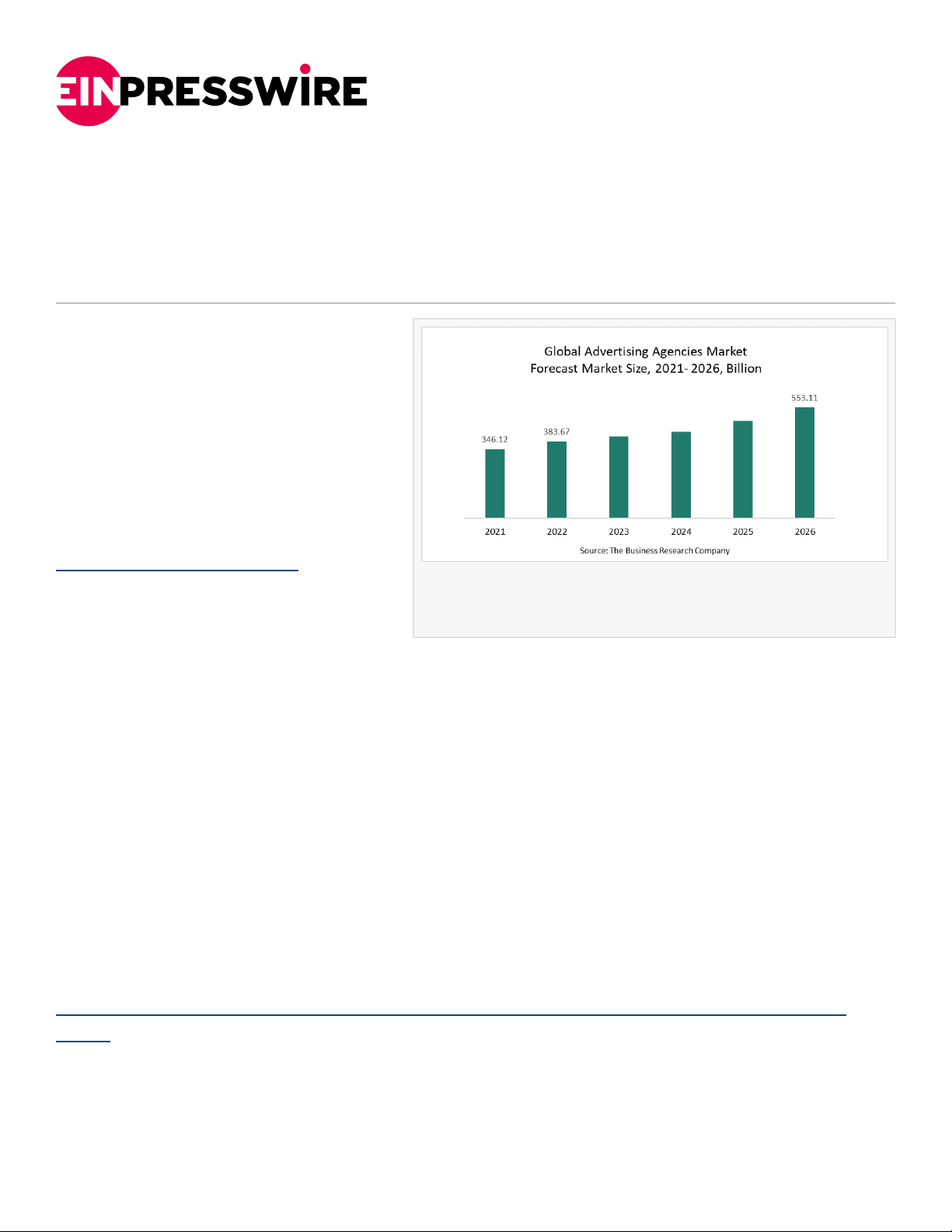










![[ PDF Database Document ] - BTCC Cryptocurrency Exchange BYD Aktie Prognose & Kursziel 2024, 2025, 2030: BYD-Aktie kaufen oder nicht?](https://s3.us-east-1.amazonaws.com/outstation.idea/pdf-mt/8720638253975465984/pdf/fd8496a7-505d-4e0c-9335-aab95ac51498/imgs/page1.png)