Integrating various views in Mind Mapping Tool PDF Free Download
1 / 5/5
100%

„FUTURIZM-2014, (14TH & 15TH March 2014), „P.D.E.As College of Engineering, Manjari[Bk]‟, „IIP
Cell,„Manjari Road, Hadapsar, Pune-412307. India.‟,
„Chief Editor:Dr.K.R.Harne‟, Editors: Prof R V Patil, Prof Niraja Jain
International Journal of Innovative Technology & Adaptive Management (IJITAM)
ISSN: 2347-3622, Volume-2, Issue-6 , March, 2015
www.ijitam.org
Integrating various views in Mind Mapping Tool
Nandini Singhal, Shadaf Shaikh, Bipin Shidore, Archana Chandgude
Department of CSE,
PDEA‟s College of Engineering,
Manjari, Pune, India
Abstract— In this era, every person is burdened with a
number of activities to be carried out. With this busy
schedule, some tasks are bound to slip out which may be
crucial. It would be easier to deal with tasks if their
logical relationships could be recorded and explored by
focusing exclusively on the relevant and hiding the
irrelevant. Mind Mapping Software allows these
relationships to be stored in a graphical format with the
ability to fold away or unfold details at will. This project
aims at integrating various views such as Priority and
Temporal views in the FreeMind, Open-Source Mind
Mapping Tool. This is essential because there may be
some tasks whose deadline is prior to the others. Hence
the user must be notified about the priority order in
which the tasks need to be carried out according to their
deadlines.
Keywords— Mind Map, logical view, temporal view, priority
view
I. INTRODUCTION
Mind Mapping, which was brought out by English Scholar
Tony Buzan, the chairman of Brain Foundation, is a method
used to generate, visualize, structure and classify ideas
helping human memorizing. A mind map is a diagram used
to visually outline information. A mind map is often created
around a single word or text, placed in the center, to which
associated ideas, words and concepts are added. Major
categories radiate from a central node, and lesser categories
are sub-branches of larger branches. Categories can
represent words, ideas, tasks, or other items related to a
central key word or idea. Mind maps have many applications
in personal, family, educational, and business situations,
including note taking, brainstorming (wherein ideas are
inserted into the map radially around the center node, without
the implicit prioritization that comes from hierarchy or
sequential arrangements, and wherein grouping and
organizing is reserved for later stages), summarizing, as
a mnemonic technique, or to sort out a complicated idea.
Mind mapping help to surface main ideas and explore ideas
linking to them. They also help to build connections between
main ideas and visually display this. Mind mapping can be
used to summarise information or think through complex
problems. A mind mapping is a highly effective way of
getting information in and out of your brain – it is a creative
and logical means of note-taking and note-making that
literally “maps out” your ideas. All mind mapping have some
things in common. They have a natural organizational
structure that radiates from the center and use lines, symbols,
words, color and images according to simple, brain-friendly
concepts. A mind mapping converts a long list of
monotonous information into a colorful, memorable and
highly organized diagram that works in line with your brain‟s
natural way of doing things.
II. MIND MAPPING
A. Evolution of Mind Maps
Hand drawn mind maps are easy to create and often more
a personal kind of overview. You can make them anywhere
you want and take them with you by simply folding it and
putting it in your pocket. The disadvantage is that it is more
„challenging‟ to edit the map and to use it for presentations
and it becomes clumsy with the increase in the size of the
map. Digital Mind maps are very powerful when you have
lots of information, when you want to share the map or work
on it with others.
B. Integrating views in Mind Mapping Tool
There are more than a dozen Mind Mapping Tools
available free of cost in the market. However they do not
fulfill the main purpose of removing the stress completely
from the user. The main aim of a Mind Map tool is to get rid

„FUTURIZM-2014, (14TH & 15TH March 2014), „P.D.E.As College of Engineering, Manjari[Bk]‟, „IIP
Cell,„Manjari Road, Hadapsar, Pune-412307. India.‟,
„Chief Editor:Dr.K.R.Harne‟, Editors: Prof R V Patil, Prof Niraja Jain
International Journal of Innovative Technology & Adaptive Management (IJITAM)
ISSN: 2347-3622, Volume-2, Issue-6 , March, 2015
www.ijitam.org
of remembering the various tasks that are to be performed by
the user and not to miss out on any task. For this purpose, an
idea of integrating 3 views simultaneously in the Mind
Mapping Software has been proposed. The Mind Map
software is introduced to consist of 3 views i.e. logical view,
priority view and temporal view. The logical view gives a
brief overview of a tree-like structure consisting of all the
tasks that are to be performed by the user allowing the user to
fold or unfold details at will. The temporal view will have the
ability to assign deadlines to all these tasks in the map as they
get entered in the map. Finally, all these priorities will get
sorted and get arranged as per their severity of being
performed in the priority view. These views will mutually
coordinate with each other to notify the user of all the highest
priority tasks. A basic concept can be represented by the
figure below.
Fig: Proposed integrated Mind Mapping Tool
III. ADDITIONAL FEATURES
The most noteworthy feature in this tool is the integration
of the 3 views and the mutual coordination between them.
Because of this coordination, any change made in any of the
view gets reflected in the remaining views. The separation of
the temporal view provides a bit of ease to the user. This
allows the user to simply click on a respective date in the
temporal view and get the list of all the activities to be carried
out on that particular date. This also means that you can
simply click on any node in the map and get all the details
relevant to that activity such as its deadline, priority, task
status and other information. The main benefit of this is the
convenience that gets provided to the user who doesn‟t need
to remember any activity but will simply receive a
notification at the appropriate deadline of the highest priority
task (that is present in the short term queue of tasks in the
priority view) to be executed. Some of the proposed features
of this tool are described below:
A. Various classification of priority stacks
The priority view comprises of a number of priority
stack which contain the different activities sorted on the basis
of their priorities. These stacks can vary as per the user
requirements. In this proposed model, we have introduced 5
stacks namely,
a) Short term stack of activities which hold all the tasks that
are to be completed within a week from the entry of the task.
b) Medium term stack of activities which hold all the tasks
whose deadline extends upto a month of completion from the
entry of the task in the map.
c) Long term stack of activities may hold all those activities
whose deadlines extend more than 1 month.
d) Pending list of activities which holds all those activities
which have not been completed before their due date. These
may have been kept on hold due to unavailability of some
resource or may be assigned a later deadline. This will assign
a new priority to these tasks accordingly.
e) You may optionally keep a dead list of activities that have
been completed. This may be helpful if you wish to renew
any completed task by assigning a new deadline to it.
B. Notifications for the tasks
The task whose deadline has approached will be termed as
the most crucial task because it must be completed before its
due date. Hence such a task must be notified to the user for
completion urgently. In such a case, the user receives a pop-
up reminding him of the activity. If the user responses with a
completion of the task then the activity gets discarded or
could get added to the dead list of tasks (for renewal at later
stage). However, the user is provided with another option of
reassigning a new deadline to that task and accordingly, it
gets added again to the respective priority queue again.
C. Templates
In-built templates could be provided for providing layout
of the map in the logical view with respect to the application
of the tool. Suppose the mind map is being used in the
industries, then the figure depicts a sample template.

„FUTURIZM-2014, (14TH & 15TH March 2014), „P.D.E.As College of Engineering, Manjari[Bk]‟, „IIP
Cell,„Manjari Road, Hadapsar, Pune-412307. India.‟,
„Chief Editor:Dr.K.R.Harne‟, Editors: Prof R V Patil, Prof Niraja Jain
International Journal of Innovative Technology & Adaptive Management (IJITAM)
ISSN: 2347-3622, Volume-2, Issue-6 , March, 2015
www.ijitam.org
Fig: Business Plan Template
Source: Mind Maple (Mind Mapping Tool)
Another application could be in describing the course of a
particular subject. This may be represented as:
Fig: Course Curriculum Template
Source: Mind Maple (Mind Mapping Tool)
These templates will facilitate in saving time for the user in
adding nodes and they provide an idea to the user in
depicting their ideas. Hence they add a great deal of
convenience to the mind maps.
D. Task Status
At any point of time, the user may assign labels to the
nodes according to the nodes as per his needs like completed
or waiting for some resources. This means that you have
noted the complete information of a particular activity like
whether it is on hold or has been completed.
E. Widget for quicker access
For quicker access, it would be highly efficient to
provide a desktop widget of this application which will start
running in the background as soon as the machine is turned
on. This will help in quick review of the map and the short
term tasks.
F. Additional information to a node
Each node can be accompanied by some additional
information like some links, files or notes where you can
store some description of the node or some image or some
link.
G. Weekly View of Tasks
A weekly view of the tasks in their order of precedence
could be provided for increasing efficiency. A sample can be
represented as:
Source: Mind Maple (Mind Mapping Tool)
IV. SYSTEM ARCHITECTURE
The system architecture for this proposed system has been
proposed as shown in the diagram below.
The front end of the system as described comprises of the
basic layout which has been partitioned into 3 views: logical,
priority and temporal view which mutually coordinate with
each other and help in providing interactivity to the user. On
the other hand, all the information regarding the map will get
stored in the database in XML format. Each node will have
its own structure which is described in next section. This
values will be entered in the respective XML tag of that
particular node whenever it is filled in by the user. Hence
looking at the architecture of this proposed system we can
get a clear understanding.

„FUTURIZM-2014, (14TH & 15TH March 2014), „P.D.E.As College of Engineering, Manjari[Bk]‟, „IIP
Cell,„Manjari Road, Hadapsar, Pune-412307. India.‟,
„Chief Editor:Dr.K.R.Harne‟, Editors: Prof R V Patil, Prof Niraja Jain
International Journal of Innovative Technology & Adaptive Management (IJITAM)
ISSN: 2347-3622, Volume-2, Issue-6 , March, 2015
www.ijitam.org
V. DATA STRUCTURE
For this model of mind map to be developed, a varying
type of data structure is required. This data structure is used
for each node which will be stored as XML in the database
with the attributes acting as the tags of each node. A node will
have a respective tag only when some information is present
in it. Each node in the map must contain the following fields:
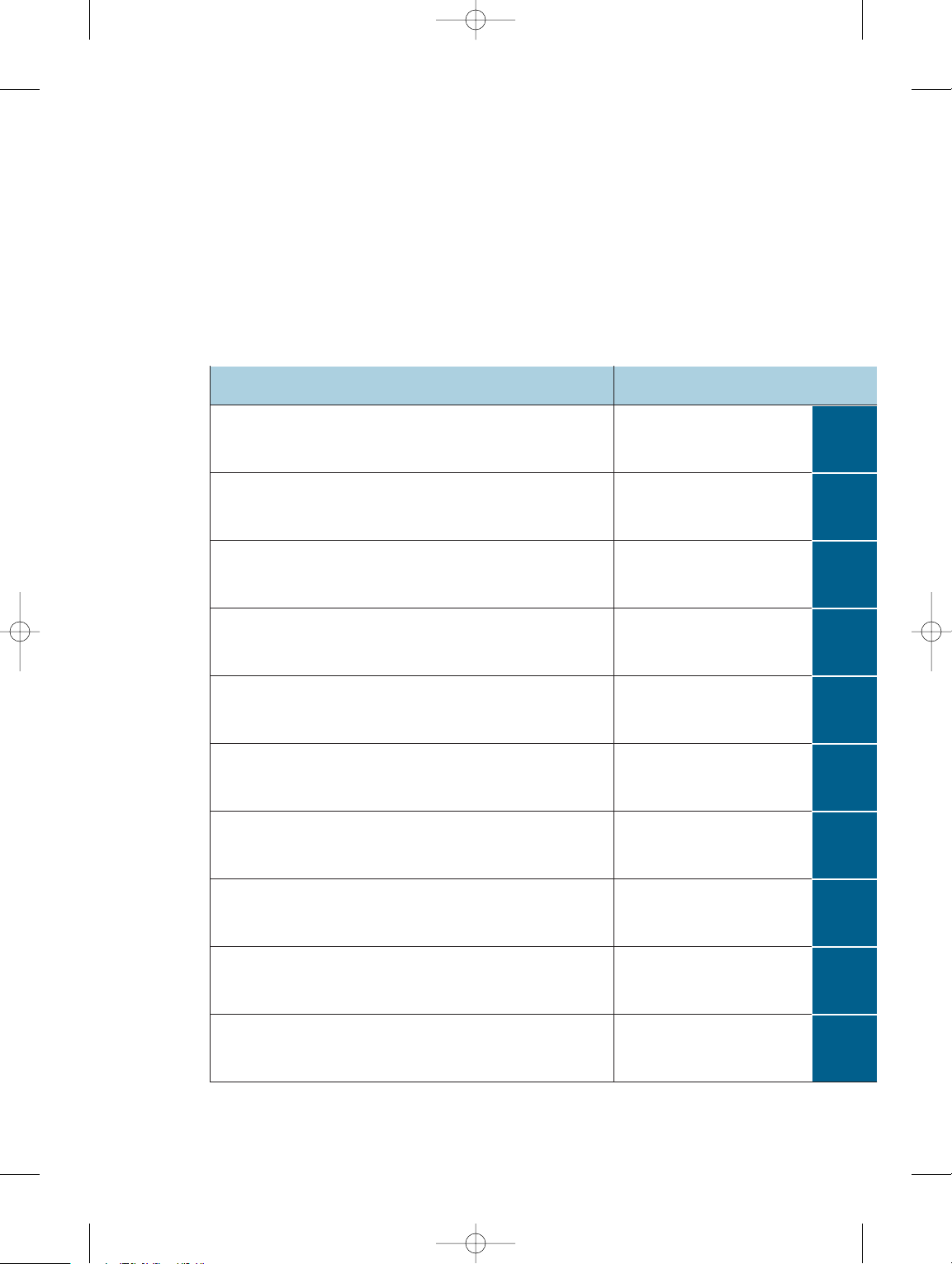
Field Name
Value
Id
Unique id for each node
Status
Node status – character string
Description
Name of the task
Date
Deadline for completion
Leaf
Boolean Value true for leaf node
Parent
Pointer to parent node
Priority
The priority stack where the node lies
Links
Additional information
Notes
Additional Information
Files
Additional Information
VisAttr
Visual Attributes of node
Traditional mindmap is in essence a tree structure of data
nodes. The number of nodes is often limited, so we can use a
simplified model to represent this structure. Each node has a
unique id to identify itself, and a parent field to indicate its
hierarchy level. The id may be assigned using hierarchical
numbering so that it becomes easy to trace out the hierarchy
in the map. The description field contains (mostly) text data;
this is also the visible text shown in the mindmap. VisAttr
determines the node's display format such as location, color,
font, icon etc. However, our proposed model needs
additional fields to describe the relationships between the
three views. Status is a text string to describe the current
status of the specified node: e.g., a tag like "completed" or
“on hold: waiting for some resource”, etc. The date and time
field indicates the exact deadline of the task before which it
must be completed. The priority field gets updated when the
node is added to one of the priority stacks in the priority
view. Some additional information of a node can be stored in
fields like links, notes or fields. These are optional fields that
must be represented only when the respective information is
added to that node. Above listed are the main attributes that
fulfills the requirements of this type of Mind Mapping Tool.
VI. CONCLUSION AND FUTURE SCOPE
Mind mapping is a popular graphical technique tool
among users because of its high efficiency and low cost. This
major function provides great useful way of keeping track of
all the user‟s daily work load. This is a major advancement in
the field of Mind Mapping. This can be further extended by:
a) This model is a static implementation of the system i.e. it
will work only if the machine on which the application is
installed runs. This can be extended to sending mobile SMS
or emails or notifications of the tasks. This will provide a
ease of portability because you will be able to check your
tasks anytime, anywhere.
b) Extend this model to 3-D view of map which will make it
extremely convenient.
c) Allow accepting audio input or input in the form of
English statements for the construction of the map.
d) Facilitate searching a node based only on the text of the
node i.e. a keyword.
e) Facilitate combining two or more mind maps dealing with
same aspect automatically.
ACKNOWLEDGMENT
We would like to thank our guides Dr. Uday
Khedker and Prof. R. V. Patil for their immense support and
guidance. We would also like to thank our teachers, parents
and friends for their motivation.
REFERENCES
[1] Book by David Allen titled “Getting Things Done” (The art of stress-
free Productivity)
[2] Mindmap-NG: A Novel Framework for Modeling Effective Thinking
(IEEE 2010) – By WANG Shui, Nanyang Institute of Technology, China and
WANG Le, School of Innovation Experiment, China
[3] Organizational Knowledge Sharing through Mind Mapping. (IEEE 2009)
– By Tang Jeung-tai E., National YunLin Technology University and Chiang
Chihui, National YunLin Technology University.
[4] Mind Mapping Based Human Memory Management System. (IEEE 2010)
– By ZHANG Yan-Lei, XIAO Shuang-jiu, YANG Xu-bo, DING Lei, Digital Art
Lab, Software School, Shanghai Jiaotong University, China
[5] Timeline-Based authoring tool for E-Textbook: Bringing the “Mind-
mapped Learning Model.” (IEEE 2011) – By HeeJeong Jasmine Lee,
TeongJoo Ong and Christopher Hugh Messom
[6] Cooperative Mind Map and Its Application in Meaningful Learning for
Junior High School Students. (IEEE 2009) – By LIN Zhiyi, Educational
Information Technology Centre of Xicheng District Beijing
[7] Wikipedia: http://en.wikipedia.org/wikilMindmap, 2010.
[8] Michael R Sevcovic, "Physical to Functional Mapping with Mindmap
Software," in Systems Engineering and New Developments in Electronics.
SAE International, 2006.

„FUTURIZM-2014, (14TH & 15TH March 2014), „P.D.E.As College of Engineering, Manjari[Bk]‟, „IIP
Cell,„Manjari Road, Hadapsar, Pune-412307. India.‟,
„Chief Editor:Dr.K.R.Harne‟, Editors: Prof R V Patil, Prof Niraja Jain
International Journal of Innovative Technology & Adaptive Management (IJITAM)
ISSN: 2347-3622, Volume-2, Issue-6 , March, 2015
www.ijitam.org
[9] Tony Buzan, iMindMap: http://www.thinkbuzan.com.
[10]JoergMueller, FreeMind: http://freemind.sourceforge.net.